ACT - Accuracy Check Tool.pdf - 第192页
ACT with SSW 7xx / User Manual 07/2017 Edition 84 5.2.2 Softw ar e 5.2.2.1 SIPLACE Pro – Boards As of SIPLACE P ro version 12.1.3. 35, there is a subfo lder for the Tray in Conveyor for ACT option in the folder fo r the …
ACT with SSW 7xx / User Manual 07/2017 Edition
83
5.2 Using the Tray in Conveyor for ACT Option
5.2.1 Hardware
Feeding in dual conveyor mode
In machines with dual conveyor, the glass plate can be fed in one lane and the tray in the other
lane.
Feeding in single conveyor mode
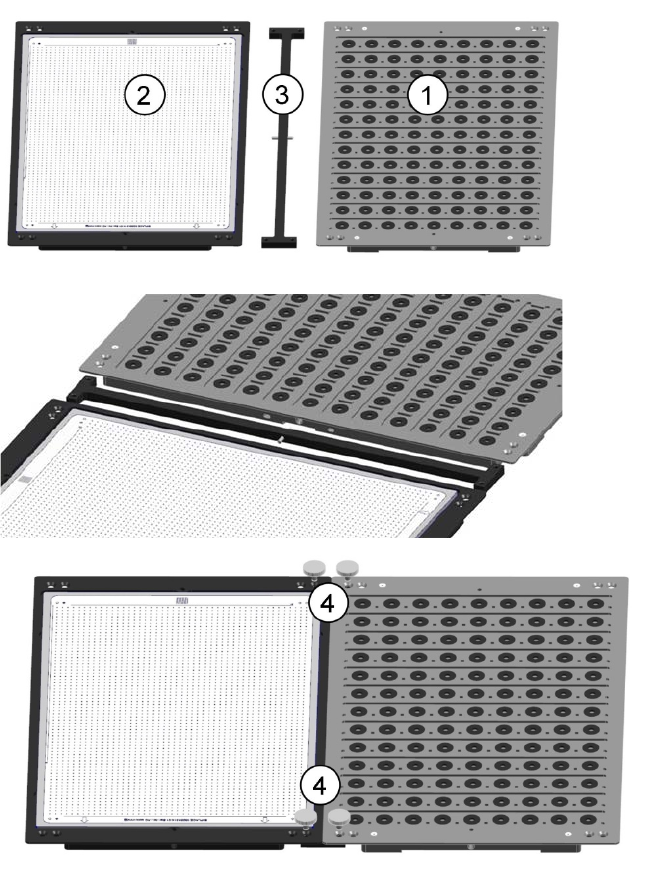
► Connect the tray (1) with the glass plate (2) using the supplied adapter (3).
► Fasten the connection with the 4 knurled screws (4) from [03031103-01].
Figure 5-2: Feeding in single conveyor mode
ACT with SSW 7xx / User Manual 07/2017 Edition
84
5.2.2 Software
5.2.2.1 SIPLACE Pro – Boards
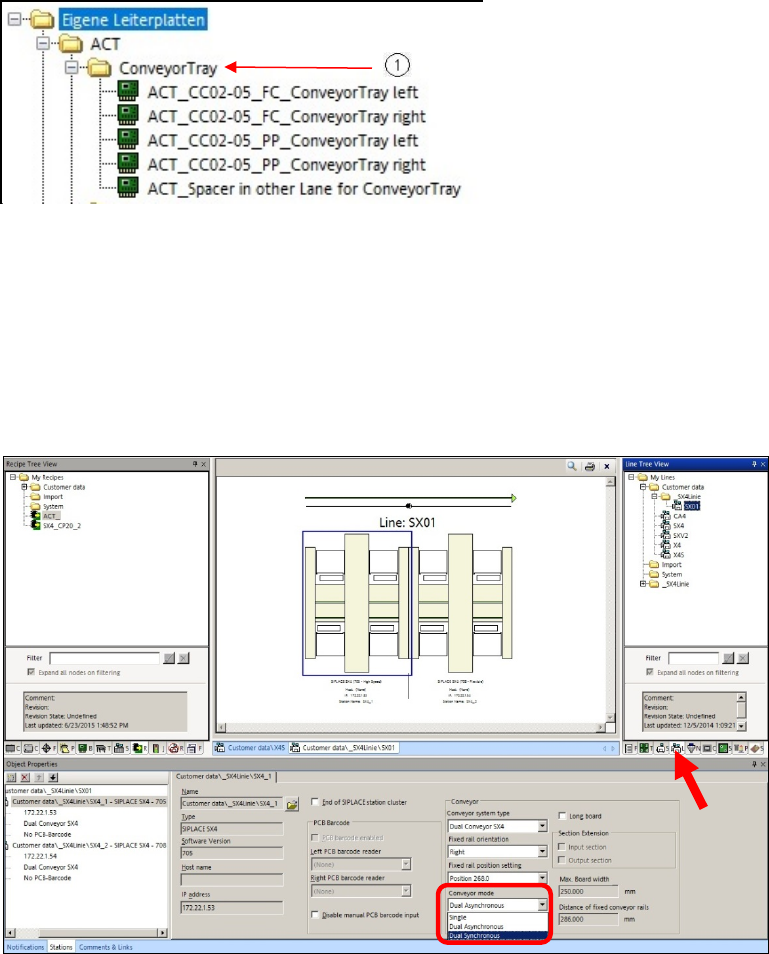
As of SIPLACE Pro version 12.1.3.35, there is a subfolder for the Tray in Conveyor for ACT
option in the folder for the ACT plate descriptions.
Figure 5-3: ACT directory for Tray in Conveyor for ACT option
(1) Additional directory: My boards\ACT\ConveyorTray
Feeding in dual conveyor mode
In machines with dual conveyor, the glass plate can be fed in one lane and the tray in the other
lane.
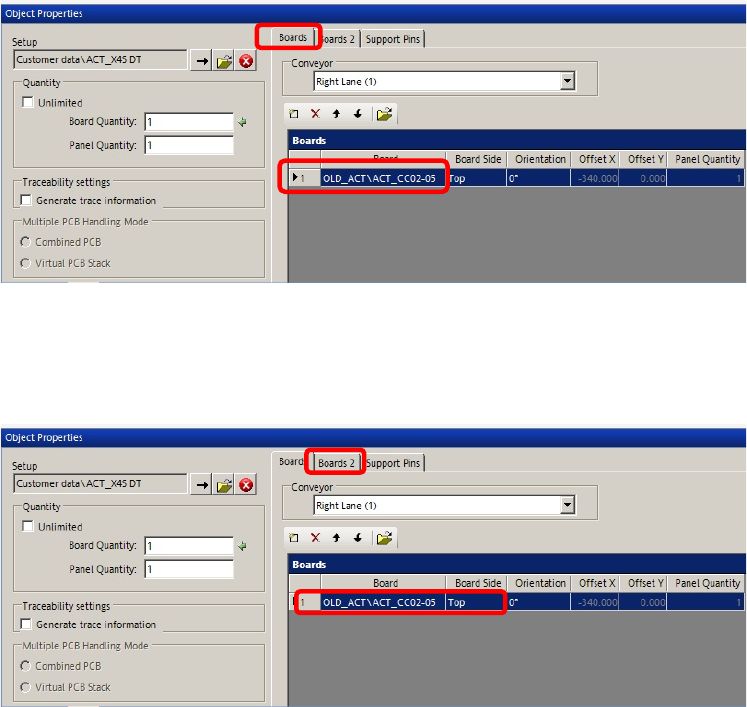
► Set the conveyor in the Line to Dual Synchronous.
Figure 5-4: Setting dual synchronous mode
ACT with SSW 7xx / User Manual 07/2017 Edition
85
► Create a recipe.
Figure 5-5: Creating a recipe – ACT plate
► Use a normal board description for the ACT plate as described in section 4.1.1.
► Select the empty ACT_Spacer in other Lane for ConveyorTray plate as placeholder for the
second conveyor lane in which the tray is to be fed.
Figure 5-6: Creating recipe – second board as placeholder
Feeding in single conveyor mode
► Connect the tray with the glass plate as described in section 5.2.1.
► Set the conveyor width to 428.00 mm using the Automatic width adjustment.
The tray enters the machine together with the plate.