ACT - Accuracy Check Tool.pdf - 第212页
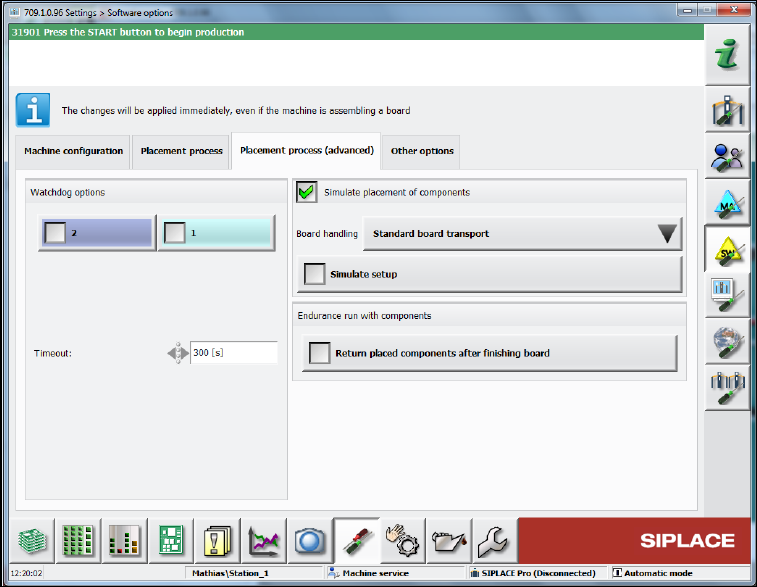
ACT with SSW 7xx / User Manual 07/2017 Edition 104 ► Additionally, in t he same view sele ct in the Placemen t process (adv anced) tab the Simulate placement of components function. Figure 6-19: Simulating pl acement of …
ACT with SSW 7xx / User Manual 07/2017 Edition
103
6.1.3.3 Test Placement
After the vacuum toolings have been installed, it is absolutely necessary to perform a test with the
board through the conveyor by means of the enclosed ALU board and by fixing it in the vacuum
tooling.
This is required to protect the very expensive "Glass ceram 100 x 250 mm" ACT plate.
CAUTION
Test placement
An incorrectly positioned ACT plate in the vacuum tooling would destroy the glass ceram
plate!
It is recommended to perform the test with the ALU board at each placement program
change and for each lane.
► Specify the ACT program that you want to measure at the SIPLACE Pro computer or select it
from the list of available placement programs at the station.
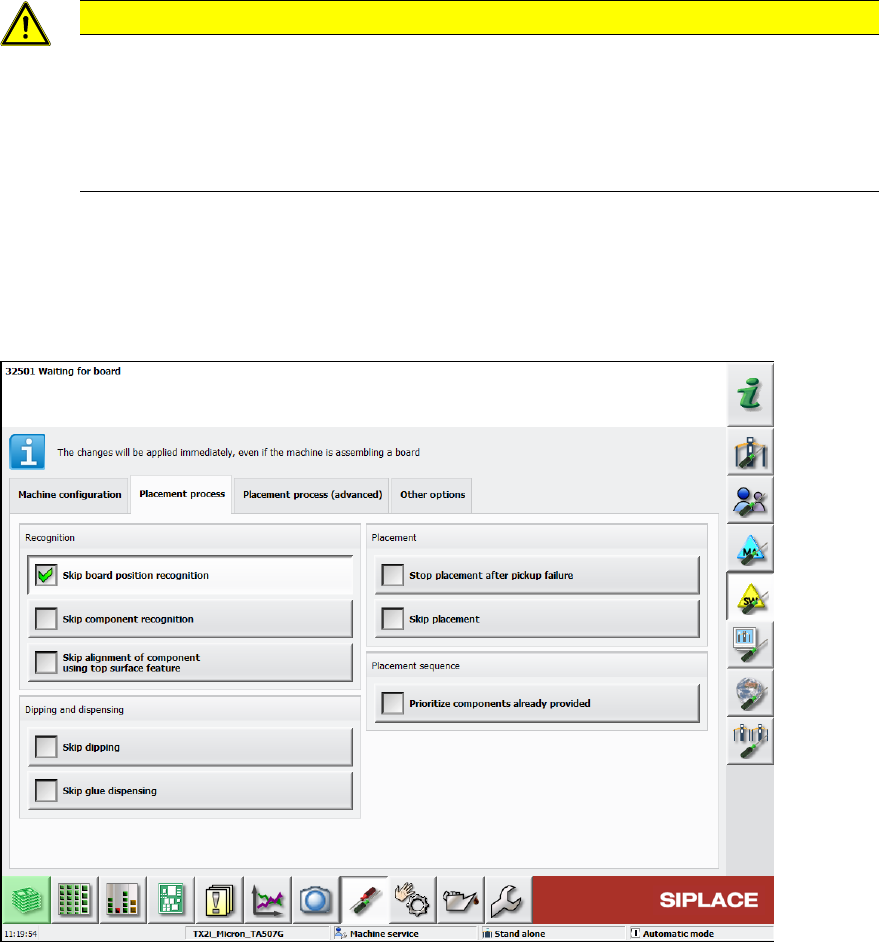
► In the station software, select Skip board position recognition under Settings – Software
options – Placement process.
Figure 6-18: Skipping board position recognition
ACT with SSW 7xx / User Manual 07/2017 Edition
104
► Additionally, in the same view select in the Placement process (advanced) tab the Simulate
placement of components function.
Figure 6-19: Simulating placement of components
► Now load the black ALU plate into the machine and pay attention to the error-free transport and
clamping process.
ACT with SSW 7xx / User Manual 07/2017 Edition
105
7 Troubleshooting
7.1 Update to SIPLACE Pro 11.x ff but no Update of the Station
Software to 707.1 SP1 HF2 ff
With SIPLACE Pro 11.x ff and 707.1 SP1 HF2 and the compatible 706.2.SP1 HF2 version, all
heads with P&P functionality have been united into a new ACT placement program. For this with
ACT import 11.x in SIPLACE Pro, the SST 33 / 36 camera types and the 518 nozzle have been
removed from the CC02-05 and the CC02-05_CPP has been canceled.
Furthermore, the CC07-500 has been replaced by a CC02-05_FC.
If an update has been performed to SIPLACE Pro 11.x ff but no update of the station software to
707.1 SP1 HF2 ff, the corresponding components fail in the station software.
Recommended solution: Update to 707.1 SP1 HF2 (or higher)
Alternative solution: (if no software update can be installed)
► In this case, select the ACT_CC02-05_CPP_TH board in SIPLACE Pro. See Table 4-2.
7.2 Specification of False Placement Programs
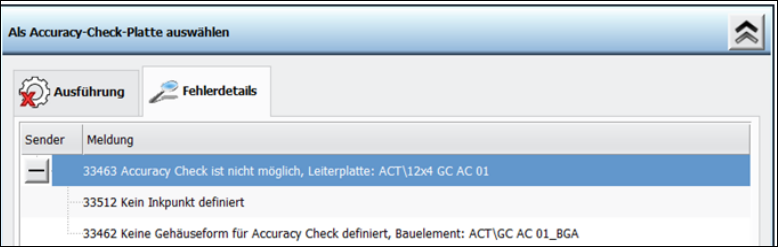
If other data is specified by SIPLACE Pro or changes on the ACT objects are performed in
SIPLACE Pro (directory names and object names of components), the following error messages
occur at the station.
ACT in station software 707.x