00195440-05-SG_D-Series_FSE-EN.pdf - 第256页
14 SITEST 14.3 Calibration Basics 14.3.7 New Functions in SITEST 256 Student Guide SIPLACE D-Series (FSE) Head Data Head modularity - head data Legend 1. Select and set the rele vant hea d type for the head replacemen t.…
14 SITEST
14.3.7 New Functions in SITEST 14.3 Calibration Basics
Student Guide SIPLACE D-Series (FSE) 255
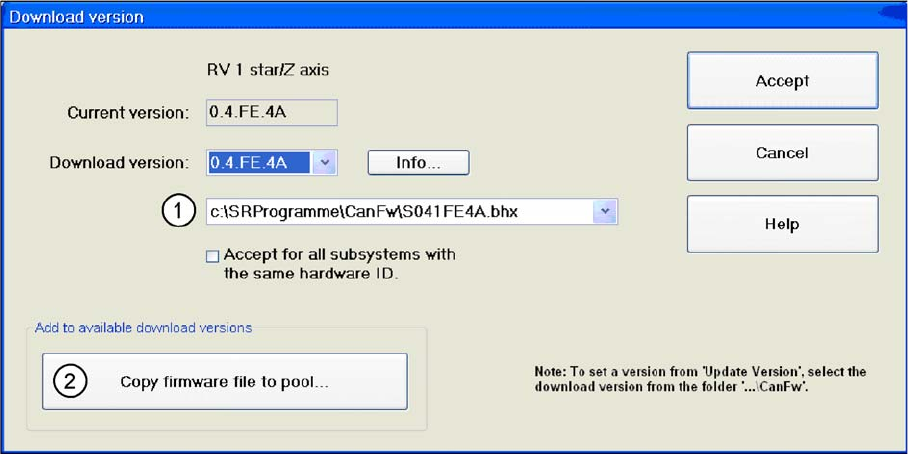
Firmware download
In the Can FW folder there are all current Firmware versions of all axes, tables etc.
Legend
1. The system checks this folder, to see whether there is a newer version of the firmware for the re-
spective axis, table etc.. If there exist a new firmware version, this new version will be offered and
could be downloaded for example to the star- axis.
2. You can also copy a new firmware version manually into the CAN FW folder. Click on the Copy firm-
ware file to pool. An Explorer menu will open, in which you can directly copy the new firmware version
from a USB stick etc. into the CAN FW folder. The firmware version you have selected is now present
in the selection menu (see (1)).
14.3.7.3
14.3.7.3 Head Modularity for SIPLACE D/Di-Series
Head Modularity for SIPLACE D/Di-Series
► Select Settings from the SITEST menu and then Head exchange.
14 SITEST
14.3 Calibration Basics 14.3.7 New Functions in SITEST
256 Student Guide SIPLACE D-Series (FSE)
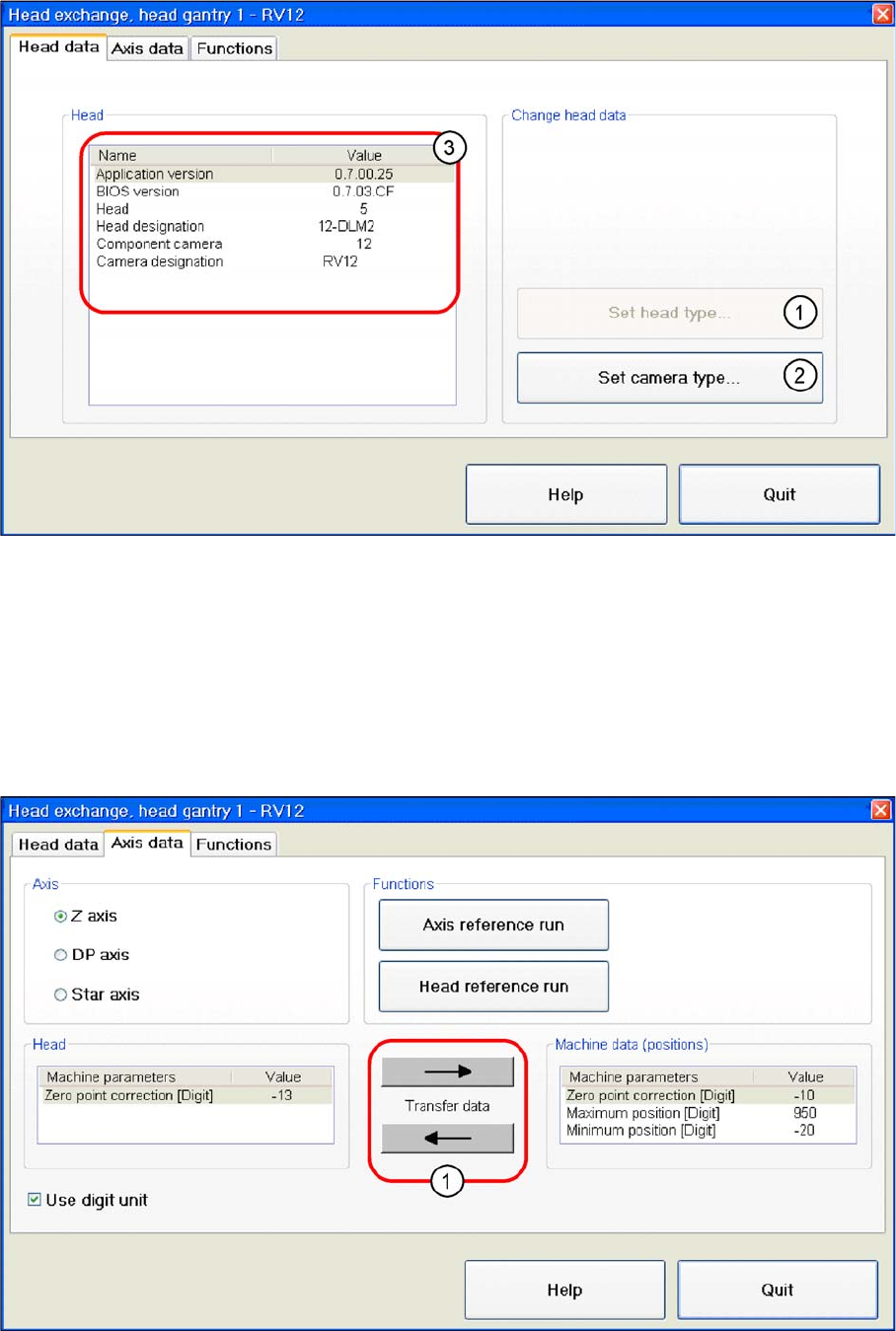
Head Data
Head modularity - head data
Legend
1. Select and set the relevant head type for the head replacement.
2. Select and set the relevant camera type for the selected head type or head replacement.
3. Shows the data for the head installed. The current BIOS and application version, the head type and
the camera type of the installed head.
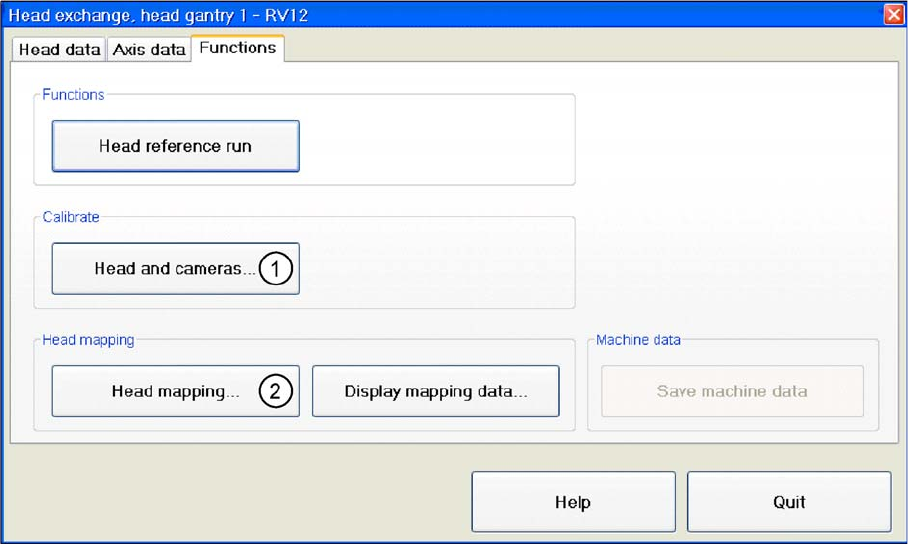
Axis Data
Head modularity - axis data
14 SITEST
14.3.7 New Functions in SITEST 14.3 Calibration Basics
Student Guide SIPLACE D-Series (FSE) 257
Legend
1. This is where the axis data (Z and star axes) can be written from the head EPROM to the machine
data. You can also write the Z and star axis data from the machine data to the head EPROM.
Function
Head modularity - function
Legend
1. After the head has been replaced, this function enables you to calibrate this head directly in the head
modularity menu. Of course it is also possible to calibrate the other heads with this function. The new
head and other heads can also be calibrated with SITEST, at Calibrate machine..., All heads and
cameras... .
2. The same applies as in(1). After the head exchange you can directly do a head- mapping. The head
mapping function can be found at Calibrate machine, Head Mapping.