User-Manual-NeoDen-K1830-20200618.pdf - 第10页
1 1 Keep the mac hine cle an, daily main tenance of th e no zzles assures high u tility . 1.6 Flow chart of making a programming file Note: A. The basic proc edure o f making a programmin g file by ma nual programmin g o…
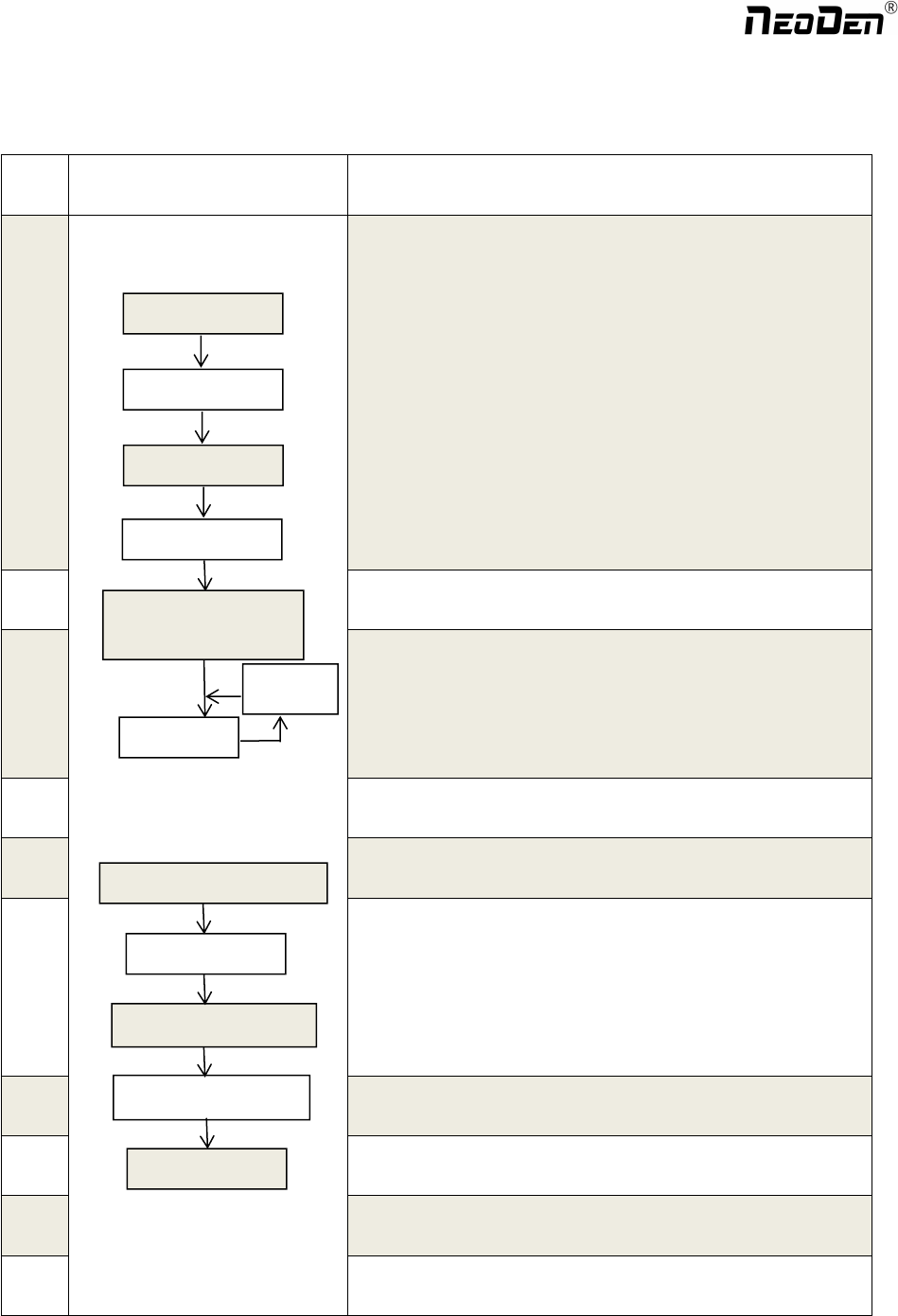
1.5 Operation flow chart
NO. Flow chart Note
1
1. The pick and place machine is a precision equipment. In the
installation position of the machine, it is necessary to carry out horizontal
correction before and after the equipment to prevent the uneven operation
of the equipment from damaging the service life of the equipment;
2. Connect and fix the equipment interface before and after the
equipment, and connect and fix the ground wire;
3. The access power must meet the requirements of power identification;
4. No less than 0.6mp air source input and adjust the pressure value to
OK;
5. Check the safety of the working area of the mounting head;
6. The XY transmission parts are not fastened and interfered, and check
that the emergency stop switch is in normal state;
2 Power on and turn the power switch clockwise;
3
1
,
1. When the self-test is carried out, the head indicator light of the
mounting head and the light source of the IC camera will be on and
flash briefly to indicate that the self-test is normal;
2
,
XY initialization (origin reset) is normal, the software enters the file
list interface, and no error report pops up;
4 After power on, directly enter the file list page;
5
See page 10 for the introduction of machine operation for
details;
6
Suggestions on production process:
1. First component confirmation: confirm the component angle
and polarity, component picking position and mounting
position;
2. Start production after confirming solder paste printing and
temperature setting;
7 Production process;
8
After the production is finished, reset the origin and prepare to
shut down;
9
Shut down the system via computer, then power off the
machine.
10
Disconnect the electricity supply after the system being
powered off.
Software shut down
System shut down
Power OFF
Exit
Production Finished
Pre
p
aration
Power ON
Automatic Test
Power on
p
a
g
e
Program and Edit;
Production
Shutdown ste
p
s
Mountin
g
Modify
Abnormal
Start-u
p
ste
p
s
9
Zhejiang NeoDen Technology Co.,Ltd.
11
Keep the machine clean, daily maintenance of the nozzles
assures high utility.
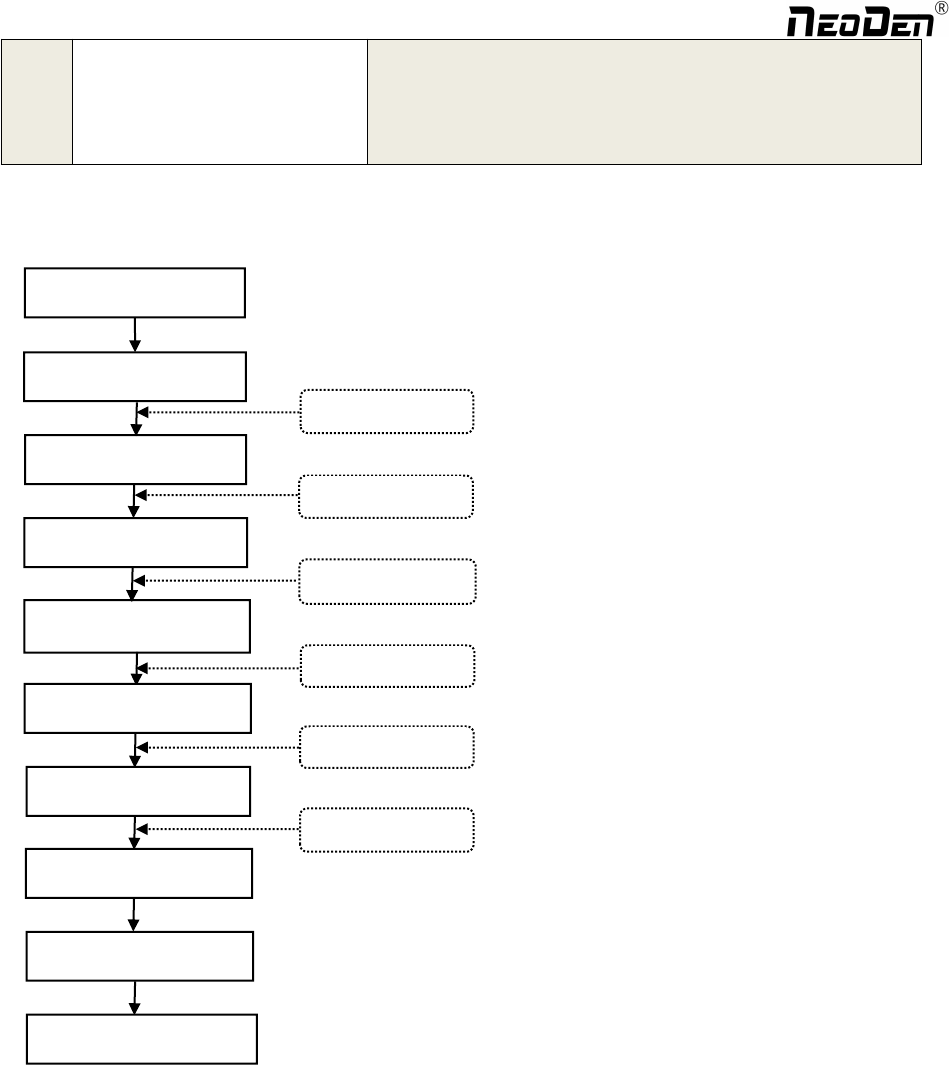
1.6 Flow chart of making a programming file
Note:
A. The basic procedure of making a programming file by manual programming or import coordinate file is
similar, but there are two different parts: component list and fiducial setting.
B. Please find the detailed operation steps of the differences on relative page.
Start
Edit the file
Feeder settin
g
s
PCB feed settin
g
Fiducial settin
g
Component setup
PCB feedin
g
Penalized PCB first chip
Save and return
Select file and start
See P 12
See P 12
See P 14
See P 19
See P 18
See P 26
10
Zhejiang NeoDen Technology Co.,Ltd.
2.PCB Editing
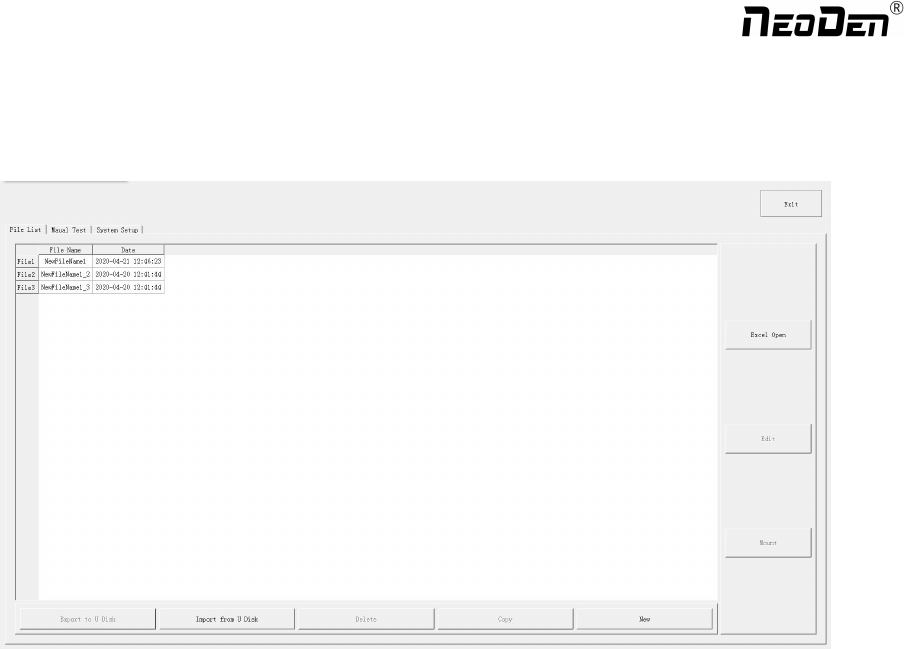
File list introduction::
(1) Excel Open:The Excel table of the file can be modified directly in the table for some routine operations,
simplifying the programming operation.
(2) Edit: select a file and click Edit to enter the corresponding editing interface.
(3) Processing: after editing the file, after checking the correctness, select the file and click processing to mount.
(4) Export file: After connecting an U disk, select the file and click Export, after the successful notice pops up, the
export is finished.
(5) Import from U disk: for the files that have been edited offline, they can be directly imported from U disk for
mounting. After connecting U disk, click Import from U disk, select the corresponding files in the new window, and
click OK. When the imported files are showed in the file list, the operation is finished.
(6) Delete: select the corresponding file, click delete, a prompt window will pop up, and click Yes.
(7) Copy: select the corresponding file, click Copy, and the file list will generate a file of xxxcopy1. In order to
prevent misoperation, a new file can be copied before operation.
(8) Add a new file: click Add to open the input window, input the file name, and click OK. At this time, when the file
list interface displays new files, the operation is successful.
11
Zhejiang NeoDen Technology Co.,Ltd.