User-Manual-NeoDen-K1830-20200618.pdf - 第13页
2.1.2 Tr a cks: Select the “Tracks”on PCB Feed Setting interfa ce: Tr a cks width setting:S et c orrect PCB wid th value u ntil the PCB can m ove smoothly PCB Fee d T est:Put PCB to “ Tracks Sec tion 1 ”,Click “forward ”…
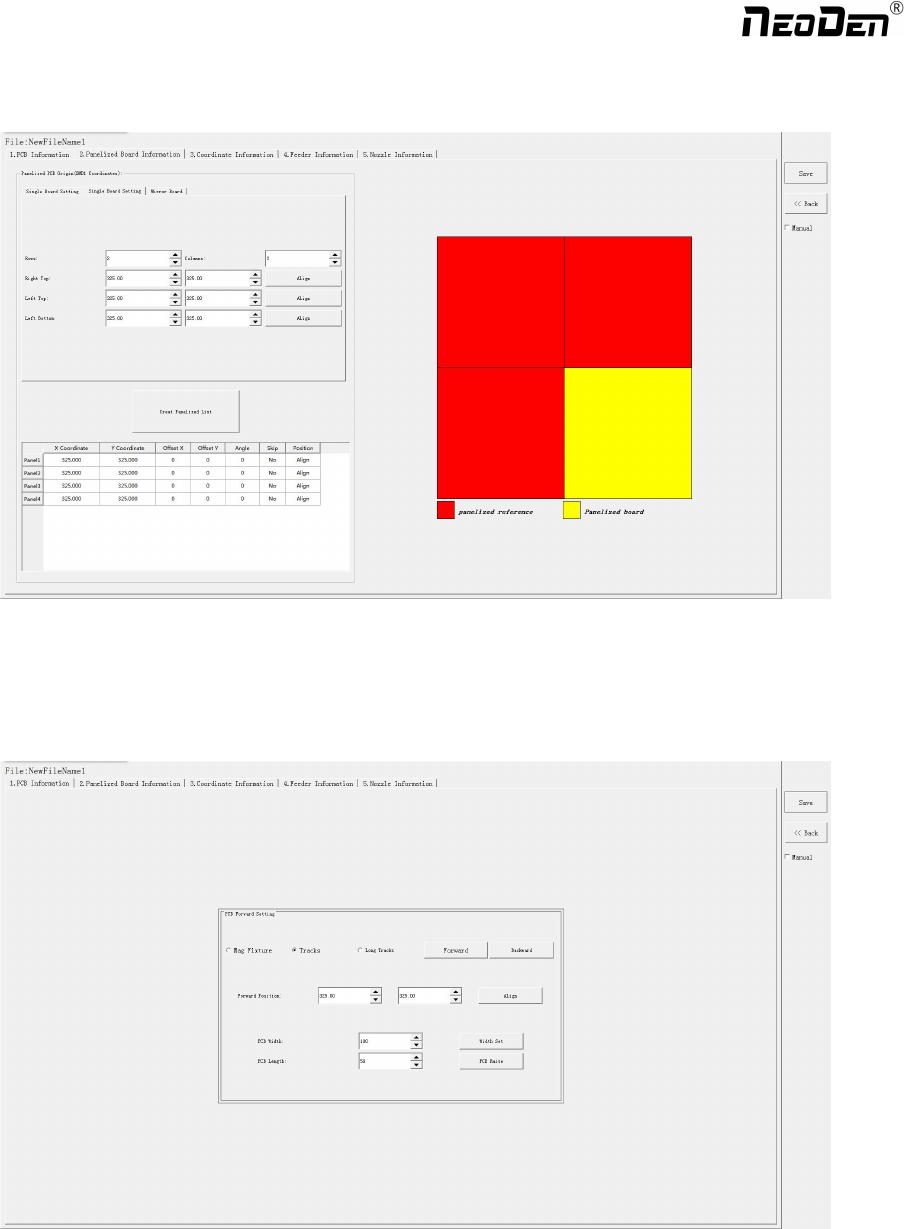
On the file list page, select an existing file or add a new file and name it, and then select the file for editing. The editing
page is shown as follows:
2.1 PCB forward settings
In manual programming, this item is the primary editing item, and the board entry setting is as shown in the figure:
2.1.1 Mag Fixture
Select tray to fix the board feeding mode, place the PCB to be installed in the proper position in the mounting area, and then
click "top plate control" to fix the PCB.
12
Zhejiang NeoDen Technology Co.,Ltd.

2.1.2 Tracks:
Select the “Tracks”on PCB Feed Setting interface:
Tracks width setting:Set correct PCB width value until the PCB can move smoothly
PCB Feed Test:Put PCB to “Tracks Section 1”,Click “forward”, PCB will move to “Tracks section 2” and stop at the
cylinder thimble position through the sensor,cylinder will raise the PCB, then thimble will go down, PCB feeding complete.
The adjustment method of the tracks width:Put the PCB on the front conveyor,feed the PCB to the tracks of pick and place
machine, gently push the PCB back and forth by hand to leave a tiny gap of about 1mm in the rail(add extra 1mm from PCB
width), click”Width set” and follow the prompt window to check whether meet the zero return condition. After zero return,
it will be adjusted to setted width.
2.1.3 Long Tracks:
Select the “Long Tracks”on PCB Feed Setting interface,then all track sections start work simultaneously.
Tracks width setting:Set correct PCB width value until the PCB can move smoothly
PCB Feed Test:The long tracks sends feed signal to the front conveyor, and feed PCB to cylinder thimble 1 position,
cylinder will raise the PCB,then thimble 1 will go down,PCB feeding phase 1 is completed.After above placement is
completed, the PCB in the waiting area is released, feed to cylinder thimble 2 position, cylinder will raise the PCB,then
thimble 2 will go down,PCB feeding phase 2 is completed.After above placement is completed, the PCB in the waiting area
is released, feed to cylinder thimble 3 position, cylinder will raise the PCB,then thimble 3 will go down,PCB feeding phase
3 is completed.
2.2 PCB Eject setting
After click “Eject”no matter under Mag fixture or Rail mode,the thimble will go down in “track section 2”,”track section
3”begin to work and PCB will feed to back conveyor
2.3 PCB Forward Position Setting
Need set the PCB forward position before click “forward”
Step:Click “Align”and enter the “align”interface,set the forward position according to the photo took by mark camera,and
select “align method-nozzle 1”,then click “save”to save the forward position information.
13
Zhejiang NeoDen Technology Co.,Ltd.
3.
Panelized PCB Edit
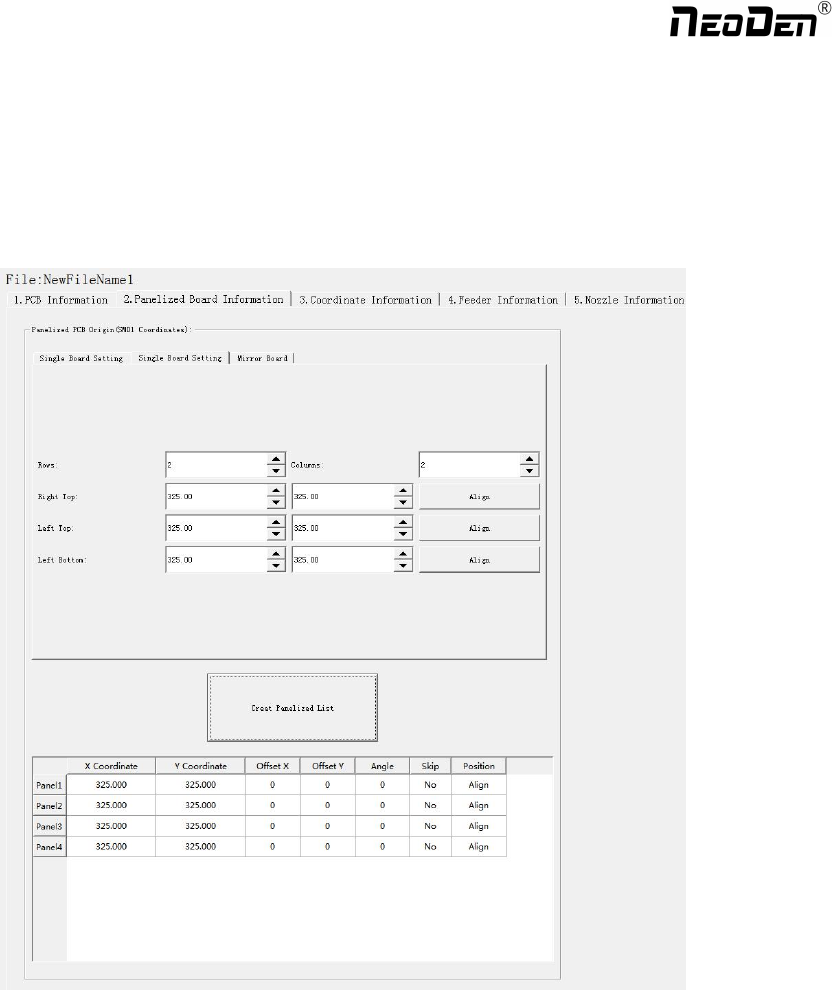
3.1 Panelized PCB origin (SMD1 coordinate)
Function: This is mainly to determine the first component on single or panelized PCB of manual program or imported file.
The principle is to collect and calculate the data of each board’s relative spacing, in order to achieve the calculation of the
real coordinate.
Note: the panelized PCB origin (SMD1 coordinate) and panelized list setting of the manual program mode is the
same as file import mode.
3.1.1 Single board
Click “single board setting”, you will see the “align” button of the SMD1 position that means the first component on the
component setup. Click “align” to enter the vision align interface, we need find the first component that on the component
list,generally we choose the center of the component, see figure
14
Zhejiang NeoDen Technology Co.,Ltd.