User-Manual-NeoDen-K1830-20200618.pdf - 第15页
15 Click “ ok”, it will bac k to th e pre vious interfac e, c lick “ create panelized list” butto n, the data wh ich o n the pane lized list will c hange.Can see the “SMD1 in formation” on the list and d o double chec k …
3.
Panelized PCB Edit
3.1 Panelized PCB origin (SMD1 coordinate)
Function: This is mainly to determine the first component on single or panelized PCB of manual program or imported file.
The principle is to collect and calculate the data of each board’s relative spacing, in order to achieve the calculation of the
real coordinate.
Note: the panelized PCB origin (SMD1 coordinate) and panelized list setting of the manual program mode is the
same as file import mode.
3.1.1 Single board
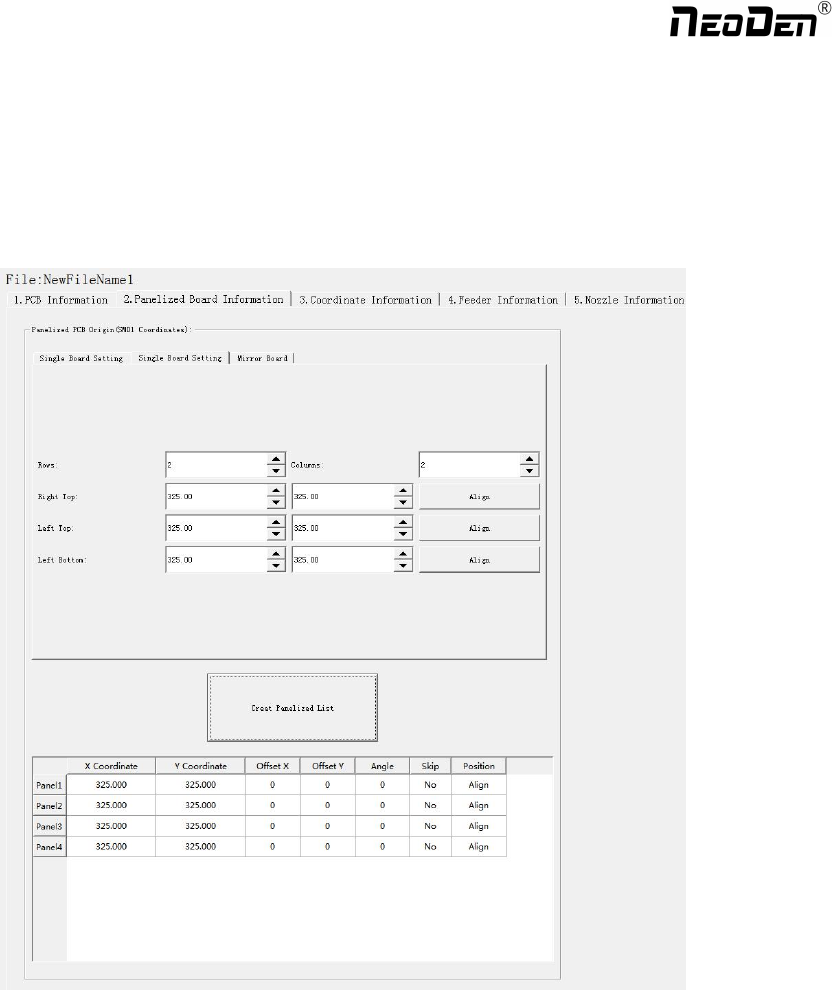
Click “single board setting”, you will see the “align” button of the SMD1 position that means the first component on the
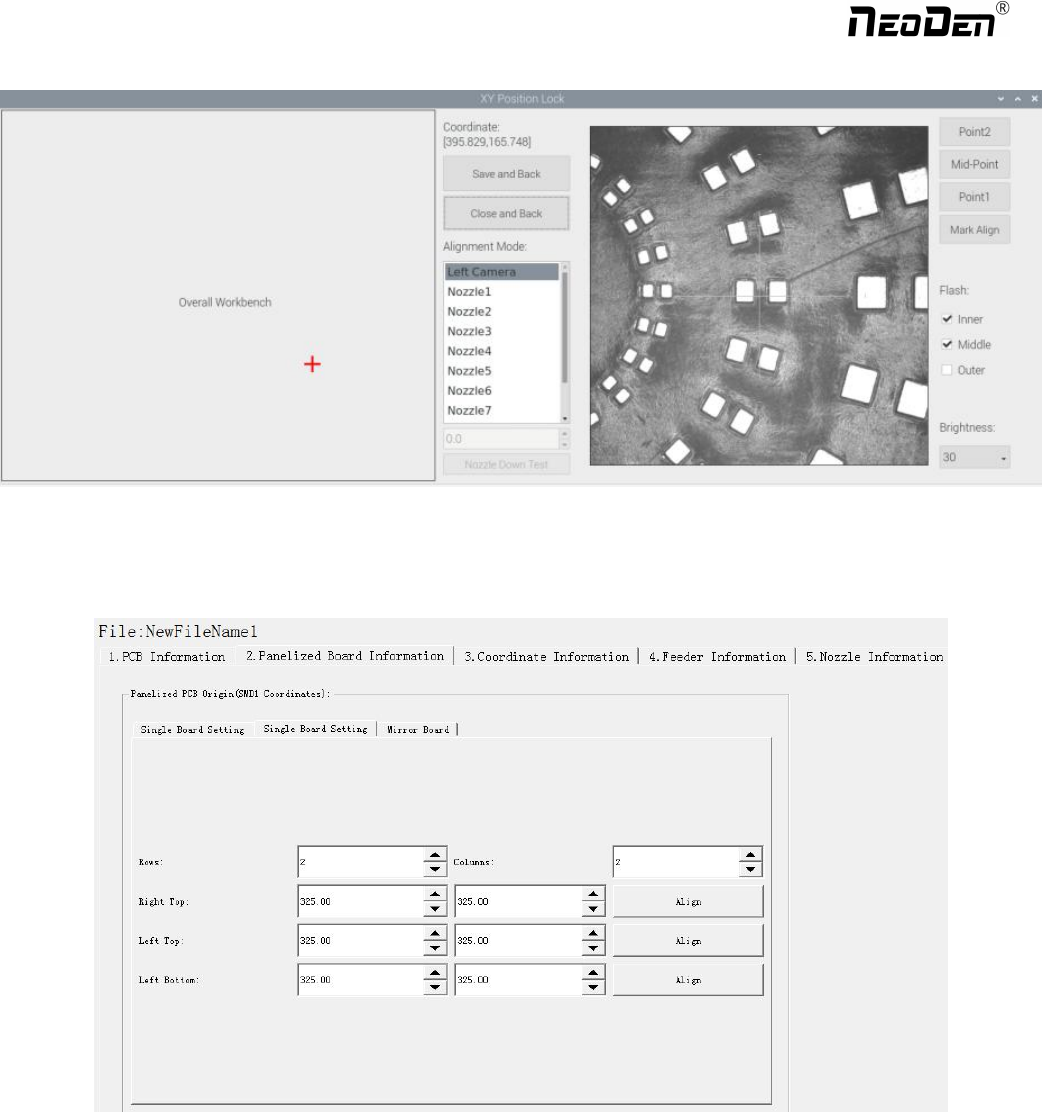
component setup. Click “align” to enter the vision align interface, we need find the first component that on the component
list,generally we choose the center of the component, see figure
14
Zhejiang NeoDen Technology Co.,Ltd.
15
Click “ok”, it will back to the previous interface, click “create panelized list” button, the data which on the panelized list
will change.Can see the “SMD1 information”on the list and do double check via “align”button.
3.1.2 Panelized board
The steps of the panelized board programming are similar with the single board, but need pay some attention to several
points below
The row and column are determined by the positioning of PCB on working area. The direction along the rails is the column,
the direction perpendicular to the rail is row, then please enter data in the row and column.
Please refer to the data collecting method of each position information as following:
●The data of “left bottom” is collected according to first component in the component list of programming file. Press
“align” of left bottom, find the left bottom panel that is nearest to the left side and nearest to the feeding position, then find
the first component which on the chip list of this panel, align the center of this component. After saving the data, it will
return to the “PCB information” automatically.
Zhejiang NeoDen Technology Co.,Ltd.
●The data of “left top”: on the alignment interface, find the left top panel that is nearest to the left side but farthest to the
feeding position, then find the component same as the component that aligned on the “left bottom”, align the center of this
component. Click save and cancel, it will return to the “PCB information” automatically.
●The data of “right top”: on the alignment interface, find the right top panel that is nearest to the right side but farthest to
the feeding position, then find the same component as the component that aligned on the “left bottom”, align the center of
this component, click save and cancel, it will return to the “PCB information” automatically.
After setup, click “create panelized list”, the panelized list will be generated accordingly in the blank. You can also
double-confirm each position by clicking “Align”.
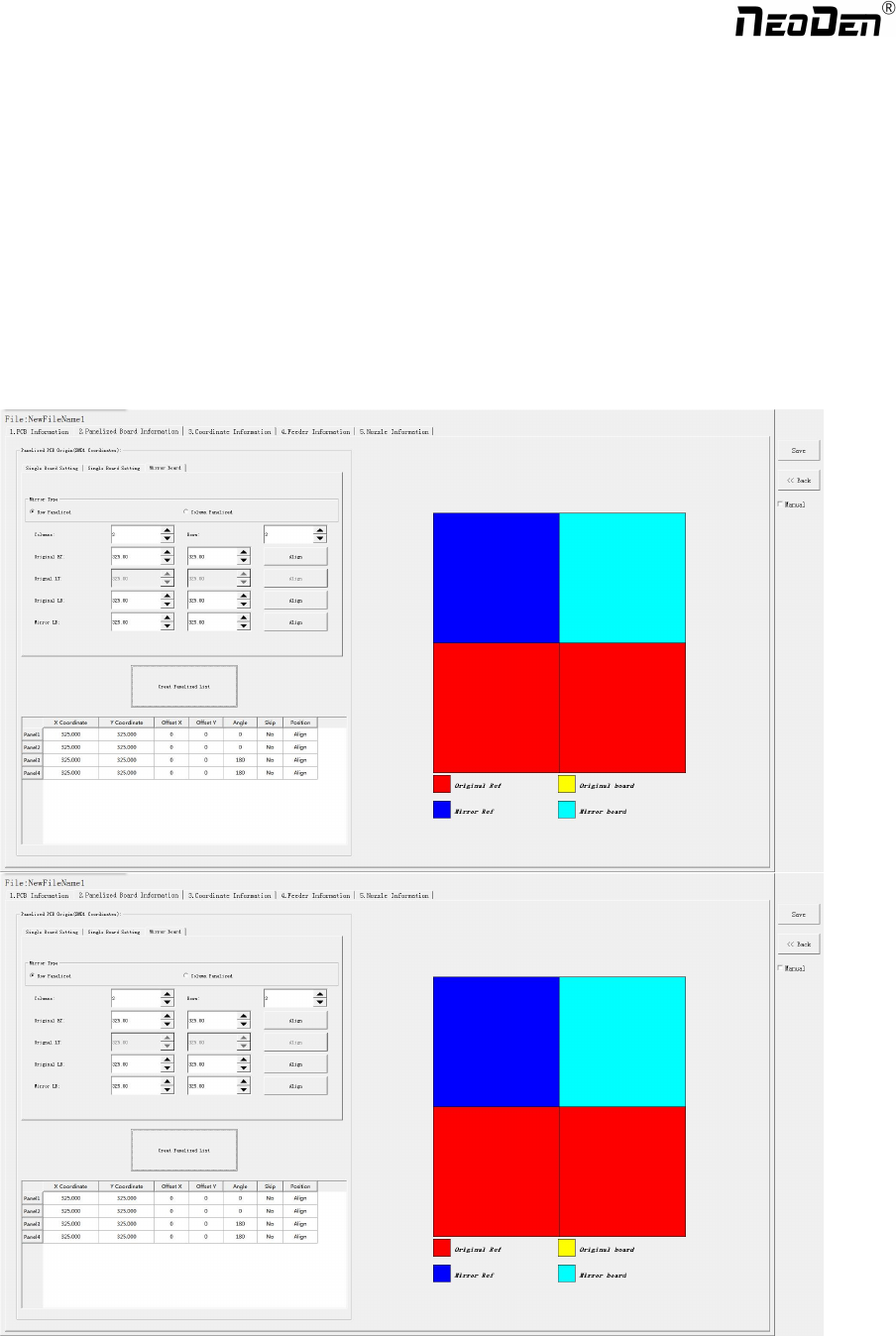
3.1.3 Mirror board
The steps of the Mirror board programming are similar with the Panelized board, but need pay some attention to several
points below
(1)Mirror board includes row panelized and column panelized
16
Zhejiang NeoDen Technology Co.,Ltd.