User-Manual-NeoDen-K1830-20200618.pdf - 第38页
8. Nozzle Height Set Ze ro 8.3 Basic Configura tion W arning: this is only for facto ry setting. DON ’T c lick bef ore getting any instruction from NeoDen technic al engin eer . 38 Zhejiang NeoDen T echnology Co.,Ltd.
Brightness: the brightness of mark camera can be adjusted accordingly.
3.IC Camera Position
Nozzle 1 front IC Central Position: click to align,nozzle 1 will move to front IC camera and take photos. Once the
photo is displayed, to align the central position of nozzle with white crosshair and save the data.(P.S. Once the Nozzle
1 front IC Central Position, nozzle 2-8 central position will be changed based on nozzle 1.) Apply the same operation
for Nozzle 2 front IC Central Position and Nozzle 8 front IC Central Position.
Nozzle 1 back IC Central Position: click to align, nozzle 1 will move to back IC camera and take photos. Once the
photo is displayed, to align the central position of nozzle with white crosshair and save the data.
4.Trash Box Position: after Administration Login, click to align the position of trash box accordingly.
Placement Head Reset Position:after Administration Login, click to align the position of Placement Head Reset accordingly.
Exchange Nozzle Position:after Administration Login, click to align the position of exchanging nozzles accordingly.
5.XY Linear Encoder Initialize
6.Mounting Head Linear Encoder Initialize
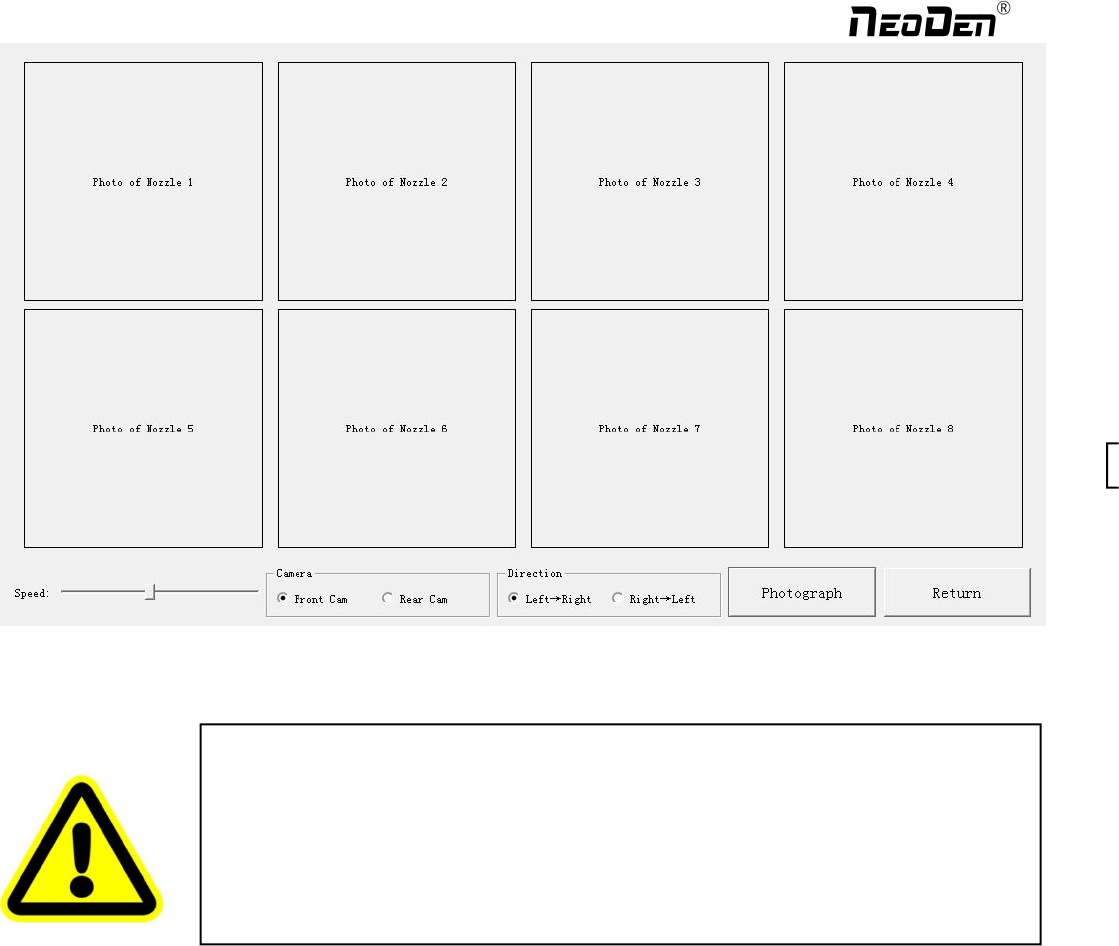
7.Flying Photograph Test: click ctrl+t shortcut keys to show this test function. Click to test, the central positions of nozzle
1-8 will be displayed. Select front camera, back camera, direction, speed before clicking photograph, a photo will be
displayed after that.
Warning: this is only for factory setting. DON’T click before getting any instruction from
NeoDen technical engineer.
Warning: this is only for factory setting. DON’T click before getting any instruction from
NeoDen technical engineer.
37
Zhejiang NeoDen Technology Co.,Ltd.
8.Nozzle Height Set Zero
8.3 Basic Configuration
Warning: this is only for factory setting. DON’T click before getting any instruction from
NeoDen technical engineer.
38
Zhejiang NeoDen Technology Co.,Ltd.
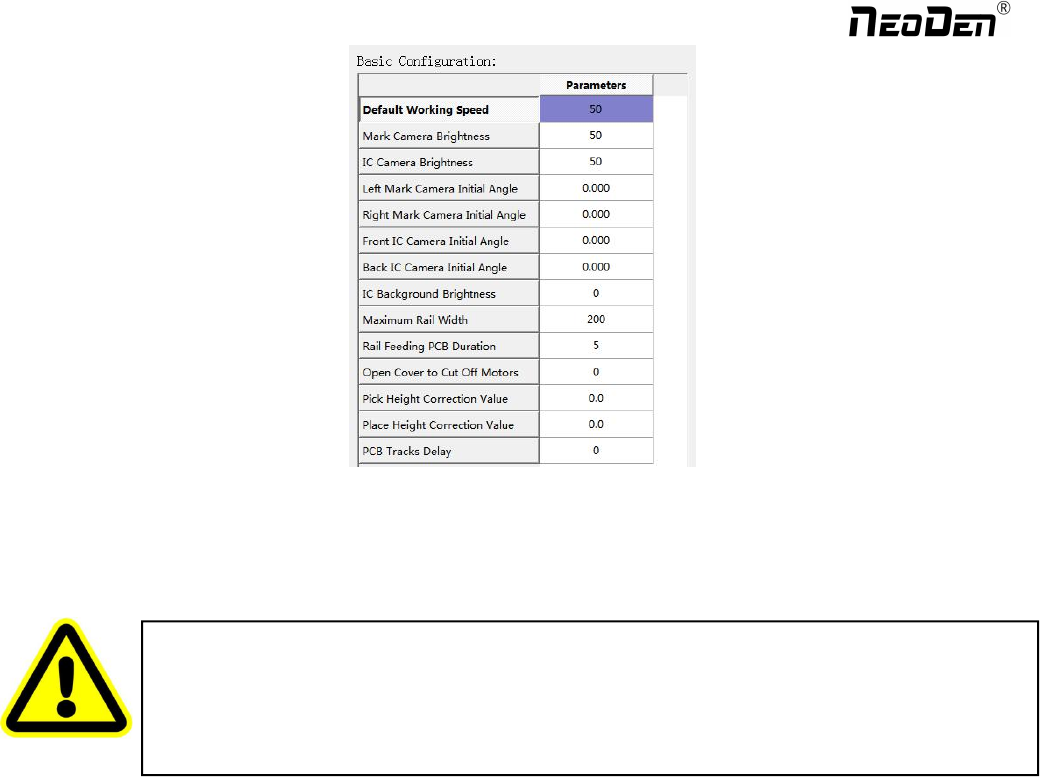
Fiducial Camera Brightness and IC Camera Brightness: the brightness of each camera is set before shipping, it can be
adjusted during operation.
Fiducial Camera Initial Angle and IC Camera Initial Angle:
Rails Feeding Time: the time it costs to feed a PCB from conveyor to Rail #1 when the machine is in continuous production.
Safety cover: to prevent any body damage during picking and placing, enter value 1 to activate the function of cutting off
power for motors when the safety cover is opened.
Warning: both data are set up before shipping, no extra adjustment is required.
There is a risk to lead to malfunctional condition, please kindly contact technical engineer before
operation.
39
Zhejiang NeoDen Technology Co.,Ltd.