User-Manual-NeoDen-K1830-20200618.pdf - 第23页
For examp le: we c an see the ab ove p icture which has a rectangula r bloc k and a circular b lock to form a sm all panel. W e c all such pa nel as submodu le. W e c an generate the whole pan el board through creating a…
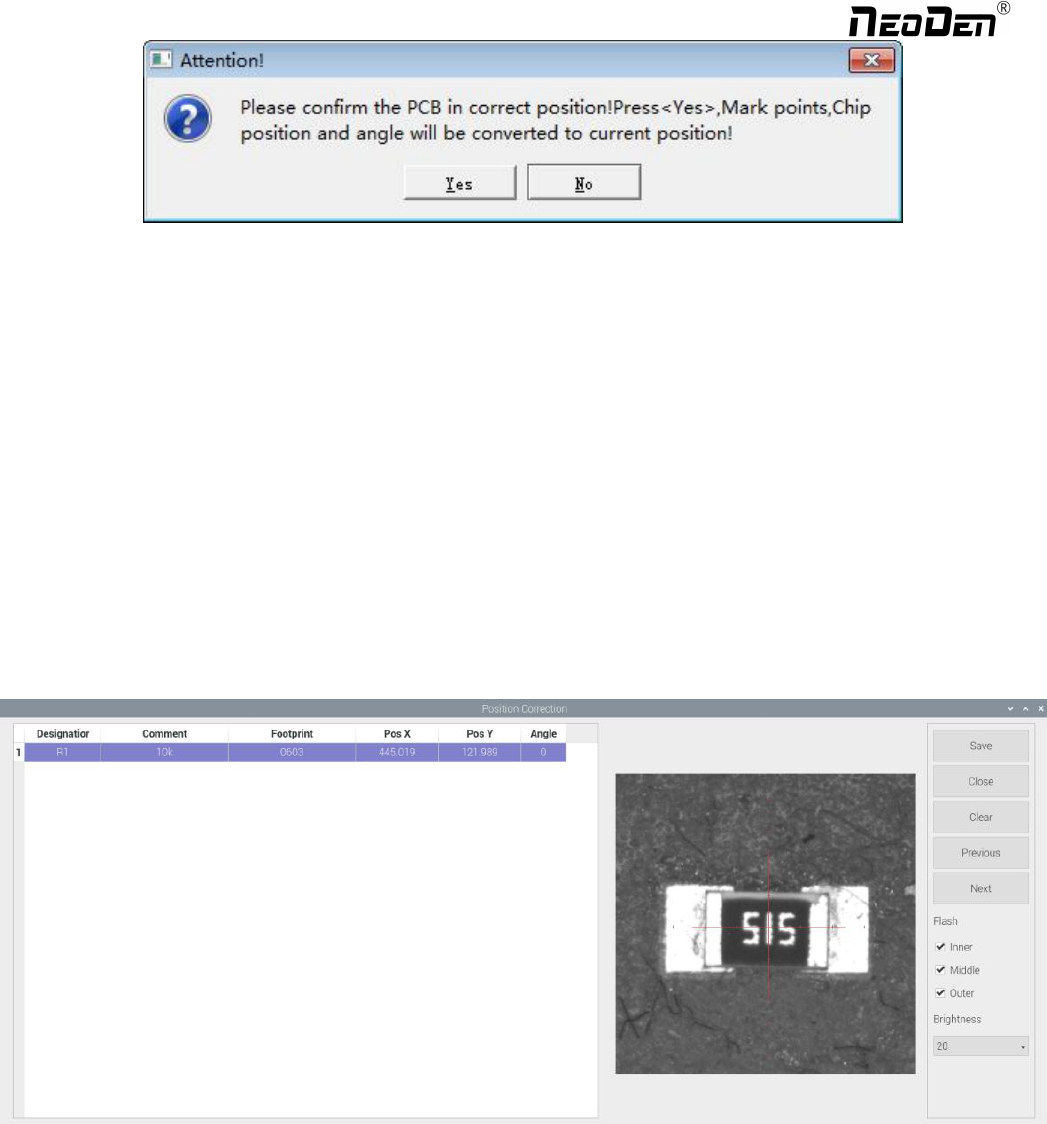
(6) Convert to current machine coordinate
After finish all editing operation, click convert to current position. It will pop up the above dialogue, click yes, the machine
will recognize the fiducials automatically and convert all component coordinate to machine coordinate. After convert
successfully, it will pop up a dialogue, click align to check if the components’ position are still correct. (Please note: this
function only use to inspect the coordinate, cannot be saved)
(7) Position correction
After the first mounting, if there is a deviation, please click position correction to enter the new vision page. Click the left
mouse button to align the centre of the placed component; Click the right mouse button to align the centre of pad. Then
correct next one until finish all component and save. The machine will remember the position after correction. It will fix it
automatically at the second placement.
(8) Batch create components
Some circuit boards are relatively regular and easy in real editing situation. For this type of circuit board, we can generate
coordinate in batch , the interface as shown in figure:
22
Zhejiang NeoDen Technology Co.,Ltd.
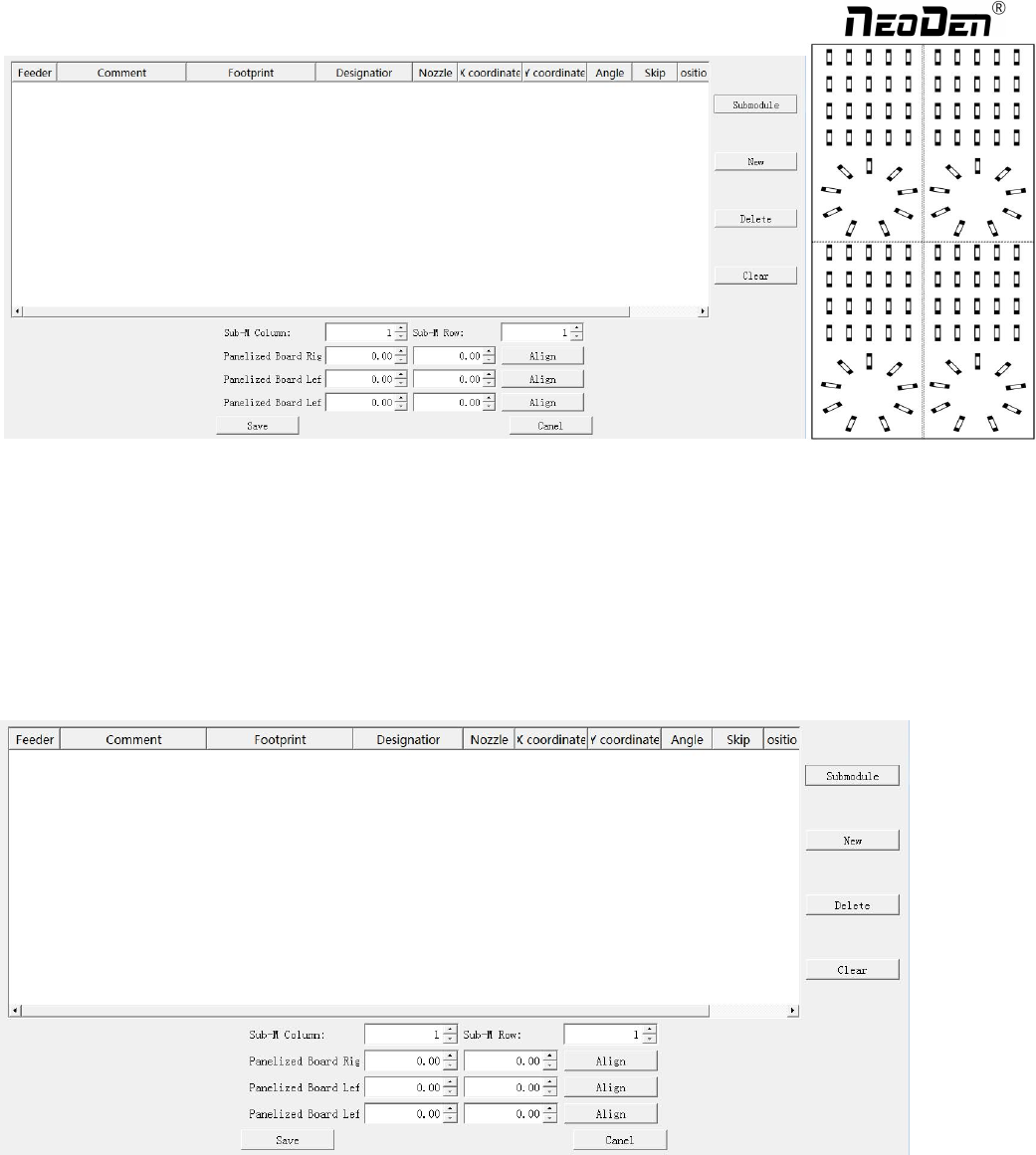
For example: we can see the above picture which has a rectangular block and a circular block to form a small panel. We call
such panel as submodule. We can generate the whole panel board through creating a submodule. The whole panel board has
4 panels consisting of 2 rows and 2 columns. Align the 3 head components(right top,left top and left bottom), then generate
the submodule, the submodule is shown in the figure.
We also can select stack, nozzle, name, specification and etc. to adjust in this page.
Two ways to generate submodules: rectangle and circle.
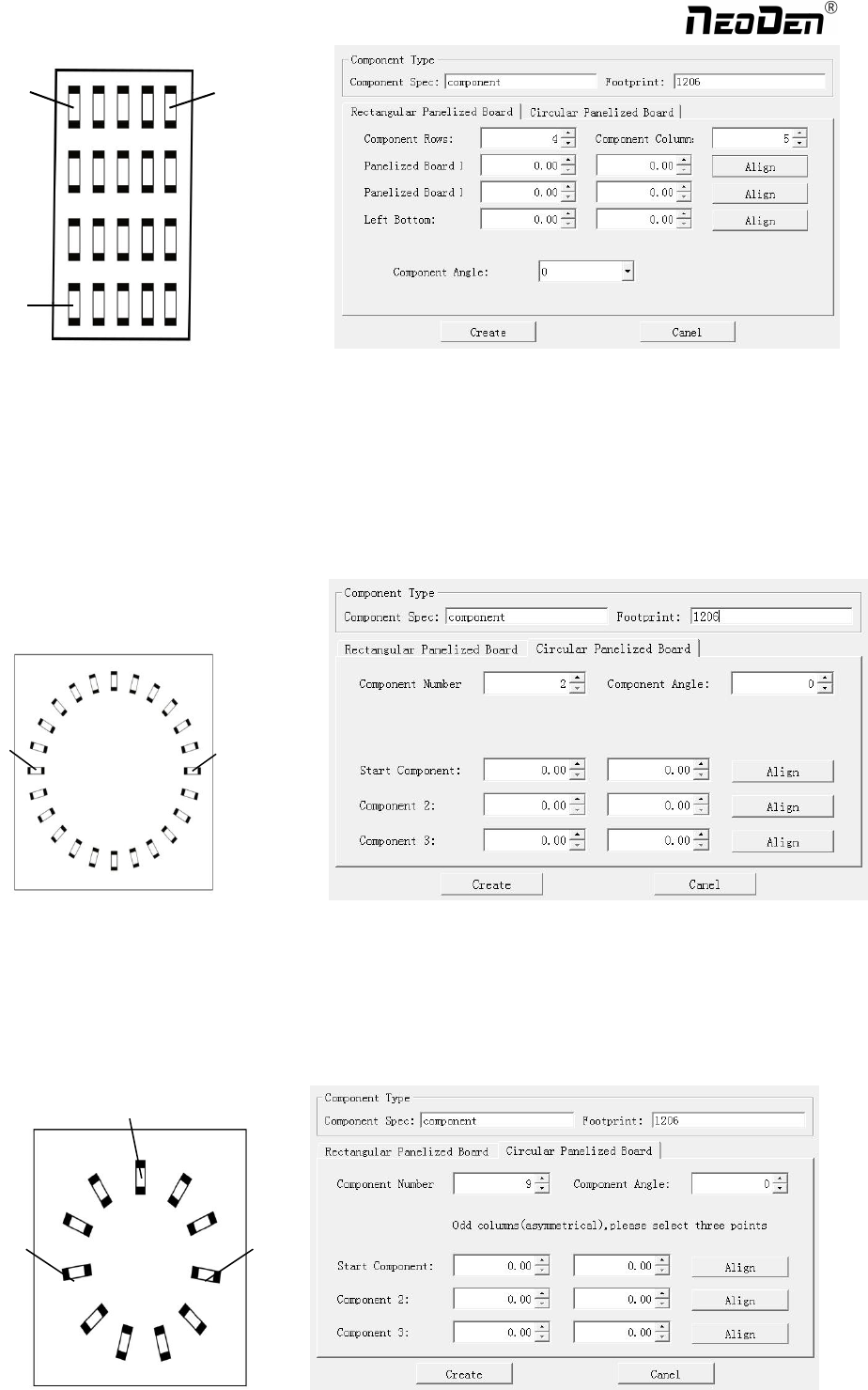
①The way to generate rectangle panel: Click: ‘submodule’, below dialogue will pop up. Please fill in specification and
footprint of component. We can see the panel has four rows and five columns. Fill in 4 rows and 5 columns in the
dialogue, and align the three components(right top, left top, left bottom). The component degree will be based on actual
situation. Click ‘create’, the machine will generate all the coordinate automatically.
23
Zhejiang NeoDen Technology Co.,Ltd.
Upper right
Upper left
Lower left
①The way to generate circle panel
When the quantity of component is even: Click: “batch create”, below dialogue will pop up. Please fill in specification
and footprint of component. Choose circle panel, the component number is 24 as the below picture, the angle is 0. As
the quantity of component is even number, we only need to find two symmetry components to align. Click create, the
24 components coordinate will be generate automatically.
Start
Point
Component
point 2
图(2.1.3.2-6)
When the quantity of component is odd: the component type will be the same. We can see that the panel has 9
components , as the quantity number is odd, we need to find 3 components that are in isosceles triangle, and then align
the coordinates of those three points in turn. Click ‘create’ to generate 9 components’ coordinate in circle panel.
Start
Point
Point
3
Com
p
onent
p
oint 2
24
Zhejiang NeoDen Technology Co.,Ltd.