User-Manual-NeoDen-K1830-20200618.pdf - 第30页
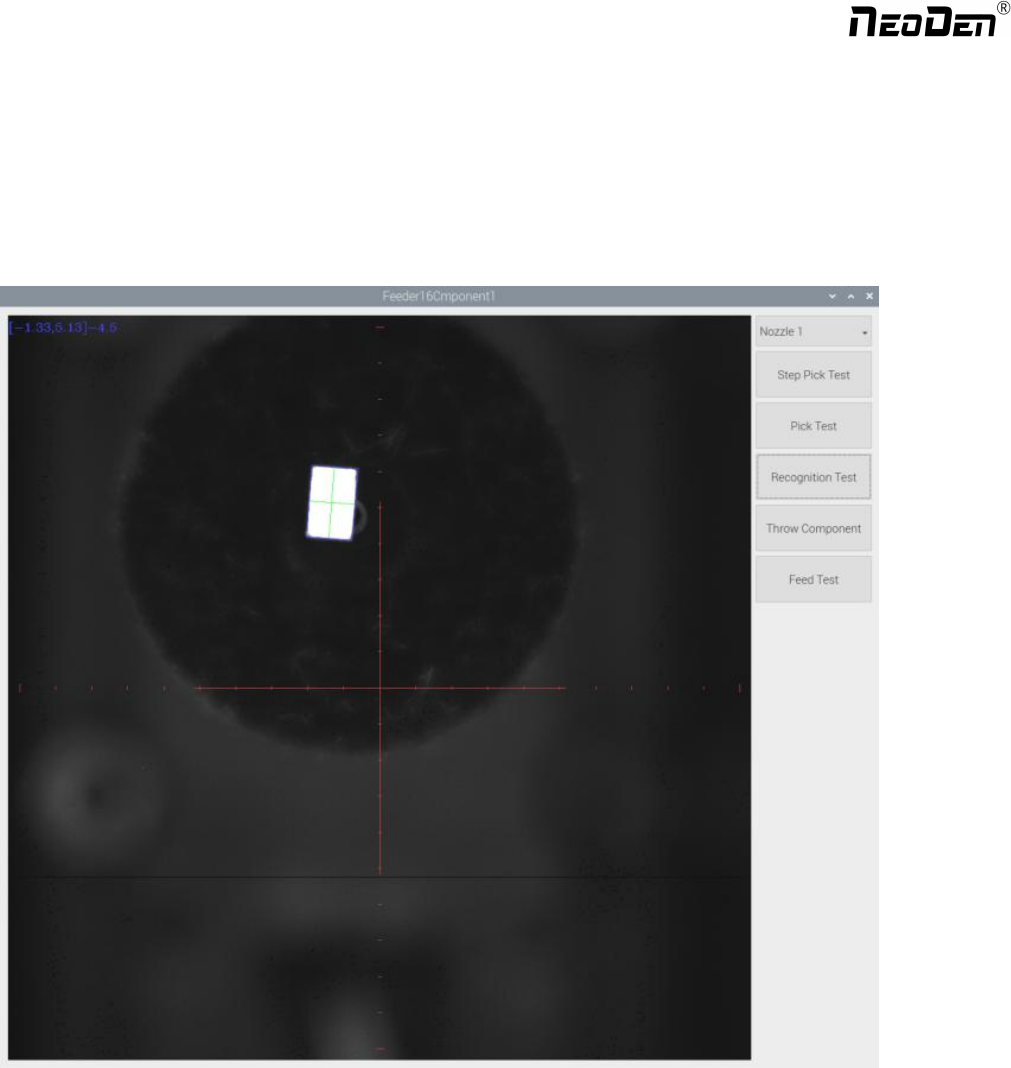
photos ta ken by flying camera . If the p hoto sh owed with p roblem, you nee d to do s ome ad justment for th e pro blematic recognition. Feed te st: fe eding c omponen t, this is us ed to test if the feed er works n …
29
Feeder type: Pneumatic and Electric two types for selection.
Nozzle: You can select single or several nozzle in different cases, once selected, they’ll be automatically assigned to
each feeder. Notice for edge position feeders, you can just use limited nozzle head to pick up components. If you’re not
sure, just click “Feeder Test ” button under the nozzle selection part. It will pop out below, you can test which nozzle is
available to pick up component from this selected feeder. Details for each button:
Select the nozzle head you need to test
Step pick test: the operation is, click this button after nozzle selected→ the nozzle head will move to this feeder→
feeder cover open → the nozzle down to pick up component → taking photo → throw component. This is sing step
operation, it can help the operator check if pick position/ pick height correct or not. If with problem, then can be re-set
in feeder basic setting.
Pick test: after nozzle selection, click this button, the head will move to feeder position and finish the pick up step
without any pause.
Recognition test: After the “Pick test” with component be picked up, then click this “Recognition test” to show the
Zhejiang NeoDen Technology Co.,Ltd.
photos taken by flying camera. If the photo showed with problem, you need to do some adjustment for the problematic
recognition.
Feed test: feeding component, this is used to test if the feeder works normally.
After above be set ready, click “component assign to feeder”, then component list will also be updated accordingly. Click
save.
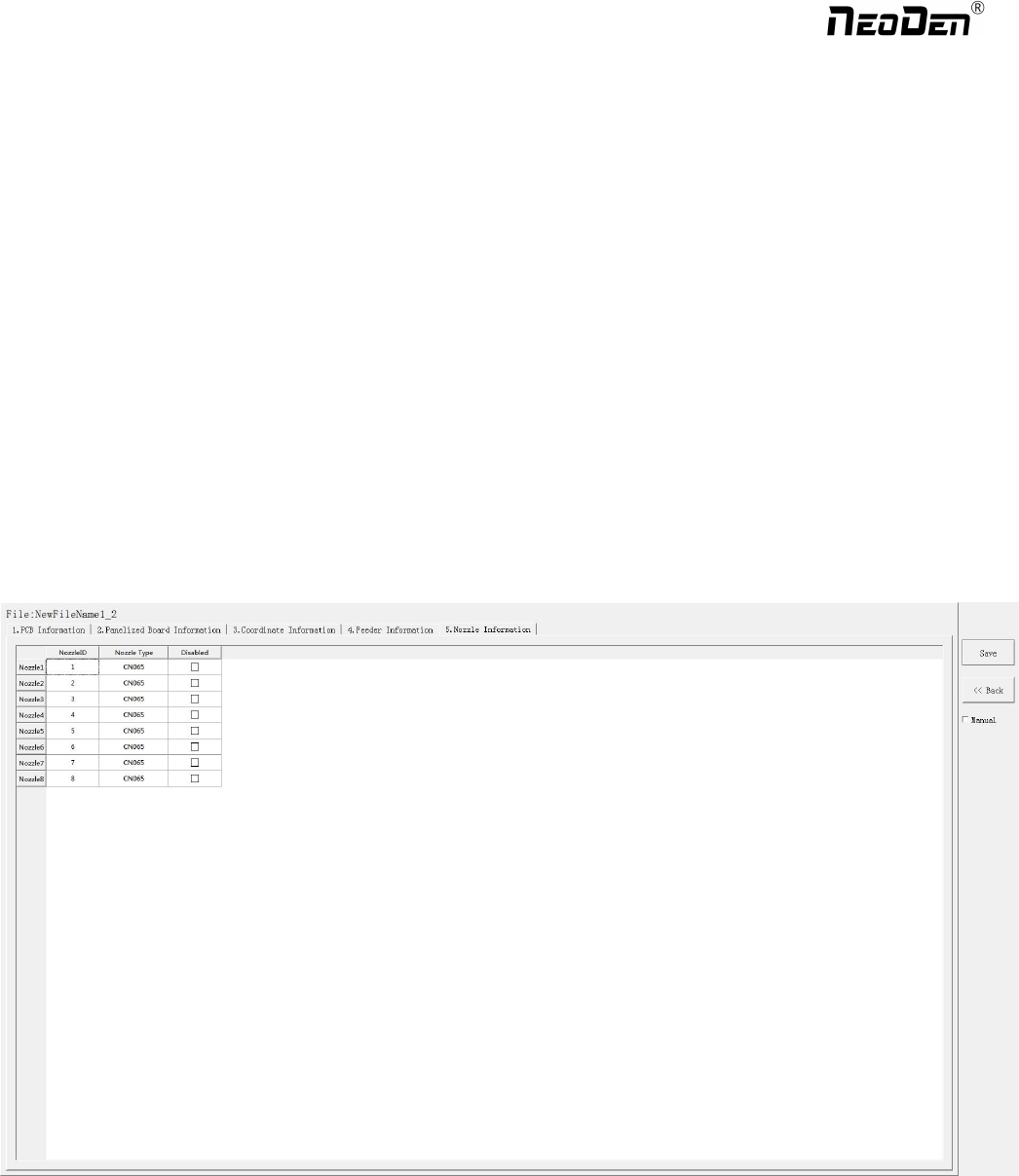
6.Nozzle Information
This interface will record which kind nozzle be installed on each nozzle head.
7. Assembly Interface
Choose the programmed file, click “Mount”, it will go into assembly interface as below:
30
Zhejiang NeoDen Technology Co.,Ltd.
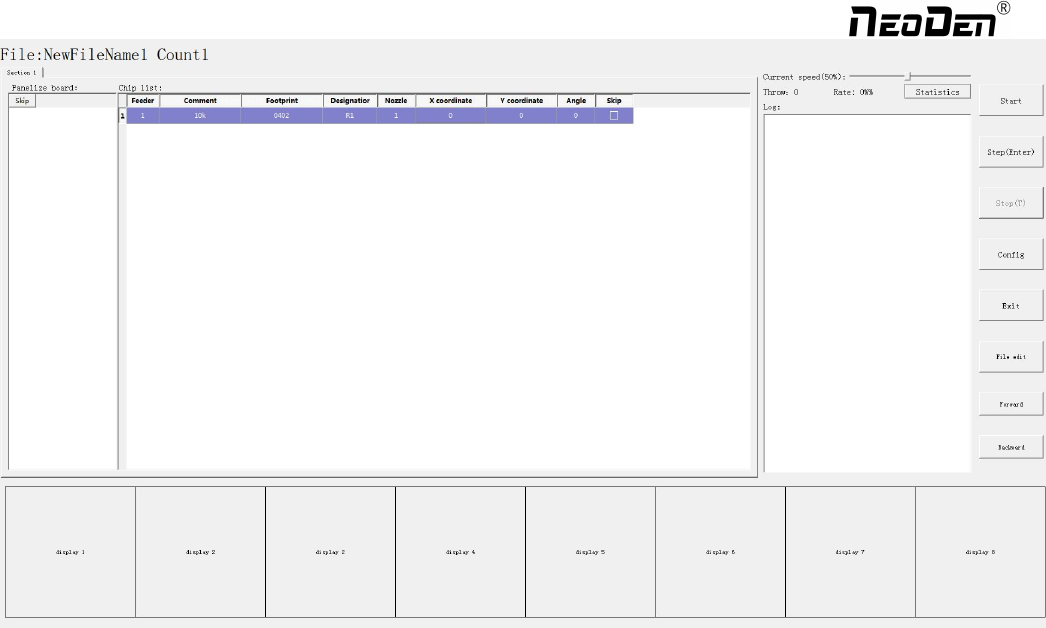
(1) Left part is detailed chip list, and following the highlight blue will get a real-time assembly situation;
(2) On right top is the current assembly speed, you can drag the scroll bar to change it and the max is 100%;
(3) Log will show some information like rate of throw component , current average speed and how many pieces
components have been assembled under the current file.
(4) Throw and Rate will make a statistics for threw components and you can also check each feeder’s component pick
failure rate then get which kind of component is easily pick failure, find solution to solve it.
(5) The bottom side 8 display windows are real-time feedback for component recognition.
(6)Right side buttons introduction:
Start: Machine starts the current file’s assembly procedure.
Step: operation for each single assembly procedure.
Stop: Stop current assembly work.
Config: press this button, a detailed configuration will pop out as below
31
Zhejiang NeoDen Technology Co.,Ltd.