User-Manual-NeoDen-K1830-20200618.pdf - 第29页
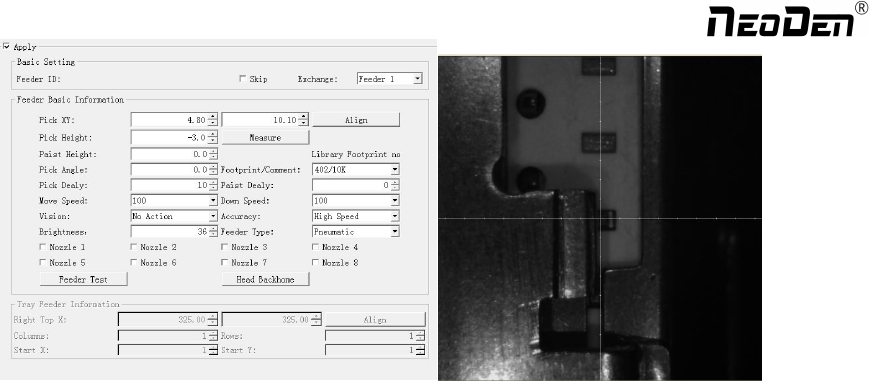
29 Feeder type: Pneumatic and Electric two types for selectio n. Nozzle: Y o u can se lect single or several n ozzle in different ca ses, once se lected, they’ll be au tomatically assigned to each fe eder . No tice f…
(4.2.1) (4.2.2)
Initial angle: default is 0°, if any special need, you can modify this angle to change the component’s placement
direction. Special attention for some chips with direction requirement, such as LED red/green, diode, IC etc.
Footprint/ Value: Component footprint/ value. Footprint refers to the footprint name like 0603, 0805, 1206 etc., Value
refers to component data like 10K, 75Ω etc.
Pick delay: For special components like large IC and large capacitor, it’s better to set some long time on the pick delay
to make sure nozzle can pick up them stably.
Place delay: For special components like large IC and large capacitor, it’s better to set some long time on the place
delay to make sure nozzle can still suck the component stably during the movement to place on the board.
Move speed: It is used to control the head movement speed, generally just keep default will be ok. It is need be
changed slower while doing some pick test.
Down speed: It is used to control the nozzle head Z-axis downward speed (Special notice: for lead pitch distance<
0.5mm, please set this to a lower speed).
Vision: Against component to choose applicable vision method. Such as:
For resistor/ capacitor--- please select Flying calibration
For component which do not require high precision --- you can also select No action
For IC --- you can select IC correction or big IC correction according to different IC sizes. The two methods difference
is: IC correction is one shot recognition; big IC correction is separately taking photos for IC’s four corners. So, if the IC size
more than 35mm, please directly select big IC correction method.
Accuracy: Generally normal resistor/ capacitor is default as high speed mode, do not need to modify it; For IC, please
select high accuracy mode.
Brightness: it refers to the brightness of component recognition (after be picked up) in assembly procedure.
28
Zhejiang NeoDen Technology Co.,Ltd.
29
Feeder type: Pneumatic and Electric two types for selection.
Nozzle: You can select single or several nozzle in different cases, once selected, they’ll be automatically assigned to
each feeder. Notice for edge position feeders, you can just use limited nozzle head to pick up components. If you’re not
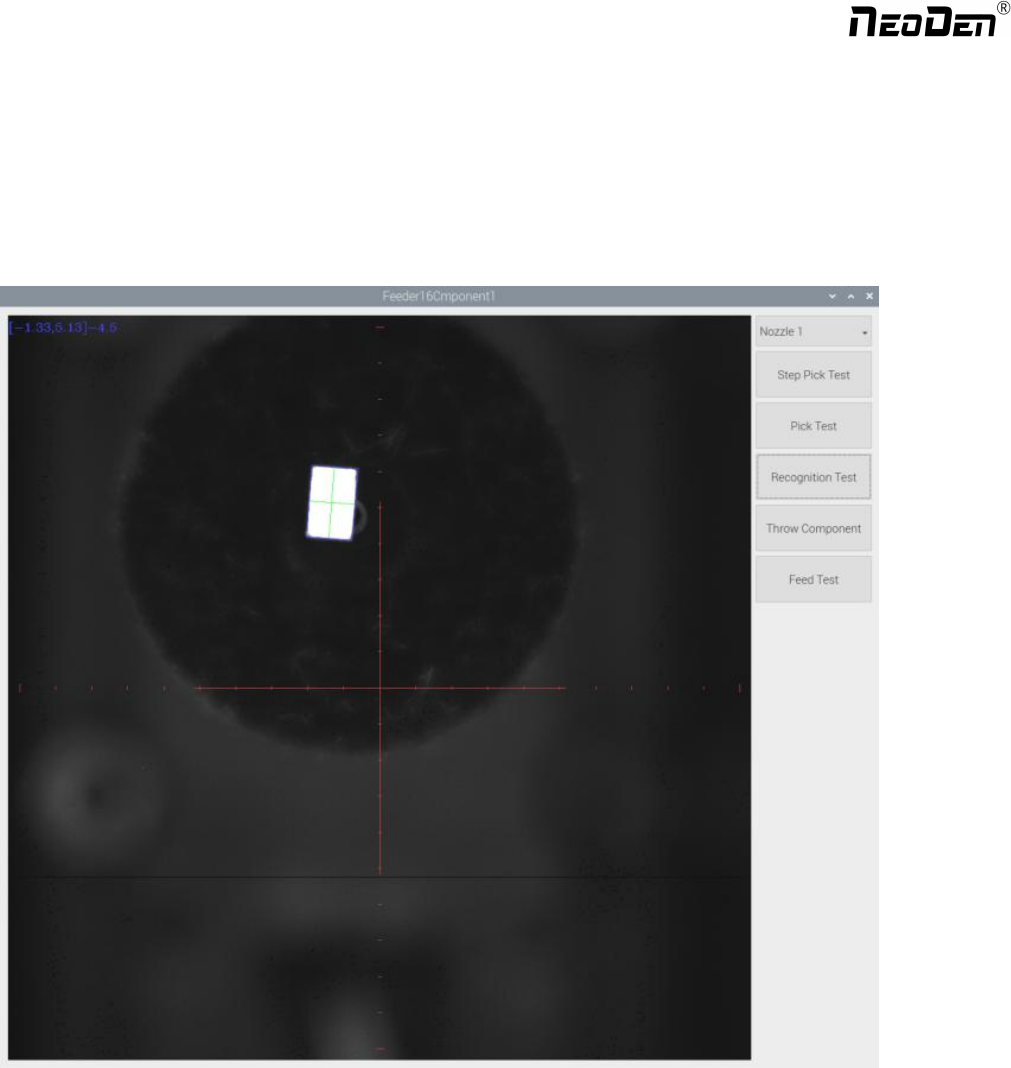
sure, just click “Feeder Test ” button under the nozzle selection part. It will pop out below, you can test which nozzle is
available to pick up component from this selected feeder. Details for each button:
Select the nozzle head you need to test
Step pick test: the operation is, click this button after nozzle selected→ the nozzle head will move to this feeder→
feeder cover open → the nozzle down to pick up component → taking photo → throw component. This is sing step
operation, it can help the operator check if pick position/ pick height correct or not. If with problem, then can be re-set
in feeder basic setting.
Pick test: after nozzle selection, click this button, the head will move to feeder position and finish the pick up step
without any pause.
Recognition test: After the “Pick test” with component be picked up, then click this “Recognition test” to show the
Zhejiang NeoDen Technology Co.,Ltd.
photos taken by flying camera. If the photo showed with problem, you need to do some adjustment for the problematic
recognition.
Feed test: feeding component, this is used to test if the feeder works normally.
After above be set ready, click “component assign to feeder”, then component list will also be updated accordingly. Click
save.
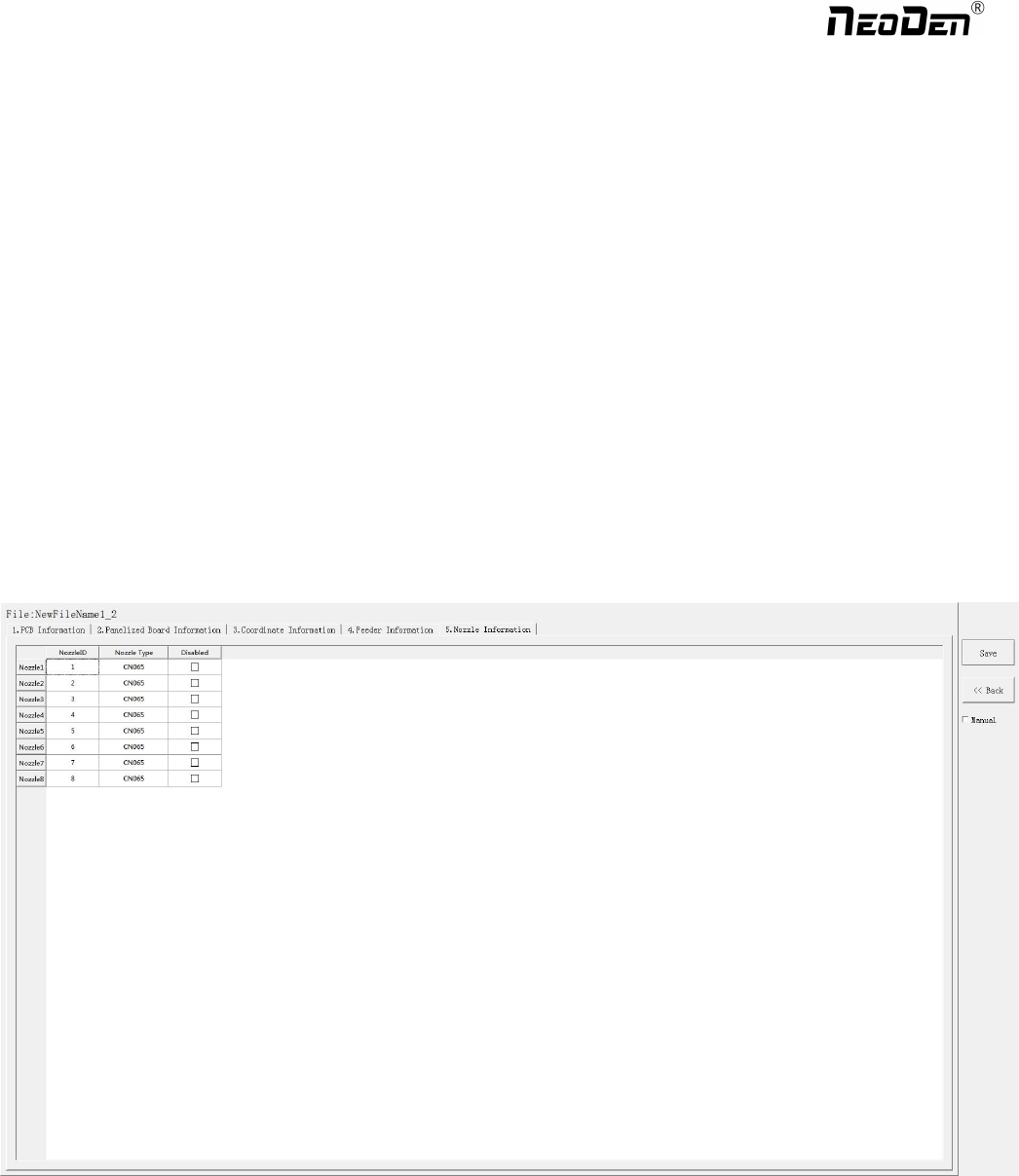
6.Nozzle Information
This interface will record which kind nozzle be installed on each nozzle head.
7. Assembly Interface
Choose the programmed file, click “Mount”, it will go into assembly interface as below:
30
Zhejiang NeoDen Technology Co.,Ltd.