3OM-1054-002.pdf - 第104页
(2) T o enter a parameter , press the text box quickly twice. Or , double-click the text box with the pointing device. Fig. 3B135 The text box is set ready for data entry . Fig. 3B136 (3) When a parameter is entered, usi…
4.1.3 Basic Usage of Text Boxes
• How to enter numerical values
Follow the procedure below to enter numerical values in the text boxes
that require numerical values.
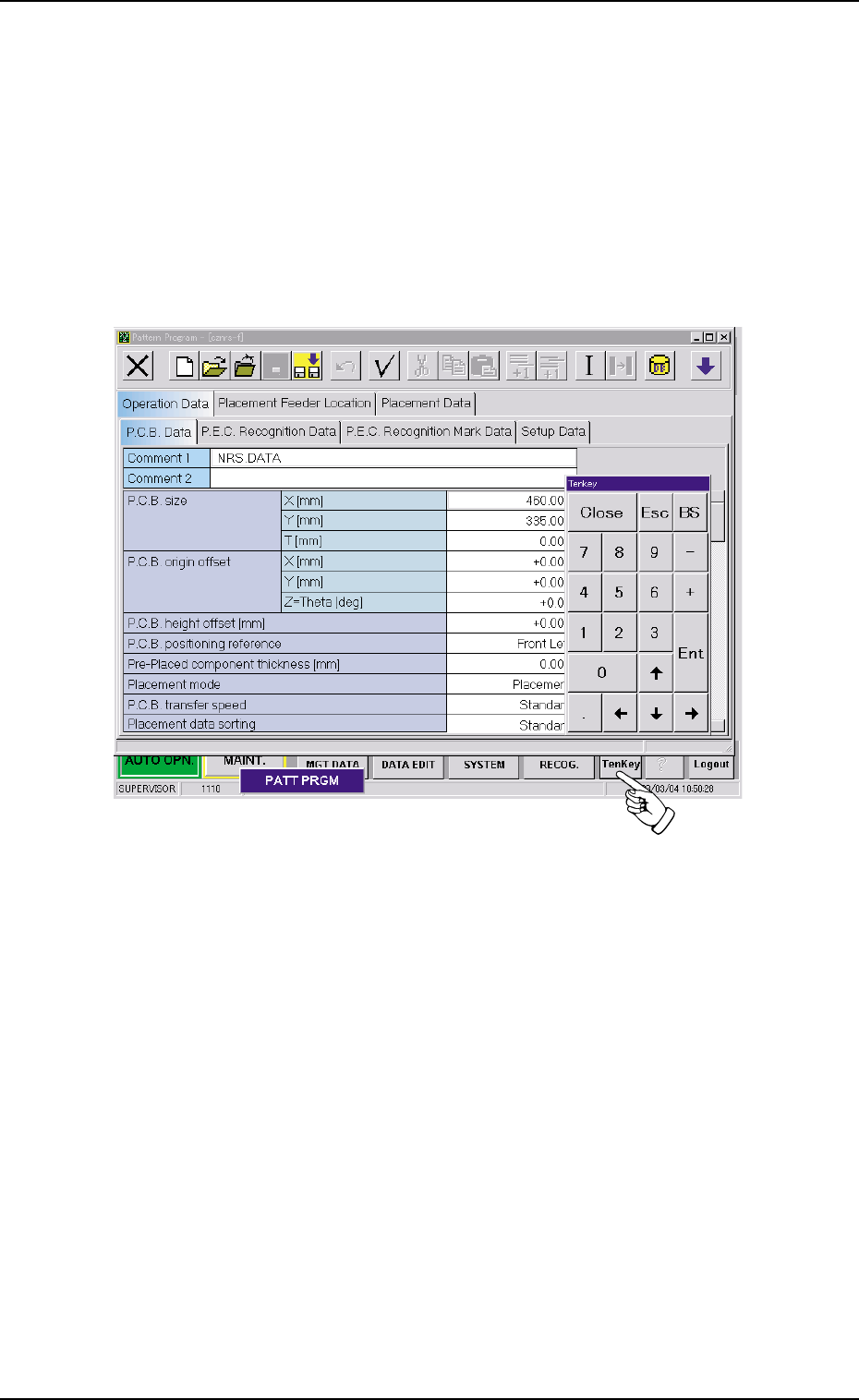
Using the "Tenkey" window
(1) Press the [TenKey] button on the main menu bar. The "Tenkey" win-
dow appears.
Fig. 3B134
4.1 Basic Operation
0303-005 2-84 AGS01EDTP
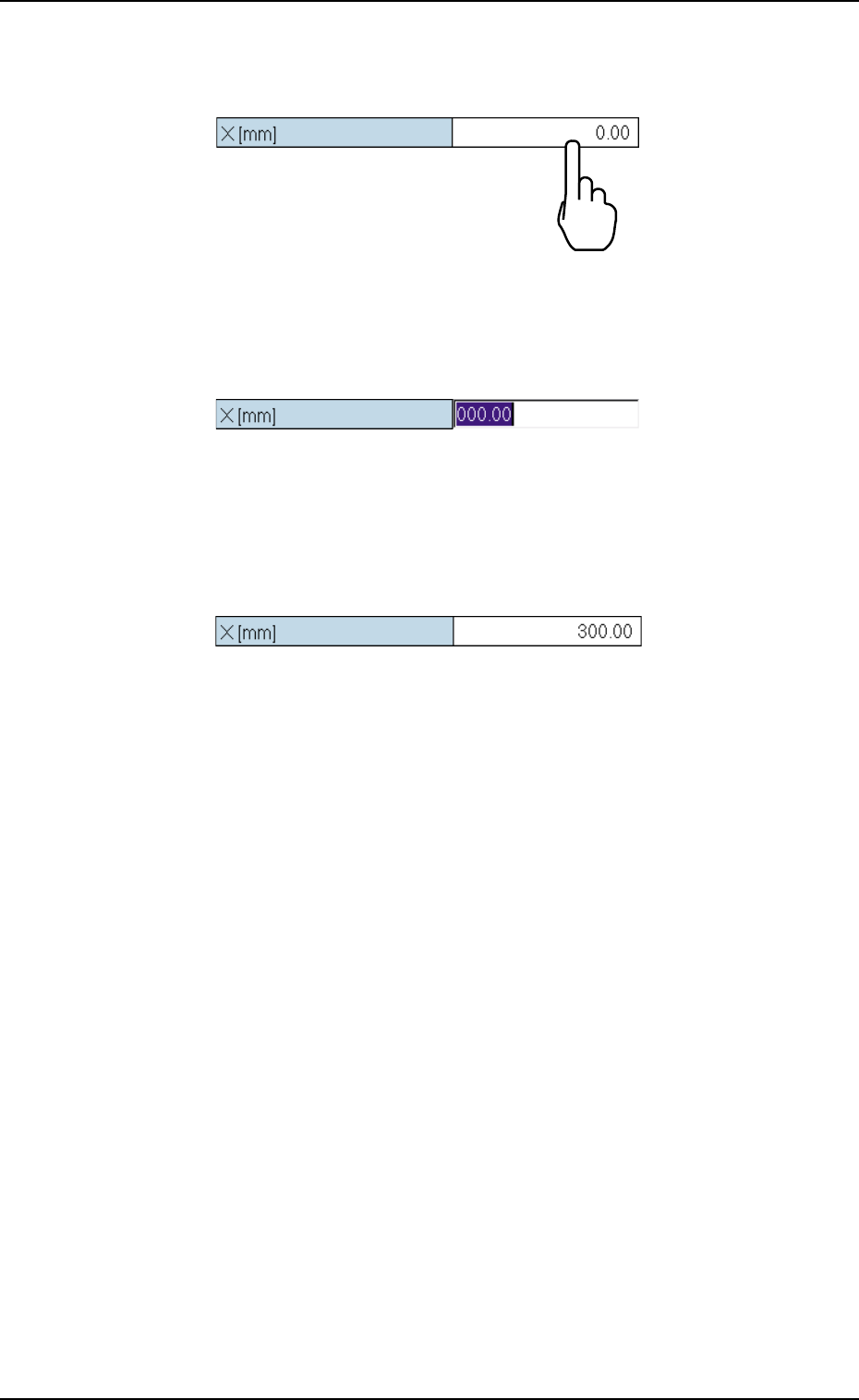
(2) To enter a parameter, press the text box quickly twice.
Or, double-click the text box with the pointing device.
Fig. 3B135
The text box is set ready for data entry.
Fig. 3B136
(3) When a parameter is entered, using the "Tenkey" window and the
[Ent] button is pressed, it is set in the text box.
Fig. 3B137
4.1 Basic Operation
01 12-003 2-85 AGS01EDTP
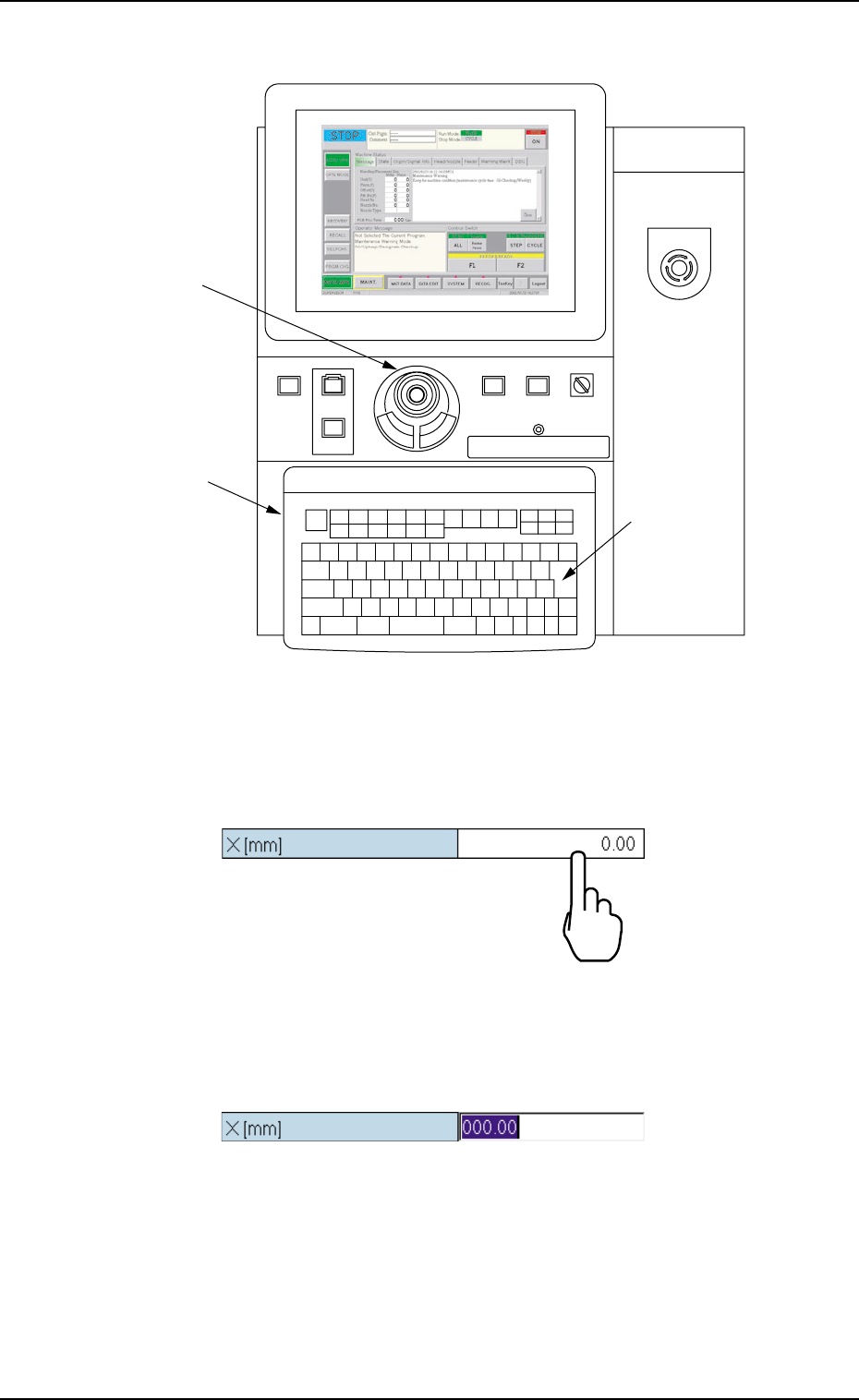
How to enter a parameter through keyboard navigation
Fig. 3B138 Keyboard and Pointing Device
(1) To enter a parameter, press the text box quickly twice.
Or, double-click the text box with the pointing device.
Fig. 3B139
The text box is set ready for data entry.
Fig. 3B140
POWER ON
STOP
START
ENABLE
RUN SETUP
OPERATION
LOCK
PNL CHANGE
Pointing Device
Keyboard
[ENTER] Key
EMERGENCY
4.1 Basic Operation
0307-005 2-86 AGS01EDTP