3OM-1054-002.pdf - 第279页
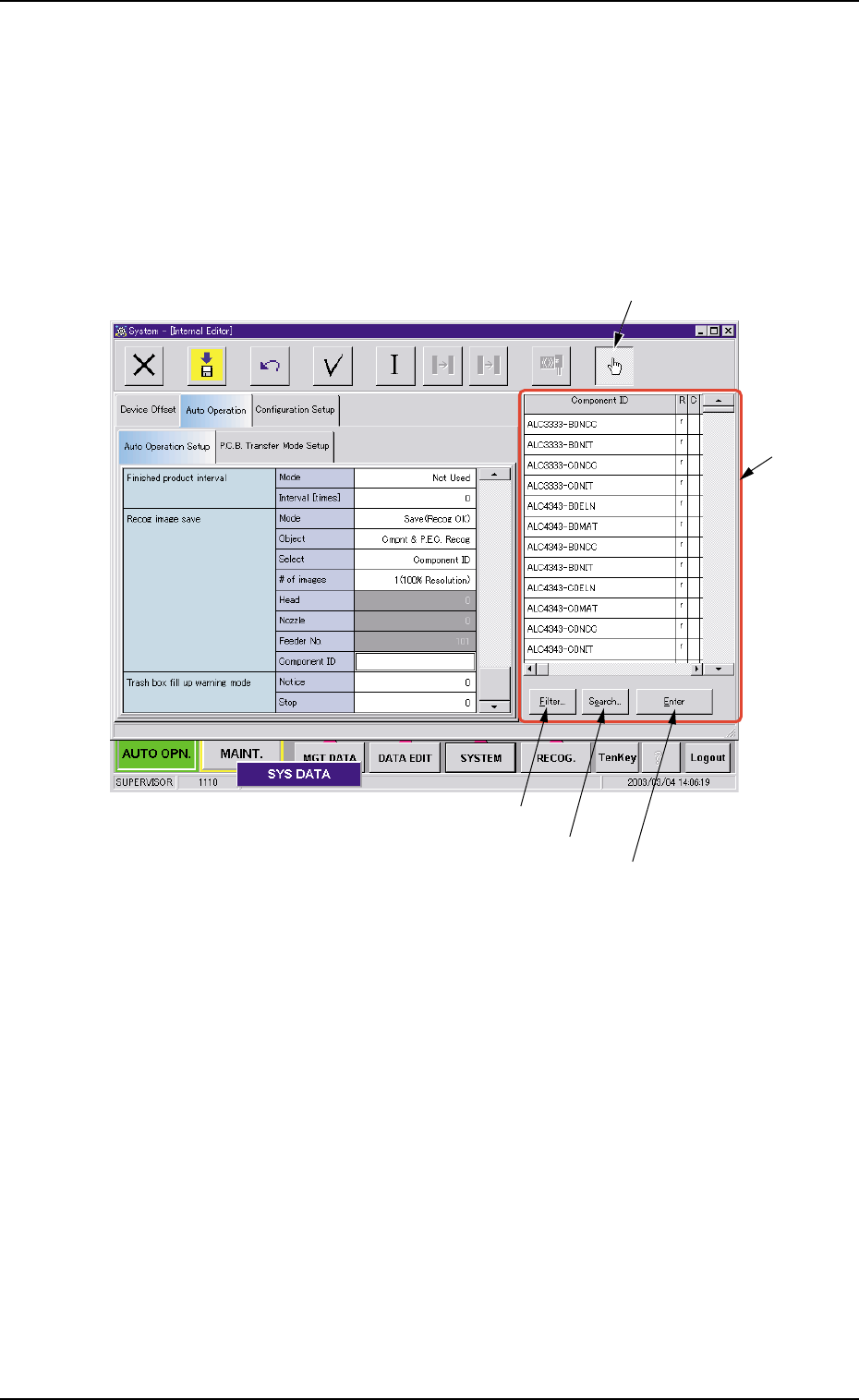
(3) Select a component ID from the list of component IDs and press the [Enter] button. (a) [Filter ...] Button When pressed, the "LibFilterDialog" dialog box opens, making it possible to select a type of compon…
••
••
• How to specify a component ID name
(1) Set "Component ID" in the "Select" text box of the label "Recog im-
age save". The "Component ID" text box turns white.
(2) While selecting the "Component ID" text box, press the "Selecting
the component ID" button. A list of component IDs is displayed.
Fig. 3E39-1
3.3 "Auto Operation" Tab
"Selecting the component ID" Button
"List of
Component
IDs" Pane
[Filter...] Button
[Search...] Button
[Enter] Button
0303-001 5-49-1 AGS01EDTP
(3) Select a component ID from the list of component IDs and press
the [Enter] button.
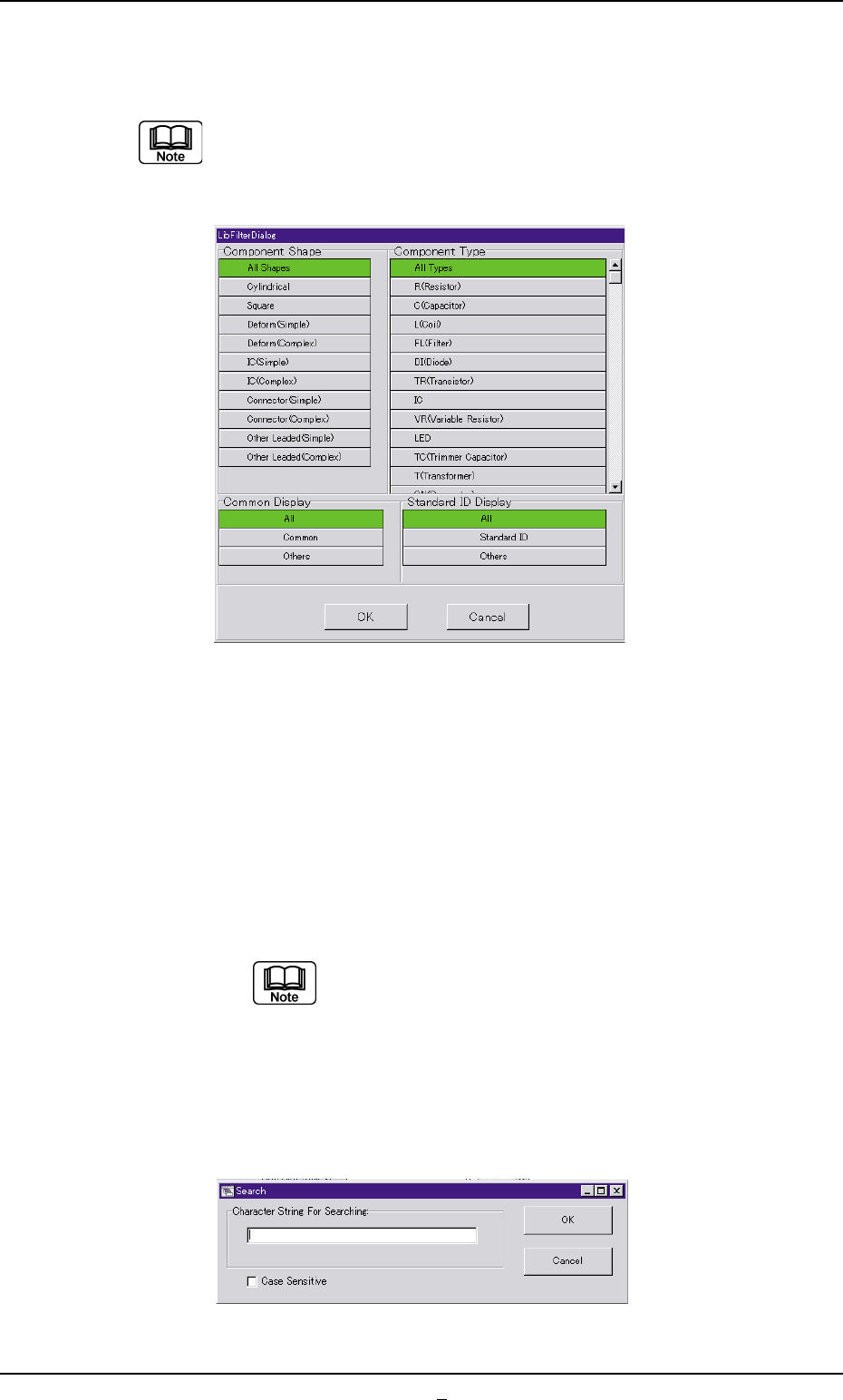
(a) [Filter...] Button
When pressed, the "LibFilterDialog" dialog box opens,
making it possible to select a type of component IDs.
Fig. 3E39-2
(b) [Search...] Button
When pressed, the "Search" dialog box opens, making it
possible to search a component ID.
When the button is pressed, the "Search" window (virtual
keyboard) appears. Enter characters in the blank field and
press the [OK] button. The "Search" window closes and
the program names which start with the entered charac-
ters are displayed in "List of Model Names"
"*" (asterisk) and "?" (question mark) can be used
as wild cards.
abc* : The search function retrieves the compo-
nent ID names which start with "abc"
a?c : The search function retrieves the compo-
nent ID names which start with "a" and
contain "c" as the third character.
Fig. 3E39-3
3.3 "Auto Operation" Tab
0303-001 5-49-2 AGS01EDTP
3.3.2 "P.C.B. Transfer Mode Setup" Tab
• Sheet Layout
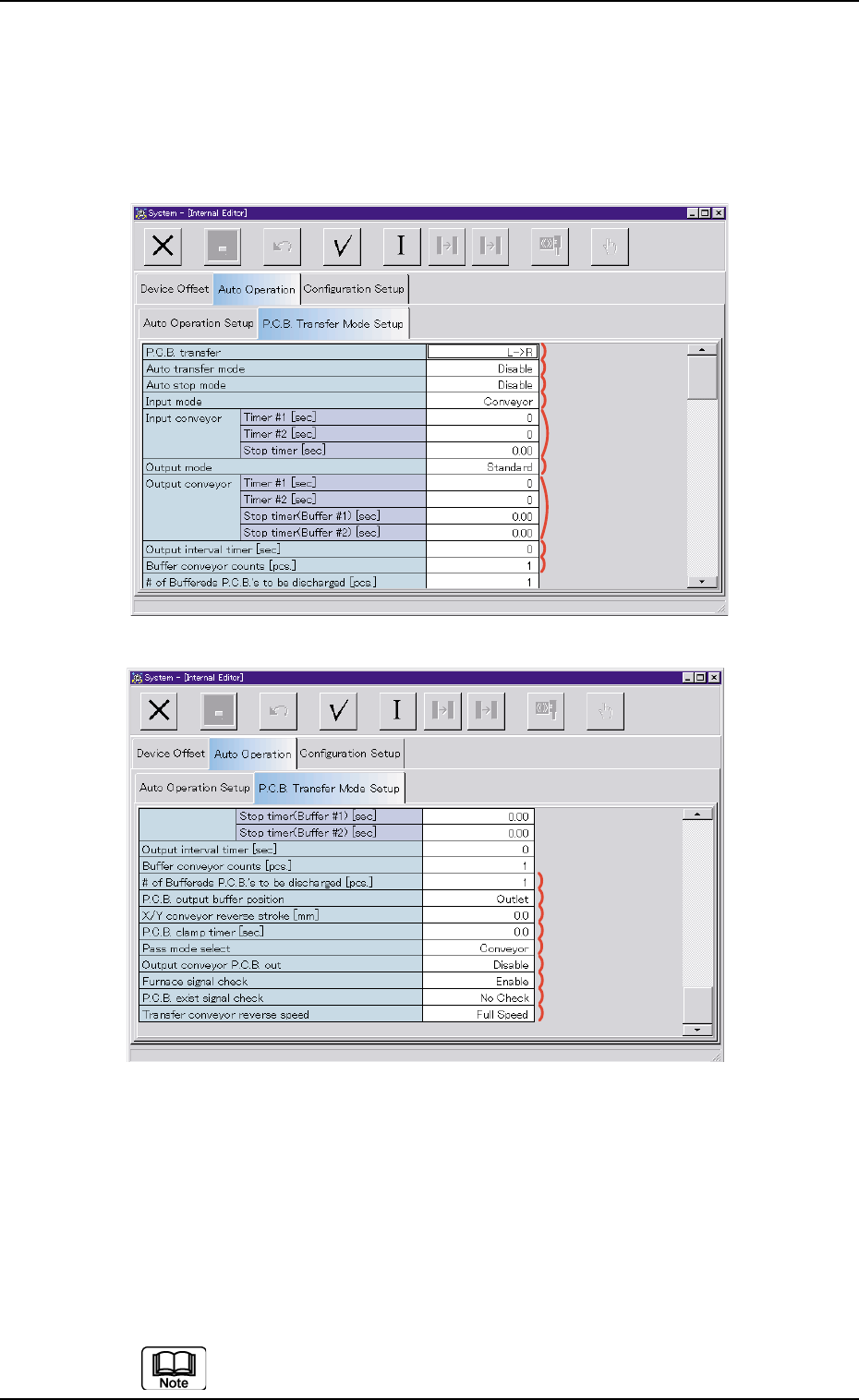
When the "P.C.B. Transfer Mode Setup" tab is pressed in the "Auto Op-
eration" tab sheet, the following tab sheet appears.
Fig. 3E40 "P.C.B. Transfer Mode Setup" Tab Sheet (1)
Fig. 3E40-1 "P.C.B. Transfer Mode Setup" Tab Sheet (2)
••
••
• Sheet Composition
*1 P.C.B. Transfer
Set a P.C.B. transfer direction in the text box.
"L
ÆÆ
ÆÆ
ÆR"
The P.C.B. flows from the left to the right.
"R
ÆÆ
ÆÆ
ÆL"
The P.C.B. flows from the right to the left.
When the setting is changed, it is required to perform the zero-
ing operation again.
0307-006 5-50
AGS01EDTP
3.3 "Auto Operation" Tab
*1
*2
*3
*4
*5
*6
*7
*8
*9
*10
*11
*12
*13
*14
*15
*16
*17
*18