3OM-1054-002.pdf - 第153页
3.2.3 "Edge Data" T ab The corresponding tab sheet appears when "Deform (Simple)" is se- lected in the "Component shape" text box. • Sheet Layout When the "Edge Data" tab is presse…
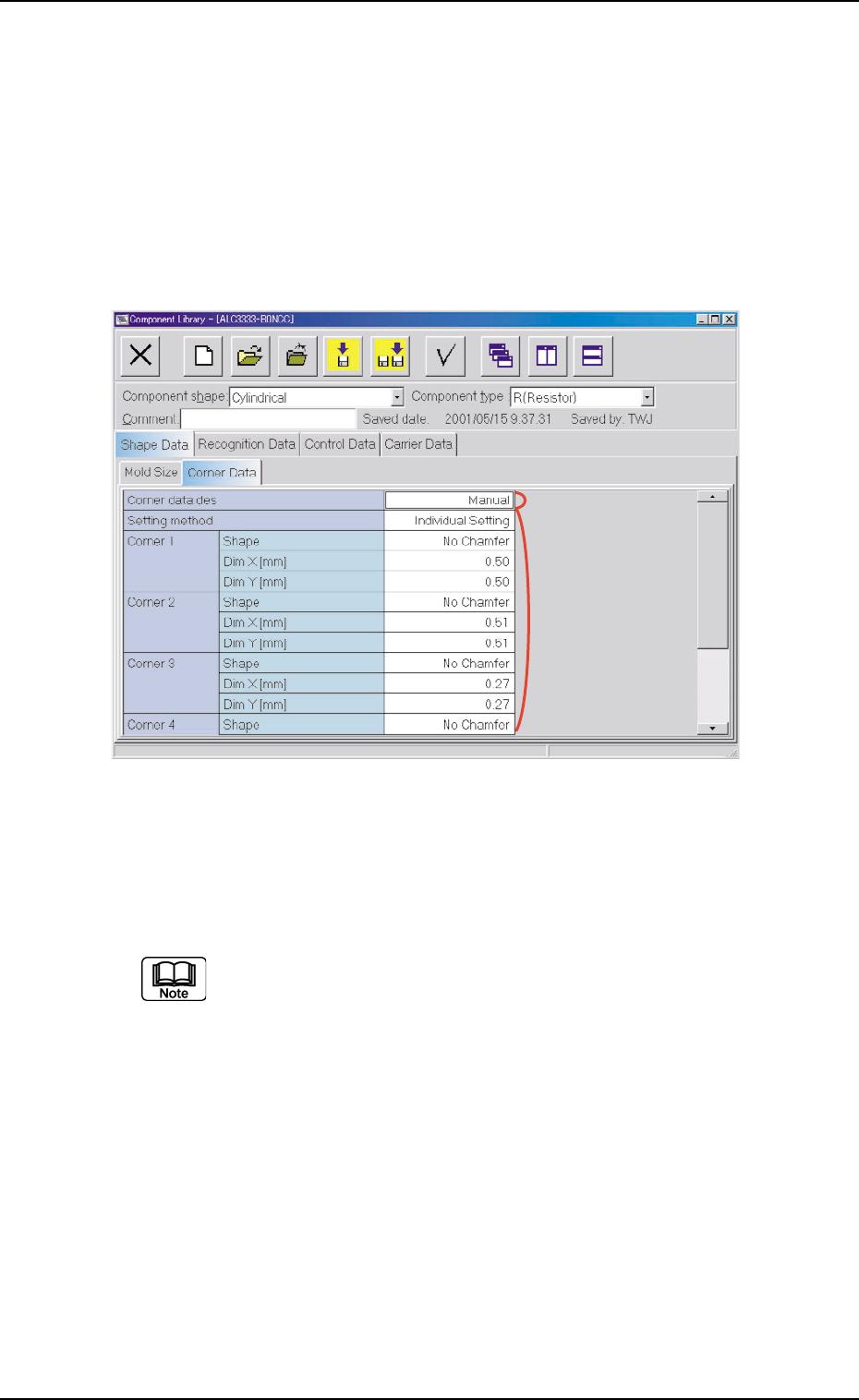
3.2.2 "Corner Data" Tab
The corresponding tab sheet appears when "Cylindrical", "Square", or
"Deform (Simple)" is selected in the "Component shape" text box.
• Sheet Layout
When the "Corner Data" tab is pressed in the "Shape Data" tab sheet,
the following tab sheet appears.
Fig. 3C10 "Corner Data" Tab Sheet ("Cylindrical" Selected)
• Sheet Composition
Each parameter is displayed or can be entered.
Refer to "4.1.3 Basic Usage of Text Boxes" (Section 2) for the
detailed information on how to enter each parameter.
*1 Corner data des
*2 Setting method
Corner 1, Corner 2, Corner 3, Corner 4
Enter a parameter in each text box according to the parameter
(setting condition) selected for "Setting method".
*1
*2
3.2 "Shape Data" Tab
0303-004 3-18 AGS01EDTP
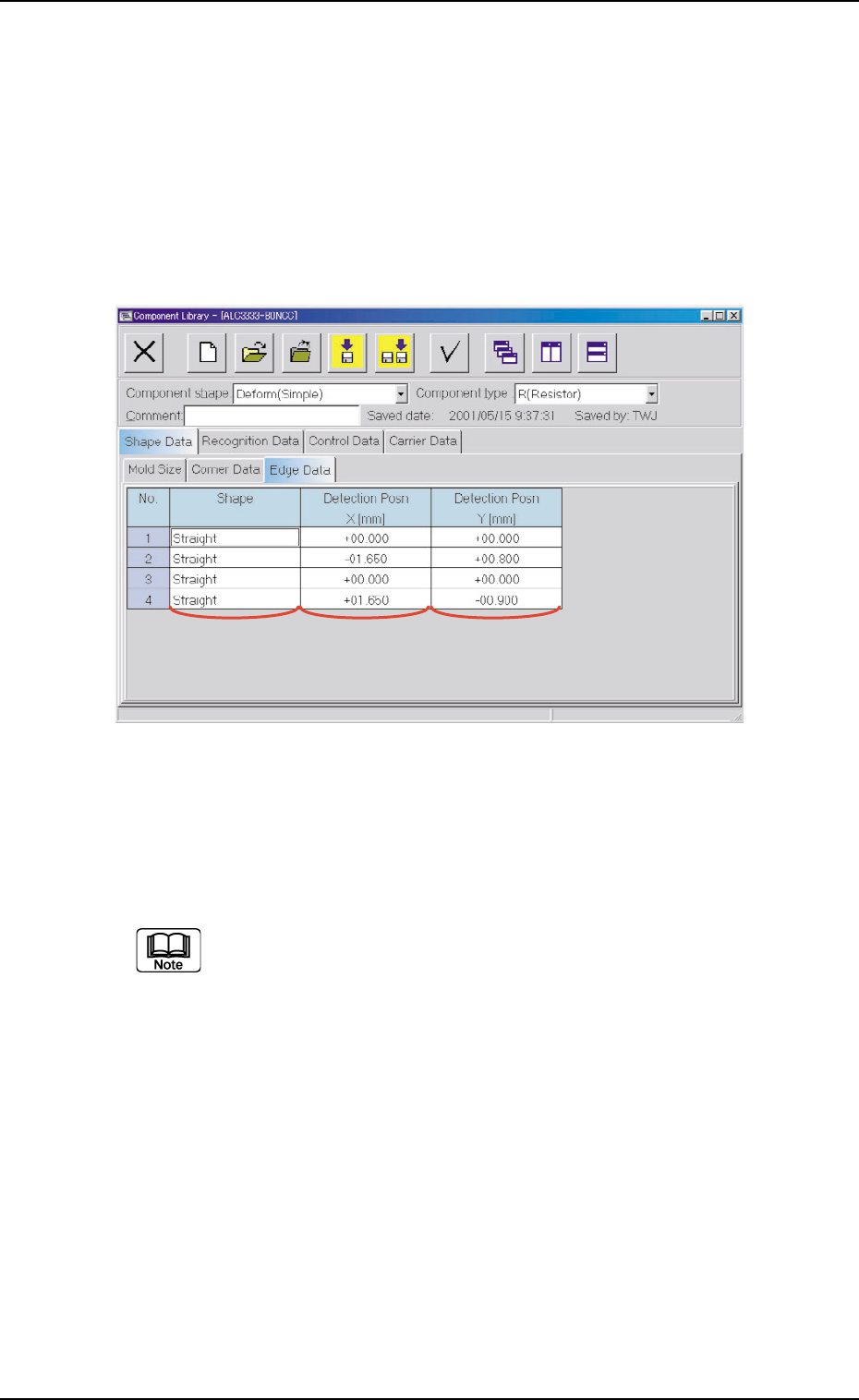
3.2.3 "Edge Data" Tab
The corresponding tab sheet appears when "Deform (Simple)" is se-
lected in the "Component shape" text box.
• Sheet Layout
When the "Edge Data" tab is pressed in the "Shape Data" tab sheet,
the following tab sheet appears.
Fig. 3C11 "Edge Data" Tab Sheet ("Deform (Simple)" Selected)
• Sheet Composition
Each parameter is displayed or can be entered.
Refer to "4.1.3 Basic Usage of Text Boxes" (Section 2) for the
detailed information on how to enter each parameter.
*1 Shape, *2 Detection Posn X [mm], *3 Detection Posn Y [mm]
*1
*2 *3
3.2 "Shape Data" Tab
0303-004 3-19 AGS01EDTP
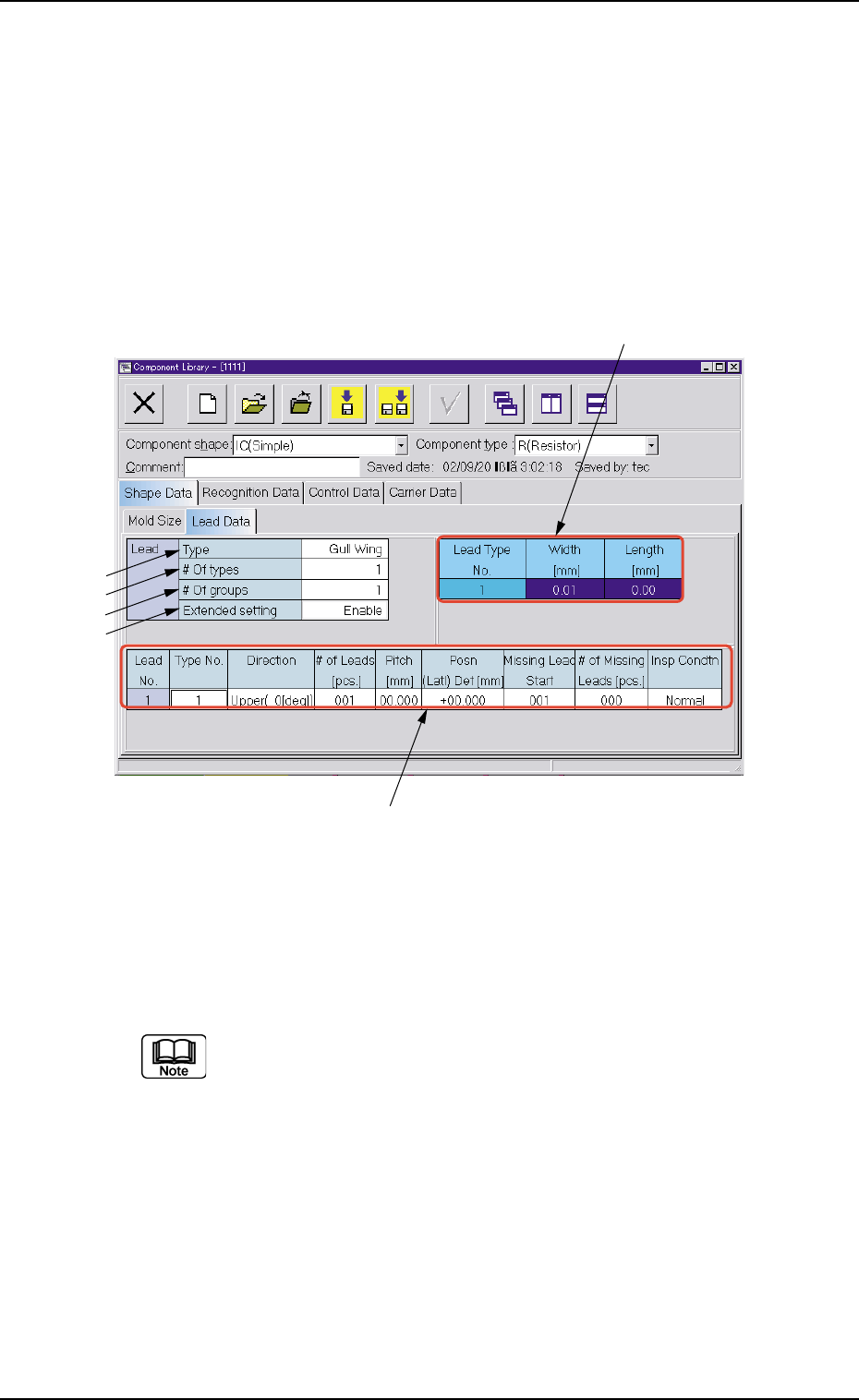
3.2.4 "Lead Data" Tab (Simple Shape)
The corresponding tab sheet appears when "IC (Simple)", "Connector
(Simple)", or "Other Leaded (Simple)" is selected in the "Component
shape" text box.
• Sheet Layout
When the "Lead Data" tab is pressed in the "Shape Data" tab sheet,
the following tab sheet appears.
Fig. 3C12 "Lead Data" Tab Sheet ("IC (Simple)" Selected)
• Sheet Composition
Each parameter is displayed or can be entered.
Refer to "4.1.3 Basic Usage of Text Boxes" (Section 2) for the
detailed information on how to enter each parameter.
*5
*6
*1
*2
*3
*4
3.2 "Shape Data" Tab
0303-005 3-20 AGS01EDTP