3OM-1054-002.pdf - 第163页
3.3.2 IC (Simple), IC (Complex), Other Leaded (Simple), Other Leaded (Complex), Connector (Simple), Connector (Complex) Fig. 3C15 "Recognition Data" T ab Sheet ("IC (Simple)" Selected) • Sheet Composi…
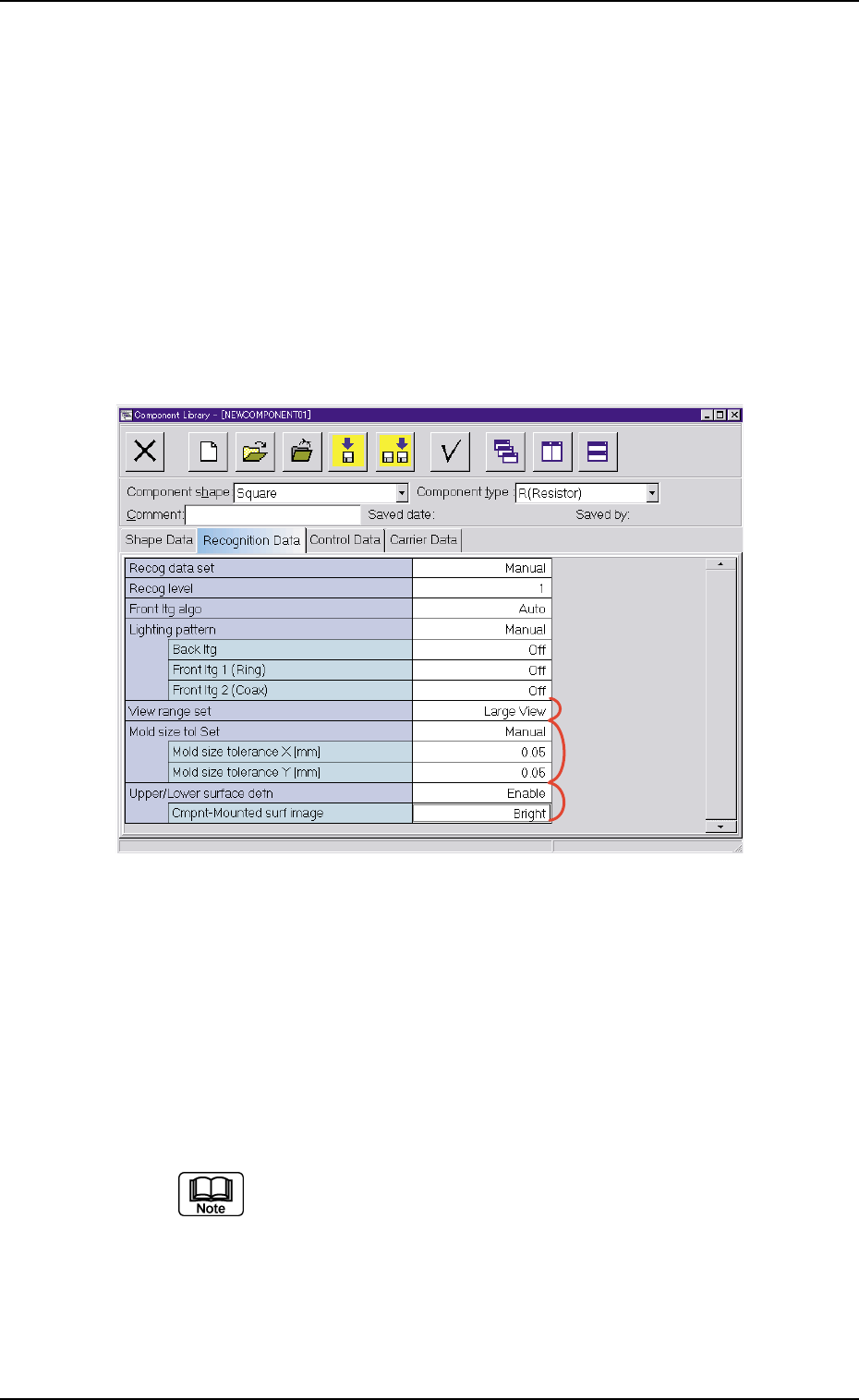
*5 Lighting pattern
Back ltg, Front ltg 1 (Ring), Front ltg 2 (Coax)
When "Manual" is set in the "Lighting pattern" text box, it is re-
quired to enter parameters in these text boxes.
*7 Mold size tol Set
Mold size tolerance X [mm] (Horizontal), Mold size toler-
ance Y [mm] (Vertical)
When "Manual" is set in the "Mold size tol Set" text box, it is re-
quired to enter parameters in these text boxes.
Fig. 3C14
*8 Upper/Lower surface detn (Not Available)
When the "Front Ltg System" is set in the "Lighting mode" text
box (*1), it is required to enter a parameter in the text box.
Cmpnt-Mounted surf image
When "Enable" is set in the "Upper/Lower surface detn", it is re-
quired to enter a parameter in the text box.
When "Cylindrical" is selected in the "Component shape"
text box, "Upper/Lower surface detn" does not appear.
3.3 "Recognition Data" Tab
*6
*7
*8
0307-006 3-28 AGS01EDTP
3.3.2 IC (Simple), IC (Complex), Other Leaded (Simple),
Other Leaded (Complex), Connector (Simple),
Connector (Complex)
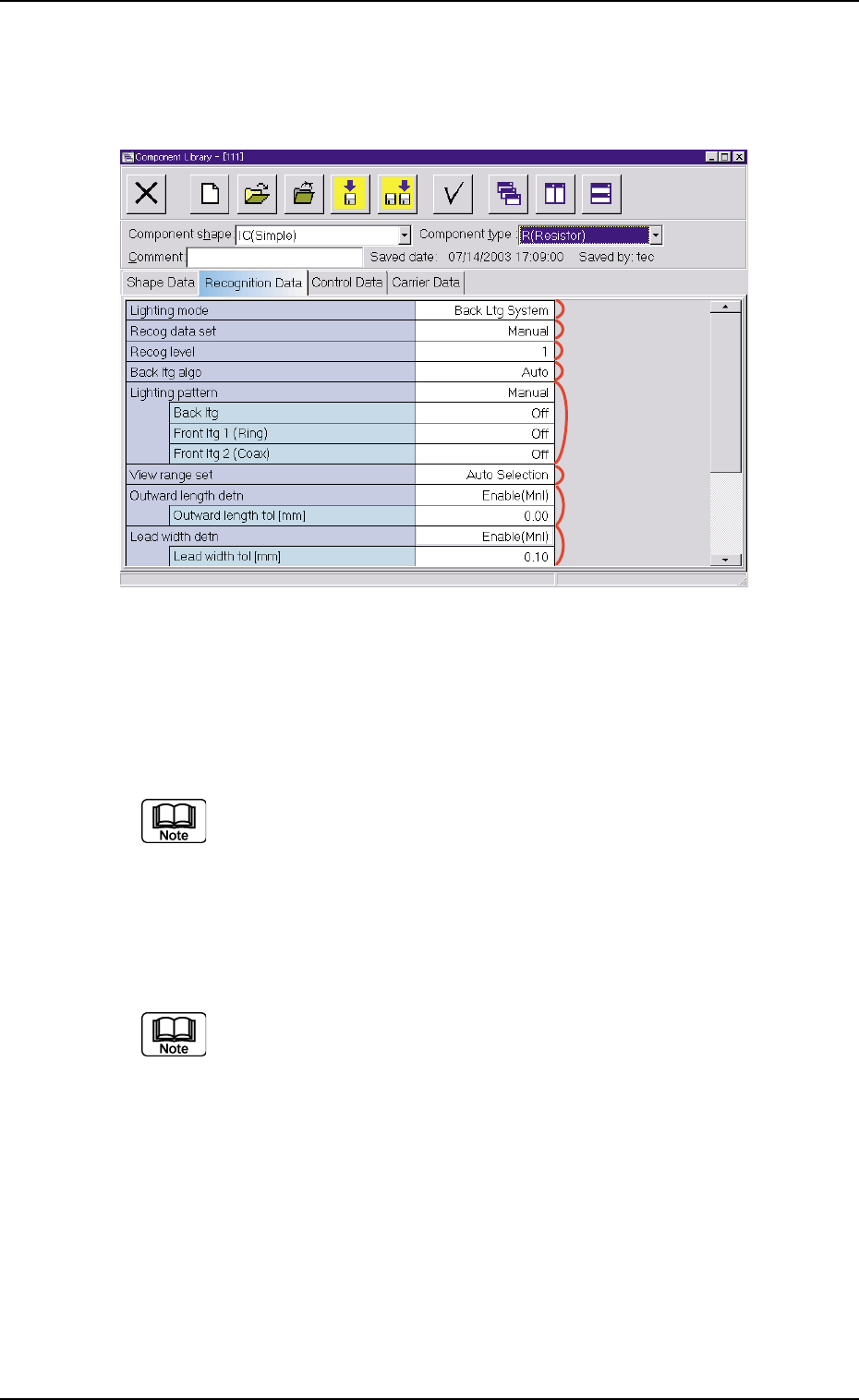
Fig. 3C15 "Recognition Data" Tab Sheet ("IC (Simple)" Selected)
• Sheet Composition
Each parameter is displayed or can be entered.
Refer to "4.1.3 Basic Usage of Text Boxes" (Section 2) for the
detailed information on how to enter each parameter.
*1 Lighting mode, *2 Recog data set,
*3 Recog level, *4 Back ltg algo (Front ltg algo),
*6 View range set
"Back ltg algo" or "Front ltg algo" appears in "*4", depending on
which lighting mode is selected in the "Lighting mode" text box.
*5 Lighting pattern
Back ltg, Front ltg 1 (Ring), Front ltg 2 (Coax)
When "Manual" is set in the "Lighting pattern" text box, it is re-
quired to enter parameters in these text boxes.
*5
*1
*2
*6
*7
*3
*4
*8
3.3 "Recognition Data" Tab
0307-006 3-29 AGS01EDTP
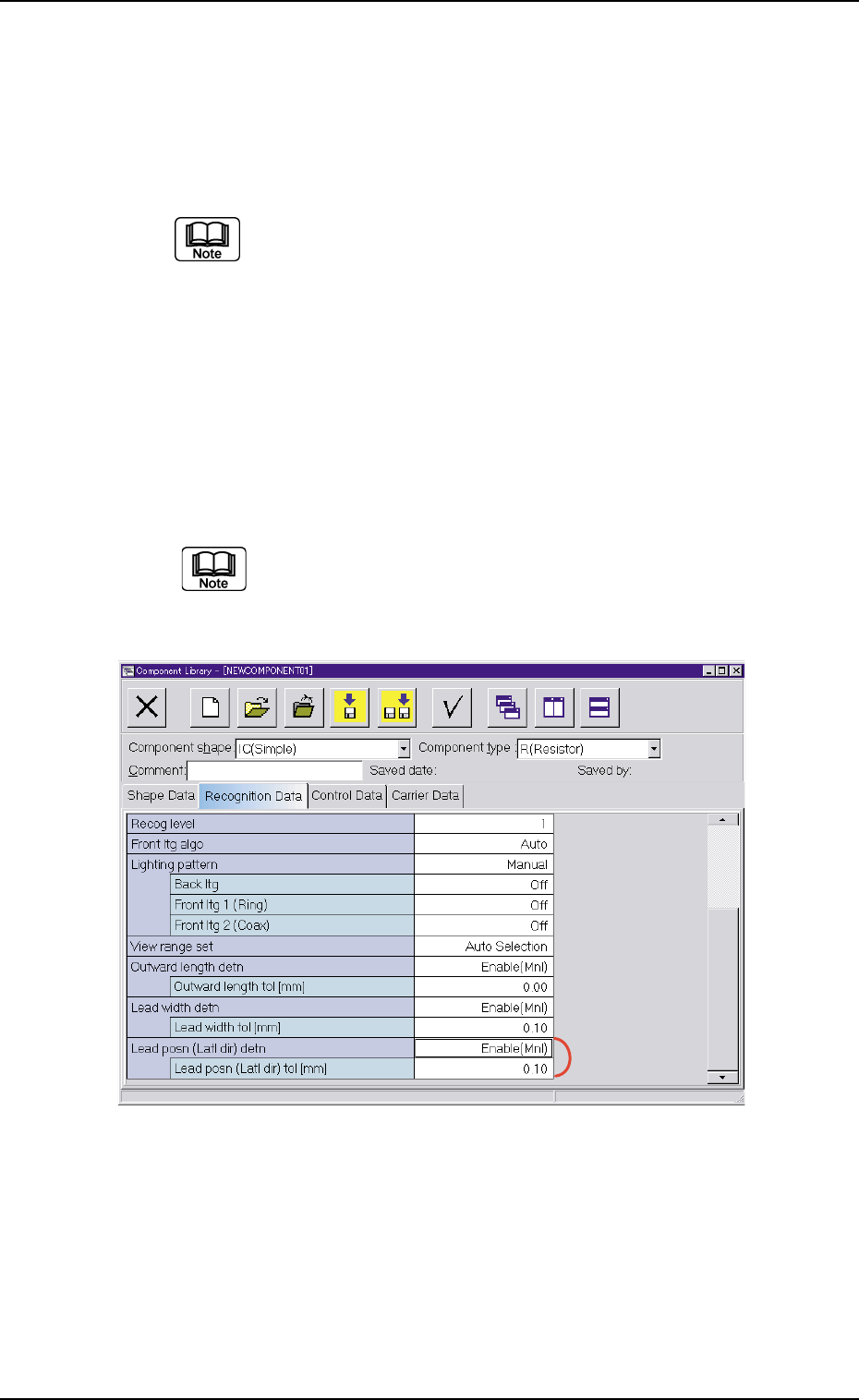
*7 Outward length detn
Outward length tol [mm]
When "Enable (Mnl)" is set in the "Outward length detn" text box,
it is required to enter a parameter in the text box.
When "Connector (Simple)", "Connector (Complex)", "Other
Leaded (Simple)", or "Other Leaded (Complex)" is selected
in the "Component shape" text box, "Outward length detn"
does not appear.
*8 Lead width detn
Lead width tol [mm]
When "Enable (Mnl)" is set in the "Lead width detn" text box, it is
required to enter a parameter in this text box.
When "Connector (Simple)" or "Connector (Complex)" is
selected in the "Component shape" text box, "Lead width
detn" does not appear.
Fig. 3C16
*9 Lead posn (Latl dir) detn
Lead posn (Latl dir) tol [mm]
When "Enable (Mnl)" is set in the "Lead posn (Latl dir) detn" text
box, it is required to enter a parameter in this text box.
3.3 "Recognition Data" Tab
0307-006 3-30 AGS01EDTP
*9