3OM-1054-002.pdf - 第119页
(4) Press the [YES] button. The line (step) of the selected Fdr . No. is transferred to the step just above the specified line (step). Fig. 3B156-3 4.3 "Placement Feeder Location" T ab 0303-001 2-99-1 AGS01EDTP
4.3 "Placement Feeder Location" Tab
0303-004 2-99 AGS01EDTP
Transfer of Fdr. No.
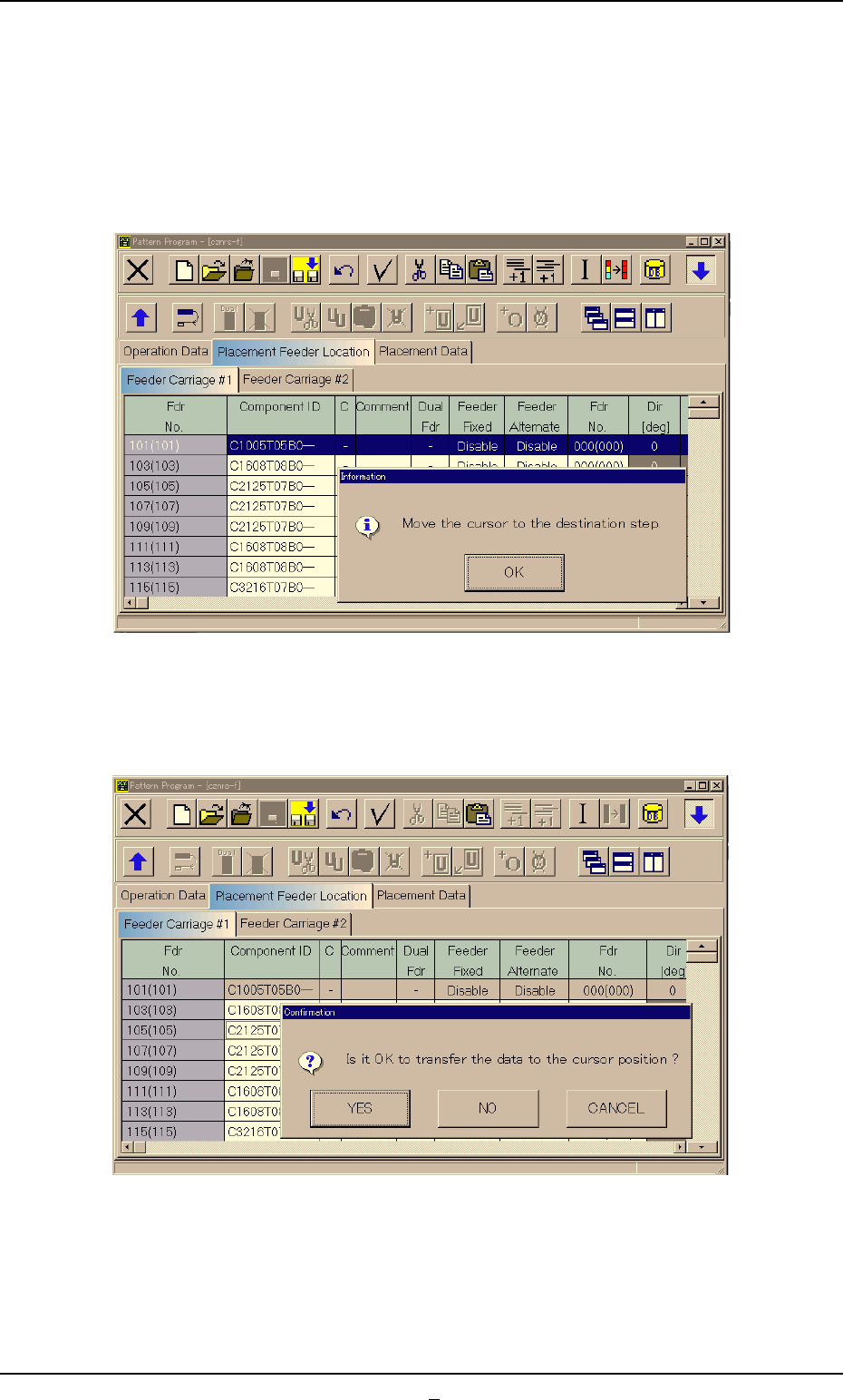
(1) Select the Fdr. No. to be transferred with the touch screen or the
pointing device.
The selected line (Fdr. No.) turns blue, indicating that it is selected.
(2) Select the "Transfer the selected step data" icon.
Fig. 3B156-1
(3) Press the [OK] button and specify the destination step.
Fig. 3B156-2
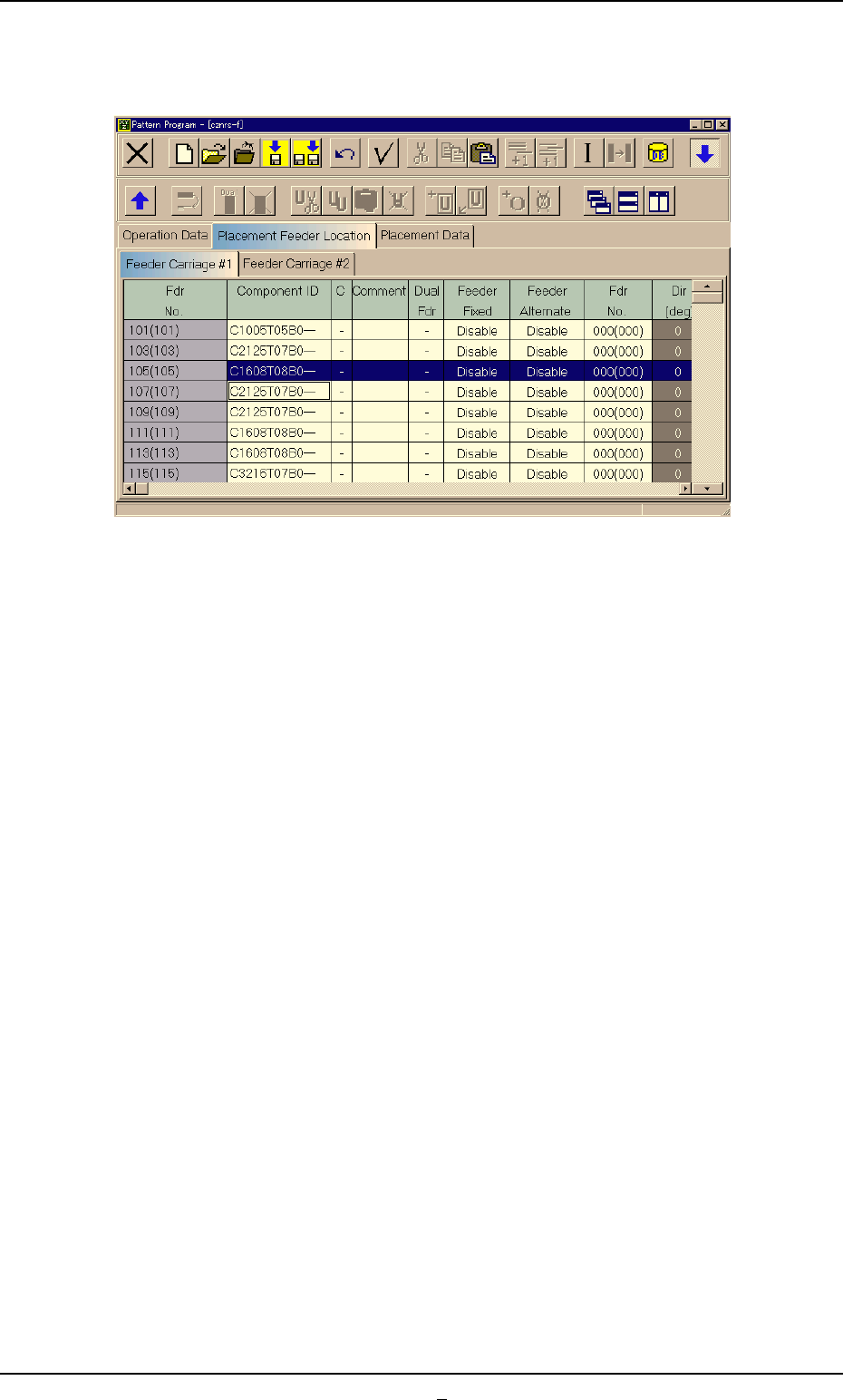
(4) Press the [YES] button. The line (step) of the selected Fdr. No. is
transferred to the step just above the specified line (step).
Fig. 3B156-3
4.3 "Placement Feeder Location" Tab
0303-001 2-99-1 AGS01EDTP
4.3.2 "Component ID List" Window
• Window Layout
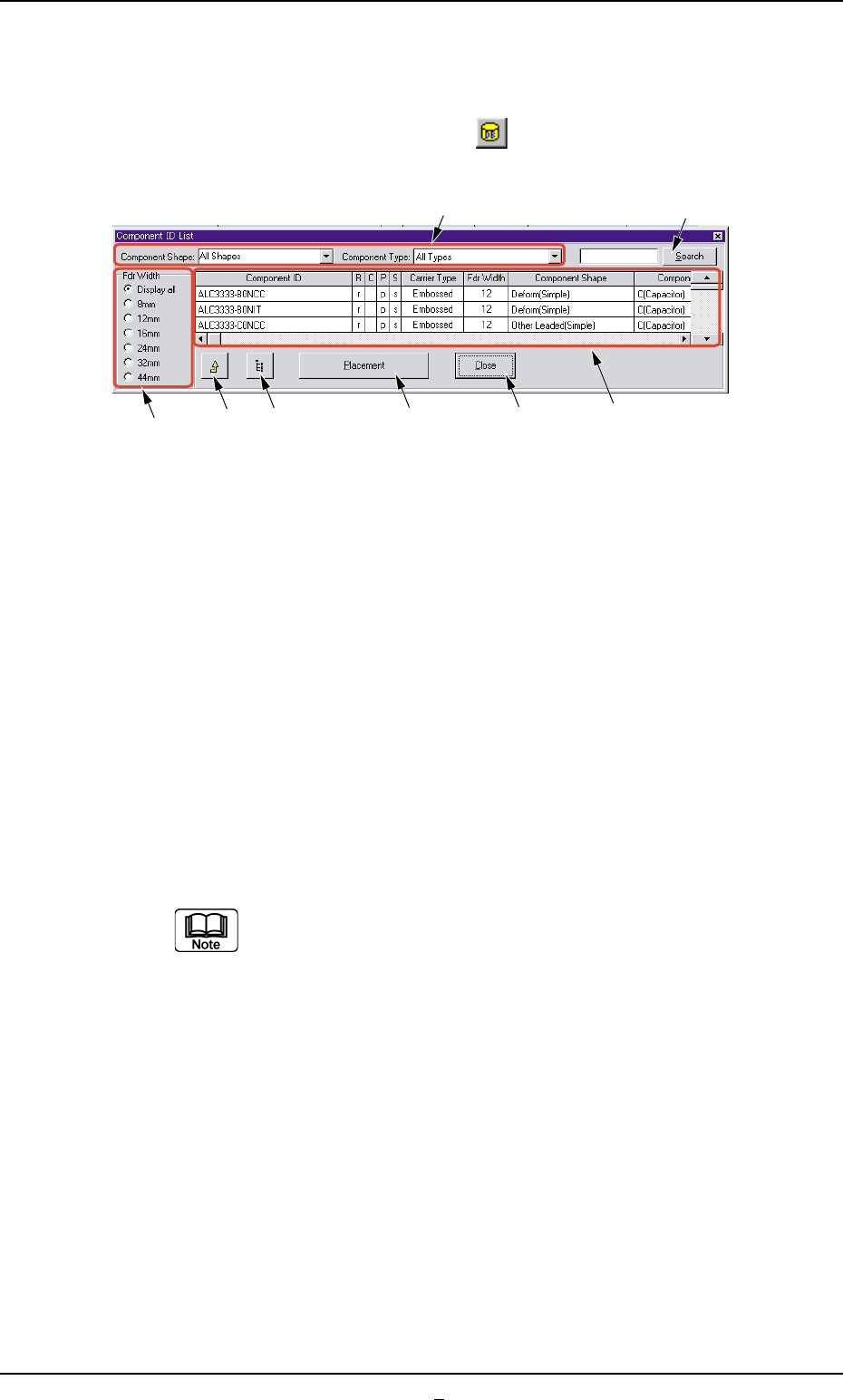
When the [Component ID List] icon (
) is pressed in the "Pattern
Program" window, the "Component ID List" window opens.
Fig. 3B157 "Component ID List" Window
• Window Composition
*1 Component Shape and Component Type
Enter a parameter in each text box.
When parameters are set in the text boxes, a list of the correspond-
ing components appears in "*6".
*2 Fdr Width
Select the desired option button to specify the feeder width.
*3 "Component Library" Edit Window Button
When this icon is pressed, the "Component Library" edit window
opens, making it possible to edit the component library data.
Refer to "Section 3 Component Library" for the detailed in-
formation on how to edit the component library data.
*4 [Placement] Button
When this button is pressed, the component selected from the list
of component IDs is set in the placement feeder location data.
*5 [Close] Button
When this button is pressed, the "Component ID List" window closes.
*6 List of Component IDs
A list of component IDs is displayed.
*7 [Search] Button
When this button is pressed, the list of component IDs is searched.
*1
*4
*5
*6
*2
*3
*7
*8
4.3 "Placement Feeder Location" Tab
0303-004 2-100 AGS01EDTP