3OM-1054-002.pdf - 第113页
4.2.3. "P .E.C. Recognition Mark Data" T ab • Sheet Layout When the "P .E.C. Recognition Mark Data" tab is pressed in the "Op- eration Data" tab sheet, the following tab sheet appears. Fig. …
*1
*2
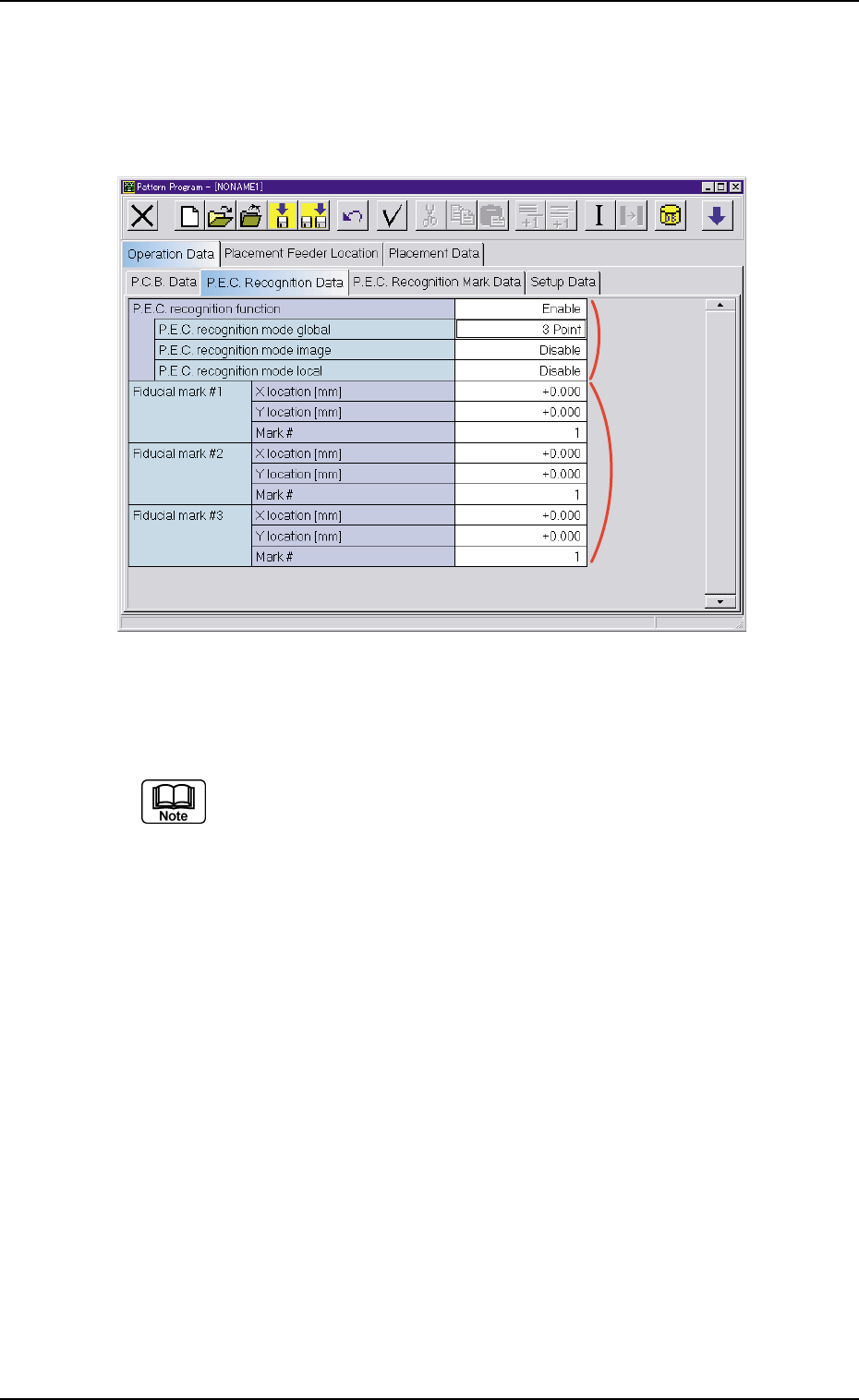
4.2.2 "P.E.C. Recognition Data" Tab
• Sheet Layout
When the "P.E.C. Recognition Data" tab is pressed in the "Operation
Data" tab sheet, the following tab sheet appears.
Fig. 3B151 "P.E.C. Recognition Data" Tab sheet
• Sheet Composition
Each parameter is displayed or can be entered.
Refer to "4.1.3 Basic Usage of Text Boxes" for the detailed in-
formation on how to enter parameters.
*1 P.E.C. recognition function
P.E.C. recognition mode global
When "Enable" is selected for "P.E.C. recognition function", it is
required to enter a parameter in the text box.
P.E.C. recognition mode image
When "Enable" is selected for "P.E.C. recognition function", it is
required to enter a parameter in the text box.
P.E.C. recognition mode local
When "Enable" is set in the "P.E.C. recognition function" text box,
it is required to enter a parameter in the text box.
*2 Global Recognition
It is required to enter parameters in the "X location [mm]", "Y loca-
tion [mm]", and "Mark #" text boxes according to the number of fidu-
cial marks selected in the "P.E.C. recognition mode global" text box.
4.2 "Operation Data" Tab
021 1-004 2-93 AGS01EDTP
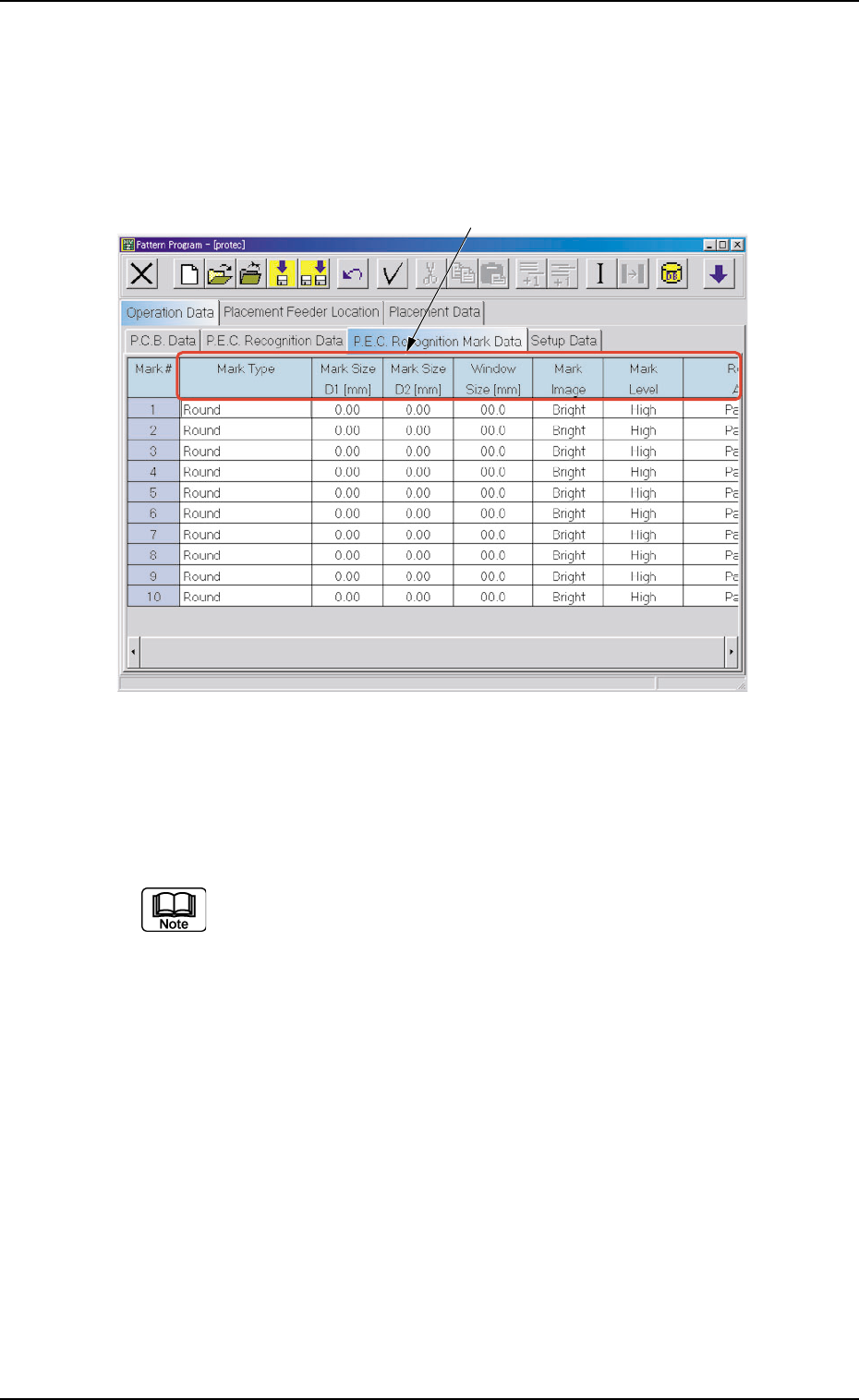
4.2.3. "P.E.C. Recognition Mark Data" Tab
• Sheet Layout
When the "P.E.C. Recognition Mark Data" tab is pressed in the "Op-
eration Data" tab sheet, the following tab sheet appears.
Fig. 3B152 "P.E.C. Recognition Mark Data" Tab Sheet
• Sheet Composition
Each parameter is displayed or can be entered.
Refer to "4.1.3 Basic Usage of Text Boxes" for the detailed in-
formation on how to enter parameters.
*1 Mark Type, Mark Size D1 [mm], Mark Size D2 [mm], Window
Size [mm], Mark Image, Mark Level, Recog Algo
*1
4.2 "Operation Data" Tab
01 12-003 2-94 AGS01EDTP
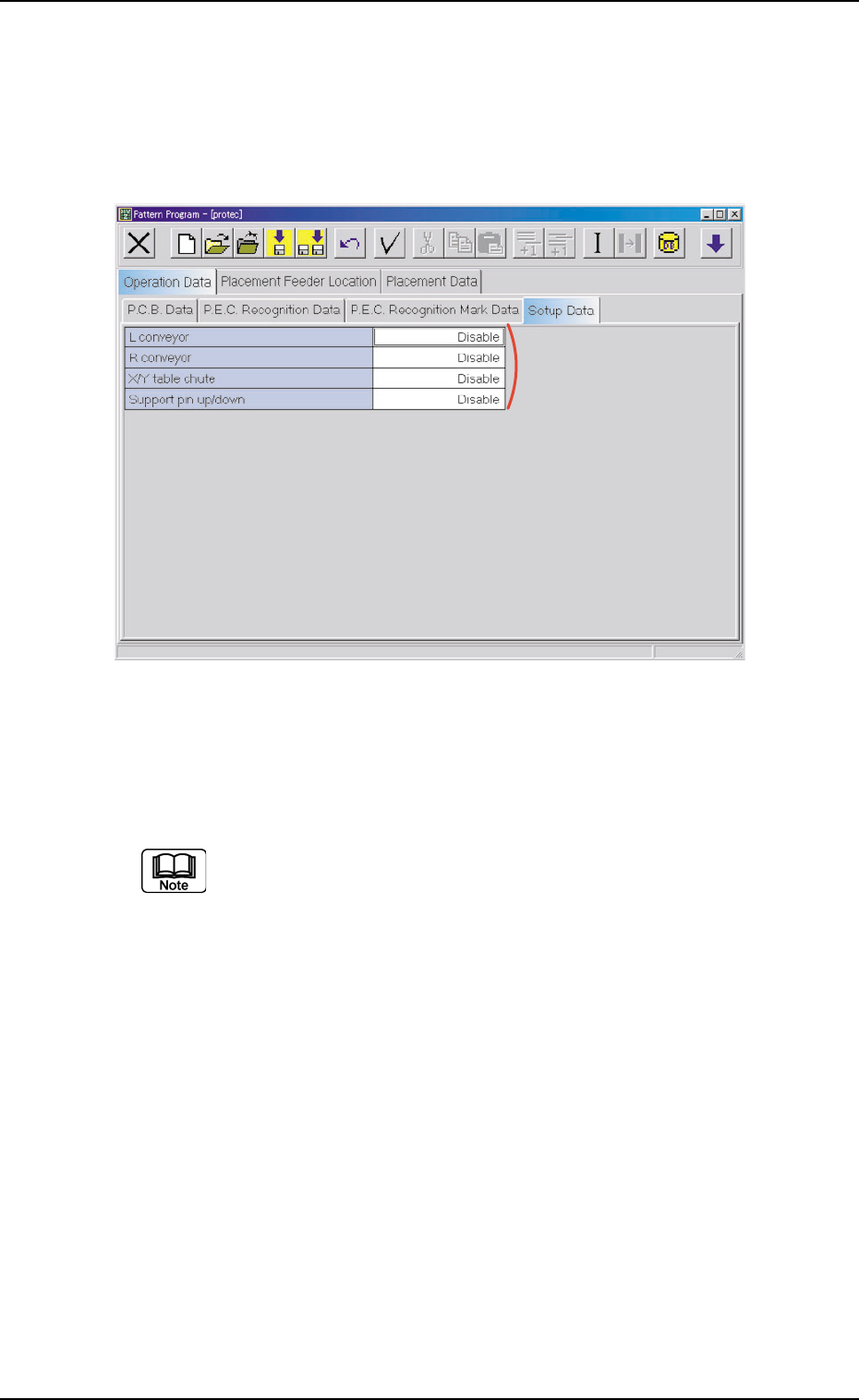
4.2.4 "Setup Data" Tab
• Sheet Layout
When the "Setup Data" tab is pressed in the "Operation Data" tab
sheet, the following tab sheet appears.
Fig. 3B153 "Setup Data" Tab Sheet
• Sheet Composition
Each parameter is displayed or can be entered.
Refer to "4.1.3 Basic Usage of Text Boxes" for the detailed in-
formation on how to enter parameters.
*1 L conveyor, R conveyor, X/Y table chute, and Support pin up/
down
4.2 "Operation Data" Tab
*1
01 12-003 2-95 AGS01EDTP