3OM-1054-002.pdf - 第236页
3 . 2 "Device Offset" T ab This session describes how to set various kinds of offset data for each device position adjustment related to machine operation, for the cam- era system related to placement accuracy …
3. "System" Window
3.1 Outline of "System" Window
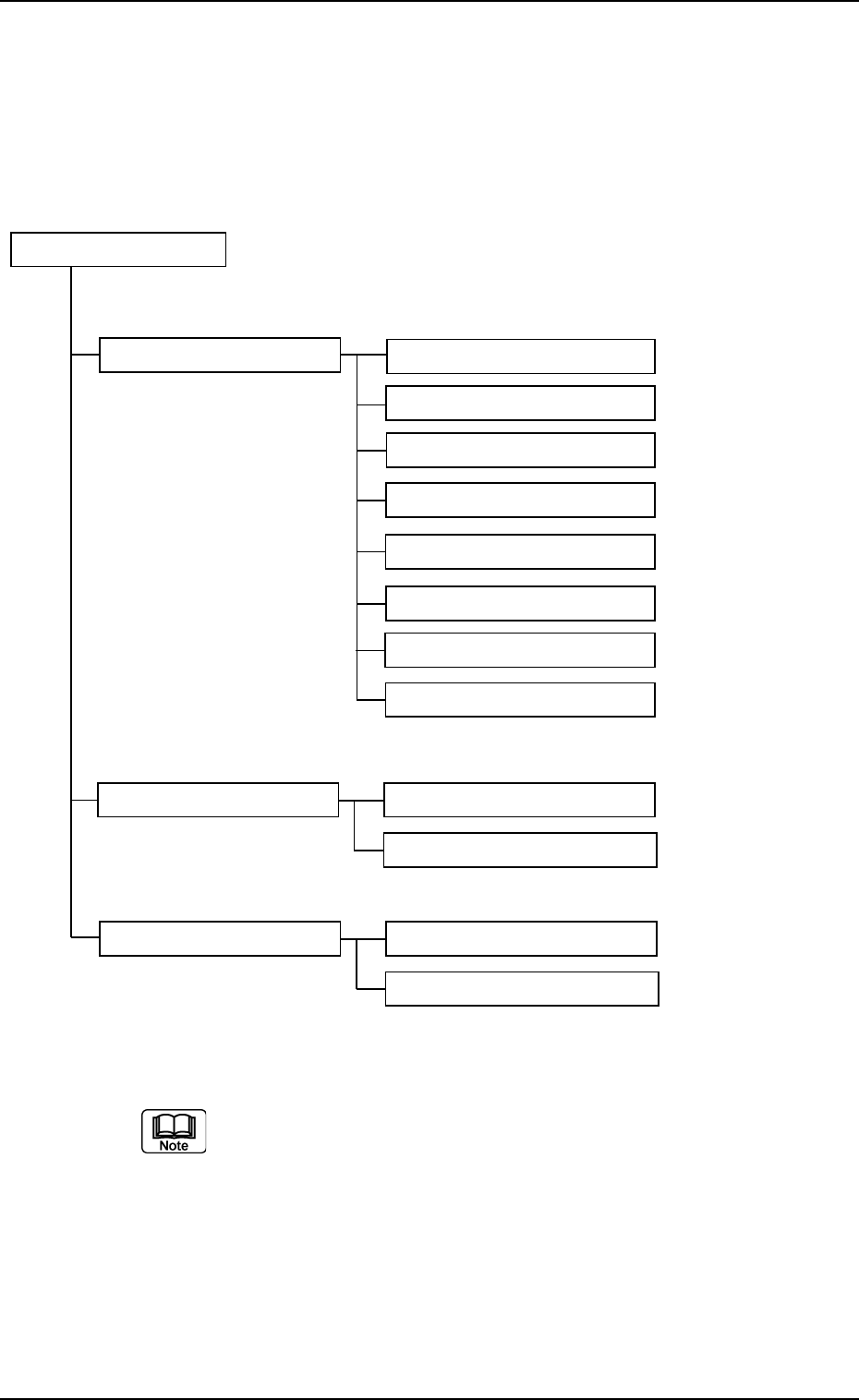
The "System" window is composed of the following items.
"System" Window
Tab Tabs (Tab Sheets) Reference Item Nos.
Device Offset (3.2) Device Offset (3.2.1)
Head (3.2.2)
CPK Offset (3.2.3)
Feeder-A (3.2.4)
Feeder-B (3.2.4)
Nozzle (3.2.5)
Camera Offset (3.2.6)
Lighting (3.2.7)
Auto Operation (3.3) Auto Operation Setup (3.3.1)
P.C.B. Transfer Mode Setup (3.3.2)
Configuration Setup (3.4) Light Tower Setup (3.4.1)
Alarm Setup (3.4.2)
Fig. 3E10
The numbers in ( ) represent Nos. of items which can be re-
ferred to for details.
01 12-003 5-10
AGS01EDTP
3.1 Outline of "System" Window
3.2 "Device Offset" Tab
This session describes how to set various kinds of offset data for each
device position adjustment related to machine operation, for the cam-
era system related to placement accuracy, for the heads, and for the
nozzles.
CAUTION
Do not change the parameters unless necessary.
These parameters are factory-adjusted upon shipment
of the machine.
• Some parameters are automatically calculated through teaching op-
erations.
3.2.1 "Device Offset" Tab
• Sheet Layout
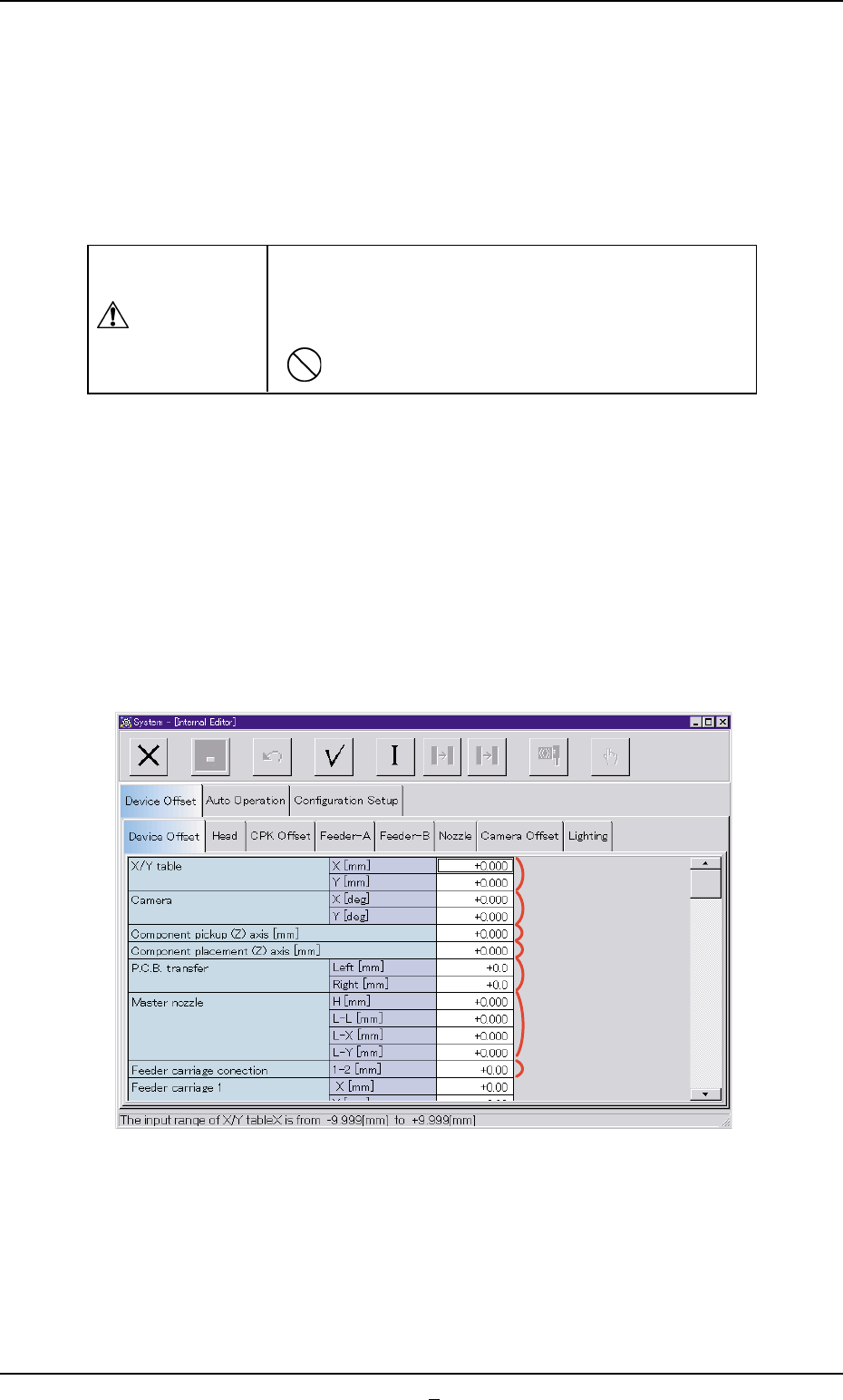
When the "Device Offset" tab is pressed in the "Device Offset" tab sheet,
the following tab sheet appears.
Fig. 3E11 "Device Offset" Tab Sheet
0303-005 5-11 AGS01EDTP
3.2 "Device Offset" Tab
*1
*2
*5
*3
*4
*7
*6
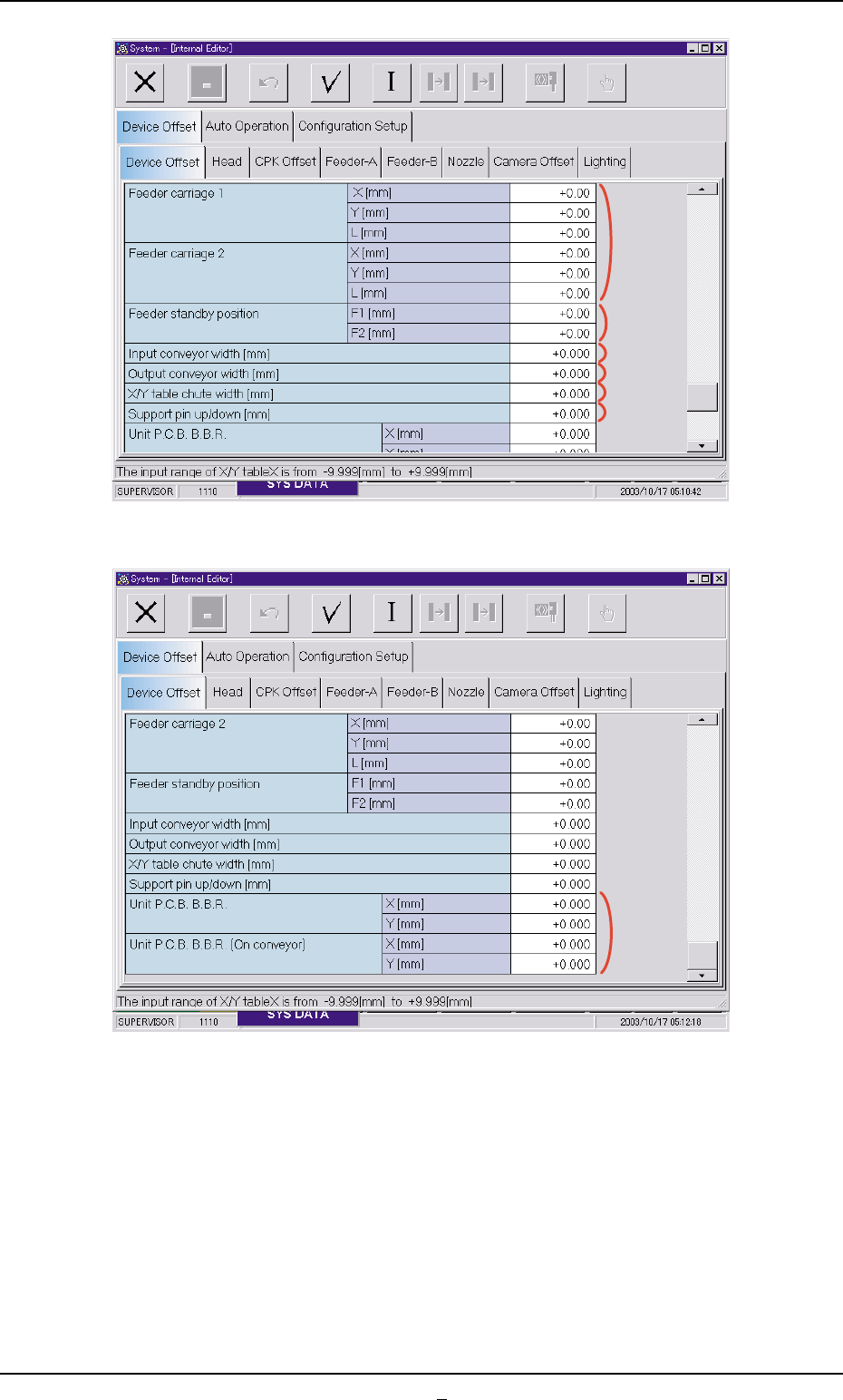
Fig. 3E11-1
Fig. 3E11-2
0307-002 5-11-1 AGS01EDTP
3.2 "Device Offset" Tab
*9
*8
*10
*11
*12
*13
*14