3OM-1054-002.pdf - 第51页
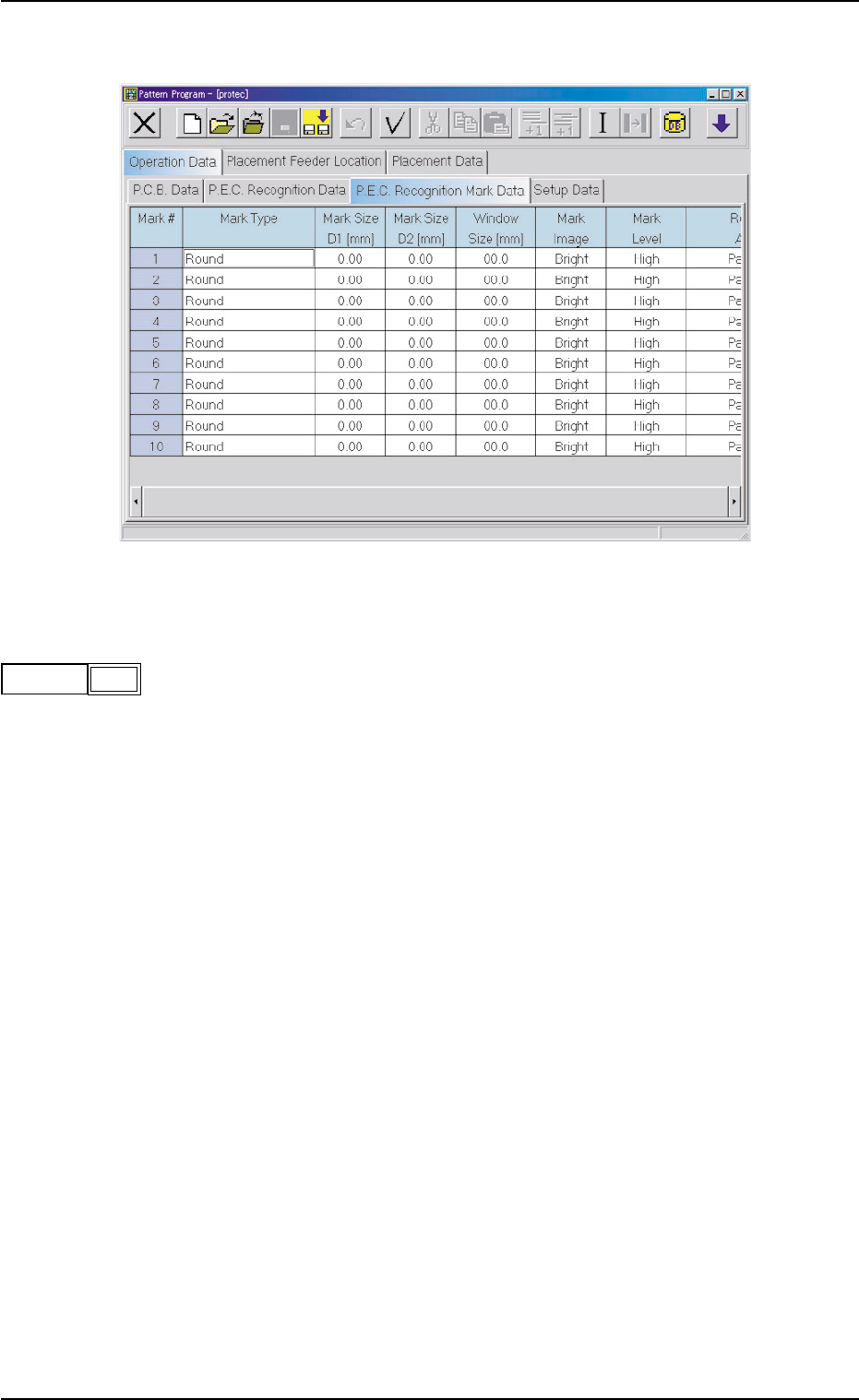
(A03) P .E.C. Recognition Mark Data Fig. 3B57 Edit Window (Example) (A03_01) Mark # The mark Nos. correspond to the mark codes and the specified pa- rameters of each fiducial mark used in the P .E.C. recognition function…
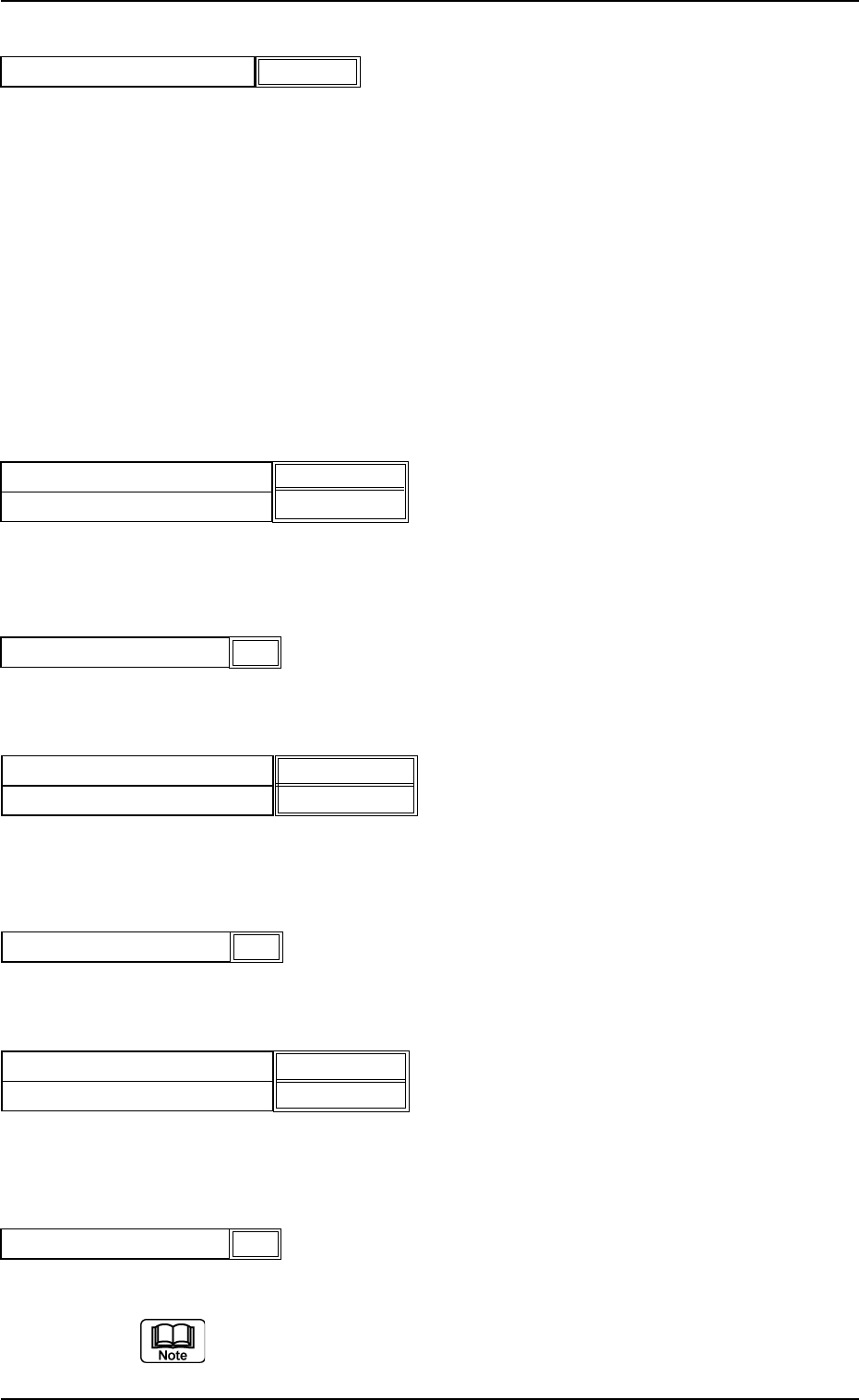
P.E.C. recognition mode local
When"Enable" is set in the"P.E.C. recognition function" text box,
select one of the following options in the"P.E.C. recognition mode
local" text box.
Disable : The local recognition function is not used.
Enable : The local recognition function is used.
(A02_02) P.E.C. recognition mode global
When"1 Point","2 Point","3 Point" or"4 Point" is selected for the global
P.E.C. recognition function, the coordinates and code of each fiducial
mark must be entered in the corresponding text boxes.
Fiducial mark #1 X location [mm] and Y location [mm]
Set the coordinates of the first fiducial mark in the text boxes.
Unit: mm
Fiducial mark #1 Mark code
Set the mark code of the first fiducial mark in the text box.
Fiducial mark #2 X location [mm] and Y location [mm]
Set the coordinates of the second fiducial mark in the text boxes.
Unit: mm
Fiducial mark #2 Mark code
Set the mark code of the second fiducial mark in the text box.
Fiducial mark #3 X location [mm] and Y location [mm]
Set the coordinates of the third fiducial mark in the text boxes.
Unit: mm
Fiducial mark #3 Mark code
Set the mark code of the third fiducial mark in the text box.
Refer to"(A03) P.E.C. Recognition Mark Data" for the mark codes.
2.3 Operation Data
1
Fiducial mark #1 Mark code
Fig. 3B50
1
Fiducial mark #2 Mark code
Fig. 3B52
1
Fiducial mark #3 Mark code
Fig. 3B54
Fig. 3B49
Fiducial mark #1 X location [mm]
Fiducial mark #1 Y location [mm]
10.000 [mm]
10.000 [mm]
021 1-004 2-31 AGS01EDTP
Fig. 3B53
Fiducial mark #3 X location [mm]
Fiducial mark #3 Y location [mm]
0.000 [mm]
0.000 [mm]
Fig. 3B51
Fiducial mark #2 X location [mm]
Fiducial mark #2 Y location [mm]
100.000 [mm]
100.000 [mm]
Disable
P.E.C. recognition mode local
Fig. 3B48-2
(A03) P.E.C. Recognition Mark Data
Fig. 3B57 Edit Window (Example)
(A03_01) Mark #
The mark Nos. correspond to the mark codes and the specified pa-
rameters of each fiducial mark used in the P.E.C. recognition function.
10 types of mark codes can be registered for each pattern program.
021 1-004 2-32
AGS01EDTP
2.3 Operation Data
1
mark #
Fig. 3B58
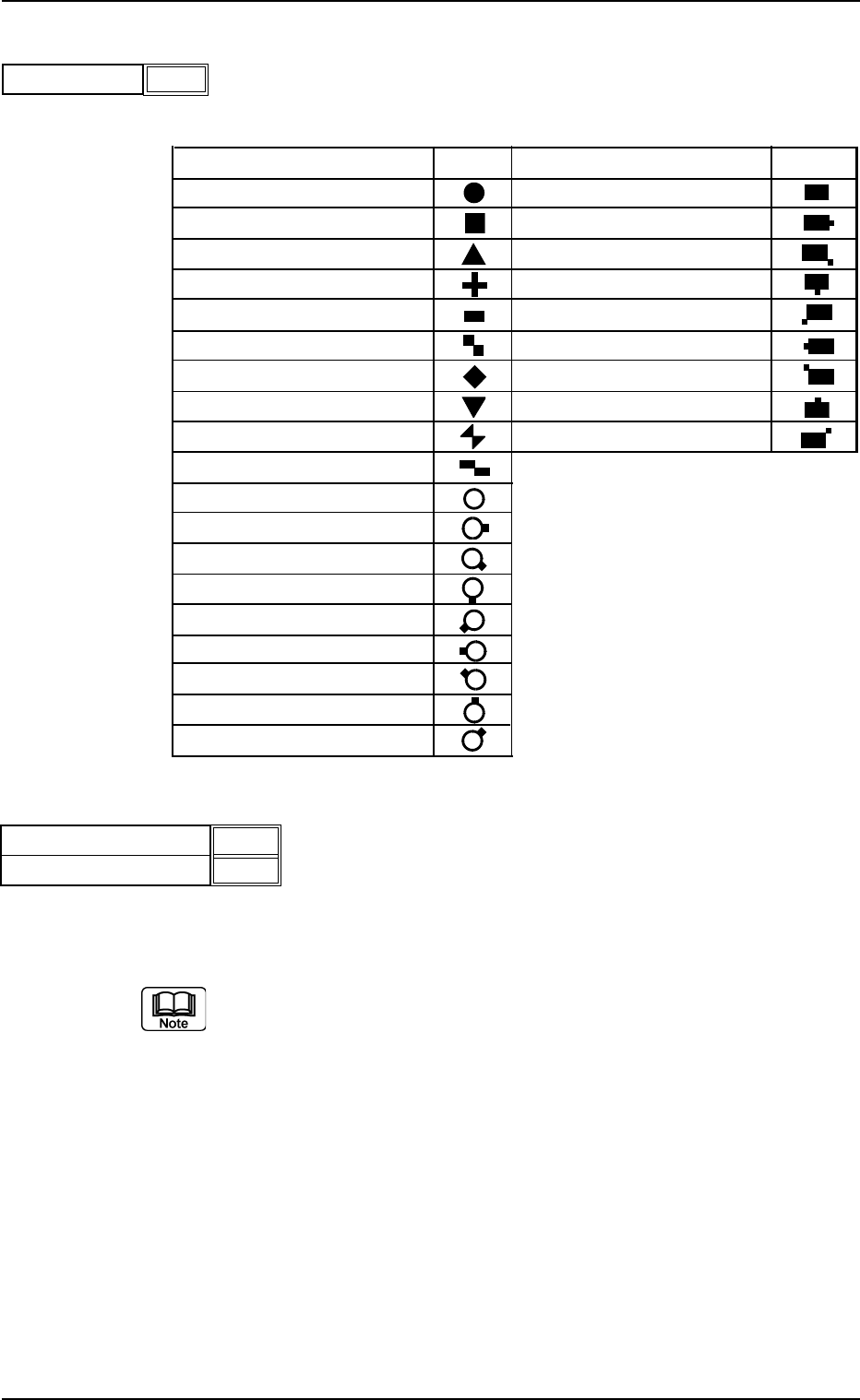
(A03_02) Mark Type
The following options can be selected as shapes of fiducial marks.
Table 3B15
Mark Type Shape Mark Type Shape
Round Pad Mark/No Land
Square Pad Mark/Land (E)
Equilateral Triangle (Up) Pad Mark/Land (SE)
Cross Pad Mark/Land (S)
Rectangle Pad Mark/Land (SW)
Checker (Square) Pad Mark/Land (W)
Diamond Pad Mark/Land(NW)
Equilateral Triangle (Down) Pad Mark/Land (N)
Bow Tie Pad Mark/Land (NE)
Checker (Rectangle)
Thru Hole/No Land
Thru Hole/Land (E)
Thru Hole/Land (SE)
Thru Hole/Land (S)
Thru Hole/Land (SW)
Thru Hole/Land (W)
Thru Hole/Land (NW)
Thru Hole/Land (N)
Thru Hole/Land (NE)
(A03_03) Mark Size D1 [mm], Mark Size D2 [mm]
Set the dimensions of fiducial marks.
Unit: mm
Refer to "(A03_08) Fiducial Marks" for details.
2.3 Operation Data
021 1-004 2-33 AGS01EDTP
Round
Mark Type
Fig. 3B59
2.00
0.00
Mark Size D1 [mm]
Mark Size D2 [mm]
Fig. 3B60