3OM-1054-002.pdf - 第254页
3.2.5 "Nozzle" T ab The "Nozzle" tab sheet is composed of the "Nozzle Offset High Mag.", "Nozzle Offset Low Mag.", "Nozzle Position", "Nozzle-L", and "Nozz…
0303-005 5-27 AGS01EDTP
• Sheet Layout
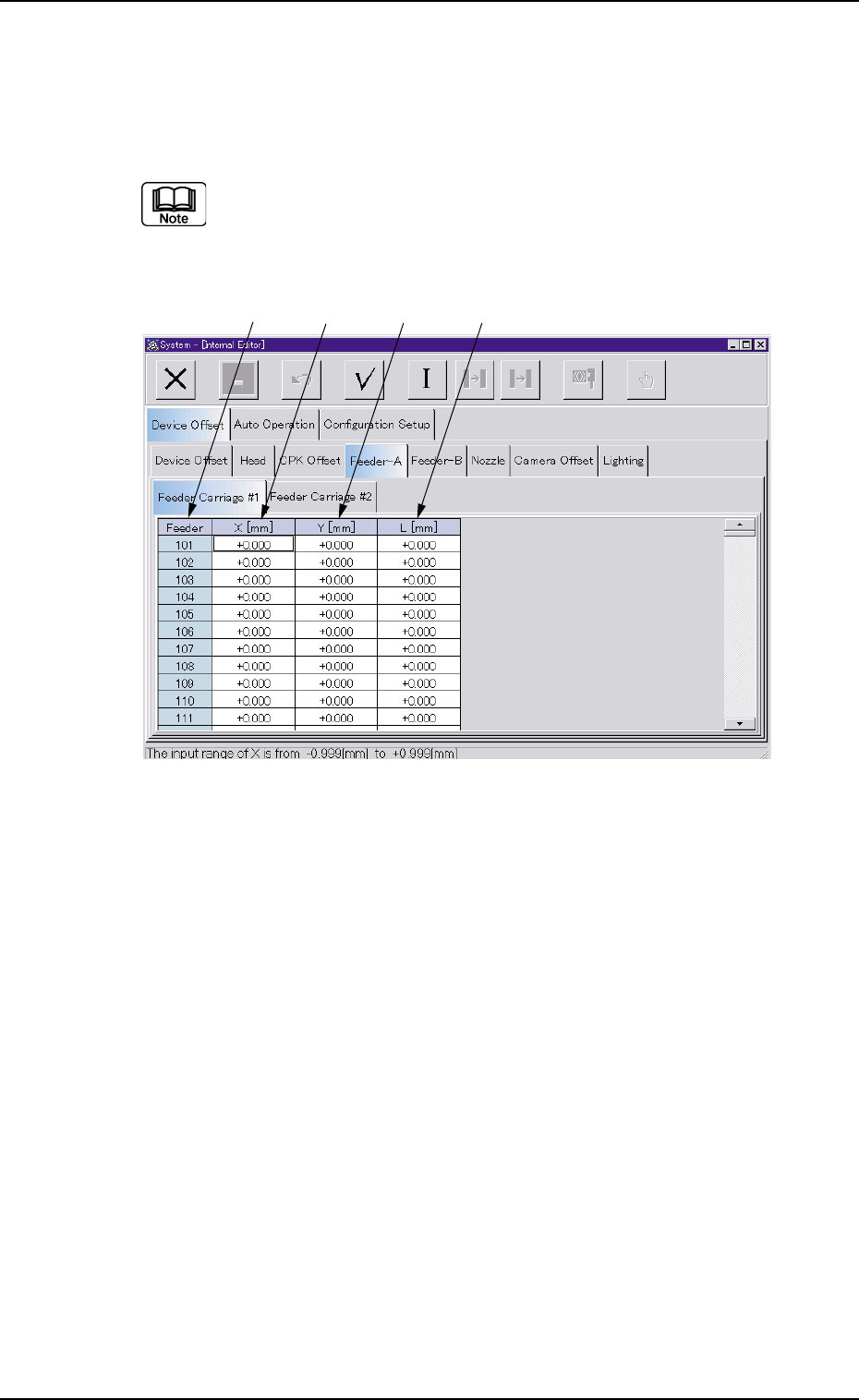
When the "Feeder Carriage #1" tab is pressed in the "Feeder-A" tab
sheet, the following tab sheet appears.
(a) Follow the same procedure for the "Feeder-B" tab sheet.
(b) Follow the same procedure for the "Feeder Carriage #2"
tab sheet.
Fig. 3E27 "Feeder Carriage" Tab Sheet
• Sheet Composition
*1 Feeder
The feeder Nos. (Fdr. Nos.) are displayed.
*2 X [mm]
Each text box shows an offset value of the X direction.
*3 Y [mm]
Each text box shows an offset value of the Y direction.
*4 L [mm]
Each text box shows an offset value of the L direction.
3.2 "Device Offset" Tab
*1
*2
*3 *4
3.2.5 "Nozzle" Tab
The "Nozzle" tab sheet is composed of the "Nozzle Offset High Mag.",
"Nozzle Offset Low Mag.", "Nozzle Position", "Nozzle-L", and "Nozzle-
H" tabs.
• Sheet Layout
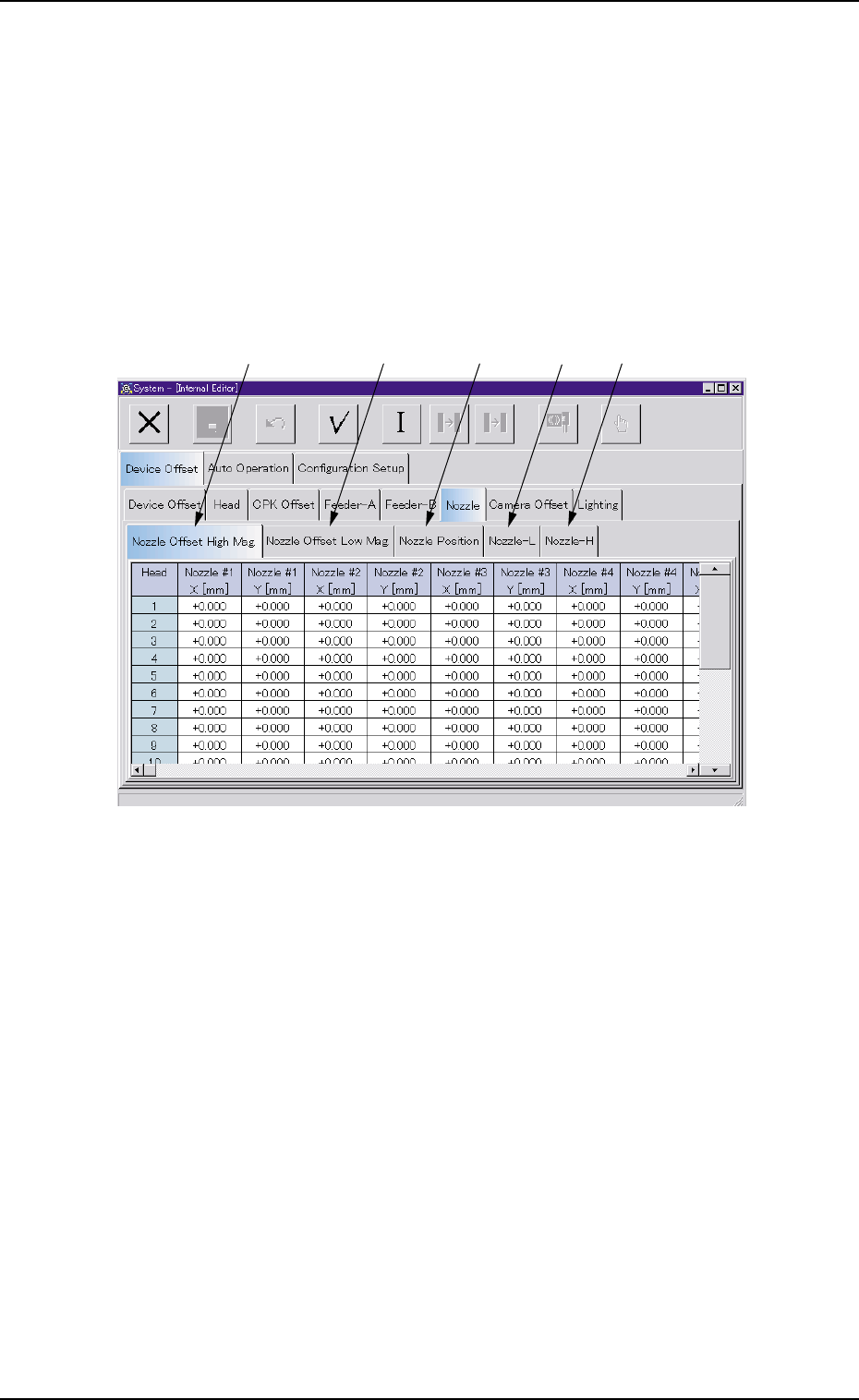
When the "Nozzle" tab is pressed in the "Device Offset" tab sheet, the
following tab sheet appears.
Fig. 3E28
• Sheet Composition
*1 [Nozzle Offset High Mag.] Tab
When selected, the "Nozzle Offset High Mag." tab sheet appears.
*2 [Nozzle Offset Low Mag.] Tab
When selected, the "Nozzle Offset Low Mag." tab sheet appears.
*3 [Nozzle Position] Tab
When selected, the "Nozzle Position" tab sheet appears.
*4 [Nozzle-L] Tab
When selected, the "Nozzle-L" tab sheet appears.
*5 [Nozzle-H] Tab
When selected, the "Nozzle-H" tab sheet appears.
0303-005 5-28 AGS01EDTP
3.2 "Device Offset" Tab
*1 *2 *3 *4 *5
(1) "Nozzle Offset High Mag." Tab
• Sheet Layout
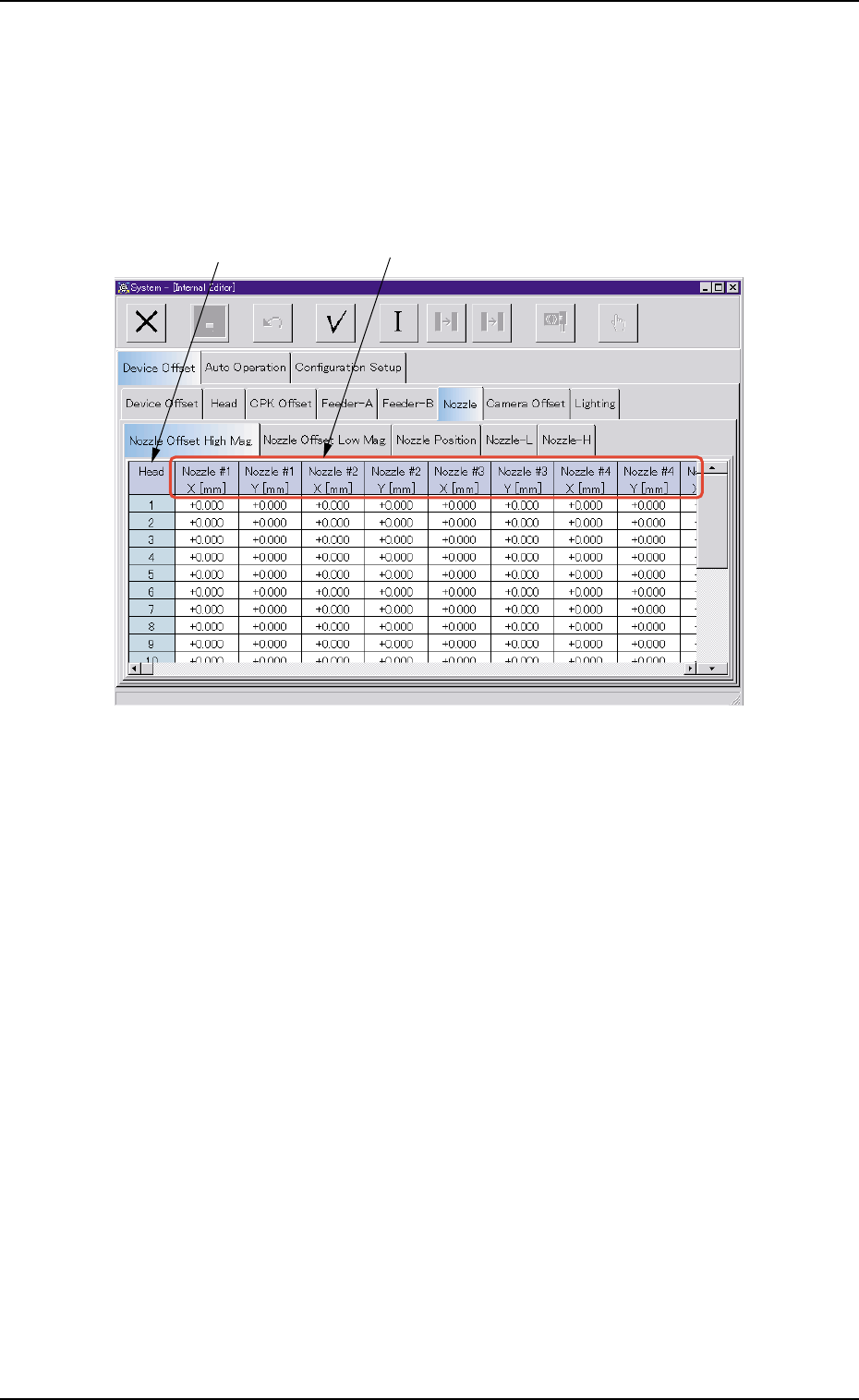
When the "Nozzle Offset High Mag." tab is pressed in the "Nozzle" tab
sheet, the following tab sheet appears.
Fig. 3E29 "Nozzle Offset High Mag." Tab Sheet
• Sheet Composition
*1 Head
The head Nos. are displayed.
0303-005 5-29
AGS01EDTP
3.2 "Device Offset" Tab
*1
*2