3OM-1054-002.pdf - 第49页
P .E.C. recognition mode image When"Enable" is selected in the"P .E.C. recognition function" text box, select one of the following options as an image recognition mode. Disable : The image recognition…
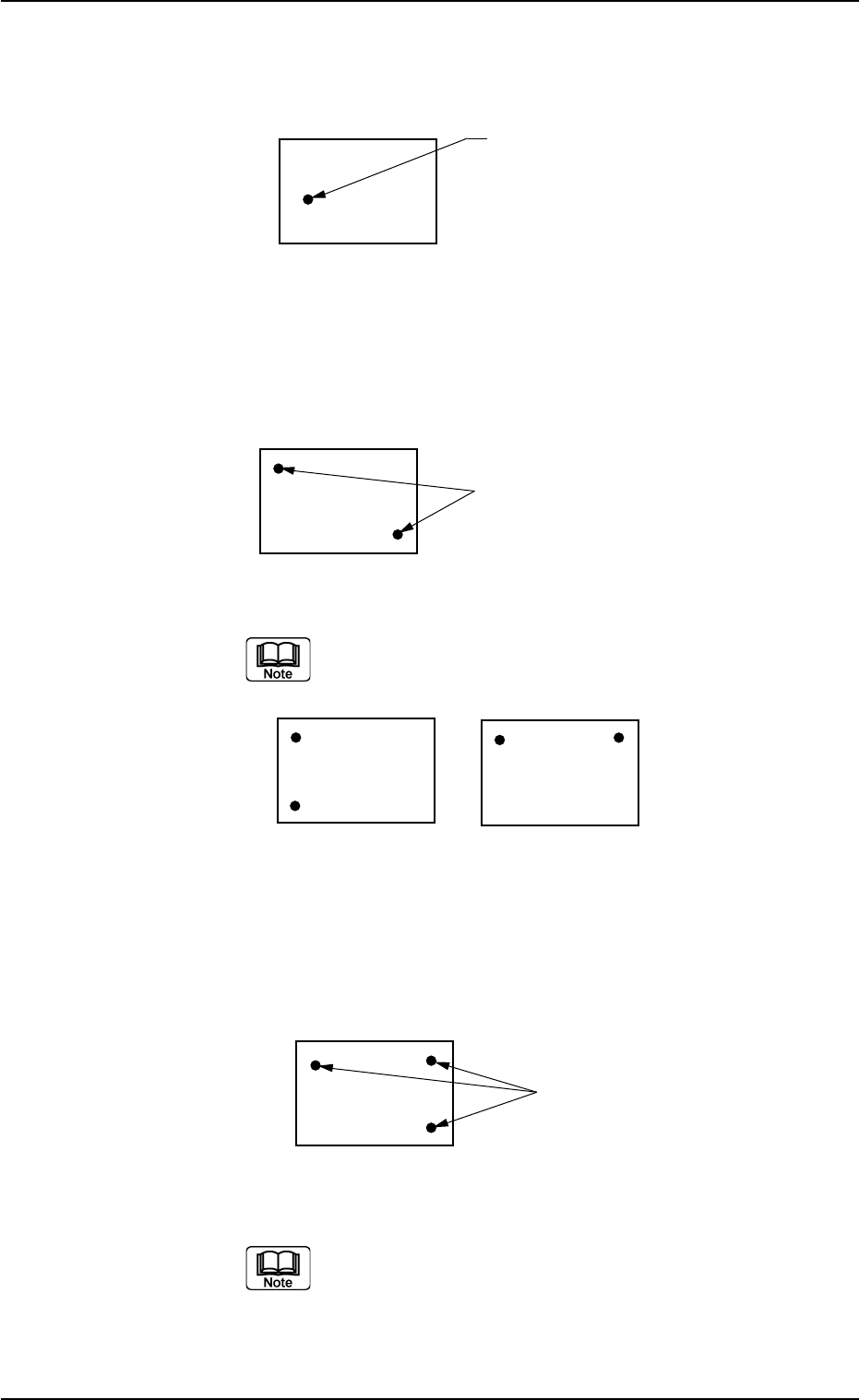
1-Point Recognition
Only the X and Y elements are corrected. The θ element (expansion,
etc.) is not corrected.
Fig. 3B43
2-Point Recognition
Specify fiducial mark positions so that one fiducial mark is kept as
diagonally away from the other as possible.
Fig. 3B44
Avoid fiducial mark positions aligned horizontally or vertically
with each other as shown below.
Fig. 3B45
3-Point Recognition
Specify fiducial mark positions so that the triangle area formed by con-
necting the three points (three fiducial marks) becomes as large as
possible.
Fig. 3B46
When any two of the three fiducial marks are designated to
be positioned as close as possible to each other, the results
of the correction will be almost the same as"2-Point Recog-
nition".
Fiducial Mark
P.C.B.
Fiducial Marks
01 12-003 2-29 AGS01EDTP
2.3 Operation Data
Fiducial Marks
P.E.C. recognition mode image
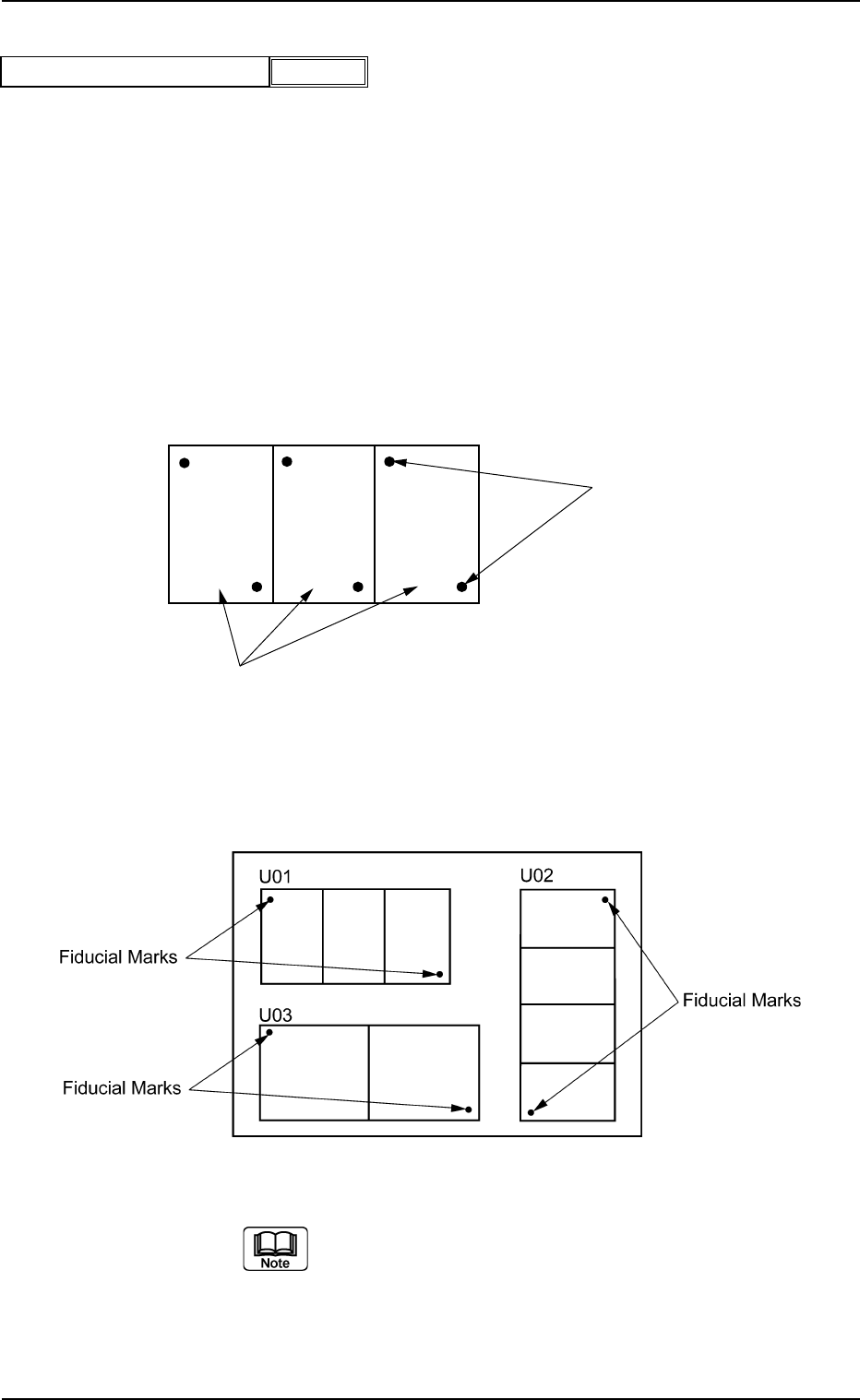
When"Enable" is selected in the"P.E.C. recognition function" text box,
select one of the following options as an image recognition mode.
Disable : The image recognition function is not used.
Enable : The image recognition function(2-point recognition) is
used.
U-N : The P.E.C. recognition is performed, regarding a unit
P.C.B. as one unit on the multi-unit P.C.B.
Example:"Enable" in"P.E.C. recognition mode image" Text Box
Fig. 3B48
Example: “U-N" in"P.E.C. recognition mode image" Text Box
Fig. 3B48-1
When the global recognition function is used together with the
image recognition function, both recognizing actions take
place but the placement coordinates are corrected according
to the result of the image recognition.
Fiducial Marks
Unit P.C.B.'s (Multi-Unit P.C.B.)
021 1-004 2-30 AGS01EDTP
2.3 Operation Data
Enable
P.E.C. recognition mode image
Fig. 3B47
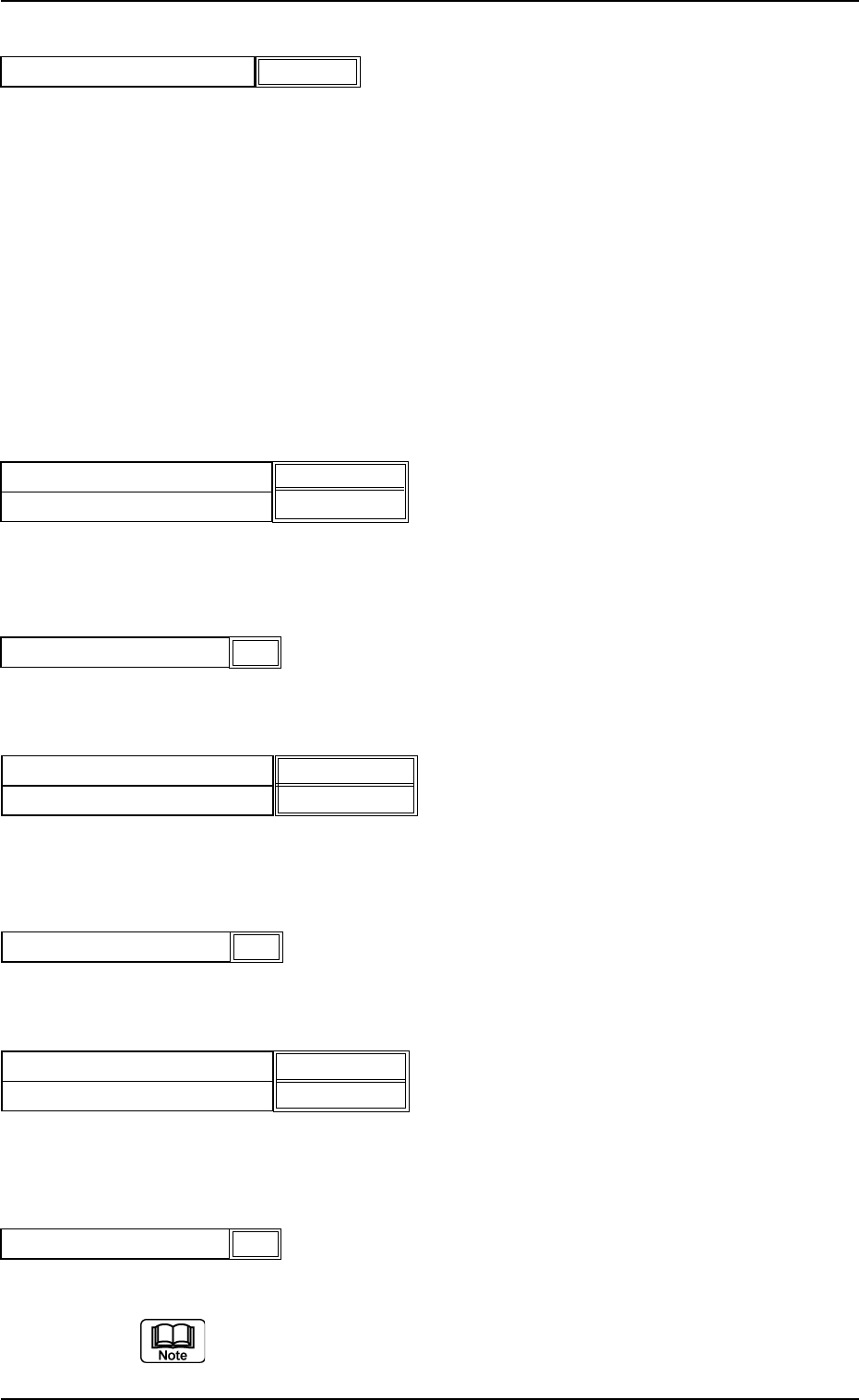
P.E.C. recognition mode local
When"Enable" is set in the"P.E.C. recognition function" text box,
select one of the following options in the"P.E.C. recognition mode
local" text box.
Disable : The local recognition function is not used.
Enable : The local recognition function is used.
(A02_02) P.E.C. recognition mode global
When"1 Point","2 Point","3 Point" or"4 Point" is selected for the global
P.E.C. recognition function, the coordinates and code of each fiducial
mark must be entered in the corresponding text boxes.
Fiducial mark #1 X location [mm] and Y location [mm]
Set the coordinates of the first fiducial mark in the text boxes.
Unit: mm
Fiducial mark #1 Mark code
Set the mark code of the first fiducial mark in the text box.
Fiducial mark #2 X location [mm] and Y location [mm]
Set the coordinates of the second fiducial mark in the text boxes.
Unit: mm
Fiducial mark #2 Mark code
Set the mark code of the second fiducial mark in the text box.
Fiducial mark #3 X location [mm] and Y location [mm]
Set the coordinates of the third fiducial mark in the text boxes.
Unit: mm
Fiducial mark #3 Mark code
Set the mark code of the third fiducial mark in the text box.
Refer to"(A03) P.E.C. Recognition Mark Data" for the mark codes.
2.3 Operation Data
1
Fiducial mark #1 Mark code
Fig. 3B50
1
Fiducial mark #2 Mark code
Fig. 3B52
1
Fiducial mark #3 Mark code
Fig. 3B54
Fig. 3B49
Fiducial mark #1 X location [mm]
Fiducial mark #1 Y location [mm]
10.000 [mm]
10.000 [mm]
021 1-004 2-31 AGS01EDTP
Fig. 3B53
Fiducial mark #3 X location [mm]
Fiducial mark #3 Y location [mm]
0.000 [mm]
0.000 [mm]
Fig. 3B51
Fiducial mark #2 X location [mm]
Fiducial mark #2 Y location [mm]
100.000 [mm]
100.000 [mm]
Disable
P.E.C. recognition mode local
Fig. 3B48-2