Printer 600 Machine Programming.pdf - 第100页
0$&+,1( 352*5$00 ,1* 0(183$5$ 0(7(56 1.100 User Manual Software Ve rsion 07SP04 printi ng and between print str okes. NOTE Only availabl e while Pr oFlow and t he Sof tware Controlled Air Regulat or (SCAR) are fi t…
0$&+,1(352*5$00,1*
0(183$5$0(7(56
Software Version 07SP04 User Manual 1.99
value for Knead Paste Pressure, ie when this parameter is altered Knead Paste
Pressure follows it.
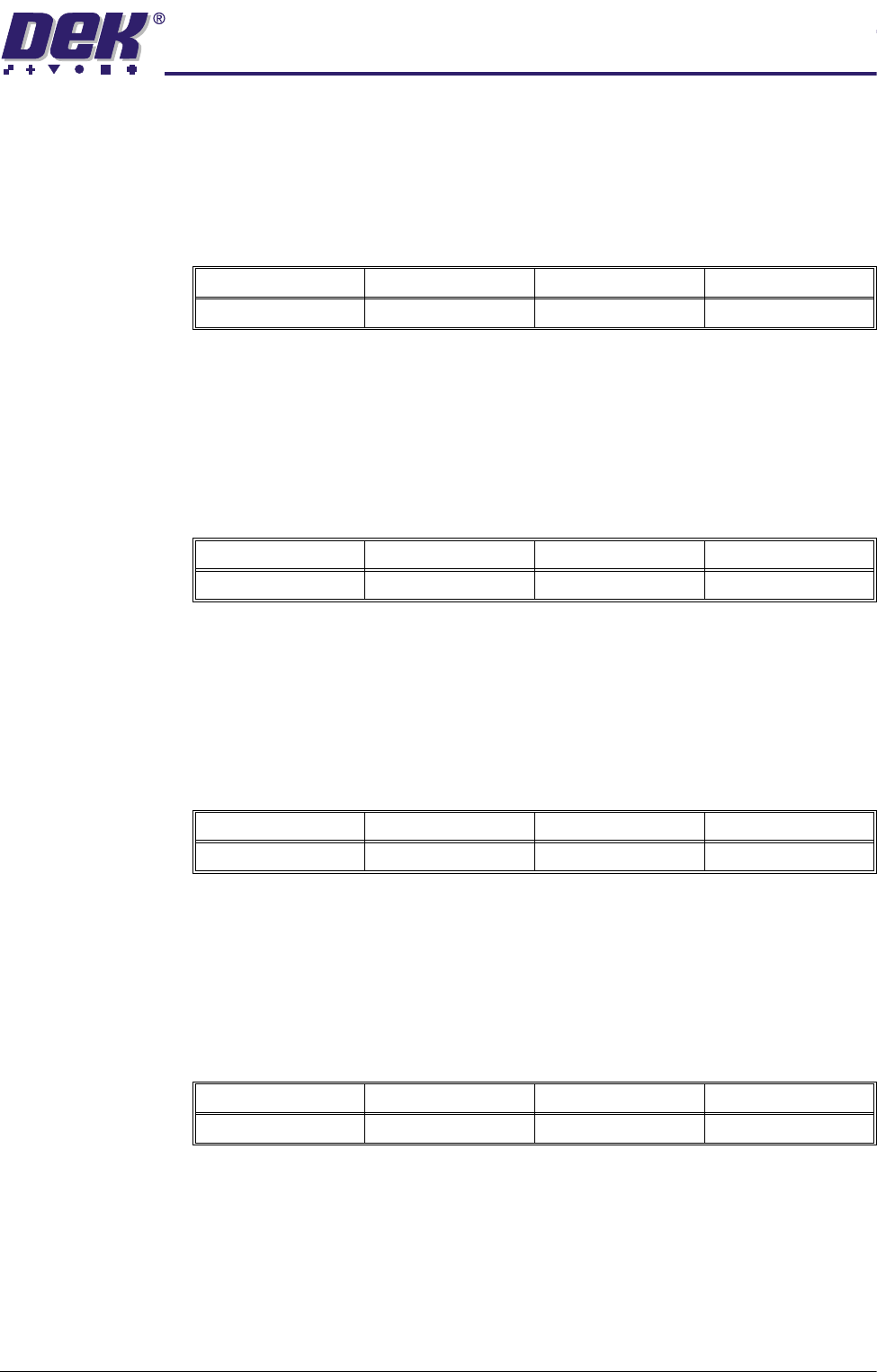
FWD Start
Pressure
This parameter sets the start pressure that is applied to paste in the ProFlow
unit during the forward print stroke. The transition between start and stop
pressure is linear with repect to time.
NOTE
This parameter is only available while ProFlow is fitted and Advanced ProFlow
is enabled.
FWD End Pressure This parameter sets the end pressure that is applied to paste in the ProFlow unit
during the forward print stroke. The transition between start and stop pressure
is linear with repect to time.
NOTE
This parameter is only available while ProFlow is fitted and Advanced ProFlow
is enabled.
RWD Start
Pressure
This parameter sets the start pressure that is applied to paste in the ProFlow
unit during the rearward print stroke. The transition between start and stop
pressure is linear with repect to time.
NOTE
This parameter is only available while ProFlow is fitted and Advanced ProFlow
is enabled.
RWD End Pressure This parameter sets the end pressure that is applied to paste in the ProFlow unit
during the rearward print stroke. The transition between start and stop pressure
is linear with repect to time.
NOTE
This parameter is only available while ProFlow is fitted and Advanced ProFlow
is enabled.
Idle Paste
Pressure
This is the pressure applied to paste in the ProFlow unit between kneading and
Minimum Maximum Increment Default
0.0 bar 4.0 bar 0.2 bar 2.0 bar
Minimum Maximum Increment Default
0.0 bar 4.0 bar 0.2 bar 2.0 bar
Minimum Maximum Increment Default
0.0 bar 4.0 bar 0.2 bar 2.0 bar
Minimum Maximum Increment Default
0.0 bar 4.0 bar 0.2 bar 2.0 bar
0$&+,1(352*5$00,1*
0(183$5$0(7(56
1.100 User Manual Software Version 07SP04
printing and between print strokes.
NOTE
Only available while ProFlow and the Software Controlled Air Regulator (SCAR)
are fitted.
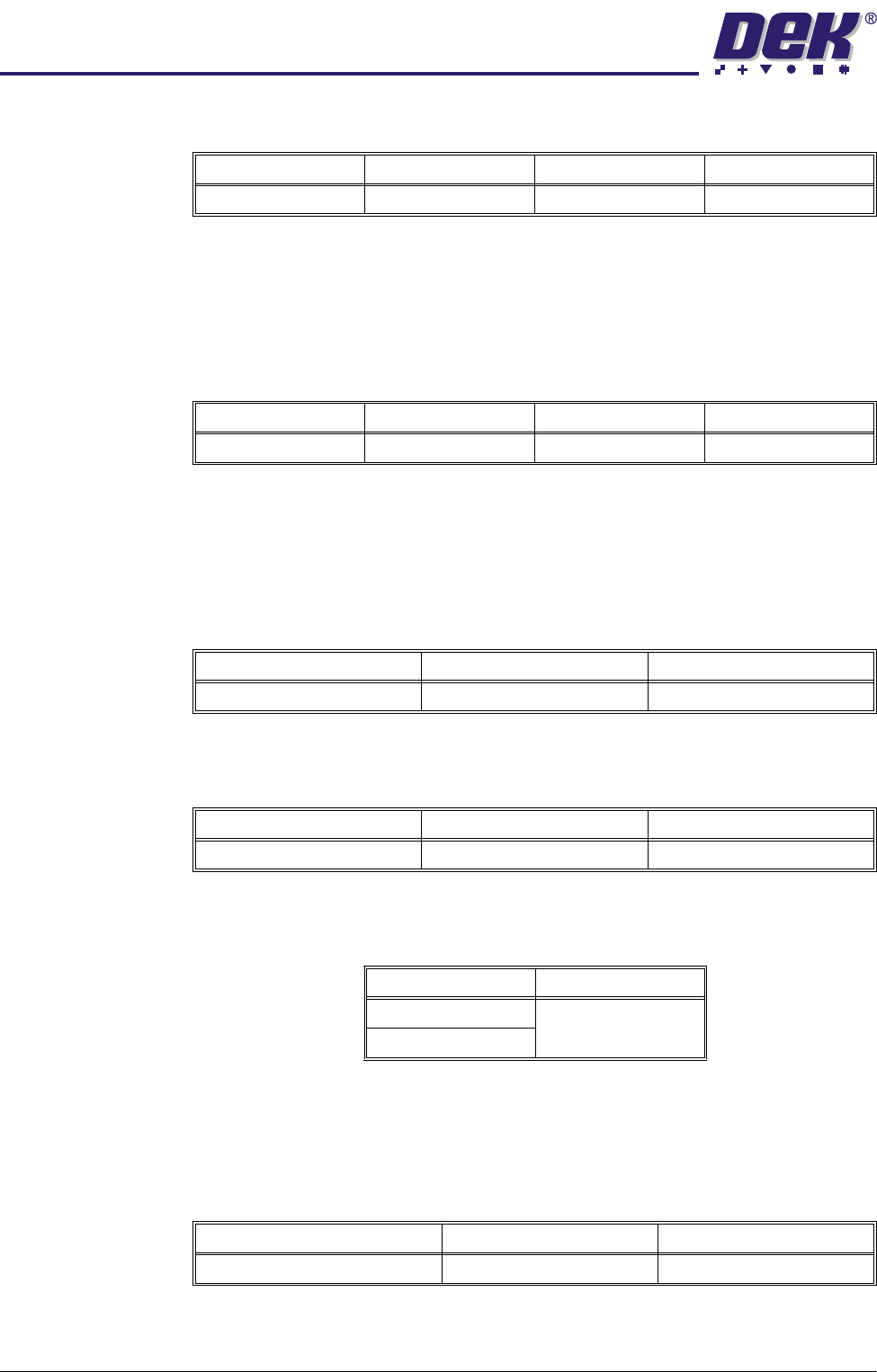
Knead Paste
Pressure
This parameter sets the pressure to be applied, while using ProFlow, when
kneading.
NOTE
The default value for this parameter is Print Paste Pressure, ie when the Print
Paste Pressure is altered, Knead Paste Pressure follows it.
Knead Deposits This parameter sets the number of print strokes to be carried out on each of the
kneaded boards.
Knead Boards This parameter sets the number of boards to be printed using the knead
sequence.
Knead Off-image This parameter sets whether ProFlow is to knead in an off-image area of the
stencil. Options are:
NOTE
With Knead Off Image enabled, Stencil Protection must be switched Off.
Paste Knead
Period
This parameter sets the time period between print cycles which, if exceeded,
initiates a paste knead sequence.
Knead Before Print This parameter sets ProFlow to knead before printing the first board and the
amount of boards to be printed between kneading.
Minimum Maximum Increment Default
0.0 bar 4.0 bar 0.2 bar 0.0 bar
Minimum Maximum Increment Default
0.0 bar 4.0 bar 0.2 bar see Note
Minimum Maximum Increment
2201
Minimum Maximum Increment
1101
Options Available Default
Enabled Enabled
Disabled
Minimum Maximum Increment
0 (paste kneading switched off) 30 minutes 1 minute
0$&+,1(352*5$00,1*
0(183$5$0(7(56
Software Version 07SP04 User Manual 1.101
NOTE
This parameter is only displayed if Knead Off-image is set to enabled.
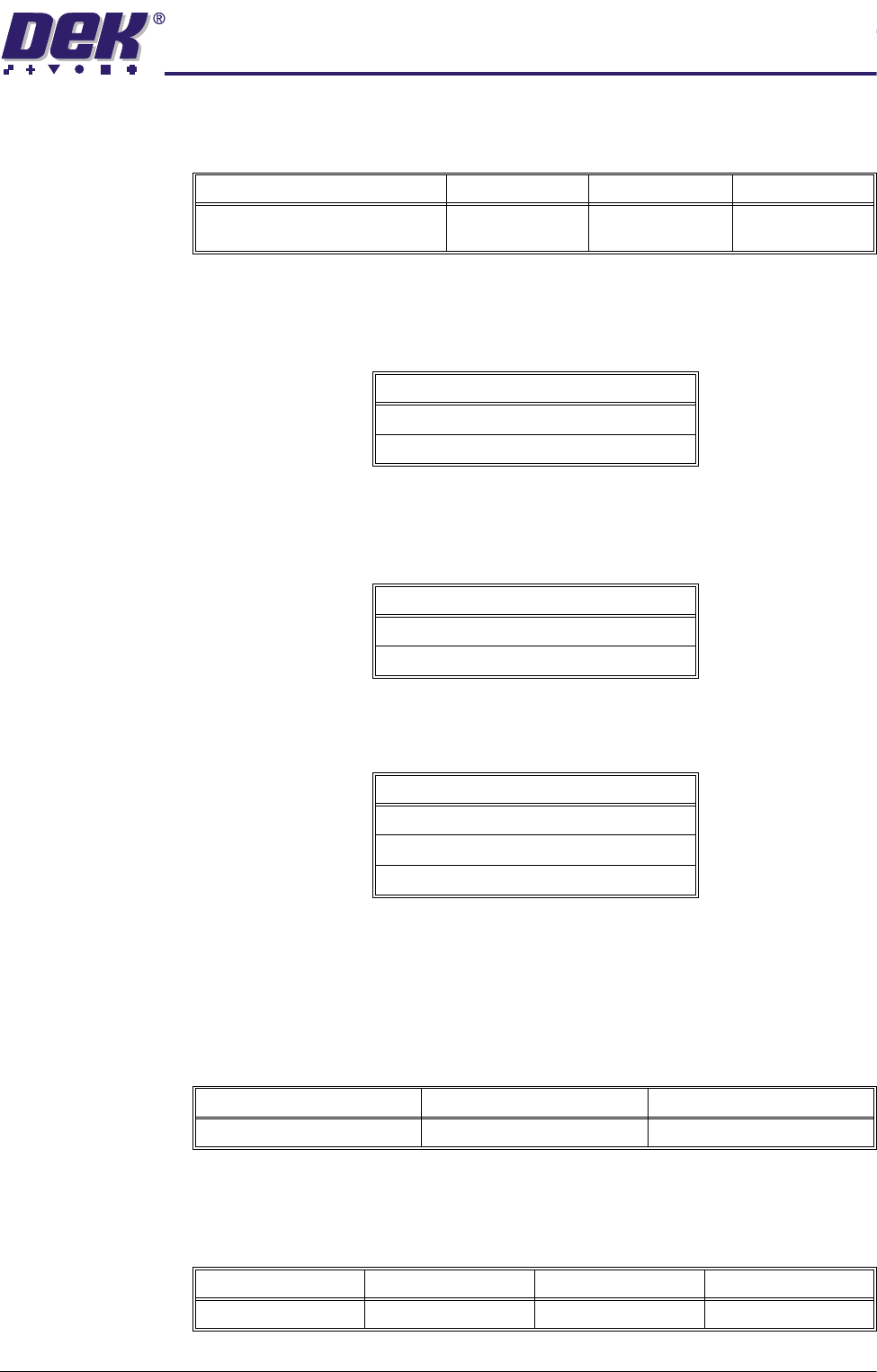
Knead After
Replenish
If this option is enabled and a replenishment of transfer material has been
performed, a knead paste is performed (as defined by the knead paste param-
eters in the board file) on the next board.
Knead After
Dispense
If this option is enabled and a paste dispense has been performed, a knead
paste is performed (as defined by the knead paste parameters in the board file)
on the next board.
Clean After Knead This parameter sets the cleaning mode that is applied following a knead paste.
The options are:
NOTE
While a Vortex cleaner is fitted, either mode may be selected, but the Vortex
cleaner only makes a single stroke.
Print Gap This parameter sets the gap required between the stencil and board to be
printed during the print stroke.
Under Clearance This parameter determines the clearance provided between the underside of
the board and the top of the machine tooling to allow for components on the
underside of the board.
Minimum Maximum Increment Default
0
(disables knead before printing)
100 1 0
Options Available
Enabled
Disabled
Options Available
Enabled
Disabled
Options Available
Disabled
Mode 1
Mode 2
Minimum Maximum Increment
0.0mm 6.0mm 0.025mm
Minimum Maximum Increment Default
3.0mm 42.0mm 0.1mm 19.0mm