OM-1076-001.pdf - 第104页
B01 Shape Data (B01_1 1) 0107-001 2-78 Tg0502-PM-CL Fig.B163 # of types 1 (3) # of T ypes Set the number of electrical contact types. Data Input Range: 1 to 3 When electrical components with various diameters are arrange…
(B01_11) Electrical Contact Data
The following is the basic setting for component electrical contact.
Applicable Components: BGA/CSP
B01 Shape Data (B01_11)
0107-001 2-77 Tg0502-PM-CL
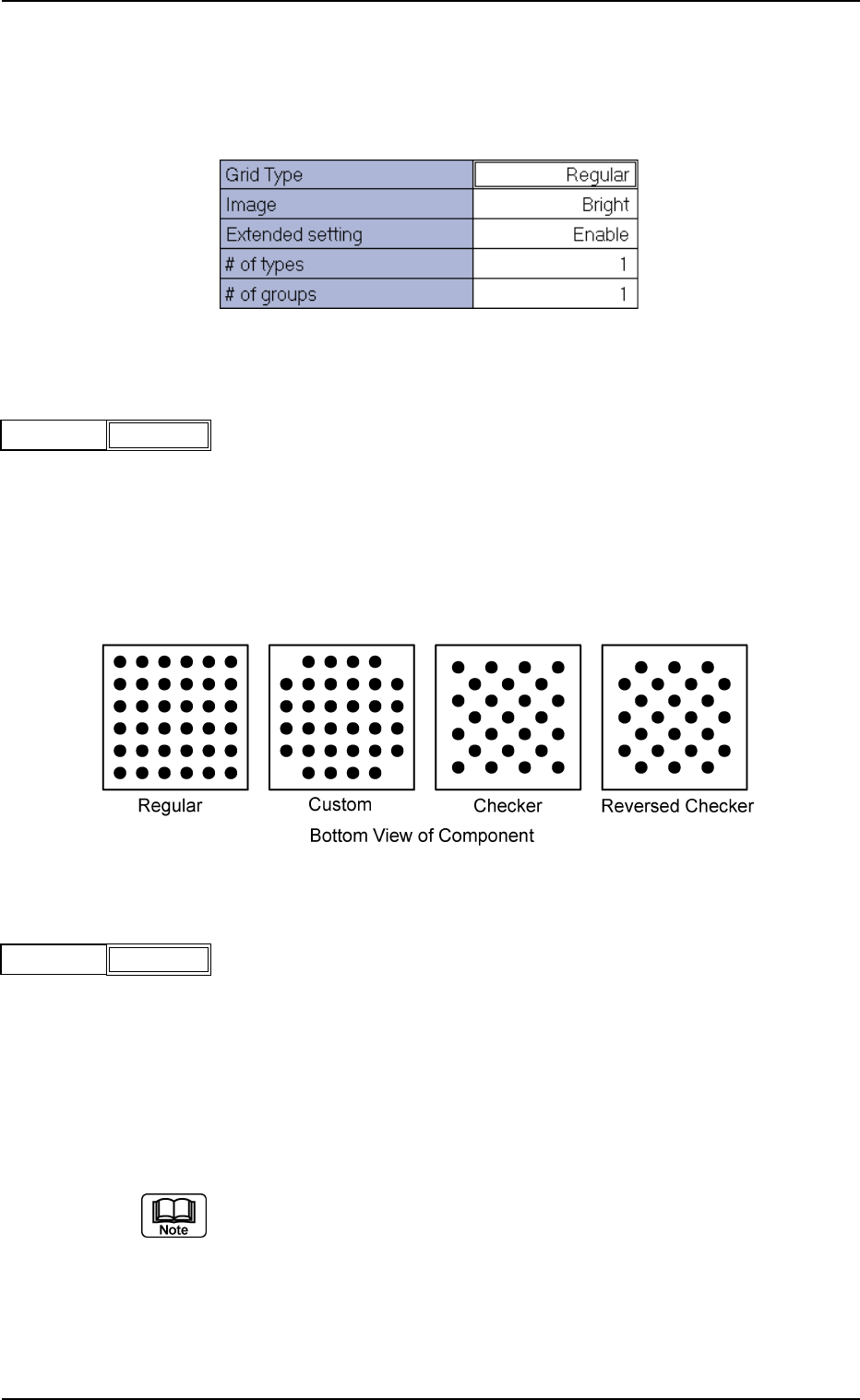
(1) Grid Type
Select one of the following options to designate the grid type.
Regular : Normal Grid Arrangement
Custom : Grid Arrangement without Balls at Four Cor-
ners
Checker : Staggered Arrangement
Reversed Checker : Reversed Staggered Arrangement
Fig.B160
Grid Type Regular
(2) Image
Select one of the following options to designate the brightness in com-
parison with the mold when an image of electrical contact is captured
in the normal lighting system.
Bright : Select this when the captured image looks brighter than
the mold.
Dark : Select this when the captured image looks darker than
the mold.
(a) In normal cases, select "Bright".
(b) When the mold of a BGA component is made of ceramic, selecting
"Dark" could have good results.
Fig.B162
Image Bright
Fig. B159 Edit Window (Example) for BGA/CSP Components
Fig. B161
B01 Shape Data (B01_11)
0107-001 2-78 Tg0502-PM-CL
Fig.B163
# of types 1
(3) # of Types
Set the number of electrical contact types.
Data Input Range: 1 to 3
When electrical components with various diameters are arranged on a
component, such component can be used by increasing the number of
electric contact types.
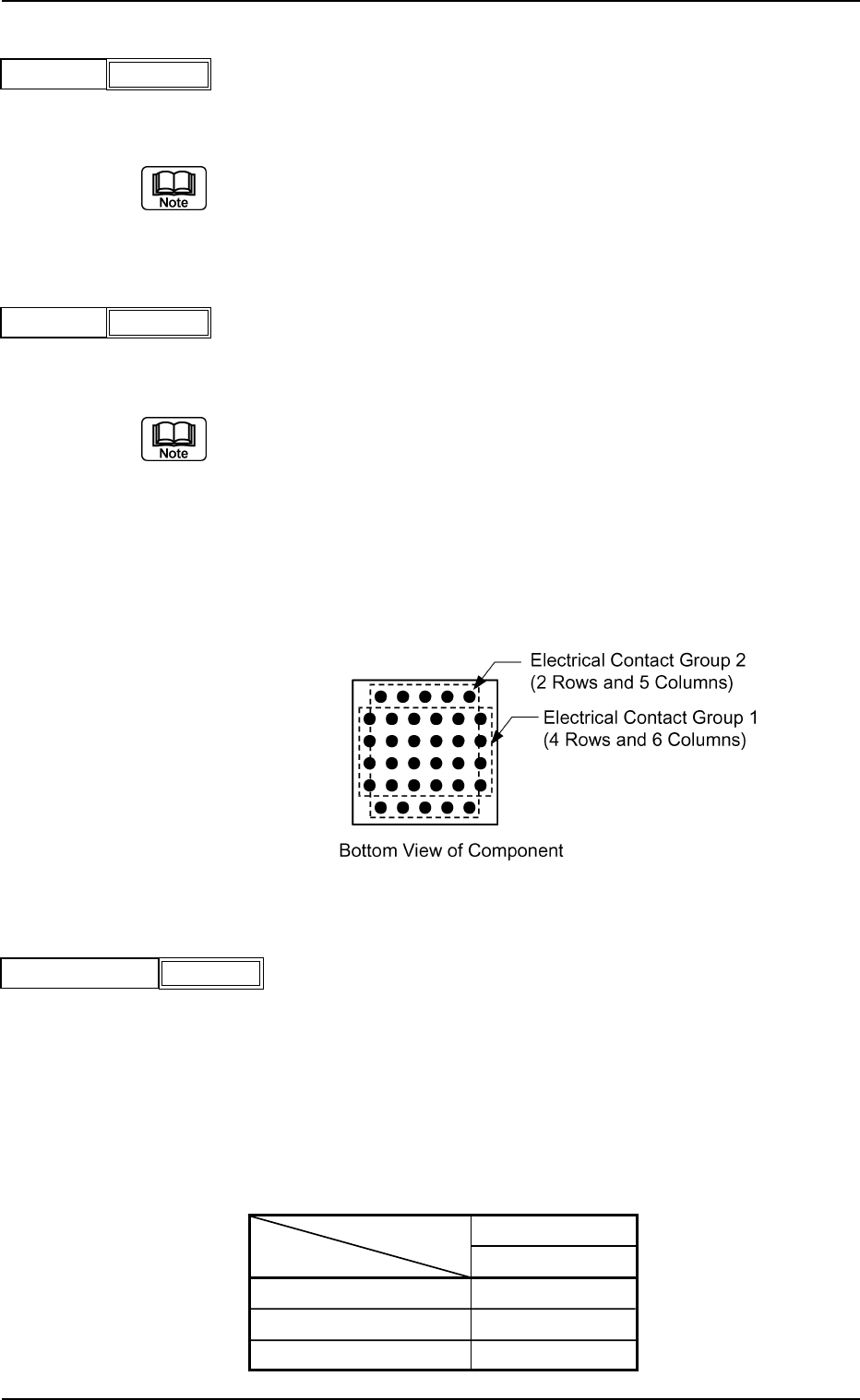
(4) # of Groups
Set the number of electrical contact groups.
Data Input Range: 1 to 6
When the electric contact formation of a special BGA component cannot
be expressed by a certain array type, such a BGA component can be
used by increasing the number of electrical contact groups.
Groups can be overlapped with each other.
Example: The electrical contacts arrayed in the 1st and 6th rows are
shifted by half a pitch, compared with the electrical con-
tacts in the 2nd through to the 5th rows.
Fig.B164
# of groups 1
(5) Extended Setting
Select a parameter to determine whether or not the extended data
should be set.
"Enable" or "Disable" can be select.
When "Extended Setting" is set to "Enable", the extended data for
"Missing Electrode Data", etc. can be set.
The extended data items which can be set, are as follows:
Table B18
# of Types
# of Groups
Missing Elctd Set
Area Array
BGA/CSP
Enable
Enable
Enable
Fig.B166
Extended setting Enable
Fig. B165
0107-001 2-79 Tg0502-PM-CL
B01 Shape Data (B01_12)
(B01_12) Electrical Type Data
Set the shape and diameter of the electrode.
Applicable Components: BGA/CSP
(1) Elcted Type Shape
Set the shape of the electrode.
At present only "Round" can be selected.
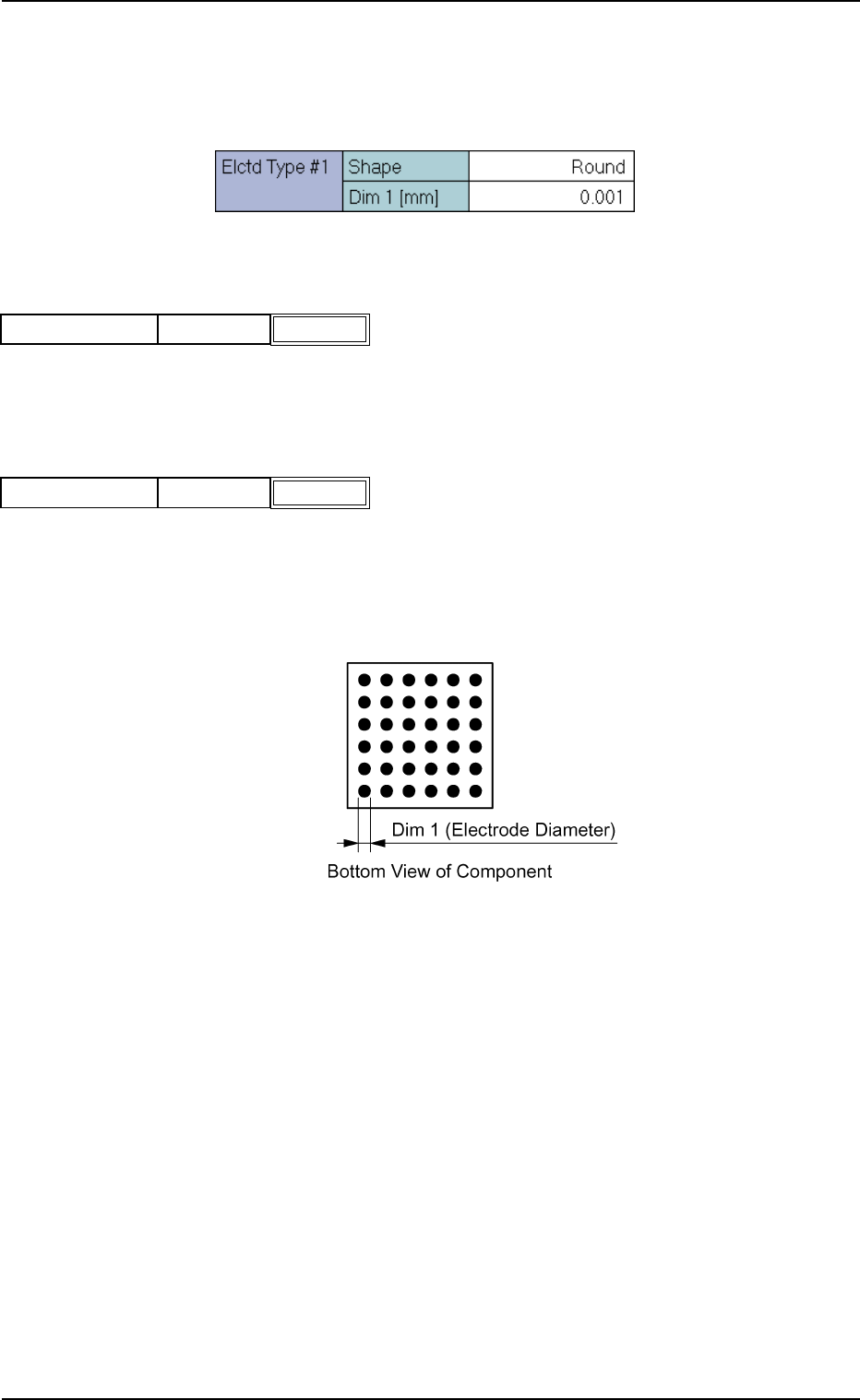
(2) Elcted Type Dim 1 [mm]
Set the diameter of the electrode.
Unit: mm
Data Input Range: 0.001 to 9.999
Fig.B168
Shape RoundElcted Type #1
Fig.B169
Dim 1 [mm] 0.001Elcted Type #1
Fig. B167 Edit Window (Example) for BGA/CSP Components
Fig. B170