OM-1076-001.pdf - 第82页
B01 Shape Data (B01_07) 0107-001 2-58 Tg0502-PM-CL (3) Direction [ ° ] Set the direction of the selected linear edge in the pertinent data box. Check in which directions the linear edges are extending from the start posi…
B01 Shape Data (B01_07)
0107-001 2-57 Tg0502-PM-CL
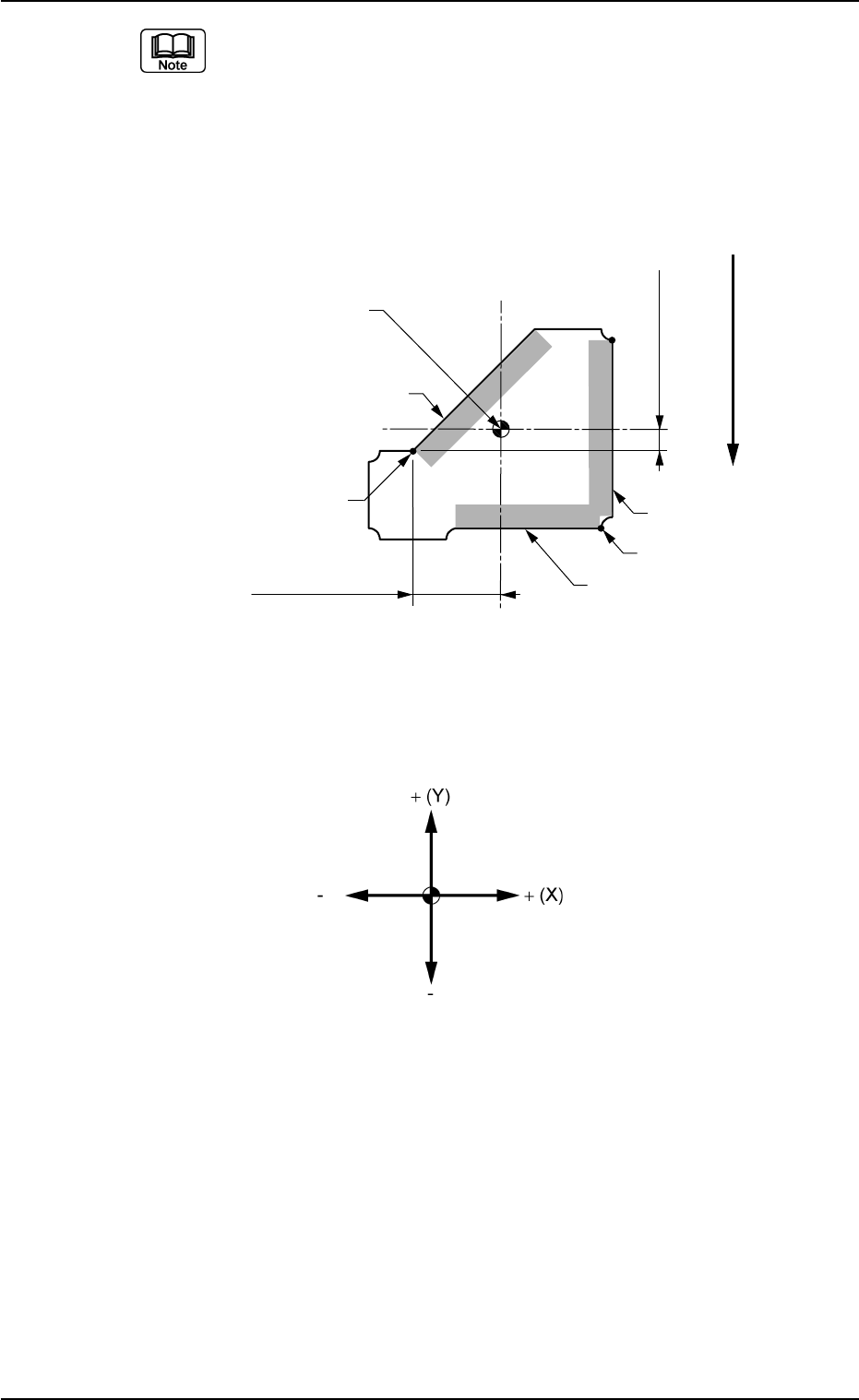
The coordinate system is as follows.
Example:
When "Back Ltg" is set for "Ligting System":
Regard the shade section as "dark" and the section without shade as
"bright" for the set linear edges.
When "Front Ltg" is set for "Ligting System":
Regard the shade section as "bright" and the section without shade as
"dark" for the set linear edges.
Start Position X1
Start Position Y1
User direction of Feed
Start Position(X2, Y2)
Start Position
(X1, Y1)
Edge 3
Edge 2
Edge 1
Top View of Component
Reference Point for
Outside Dimensions
Fig. B118
Fig. B119
B01 Shape Data (B01_07)
0107-001 2-58 Tg0502-PM-CL
(3) Direction [°]
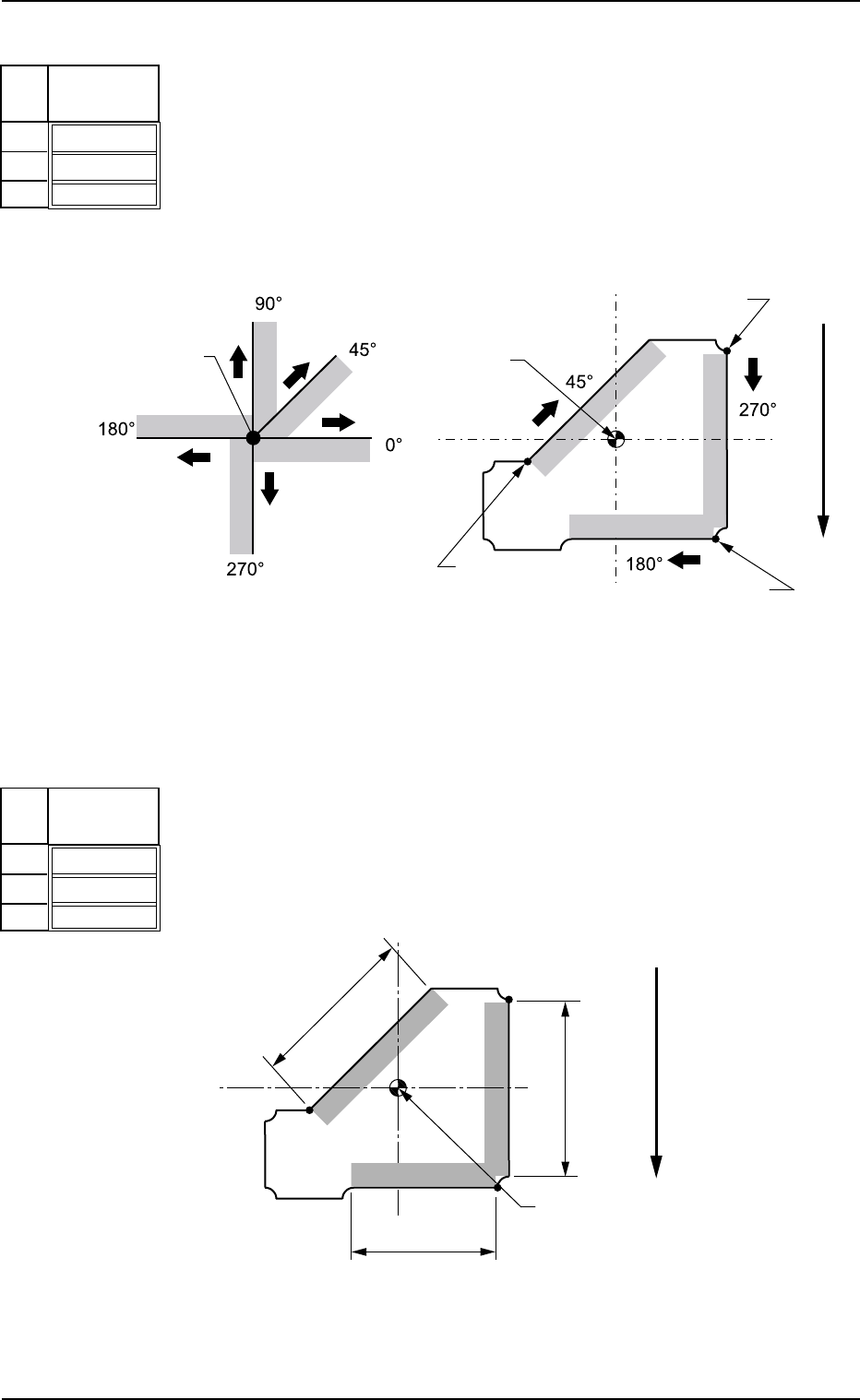
Set the direction of the selected linear edge in the pertinent data box.
Check in which directions the linear edges are extending from the
start position and enter the directions.
Unit: ° (degree)
Data Input Range: 0 to 359
Fig. B120
Direction
[°]
000
000
000
No
1
2
3
Start Position
Start Position
Start Position
Start Position
Relation between Start Position
and Directions
Example of Direction Setting
Start Position
(X3, Y3)
Top View
User Direction of Feed
(4) Width [mm]
Set the width of the selected linear edge in the pertinent data box.
Unit: mm
Data Input Range: 0.01 to 99.99
Fig. B122
Width
[mm]
00.01
00.01
00.01
No
1
2
3
Linear Edge
Width 3
Linear Edge
Width 2
Linear Edge
Width 1
Top View of Component
User Direction of Feed
Reference Point for
Outside Dimensions
Fig. B121
Fig. B123
(B01_08) Lead Data
Set the basic parameters related to the overall elements of leads such
as a type of leads, the number of lead types, and the number of lead
groups.
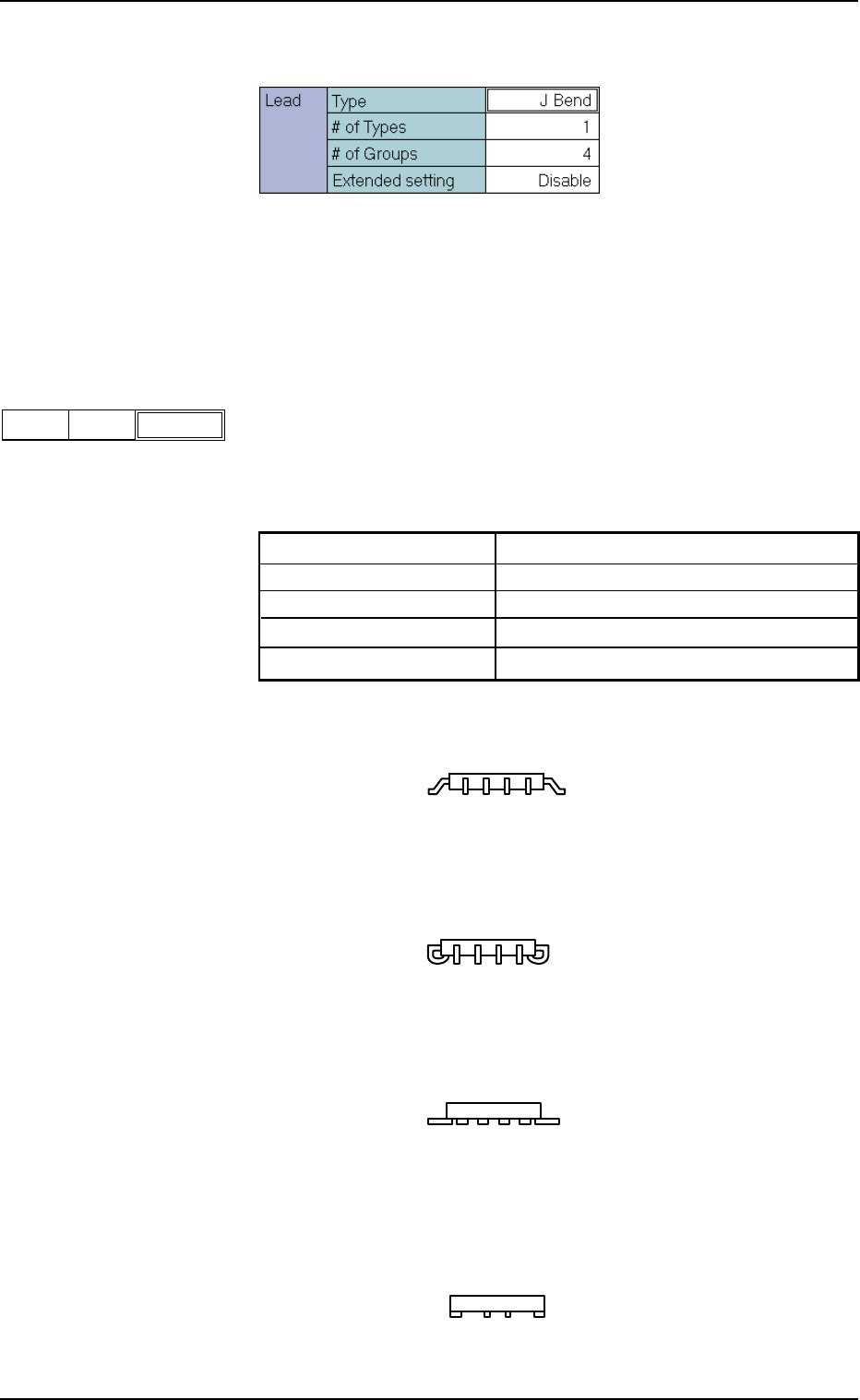
(1) Lead Type
Set the type of the leads.
Select the lead type from the following options. The option might vary
depending on the component shapes.
Gull wing SOP, QFP component, etc.
J Bend SOJ, PLCC component, etc,
Straight Components with straight leads
Leadless Components where the leads are not extended
from the component outline
Table B14-1
IC Gull Wing, J Bend, Straight, Leadless
Connector (Simplex) Standard, Electd
Connector (Complex) Standard, Electd, Others
Other Leaded (Simplex) Standard, Electd
Other Leaded (Complex) Standard, Electd, Others
B01 Shape Data (B01_08)
0111-002 2-59 Tg0502-PM-CL
J Bend
Fig. B125
TypeLead
Fig. B124 Edit Window (Example) for IC (Simple) Components
Fig. B126
Fig. B126-1
Fig. B126-2
Fig. B126-3