QP132三级参考手册.pdf.pdf - 第33页
1.3.2 PCB Stopper Position 1. Press the EMERGENCY STOP button to shutdown the 200V. 2. Loosen the PCB stopper fixing bolts and move the unit toward the right. 3. Move the manipulator to Pcb_Pickup_Pos_MX. 4. Place a PCB …
1.3 Measuring In Manipulator Proper Data and
Adjustment
Note: Proper data measurement should be done with the manipulator jaw closed using an 8
inch pallet.
1.3.1 PCB Pickup Position MX
1. Press the EMERGENCY STOP button to shutdown the 200V.
2. Move the MX-axis to the conveyor side.
3. Adjust the speed controller so that the manipulator descends slowly.
4. Press [SET] → [MANUAL] → [I/O] → [STANDARD I/O] → [OUTPUT]
and Y051 PCB LD DOWN.
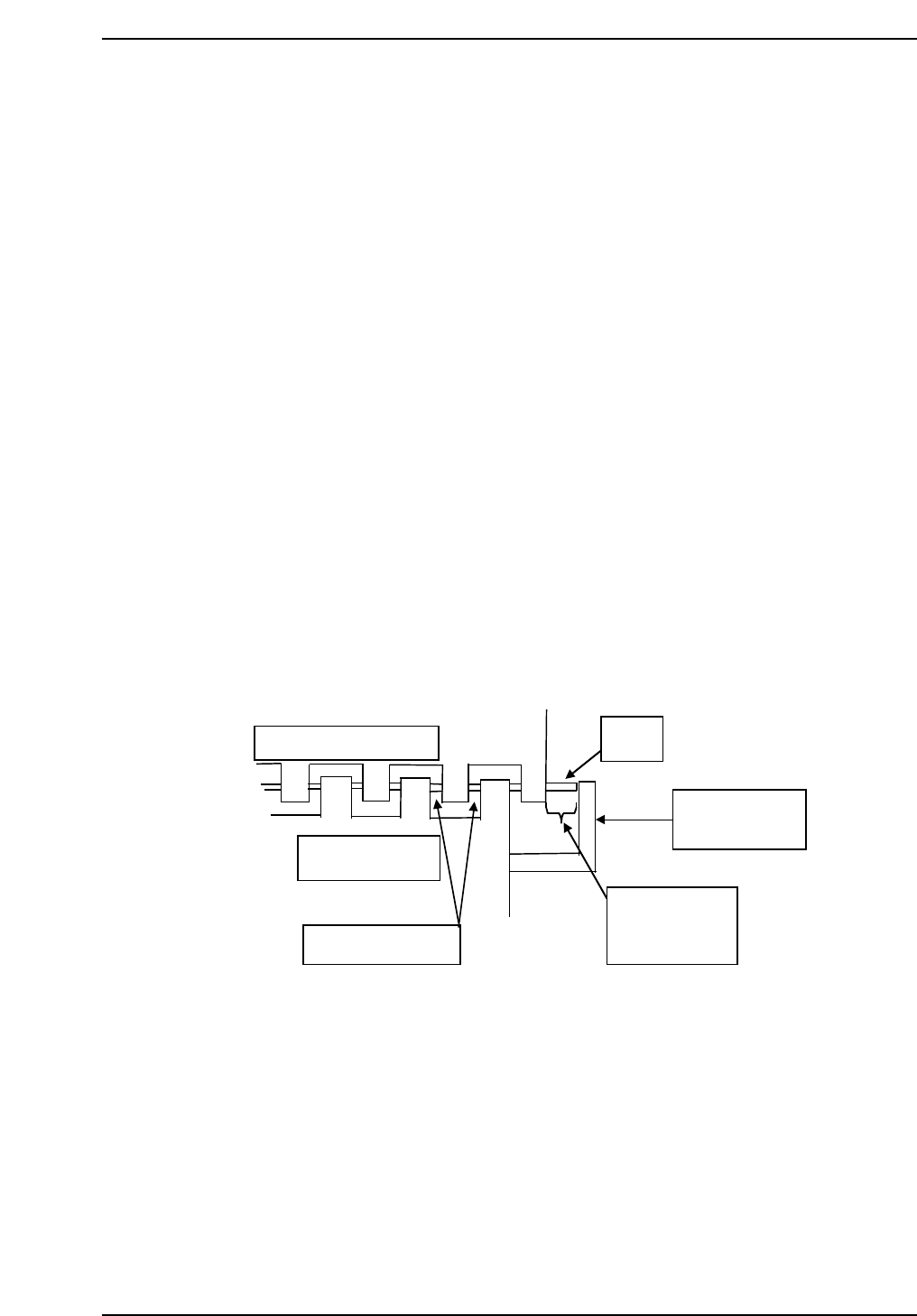
5. Move the MX-axis to the position where the second from the right jaw
aligns evenly within the right end cutout on the IN conveyor. Refer to
the illustration below.
6. Press [SET] → [PROPER] → [MAIN UNIT] → [ETC] → [MANIPULATE]
→ [PICKUP MX] → [SET] to record the value in Proper data.
Reference jaw
In-conveyor
Same clearance
QP132T1003
PCB
PCB stopper
7.75 mm
(– 0.5 mm)
Chapter 1
1.3 Measuring In Manipulator Proper Data and Adjustment
Edition 1.1 1-5 QP-132 Level 3 Tutorial
1.3.2 PCB Stopper Position
1. Press the EMERGENCY STOP button to shutdown the 200V.
2. Loosen the PCB stopper fixing bolts and move the unit toward the right.
3. Move the manipulator to Pcb_Pickup_Pos_MX.
4. Place a PCB on the IN conveyor.
5. Press [SET] → [MANUAL] → [I/O] → [STANDARD I/O] → [OUTPUT]
and use Y052 PCB LD HOOK OP to open the hook.
6. Y051 PCB LD DOWN to lower the manipulator.
7. Y053 PCB LD HOOK CL to clamp the PCB.
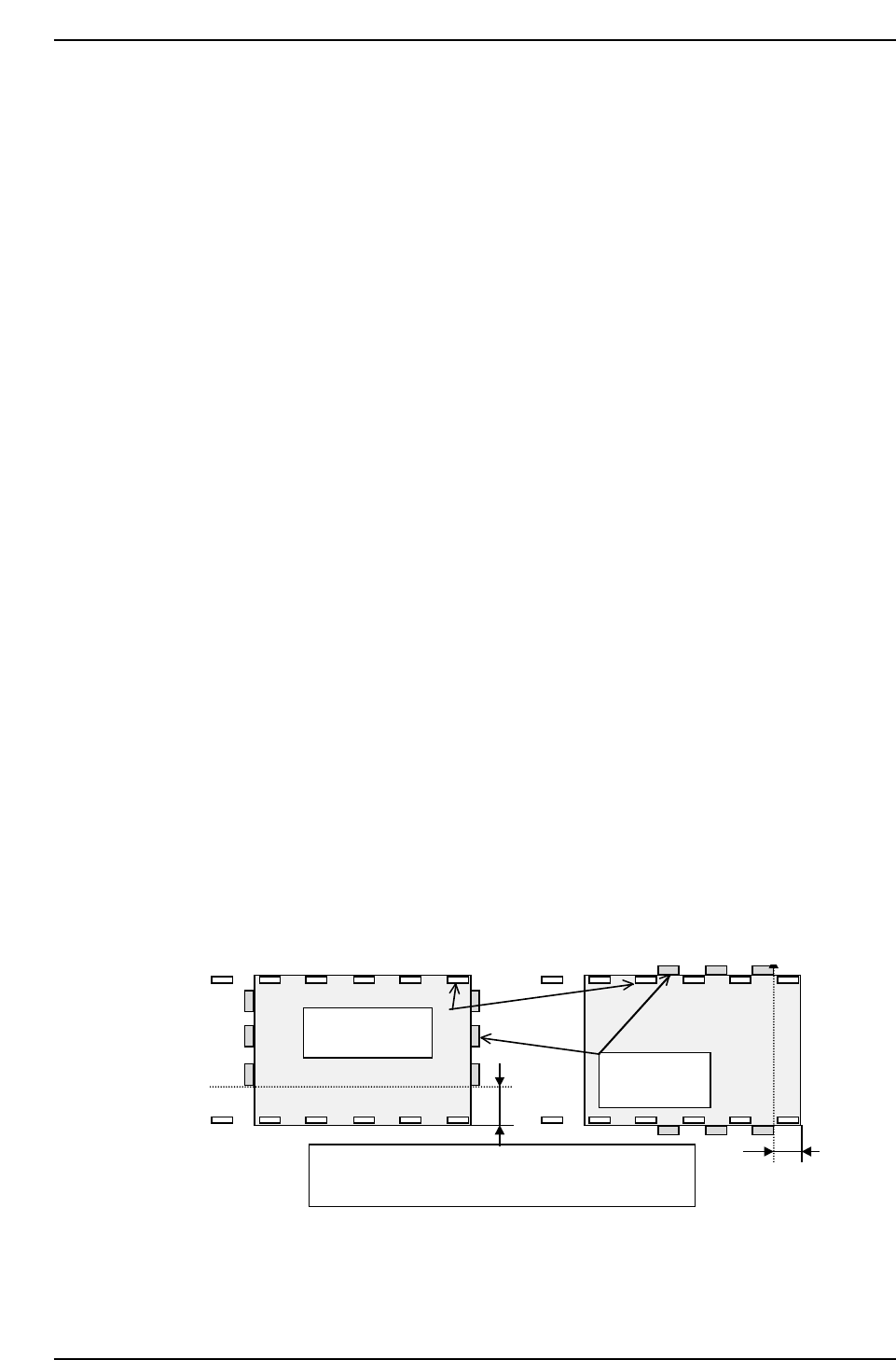
8. Move the stopper to set the clearance between the right edge of the
manipulator and the board to 7.75 mm (± 0.5 m).
9. Press I/O Y050 PCD LD UP to raise the manipulator.
10. Press I/O Y054 PCB TURN to rotate the manipulator.
11. Adjust the conveyor width.
12. Press Y051 PCB LD DOWN to lower the manipulator.
13. Adjust the speed controller so that the manipulator descends slowly.
14. Press [SET] → [MANUAL] → [I/O] → [STANDARD I/O] → [OUTPUT]
and Y051 PCB LD DOWN.
A
A
Lower plate of
the jaw
Manipulator
jaw
QP132T1004
Relationship between jaw plate & manipulator jaw:
A = 7.75 mm – 0.5 mm
Chapter 1
1.3 Measuring In Manipulator Proper Data and Adjustment
Edition 1.1 1-6 QP-132 Level 3 Tutorial
1.3.3 PCB Landing Position MX FDW (Straight
Loading)
1. Press the EMERGENCY STOP button to shutdown the 200V.
2. Move the MX-axis to the in-conveyor.
3. In pallet loader, place a pallet to position before shifting 10 mm
4. Press [SET] → [MANUAL] → [I/O] → [STANDARD I/O] → [OUTPUT]
and use Y048 P.IN PLT OPN to open the hook on the pallet.
5. Place a PCB on the IN conveyor against the stopper.
6. Move the MX-axis to PCB_Pickup_Pos_MX.
7. Press Y052 PCB LD HOOK OP to open the hook.
8. Press Y051 PCB LD DOWN to lower the manipulator.
9. Press Y053 PCB LD HOOK CL to clamp the PCB.
10. Check the clearance between the right edge of the reference jaw on the
manipulator and the right edge of the board is 7.75 mm (± 0.5 mm).
11. Press Y050 PCD LD UP to raise the manipulator.
12. Move the MX-axis to the pallet.
13. Press [SET] → [MANUAL] → [I/O] → [STANDARD I/O] → [OUTPUT]
and use Y051 PCB LD DOWN.
14. Lower the Manipulator down slowly.
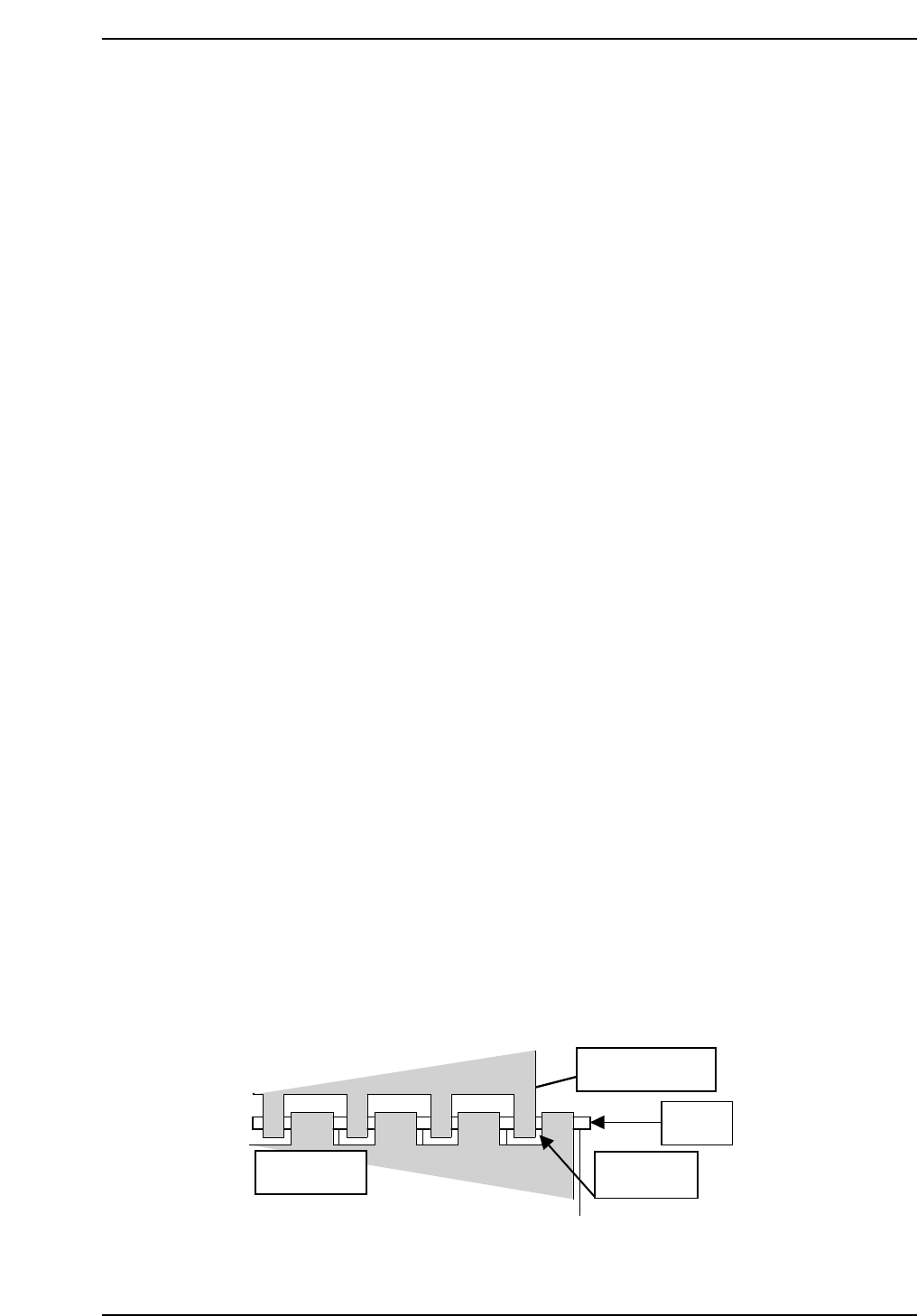
15. Adjust the MX-axis so that the clearance between the right edge of the
reference jaw and left edge of the pallet is 1.33 mm.
QP132T1005
8-inch pallet
Manipulator jaw
PCB
1.3 mm
Chapter 1
1.3 Measuring In Manipulator Proper Data and Adjustment
Edition 1.1 1-7 QP-132 Level 3 Tutorial