DECAN_S1_Administrator′s_Guide(Eng_Ver1.5)_Print.pdf - 第111页
5-1 Help Shortcut Menu Chapter5. Help Shortcut Menu The <Help> menu has Lang uage, Help and About command. Figure5.1 Help Shortcut Menu 5.1. Language Used to convert th e language indicated on the MMI screen from t…
4-28
Next Generation, Multi-Functional Placer DECAN S1 Administrator’s Guide
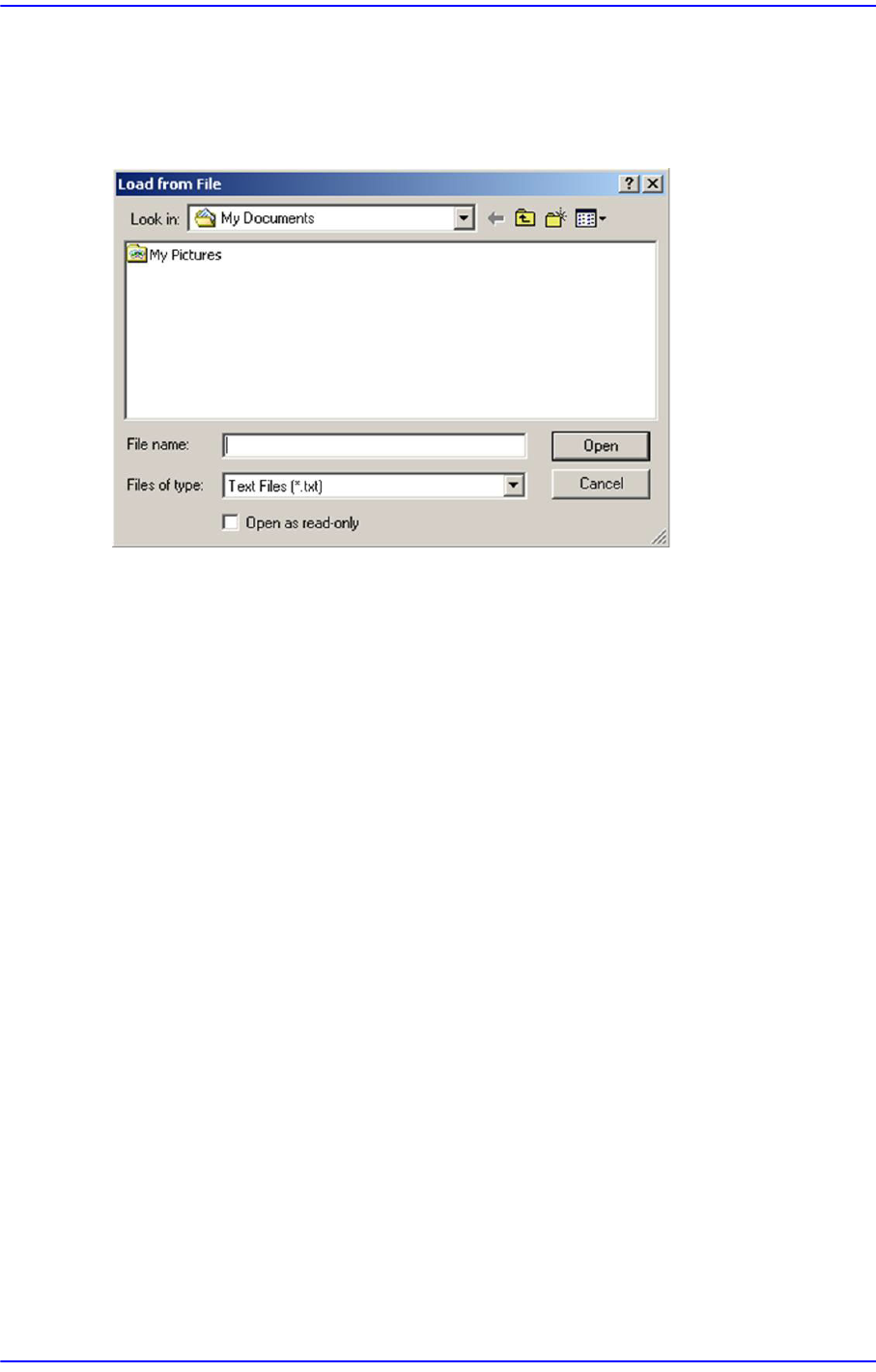
4.12.2. File Load
This menu is used to update the booting image of the RT. After selecting the image to be
updated, clicking the <Open> button will transmit the corresponding image from MMI to
RT. It is used in the service mode.
4.12.3. RebootRT
This menu is used to initialize the machine without rebooting it. It is used in the service
mode.
4.12.4. Mean TimeLog
Refers to the PCB production data log, which is one of the developer’s menus.
5-1
Help Shortcut Menu
Chapter5. Help Shortcut Menu
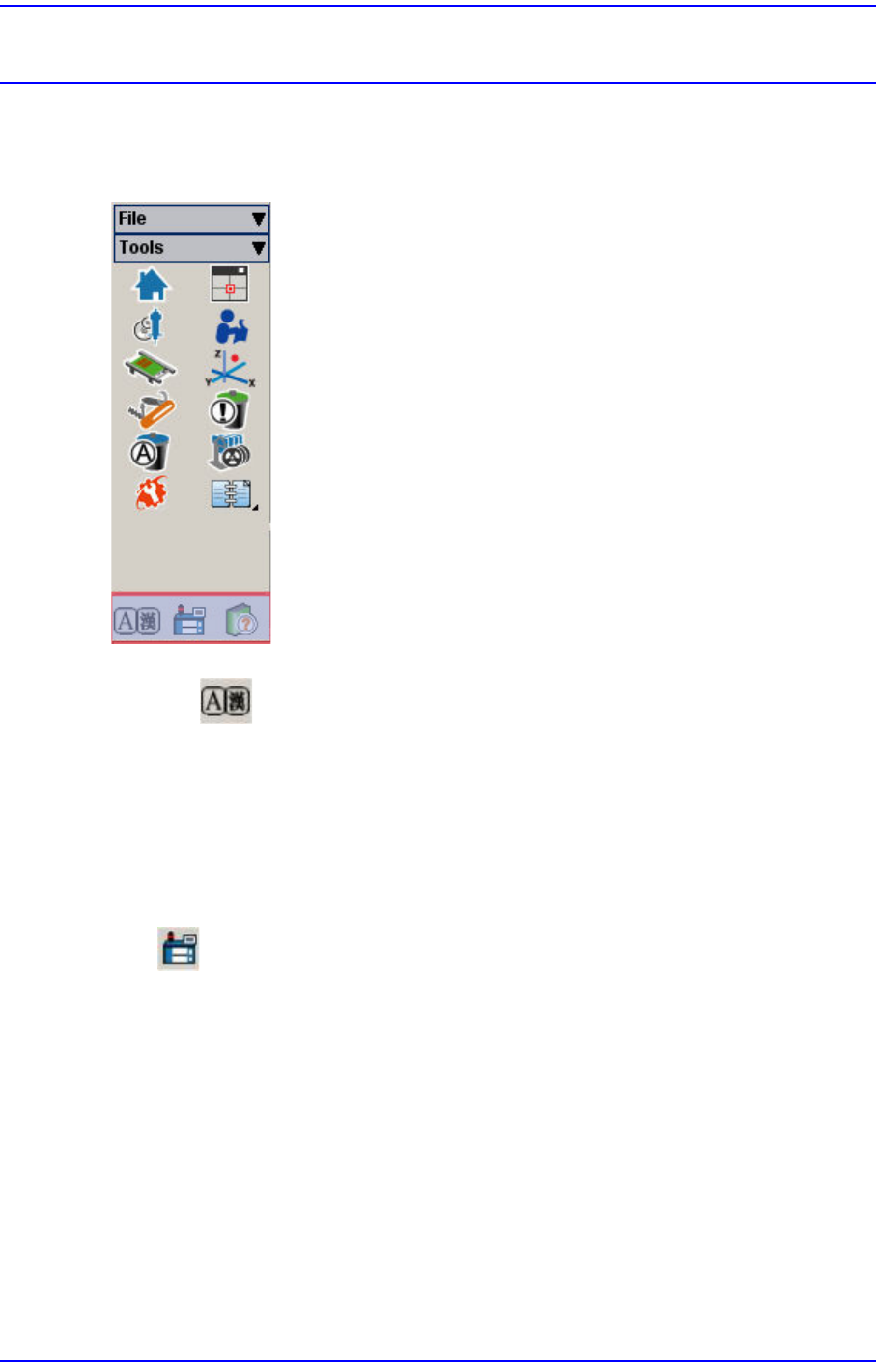
The <Help> menu has Language, Help and About command.
Figure5.1 Help Shortcut Menu
5.1. Language
Used to convert the language indicated on the MMI screen from the user defined language
to English and vice versa. (Ex. Chinese <-> English, German <-> English)
Language conversion can only be carried out when the machine is running and the
language is changed to the designated default language.
5.2. About
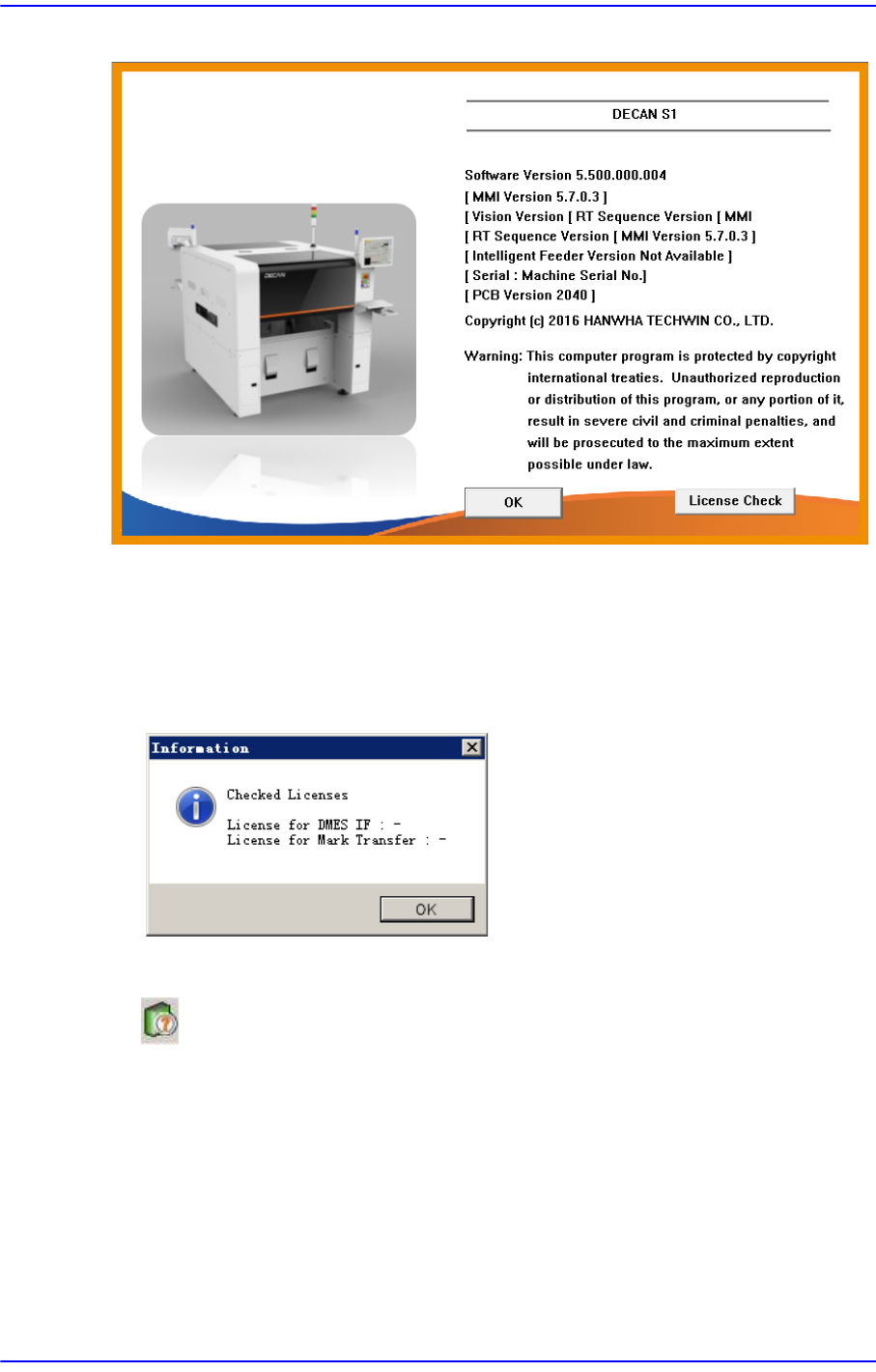
When the <About SM411…> submenu is selected, the following message box is
displayed.
5-2
Next Generation, Multi-Functional Placer DECAN S1 Administrator’s Guide
Figure5.2 Information on the present equipment
<License Check> button
You can check whether you have a license for specific functions (specific functions:
DMES IF, Mark Transfer)
To use these functions, you will need to purchase a separate license. Please contact us
for further details.
5.3. Help
If the <Help> menu is selected, help in HTML format is provided.