DECAN_S1_Administrator′s_Guide(Eng_Ver1.5)_Print.pdf - 第371页
13-19 Production Setup 13.2. Start [F2] When the “PCB Download” opera tion has been completed, this button is activated while the placement is not in progress, and it is inac tivated while the placem ent is in progres s.…
13-18
Next Generation, Multi-Functional Placer DECAN S1 Administrator’s Guide
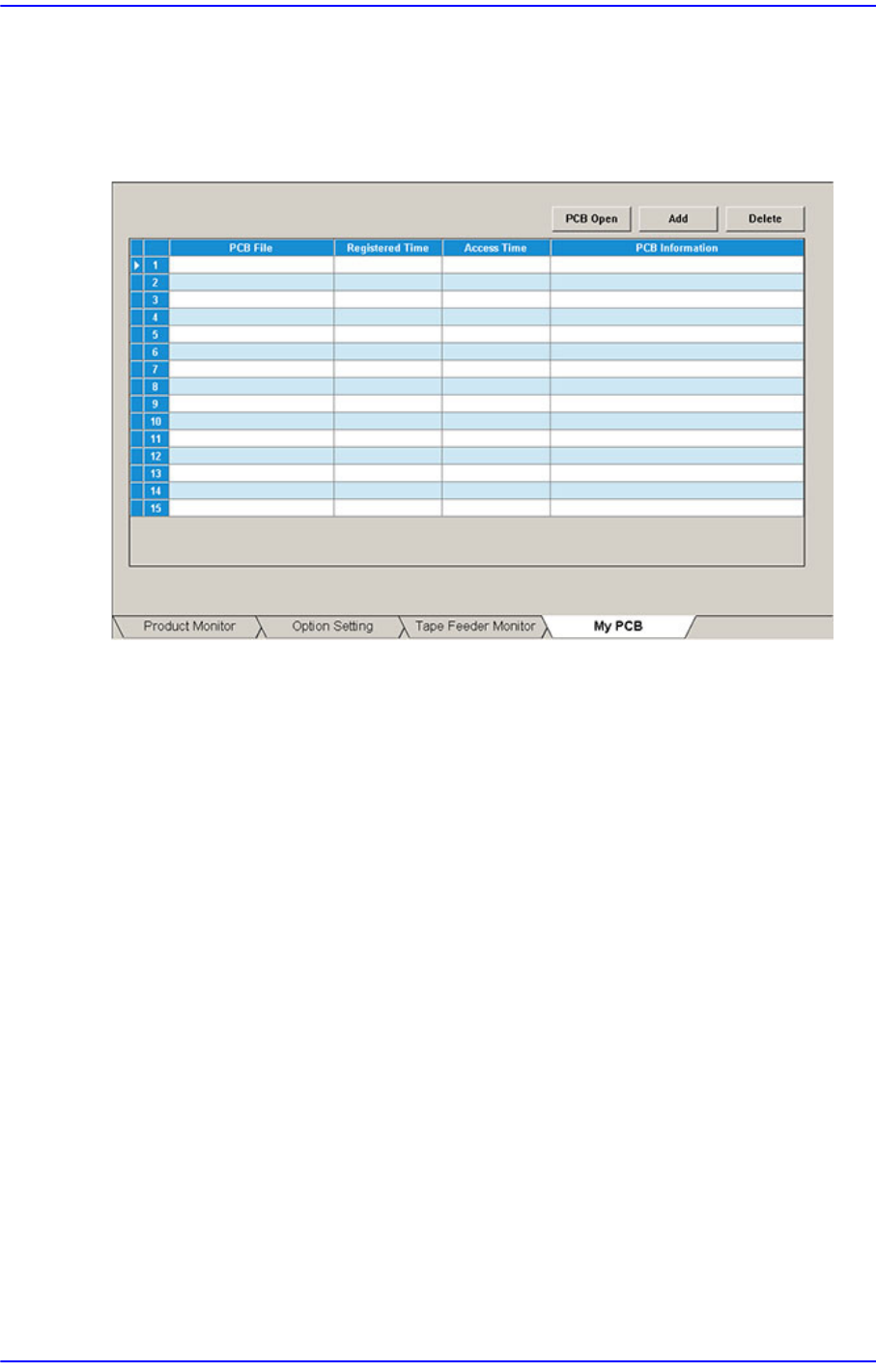
13.1.4. My PCB
Used for easily loading the registered PCB files by registering the PCB primarily worked
on. Up to 15 PCB files that are frequently used can be set in advance.
Figure13.6 “My PCB” tab dialog
<Add> button
Register the PCB file primarily worked on.
<Delete> button
Registration is canceled when this button is clicked after selecting the registered PCB
file.
<PCB Open> button
Perform loading of the selected PCB file by clicking this button is clicked after
selecting the registered PCB file.
13-19
Production Setup
13.2. Start [F2]
When the “PCB Download” operation has been completed, this button is activated while
the placement is not in progress, and it is inactivated while the placement is in progress.
This submenu transmits the command to start the placement related to the downloaded
PCB data to the equipment.
Caution Pressing the Start switch without checking the presence of
worker nearby could cause injury.
Be sure to check if there is any worker near the equipment
before pressing the Start switch.
13-20
Next Generation, Multi-Functional Placer DECAN S1 Administrator’s Guide
13.3. Stop [F3]
When the “PCB Download” operation has been completed, this button is activated while
the placement is in progress, and it is inactivated while the placement is not in progress.
This submenu transmits the command to stop the placement related to the downloaded
PCB data to the equipment.
Caution Inserting a part of body while the equipment is in operation
or in temporary stop could result in severe injury.
Do not insert a part of body while the equipment is in
operation or in temporary stop.