DECAN_S1_Administrator′s_Guide(Eng_Ver1.5)_Print.pdf - 第388页
14-6 Next Generation, Multi-Functional Plac er DECAN S1 Administrator’s Guide default values. Erased data cannot be restored. Fiducial Camera Offset Calibration and Head Of fset Calibration must be performed again to ap …
14-5
Machine Calibration
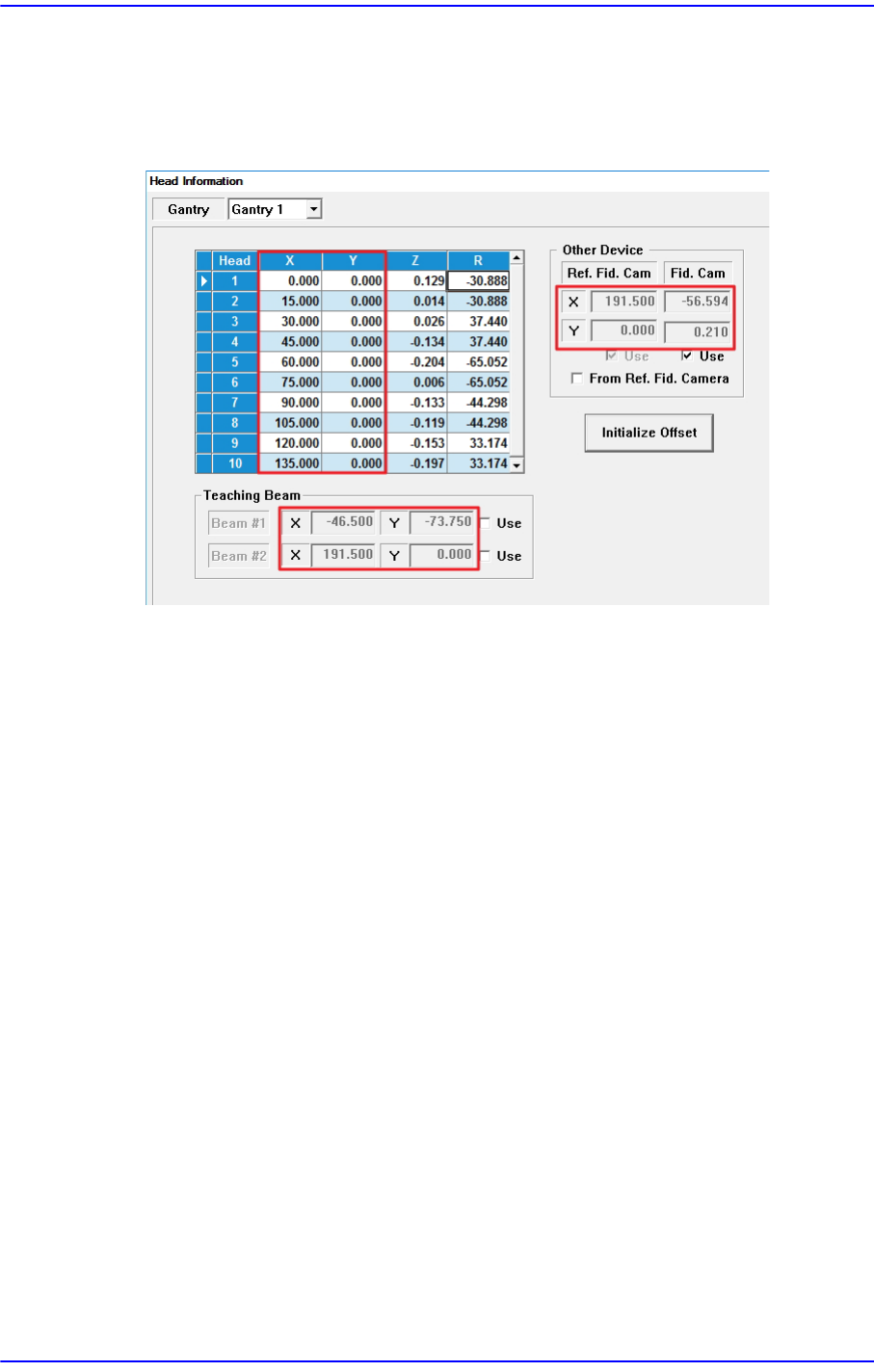
Sets the Y offset value. Set the Y position of the head1 to 0 when the XY axes
reach and set this value as a reference.
<Z> column
Sets the Z offset value. Set the PCB top surface as the reference of the offset value
when the PCB is loaded.
<R> column
Sets the R offset.
<Other Device> group
Sets the offset values of devices other than the head.
<Fiducial Cam> edit box
Sets the XY offset value of the Fiducial camera.
<From Ref. Camera> check box
Indicates the XY data in the ‘Grid’ group with the center of ‘Fiducial Camera 1’ as
a base.
<Teaching Beam> group
Sets the items related to the teaching beam (Height Sensor).
<X> edit box
Input the X coordinate of the teaching beam.
<Y> edit box
Input the Y coordinate of the teaching beam.
<Z> edit box
Input the Z coordinate of the teaching beam.
<Use> check box
Sets whether to use the teaching beam (Height Sensor). This function is enabled in
machines in which a height sensor is installed.
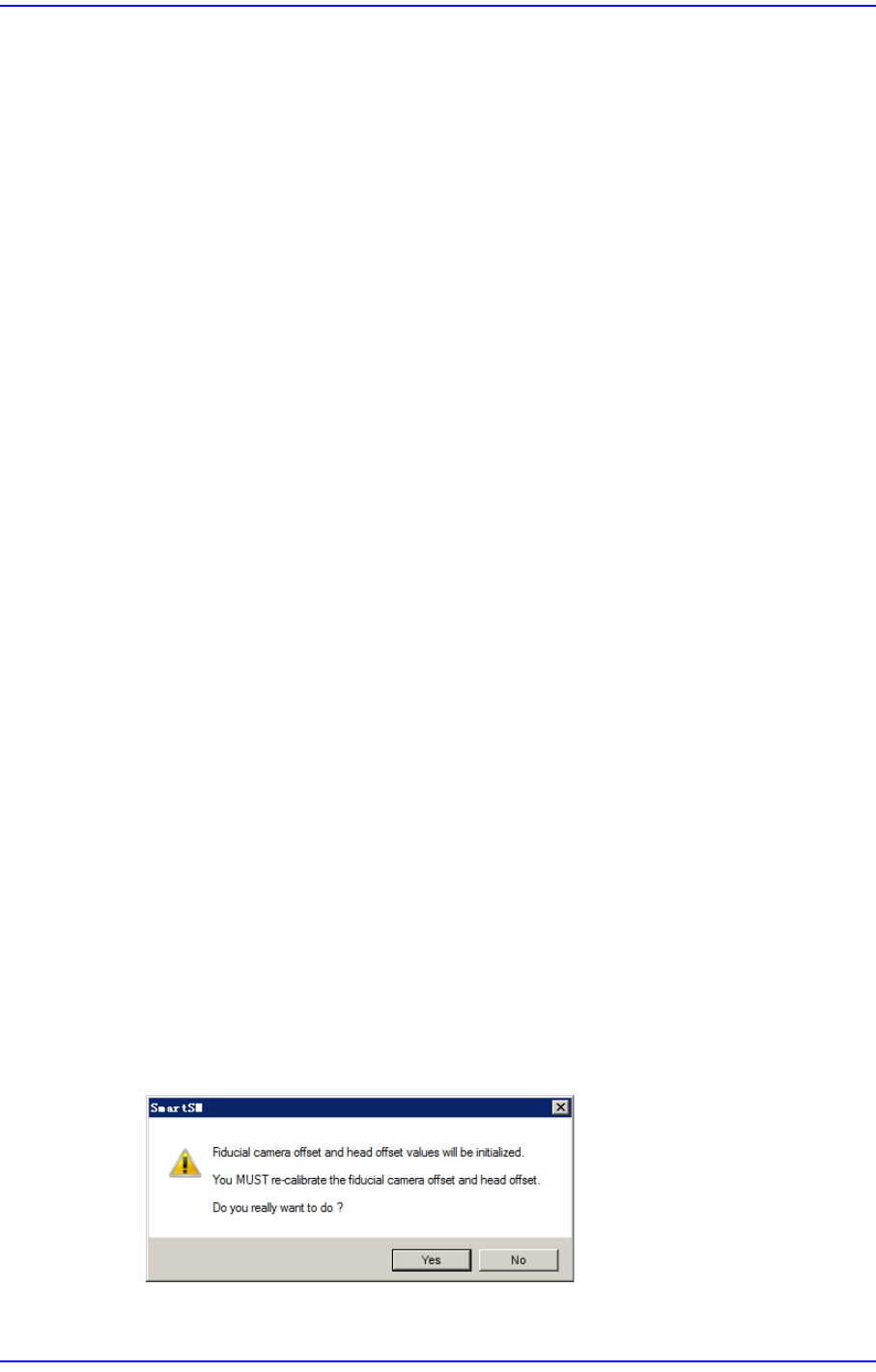
<Initialize Offset> button
This button is only displayed when you log in in “Service” mode. This is used to reset
the fiducial camera offset and head offset to their default values. When you click this
button, the following dialog box is displayed.
If you click the <Yes> button, the fiducial camera offset and head offset are set to their
14-6
Next Generation, Multi-Functional Placer DECAN S1 Administrator’s Guide
default values.
Erased data cannot be restored. Fiducial Camera Offset Calibration and Head Offset
Calibration must be performed again to apply the fiducial camera offset and head
offset.
14-7
Machine Calibration
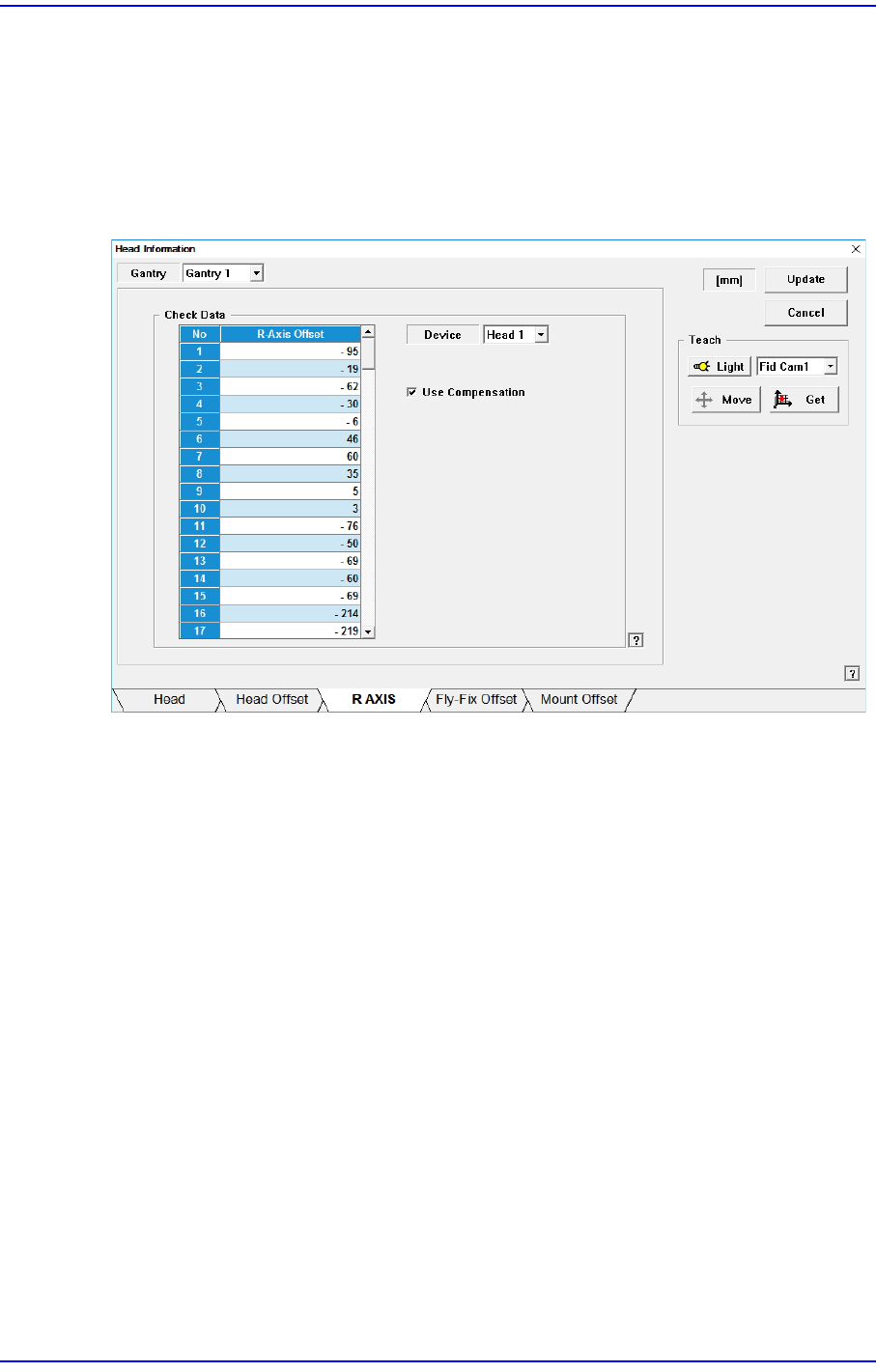
14.1.3. <R Axis> tab dialog
Displays the R axis compensation value of each head, or determines whether to
compensate the R axis. Data in this dialog box is updated automatically if the R-Axis
Offset Calibration is executed during camera calibration and the result value is reflected.
Setup whether to apply compensation on the R-axis of each head or not.
Figure14.3 “R AXIS” tab dialog
<Check Data> group
Indicates the R axis compensation value of each head.
<Device> combo box
Select the head.
<Use Compensation> check box
Determines whether to use the R axis compensation method for each head.
<Update> button
Transmits the change data to the equipment and closes the dialog box.
<Cancel> button
Ignores the change data and closes the dialog box.