DECAN_S1_Administrator′s_Guide(Eng_Ver1.5)_Print.pdf - 第550页
16-4 Next Generation, Multi-Functional Plac er DECAN S1 Administrator’s Guide <Operation T est> group Displays the operation list of devices to check. Place Stopper #1(#2) Up: Checks the up-movement of the stop…
16-3
Diagnosis
Double clicking the mouse’s left button or pressing the space bar after selecting the
device to be set will allow the output status to be reversed.
<Seneor (Input) Status> group
Indicates the status of the selected input sensor. Red indicates on status, and blue
indicates off status.
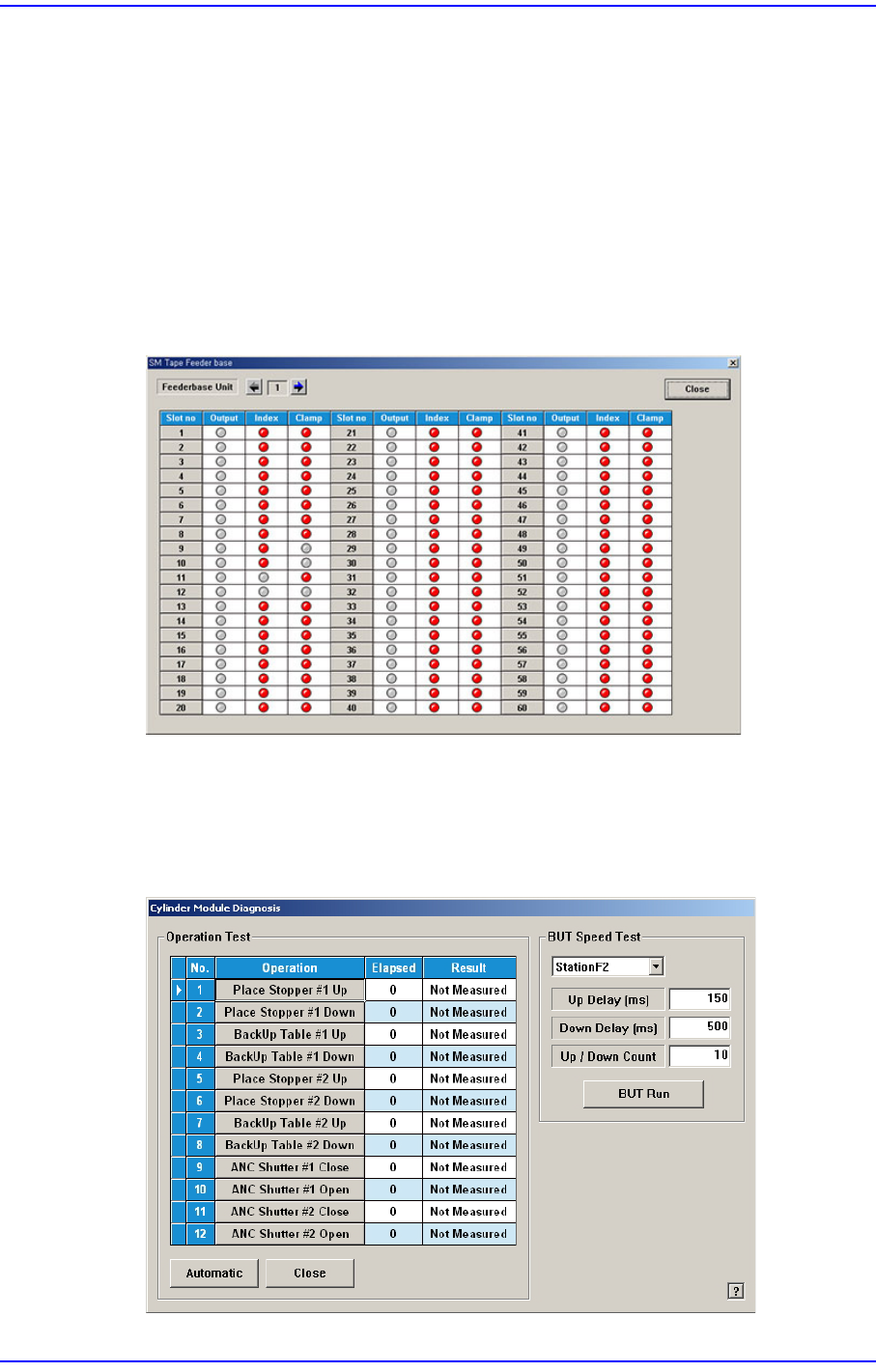
<Feederbase I/O> button
The user can confirm if the corresponding feeder is installed in the feeder base slot and
check the feeder output status.
Figure16.4 “SM Tape Feeder base” dialog box
<Cylinder Check> button
Check the state of the cylinder movement. When this button is clicked on, the
following dialog box is displayed.
Figure16.5 “Diagnosis: Cylinder Module Diagnosis” dialog box

16-4
Next Generation, Multi-Functional Placer DECAN S1 Administrator’s Guide
<Operation Test> group
Displays the operation list of devices to check.
Place Stopper #1(#2) Up: Checks the up-movement of the stopper #1(#2).
Place Stopper #1(#2) Down: Checks the down-movement of the stopper
#1(#2).
BackUp Table #1(#2) Up: Checks the up-movement of the backup table
#1(#2).
BackUp Table #1(#2) Down: Checks the down-movement of the backup table
#1(#2).
ANC Shutter #1(#2) Close: Check the closing movement of the shutter of
ANC #1(#2).
ANC Shutter #1(#2) Open: Check the opening movement of the shutter of
ANC #1(#2).
Side illuminator up: Moves the side illuminator up.
Side illuminator down: Moves the side illuminator down.
<Automatic> button
Checks devices in the <Operation Test> group in order automatically.
BUT Speed Test
Test the Up/Down speed of the backup table.
BUT Up Delay: Indicates the upward movement speed of the backup table.
BUT Down Delay: Indicates the downward movement speed of the backup
table.
Up/Down Count: Sets the Up/Down movement test count.
<BUT Run>: Tests the Up/Down speed of the backup table.
<Close> button
Closes the dialog box.
16-5
Diagnosis
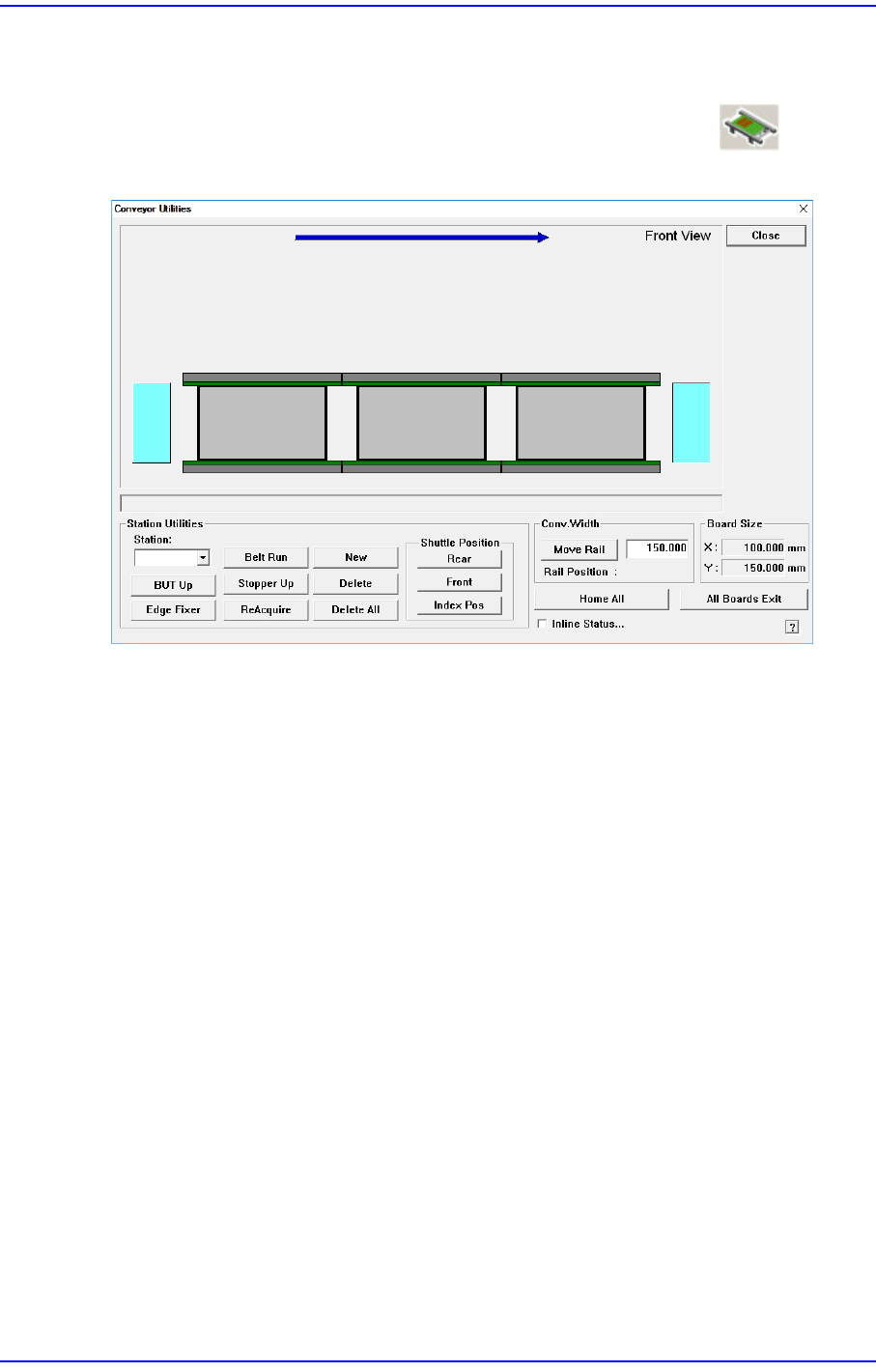
16.2. Conveyor [F3]
Checks the status of various devices in the conveyor group. When this submenu is selected
on, the following dialog box is displayed. Please refer to“4.5 Conveyor ” for more
information.