DECAN_S1_Administrator′s_Guide(Eng_Ver1.5)_Print.pdf - 第56页
2-2 Next Generation, Multi-Functional Plac er DECAN S1 Administrator’s Guide 2.1.2. Summary of functions This section includes informa tion on all the menus that ar e displayed on the MMI main window . 2.1.2.1. The sub m…
2-1
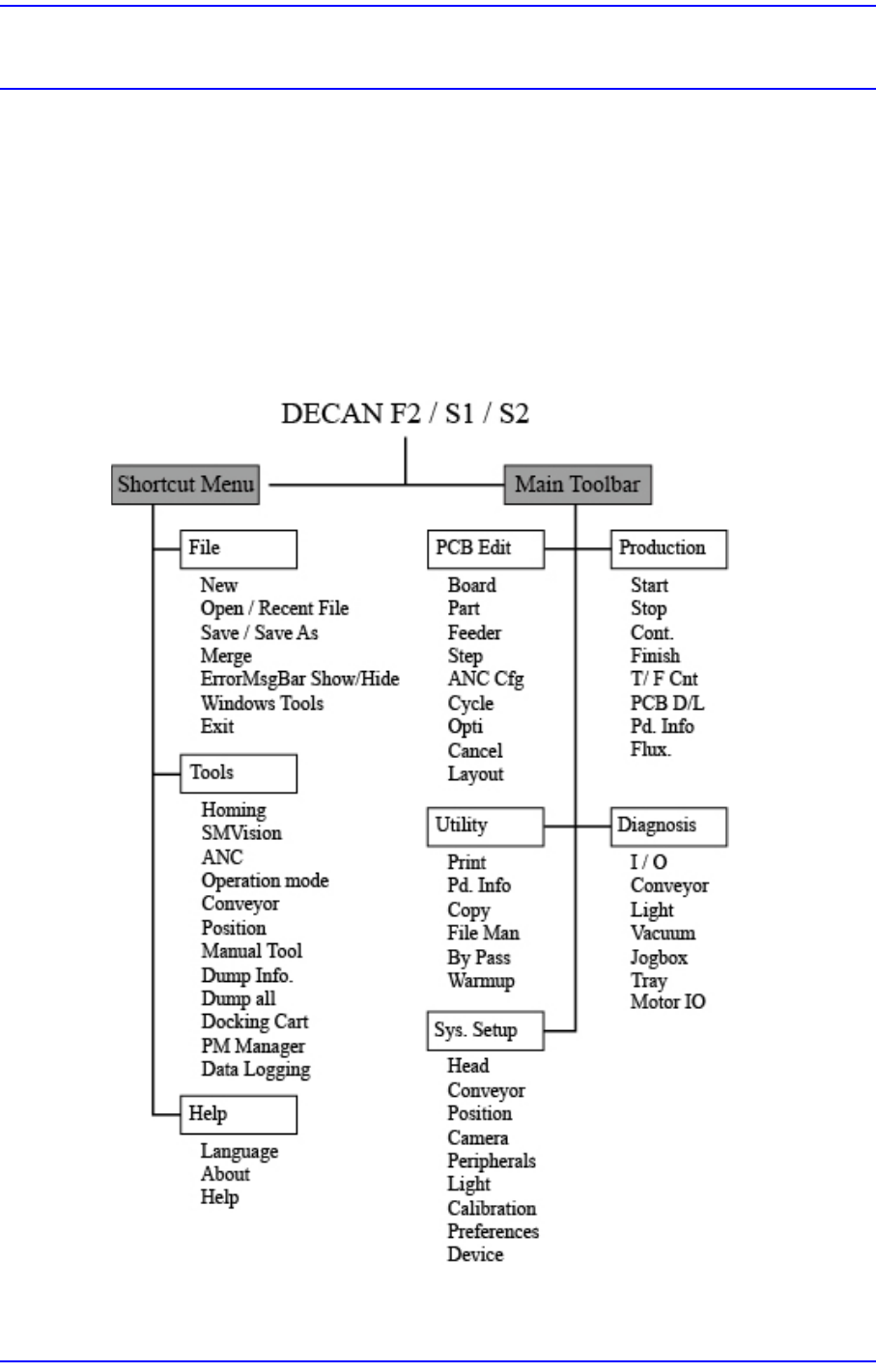
Structure of MMI Menu
Chapter2. Structure of MMI Menu
The menu structure and the functions of each menu of MMI (Man-Machine Interface),
which serves as the application program for the operation of this machine, are briefly
explained in this chapter. For detailed information on each menu, please refer to “Chapter
6Board Definition” ~ “Chapter 16 Production Information Management”.
2.1. Man-Machine Interface (MMI)
2.1.1. Menu Tree
Figure2.1 Menu Tree of MMI
2-2
Next Generation, Multi-Functional Placer DECAN S1 Administrator’s Guide
2.1.2. Summary of functions
This section includes information on all the menus that are displayed on the MMI main
window.
2.1.2.1. The sub menu of Shortcut Menu
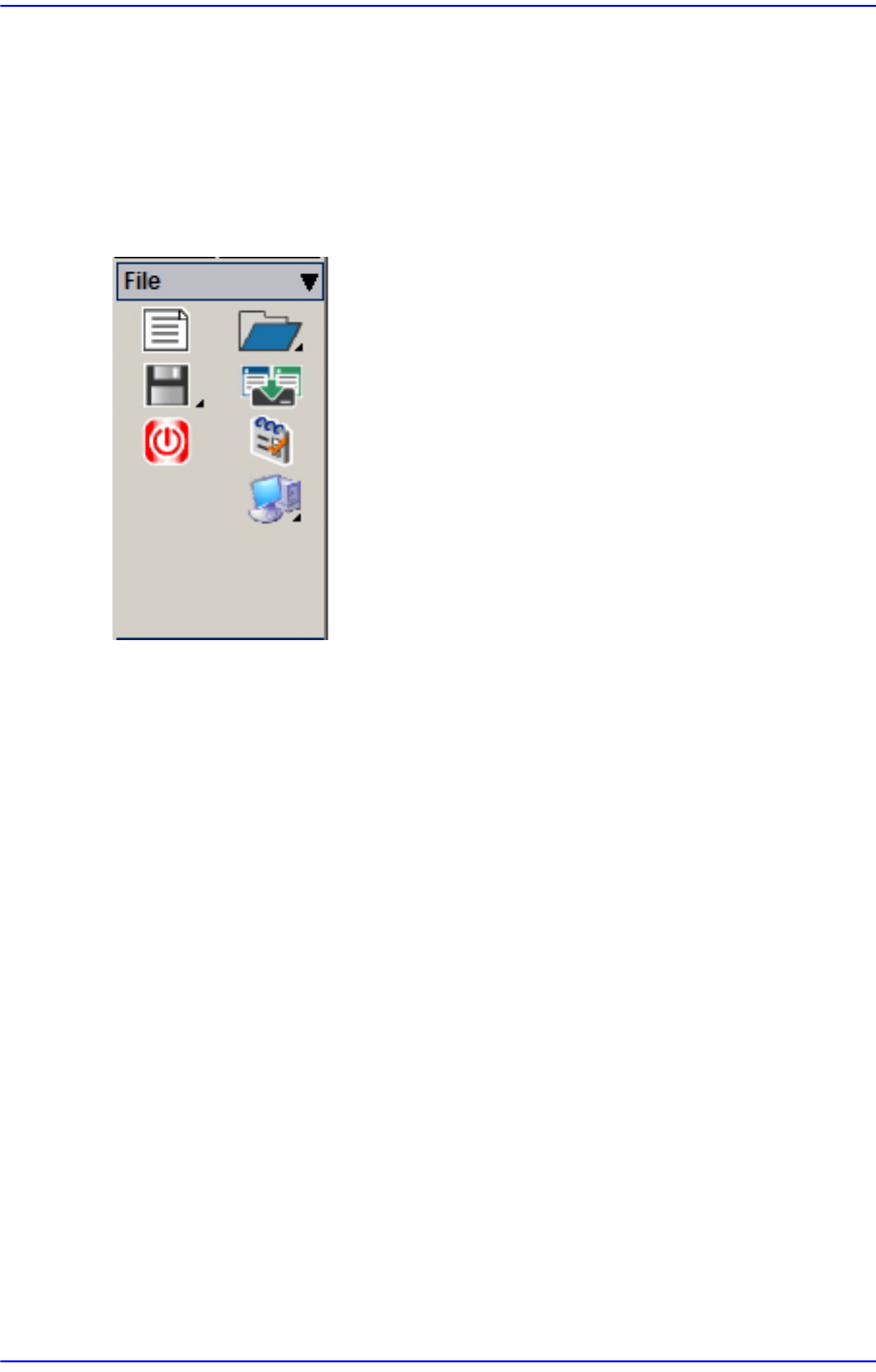
2.1.2.1.1. File Shortcut Menu
New
Used to create a new PCB file.
Open
Used to edit an existing PCB file.
Save
Used to save an opened file.
Save As
Used to save an opened file under a different name.
Recent File
Displays a list of files worked on recently.
Merge
Merges the part library files.
ErrorMsgBar Show/Hide
ErrorMsgBar Show/Hide.
Windows Tools
Explorer: Indicates the Windows Explorer.
Calculator: Indicates the calculator.
2-3
Structure of MMI Menu
Paint: Indicates the Paint.
Notepad: Indicates the Notepad.
Exit
Ends MMI session and goes back to Windows or terminates the operation of the
machine.
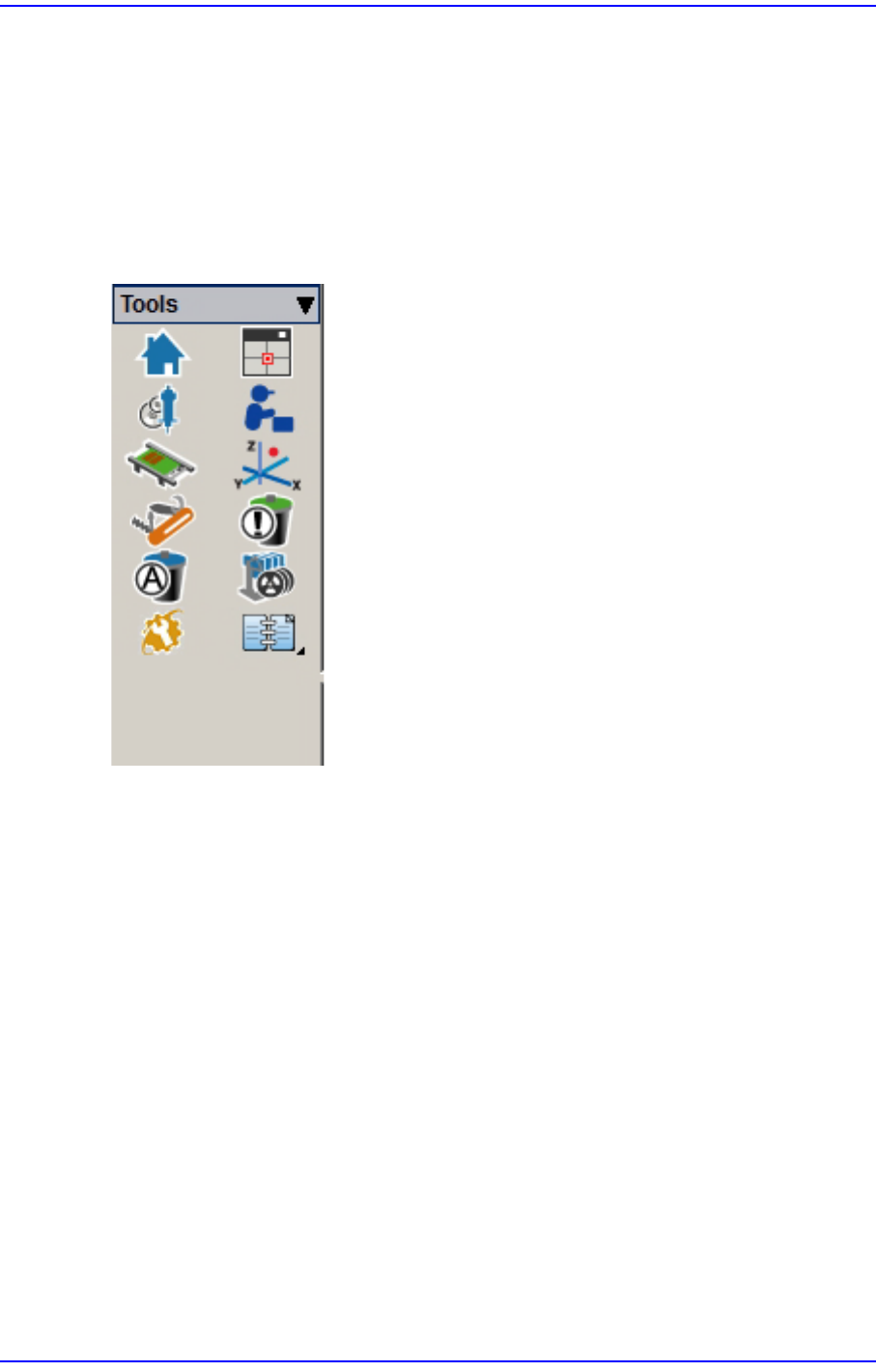
2.1.2.1.2. Tools Shortcut Menu
Homing
Returns the motors for the X, Y, Z, theta (R) and mirror axes to the point of origin.
SMVision
Changes the operation mode.
ANC
Registers various information on the ANC (Auto Nozzle Changer).
Operation mode
Changes the operation mode.
Conveyor
Executes the conveyor dialog box.
Position
Used when it is necessary to refer to the current coordinate of each driving axis during
teaching or calibration.