DECAN_S1_Administrator′s_Guide(Eng_Ver1.5)_Print.pdf - 第312页
在线预览 DECAN_S1_Administrator′s_Guide(Eng_Ver1.5)_Print.pdf PDF 文档。
9-17
Step Programming
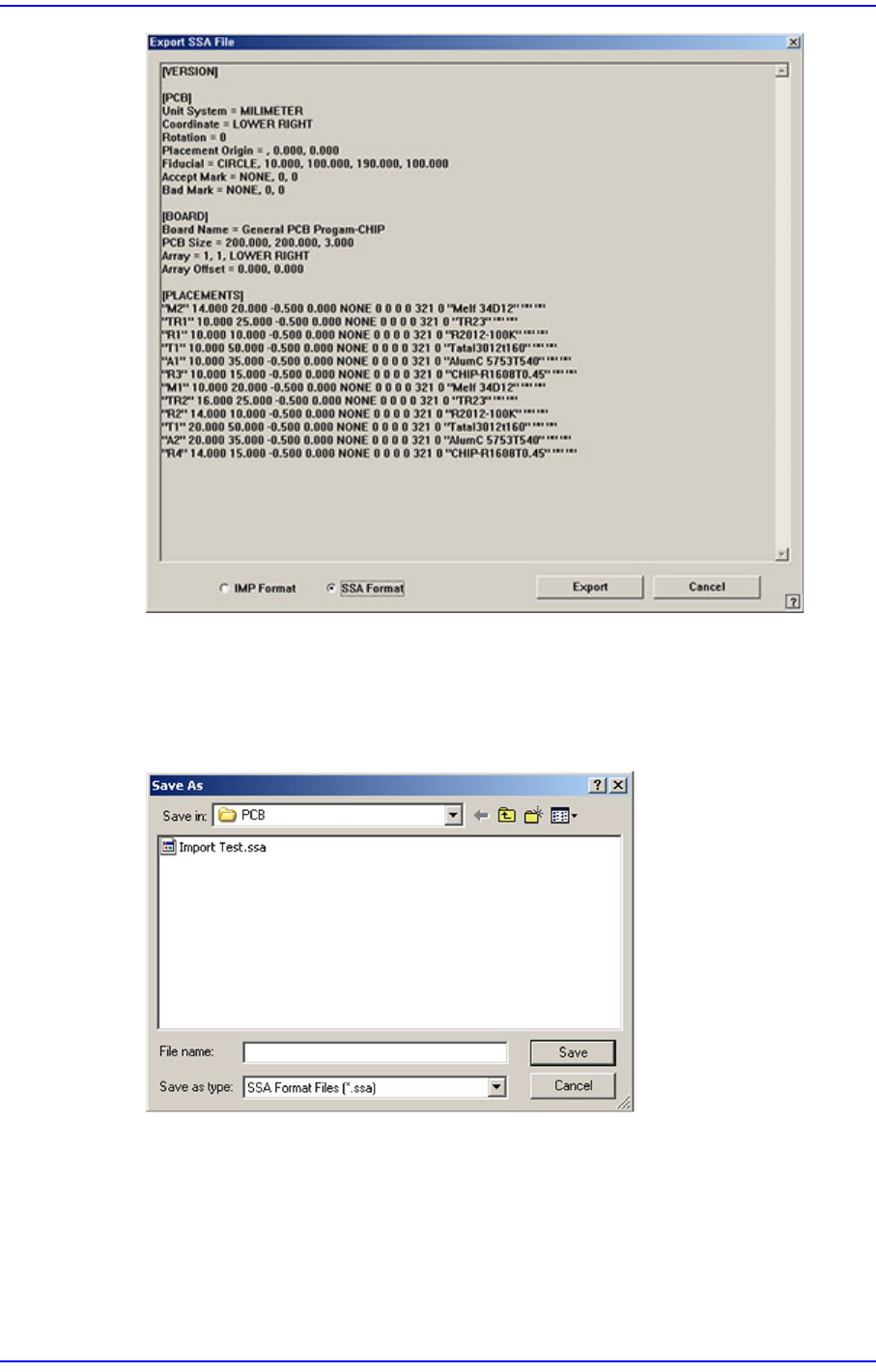
Select the format to be converted and press the <Export> button. The formats that can
be selected are as follows:
IMP Format: Converts the file to the file in IMP format.
SSA Format: Converts the file to the file in SSA format.
When the “Save” button is clicked on after the ASCII File name has been set, converts
the step data into SSA format and saves the data under the set file name.
<Cancel> button
Cancels the edited data.
10-1
Optimization
Chapter10. Optimization
The Optimizer automatically creates a program to maximize the production efficiency by
optimizing the arrangement position and operation order of tape feeder, nozzle, ANC, and
others. The method to achieve the maximum production efficiency is as follows;
The balance between Gantries
Minimize the number of nozzle changes
Maximize the number of simultaneous pickups by the feeder
Arrange the feeders so that the time for XY gantry movement is minimized
Decide the order of optimum mounting operation
The Optimizer takes into account of various operation conditions and executes the
optimum algorithm to achieve these results. In this chapter, the structures of various
setting screens and setting methods necessary to execute the Optimizer are explained.
10.1. Tape Feeder
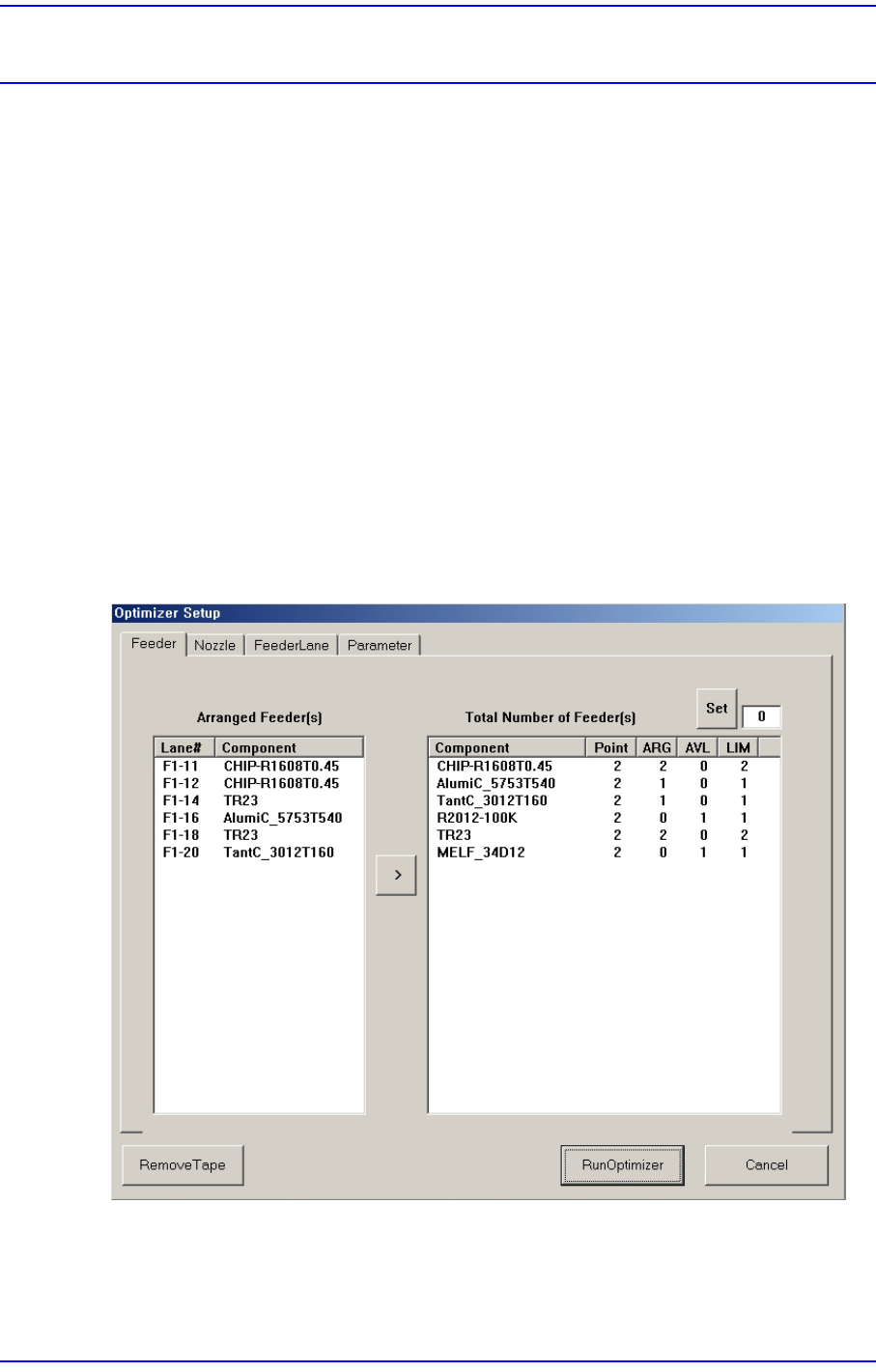
Figure10.1 “Optimizer Setup: Feeder Arrangement” dialog box
A window to set the optimum arrangement of tape feeders. Optimizer can arrange Tape
feeders on the optimum feeder lanes automatically in consideration of simultaneous
pickup and operation time. However, the user must specify mounting positions for Tray
Feeders and Stick Feeders.