DECAN_S1_Administrator′s_Guide(Eng_Ver1.5)_Print.pdf - 第511页
15-45 System Setup The procedure to set the fiducial camera is as follows. For the inner lig hting of the fiducial camera, input the d efined reference value with out performing light mapping . 1. Select the Fid Cam in t…
15-44
Next Generation, Multi-Functional Placer DECAN S1 Administrator’s Guide
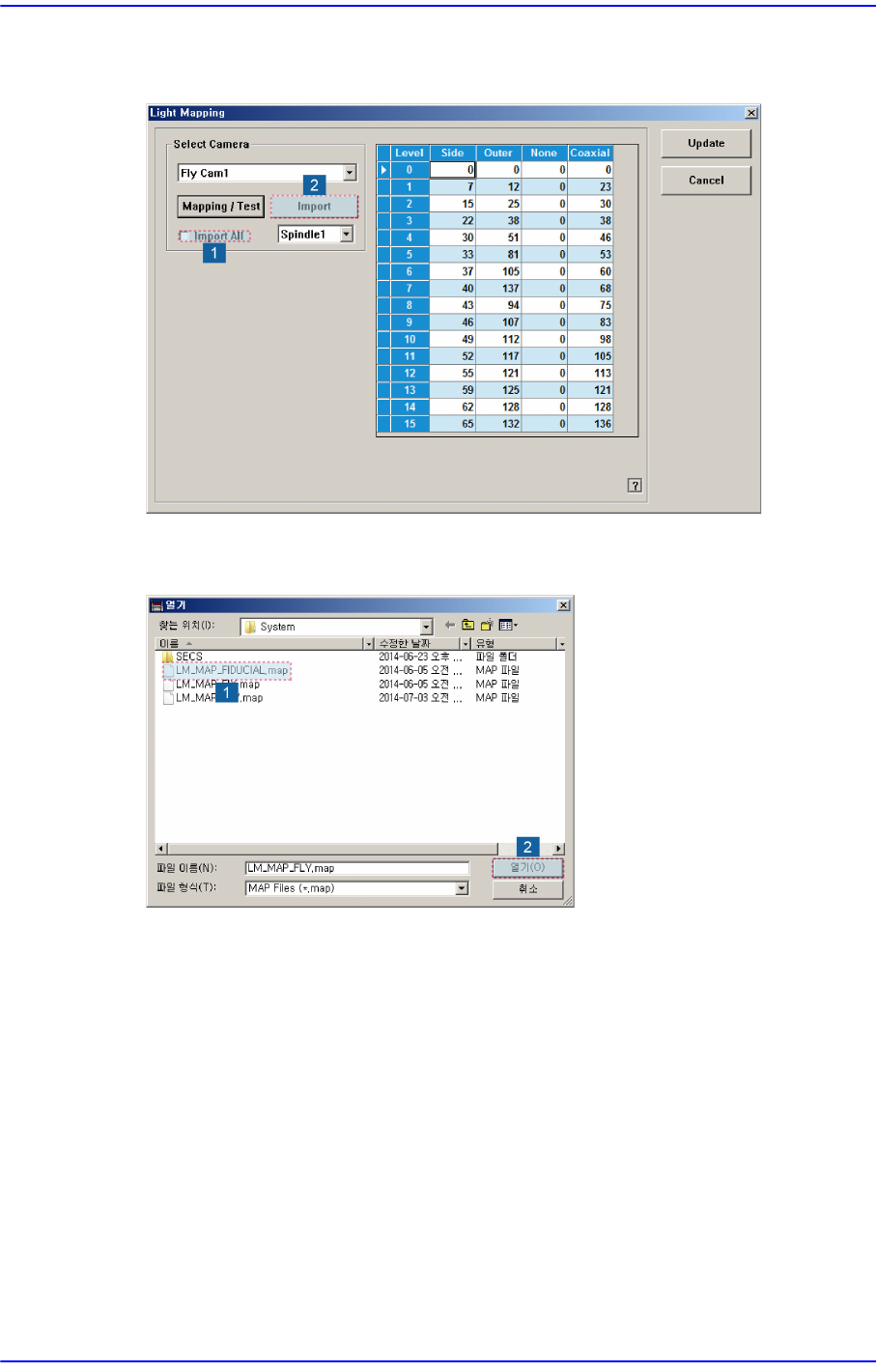
5. Check the <Import All> check box in the <Select Camera> group and click the
<Import> button.
6. Select the LM_MAP_FIDUCIAL in the <Open> dialog box and click the <Open>
button.
15-45
System Setup
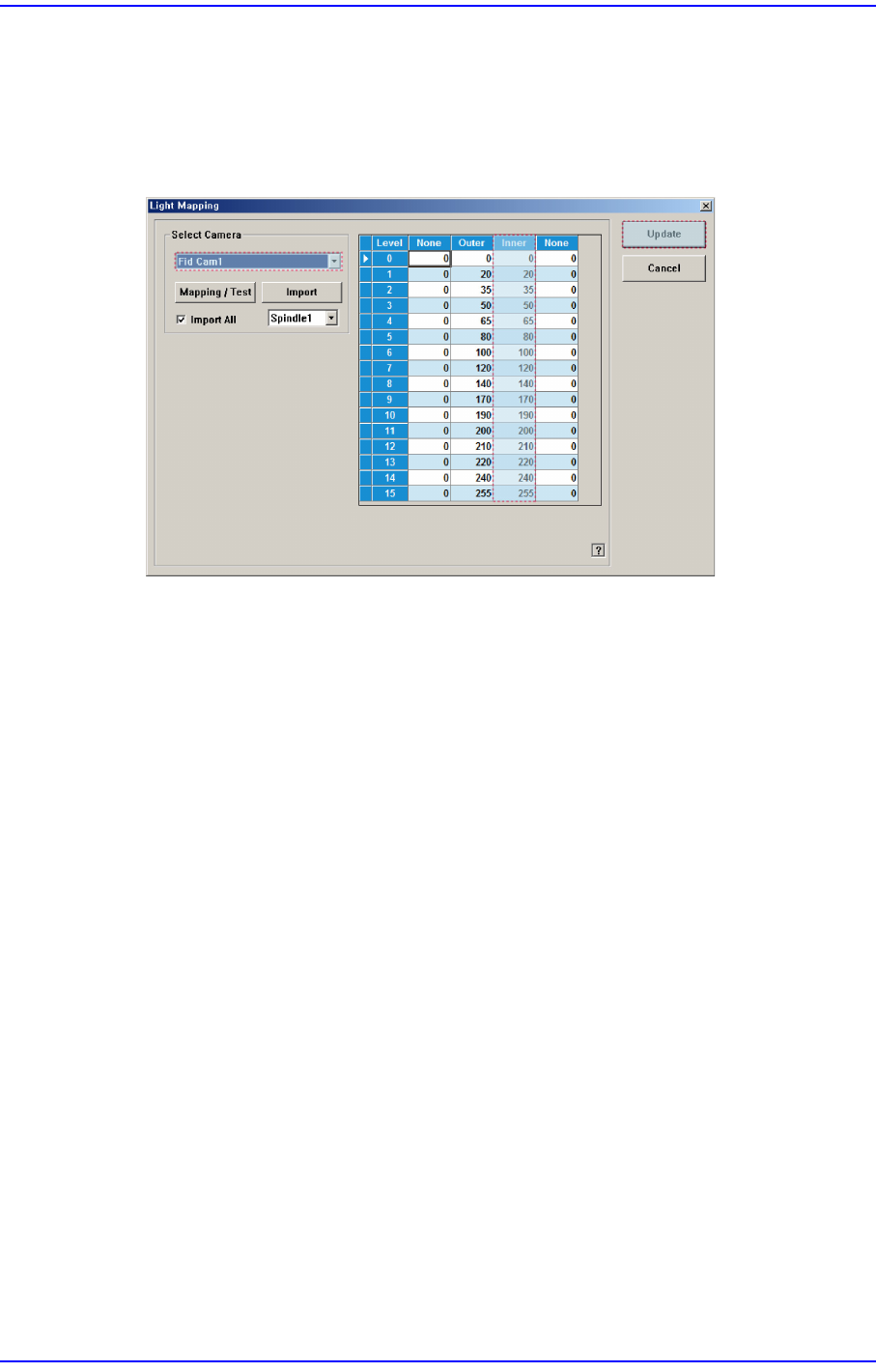
The procedure to set the fiducial camera is as follows. For the inner lighting of the fiducial
camera, input the defined reference value without performing light mapping.
1. Select the Fid Cam in the <Select Camera> group. If the inner lighting value is
different from the reference value, input the value manually and then click the
<Update> button.
15-46
Next Generation, Multi-Functional Placer DECAN S1 Administrator’s Guide
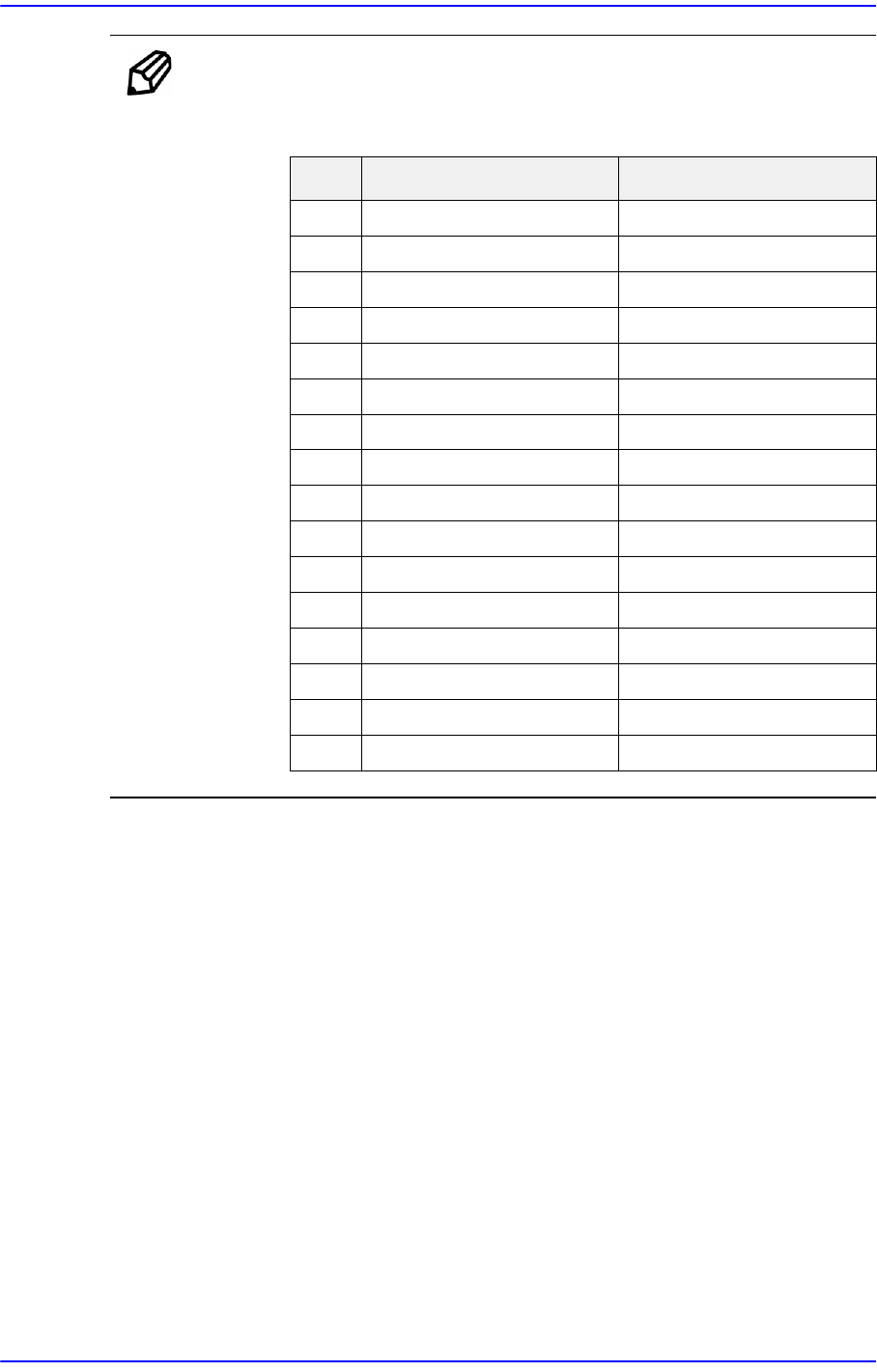
Ref. The reference value of the inner lighting of the fiducial camera is as
follows:
Outer Inner
0- 0
1- 20
2- 35
3- 50
4- 65
5- 80
6- 110
7 - 120
8 - 140
9 - 170
10 - 190
11 - 200
12 - 210
13 - 220
14 - 240
15 - 255