User-Manual-of-NeoDen4-PNP-machine.pdf - 第10页
5 3. Panelized PCB first chip se tting 14 4. fidu cia l Set tin g 3. Procedur e for makin g a progra mming file Note: The basic procedure of making a programming file for ma nual programming or direct PCB file is simila …
4
2.
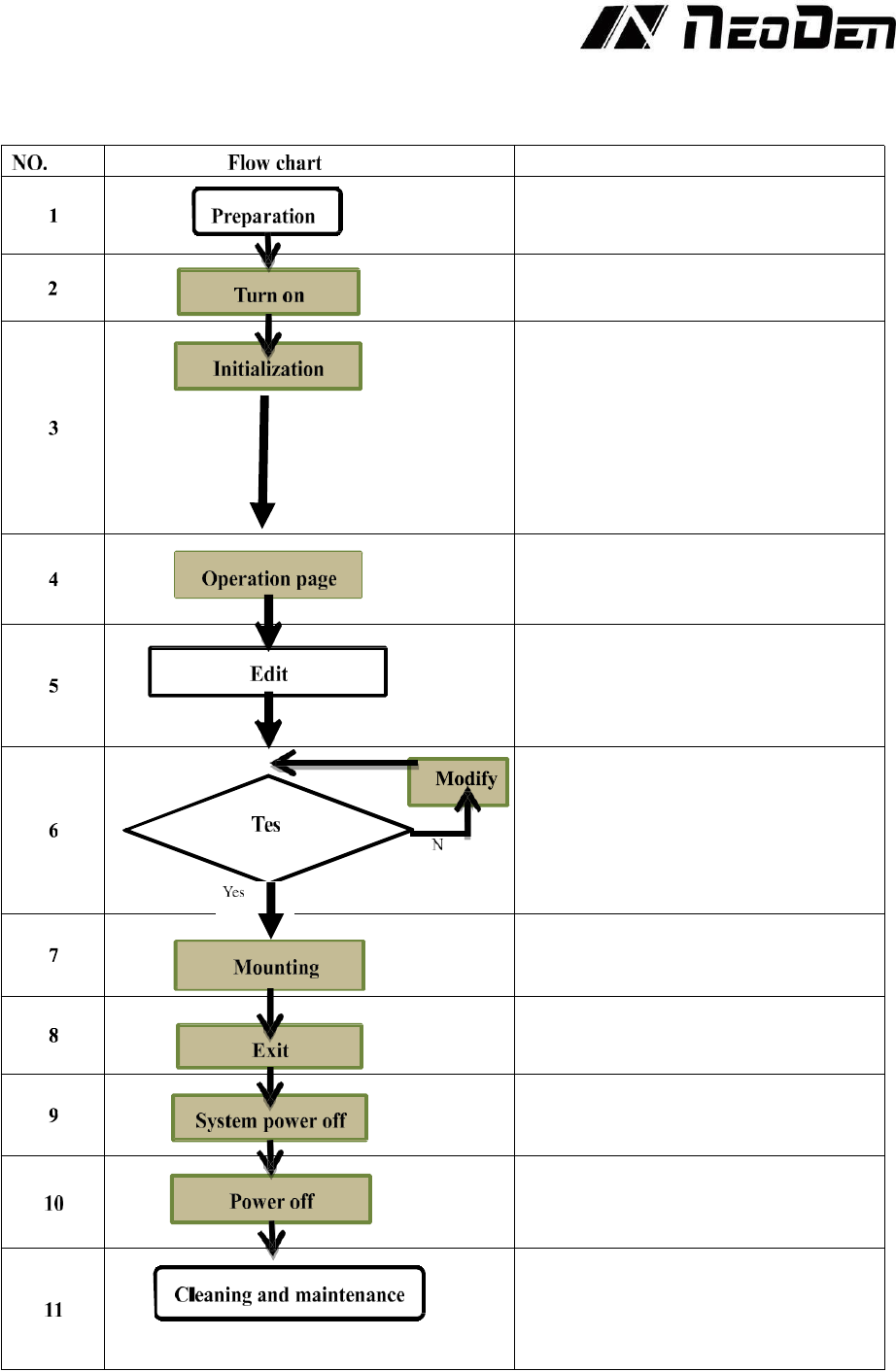
Operation Flow Chart
Note
Check the working environment whether it
is safe or not
The machine will start a 1-2 mins self-
inspection after boot-up. It enters the
operation page once finished. Need to wait
1-2 minutes after turn on the machine,
mounting head will move diagonally and
then enter into operation page
Please refer to the following pages about
detailed programming tutorial
After making a programming file, there
may exist several unpredictable problems,
such as rotation issues of components, so
a production testing is necessary for
solving issues.
Start to pick and place
Power off software
Power off after the software being turned
off, which decrease the damage to the
software
Keep the machine clean and nozzles need
to be washed regularly
Keep daily maintenance of nozzle assures
high utility.
5
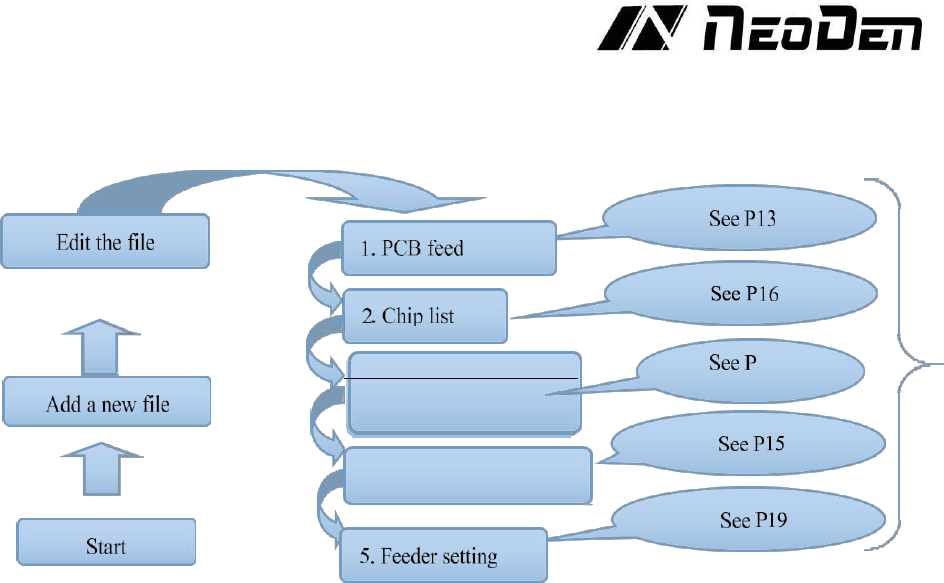
3. Panelized PCB first
chip setting
14
4. fiducial Setting
3.
Procedure for making a programming file
Note: The basic procedure of making a programming file for manual programming or direct PCB file is similar,
but there are two different parts: chip list and fiducial setting. Please find the detailed operation steps of the
differences on relative page.
6
4.
Edit on the Operation Interface
4.1
Edit on the Interface
The entire operation of the NeoDen4 is controlled by a single application that runs automatically after
the operating system boots. Despite the enormous flexibility of the machine, only 7 basic screens are
needed to set up feeders, calibrate the vision system and program pick-and-place operations. This
section contains a brief description of the various commands and parameters in the screens. Section
contains a recommended workflow to set up, program and operate the machine.
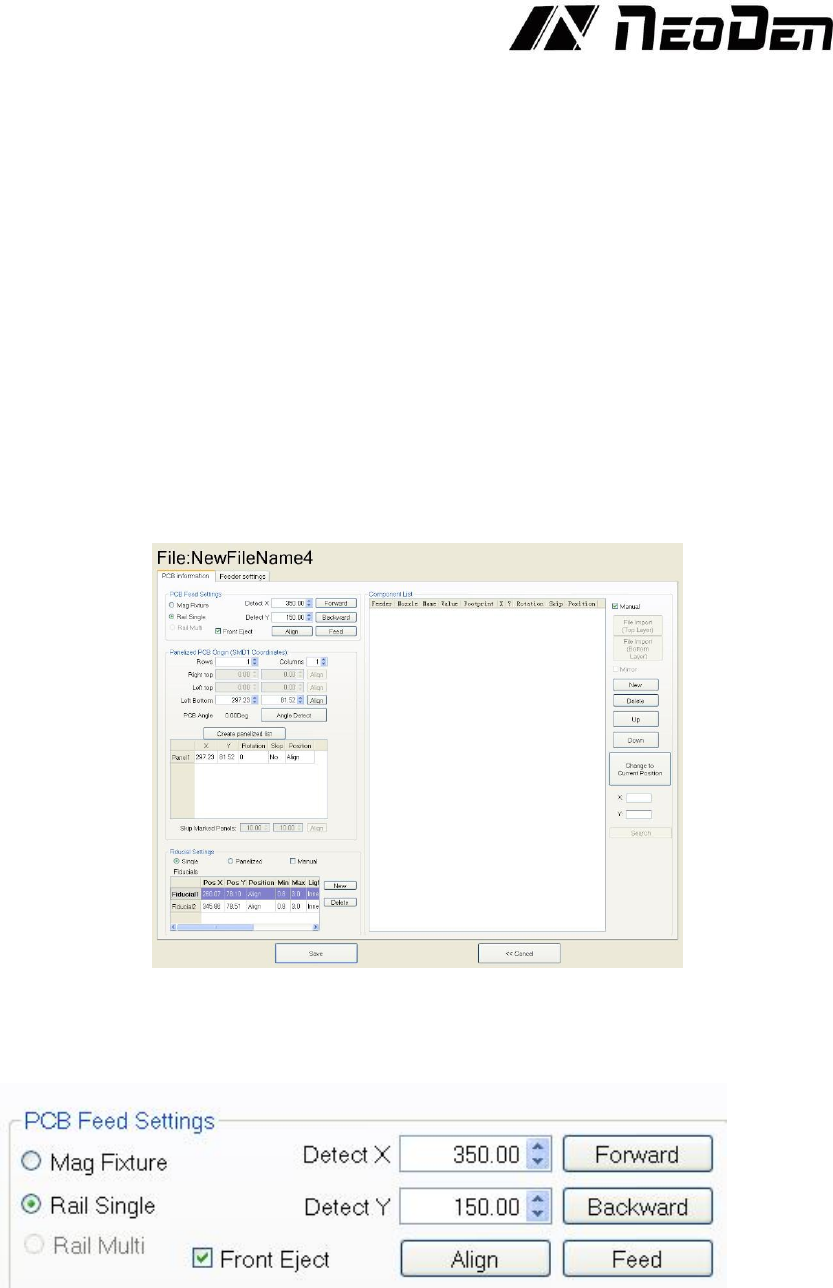
This screen is the heart of the programming interface. It has two tabs: “PCB Information”
and “Feeder Settings.” In the following sections, this manual will describe each of the
functions on the two pages. Finally, it will recommend some basic procedures for
programming the machine to manufacture finished boards.
4.2
PCB Information
Figure 4.1
Function: Used to confirm the feeding place, first edit item in manual program, see the Figure 4.1.
4.2.1 PCB Feed Settings.
Figure 4.2
This section determines the manner in which the PCBs will be sent to the machine for pick and
place operations. On machines with the rail system installed, the “Mag fixture”, “Rail Single”, and
“Rail Multi” are available. On machines without the rail system, always select “Mag Fixture”. See
the Figure 4.2.
Mag Fixture: This option assumes that the user will place the board in a location determined by