User-Manual-of-NeoDen4-PNP-machine.pdf - 第36页
31 Click bu tton to take picture s of n ozzles a nd adjust the thres hold until the c ross is at the cen ter of nozzles. Click the button to take a picture fo r nozzle No .2.Using the same method above to ad just the thr…
30
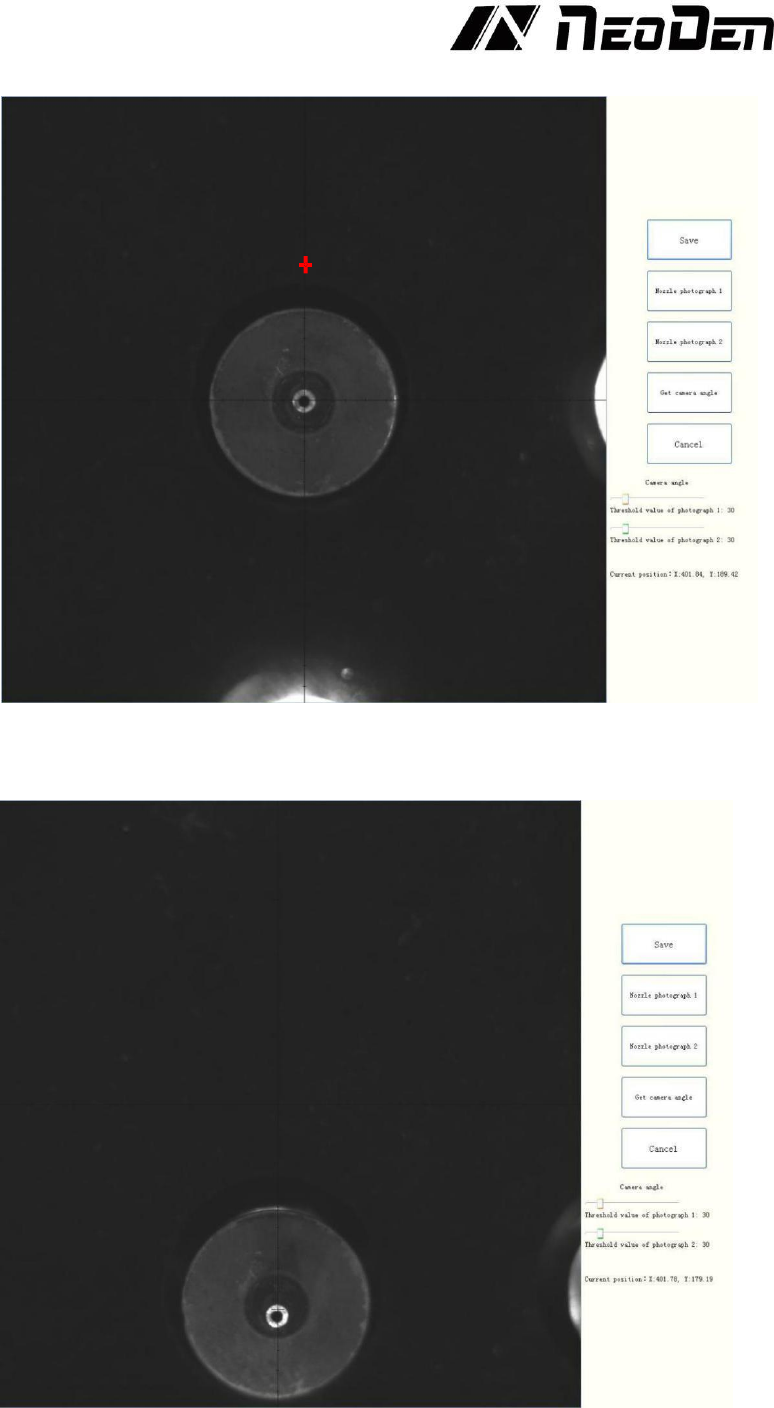
Move down the nozzles with 7mm and make sure in the vision interface it can shows with 2 nozzles
pictures.
31
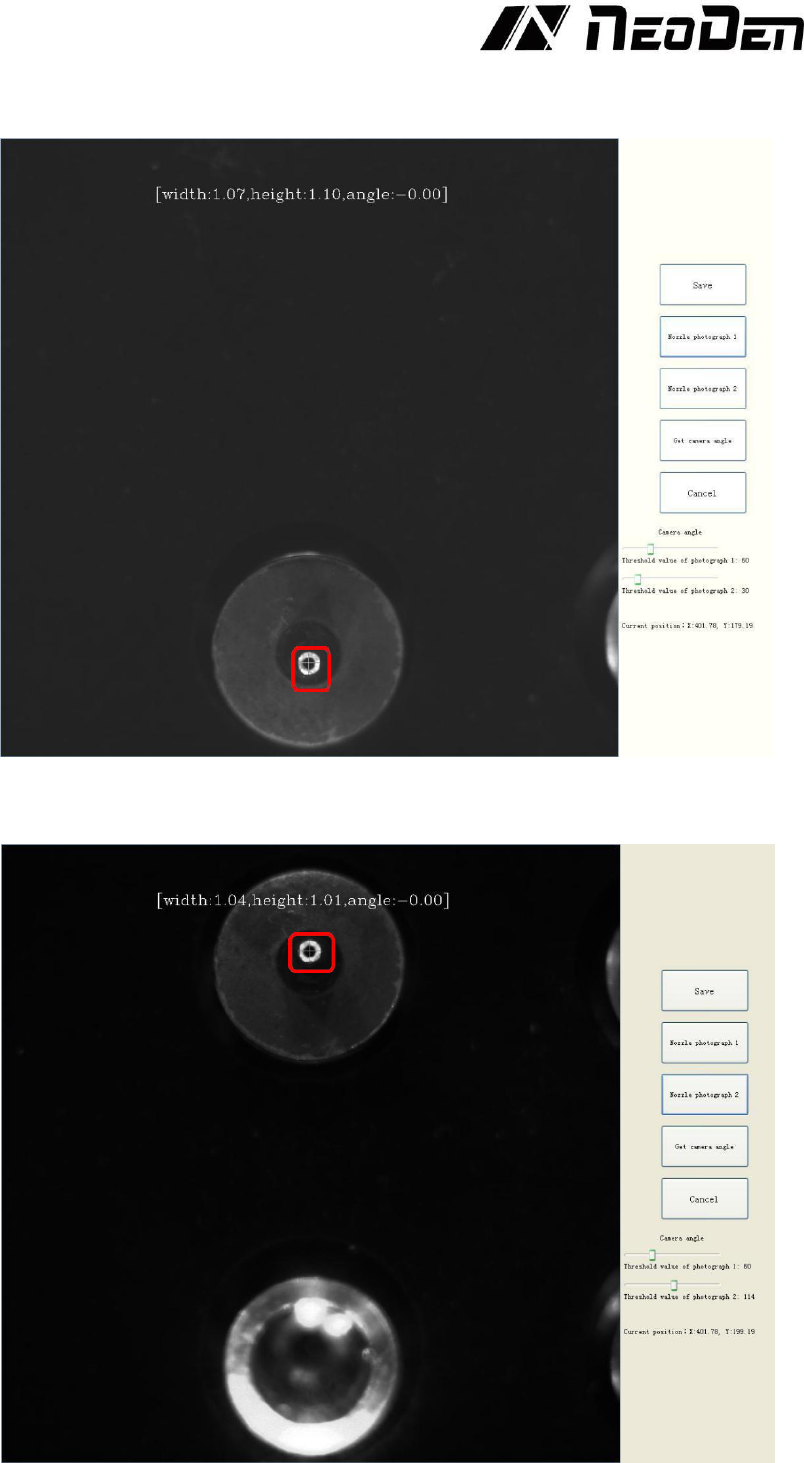
Click button to take pictures of nozzles and adjust the threshold until the cross is at the center of
nozzles.
Click the button to take a picture for nozzle No.2.Using the same method above to adjust the
threshold until the angle is -0.00 degree.
32
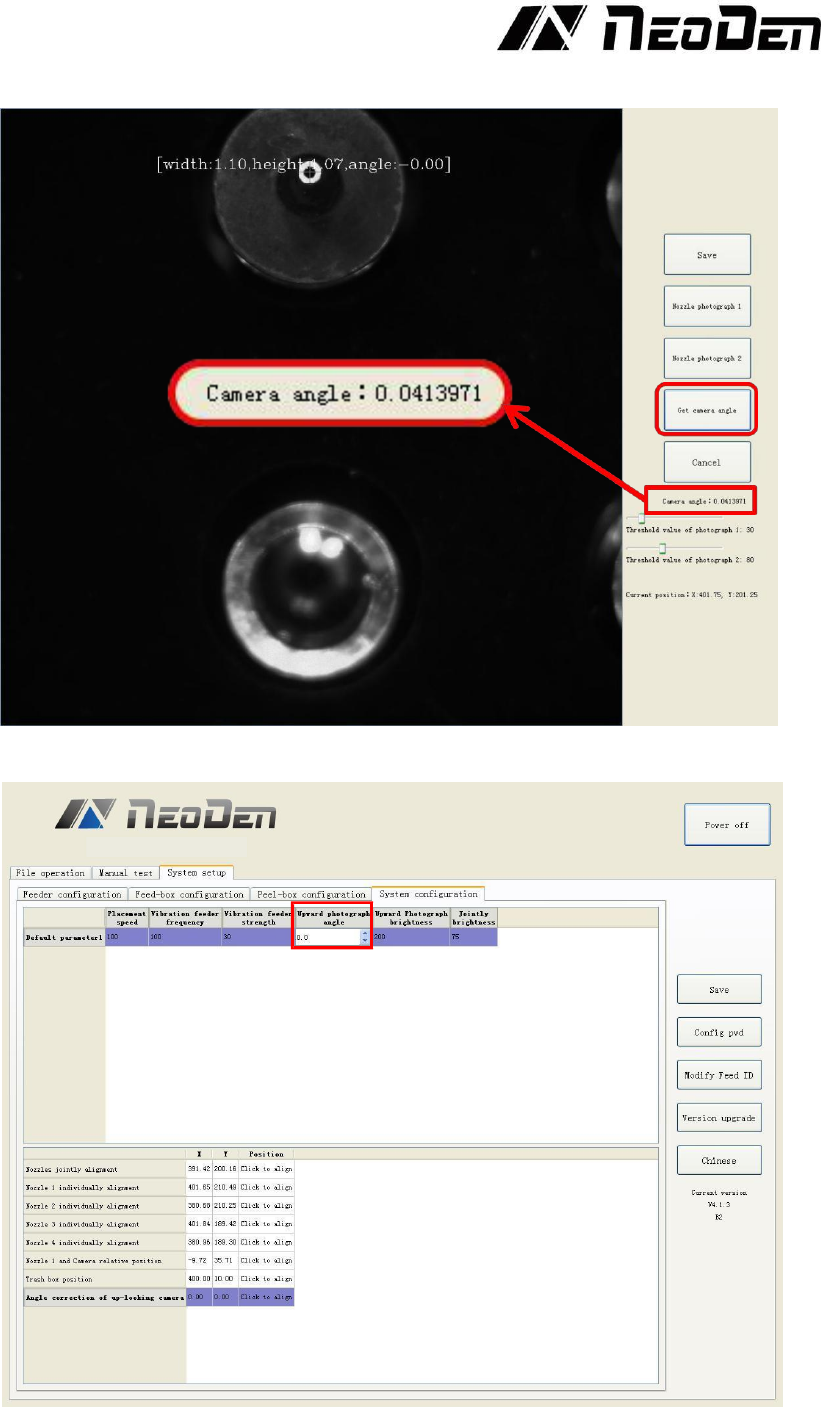
After finished the steps above, click “Get Camera Angle” to get the number.
Round the angle number off to 1 decimal place, then fill it into "Upgrade photograph angle" and save
the data, see the Figure 4.31.
Figure 4.31