User-Manual-of-NeoDen4-PNP-machine.pdf - 第35页
30 Move do wn the nozzles with 7mm an d make sure in the vision interface it can shows with 2 n ozzles pictures.
29
Figure 4.30
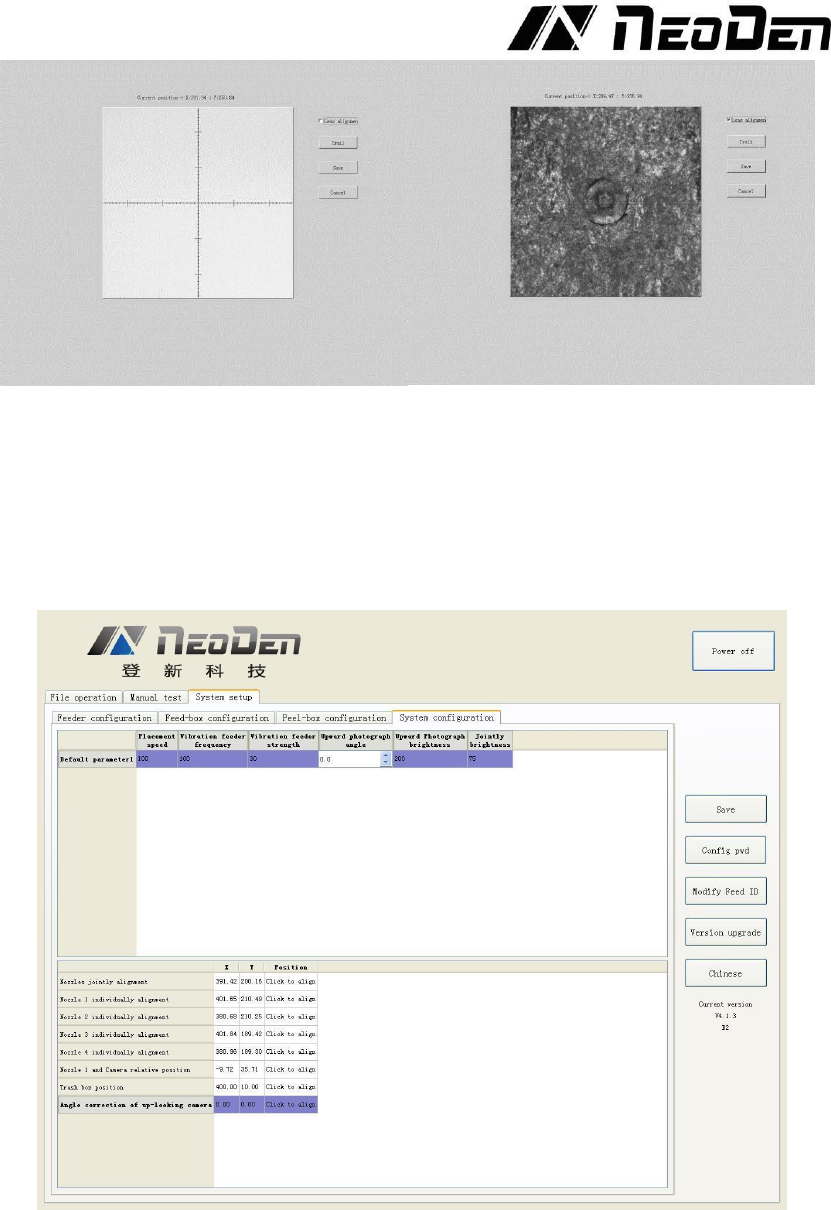
e. Move the nozzle to any place of PCB board, put one piece of carbon paper, then click “Trail”,
nozzle will rotate and leave a dot on the carbon, after that click the “Lens alignment”, Focus that dot
and save, it will be done (show as photo above).
(8) Trash box position: setting the position of dropping component, it depends.
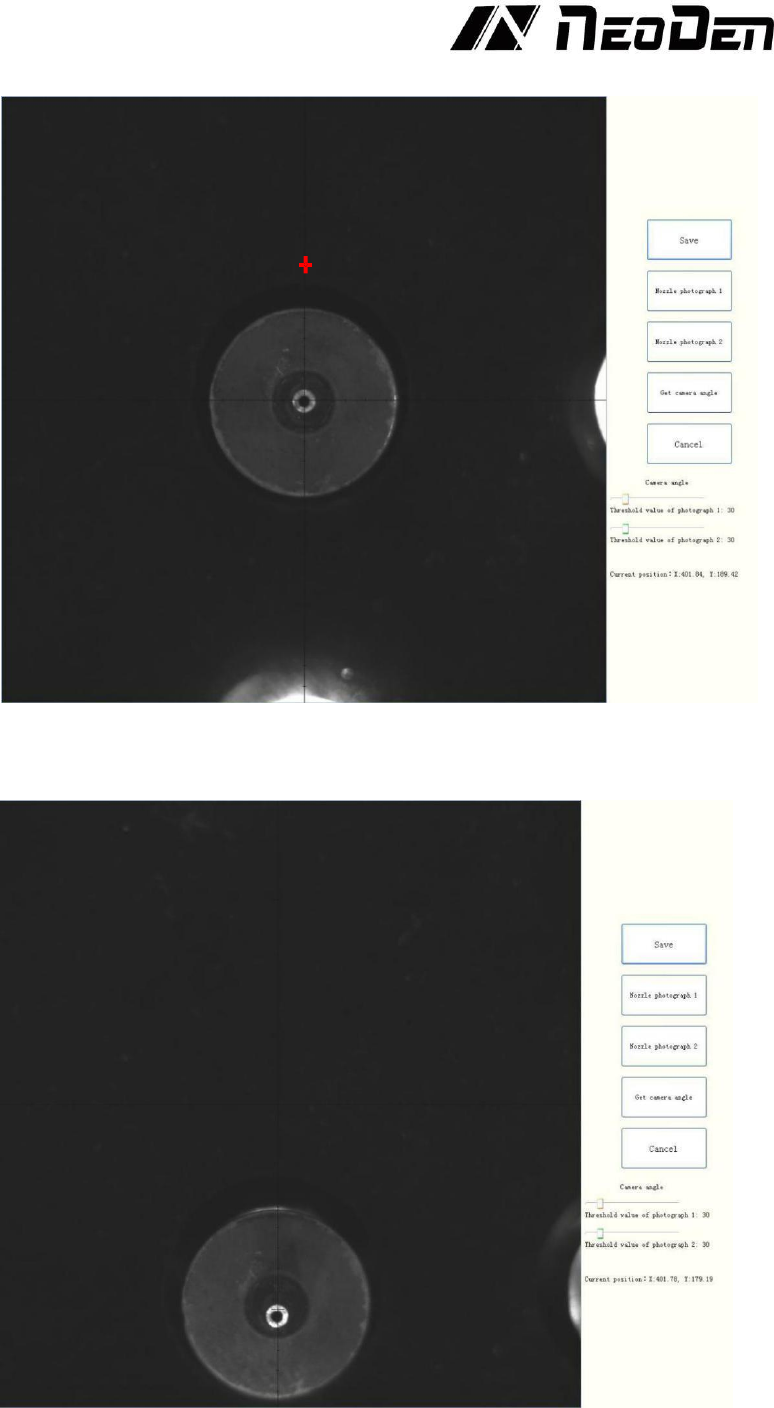
(9) Angel Correction of upward-looking camera
Click “Click to align” and enter into upward-looking cameras angle correction interface.
The vision interface will lock at 3rd nozzle
30
Move down the nozzles with 7mm and make sure in the vision interface it can shows with 2 nozzles
pictures.
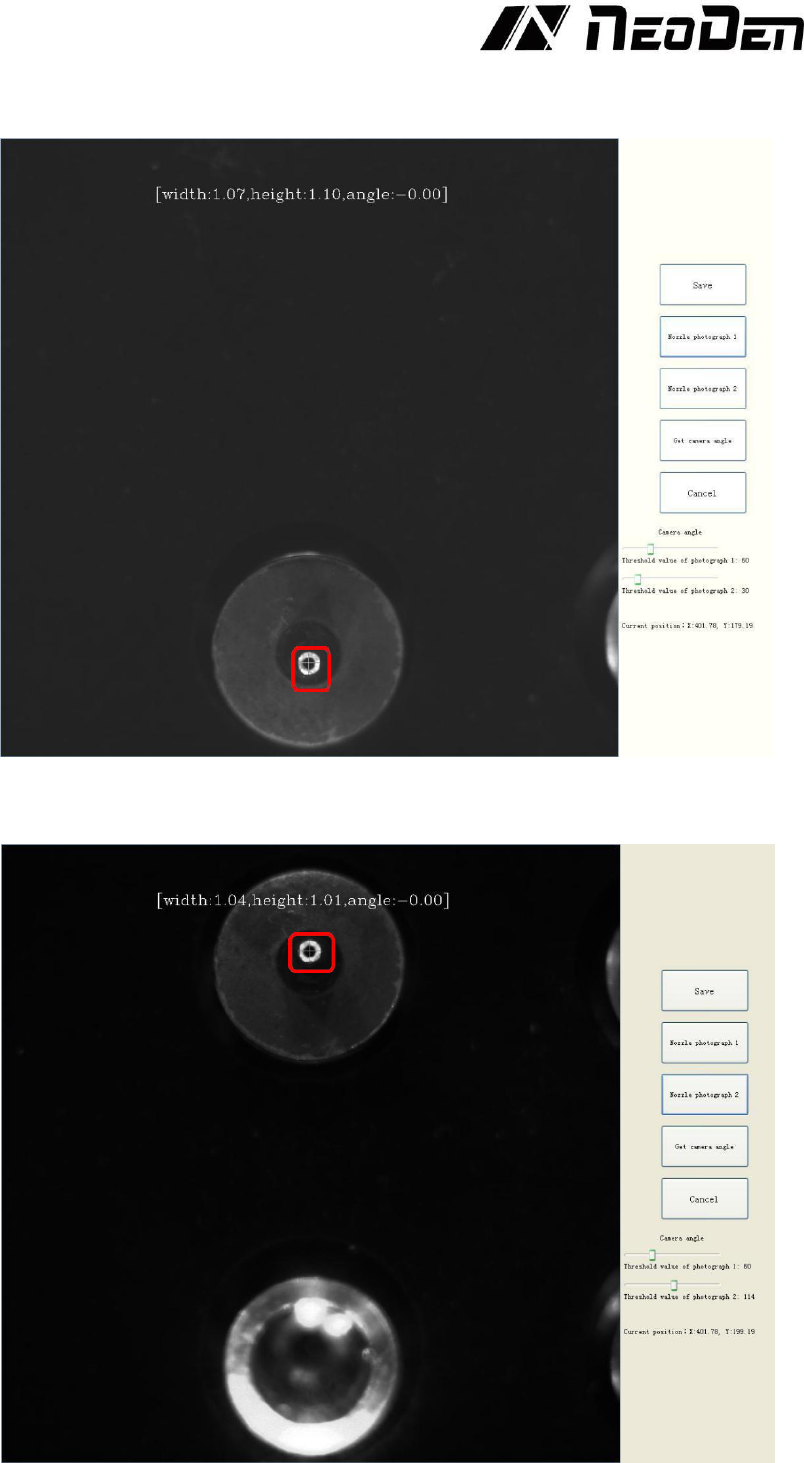
31
Click button to take pictures of nozzles and adjust the threshold until the cross is at the center of
nozzles.
Click the button to take a picture for nozzle No.2.Using the same method above to adjust the
threshold until the angle is -0.00 degree.