User-Manual-of-NeoDen4-PNP-machine.pdf - 第9页
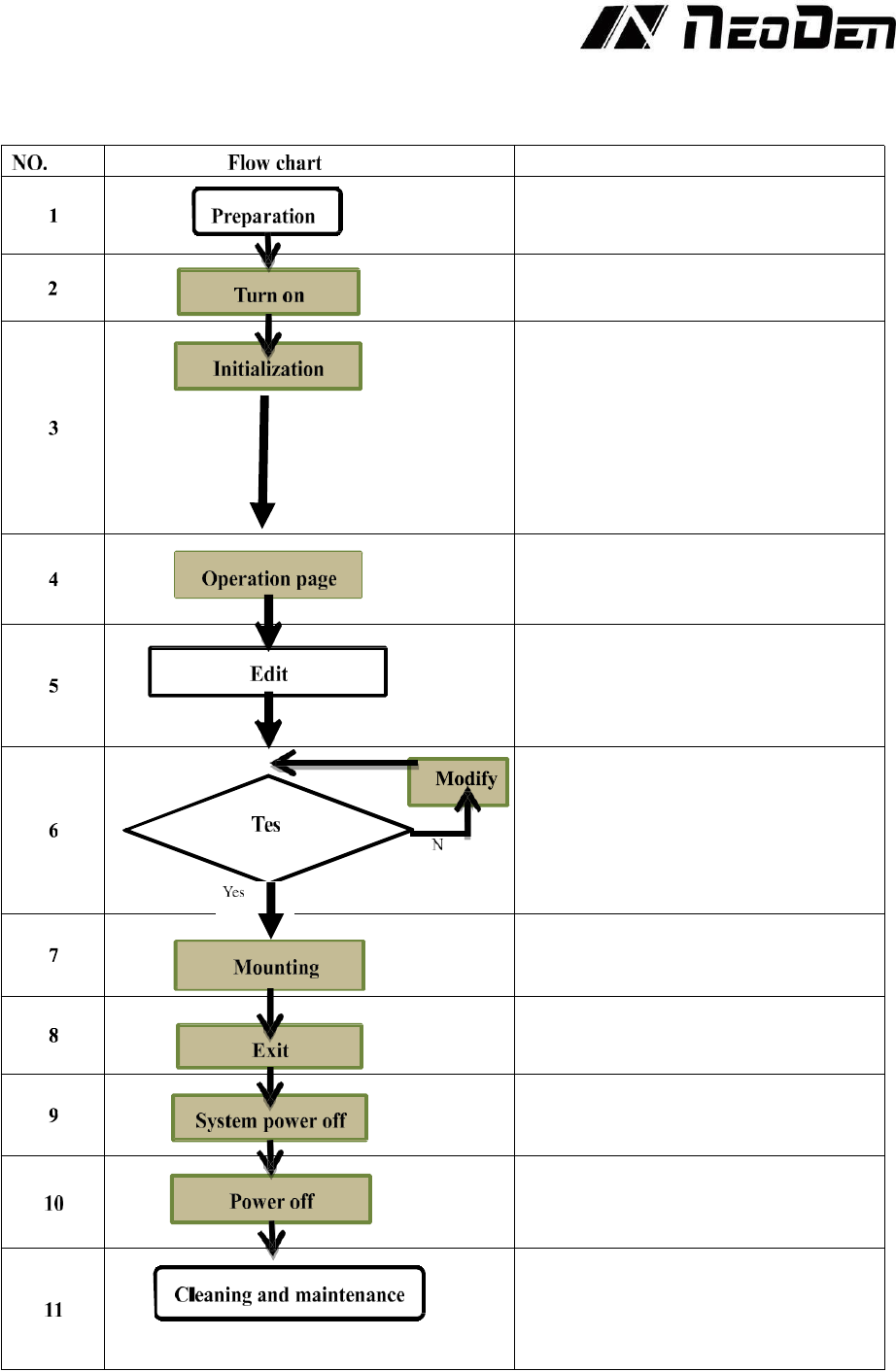
4 2. Operatio n Flo w Chart Note Check the working en vironment whether it is safe or not The mac hine will start a 1-2 mins self- inspection after boo t-up. It enters th e operation page once finished . Need to wait 1-2…
3
Figure 1.2
Figure 1.
position on the nozzle, very fine-pitch components (down to 0201) can be placed with repeatable
accuracy once the correct coordinates are identified. With these basic understandings, the following
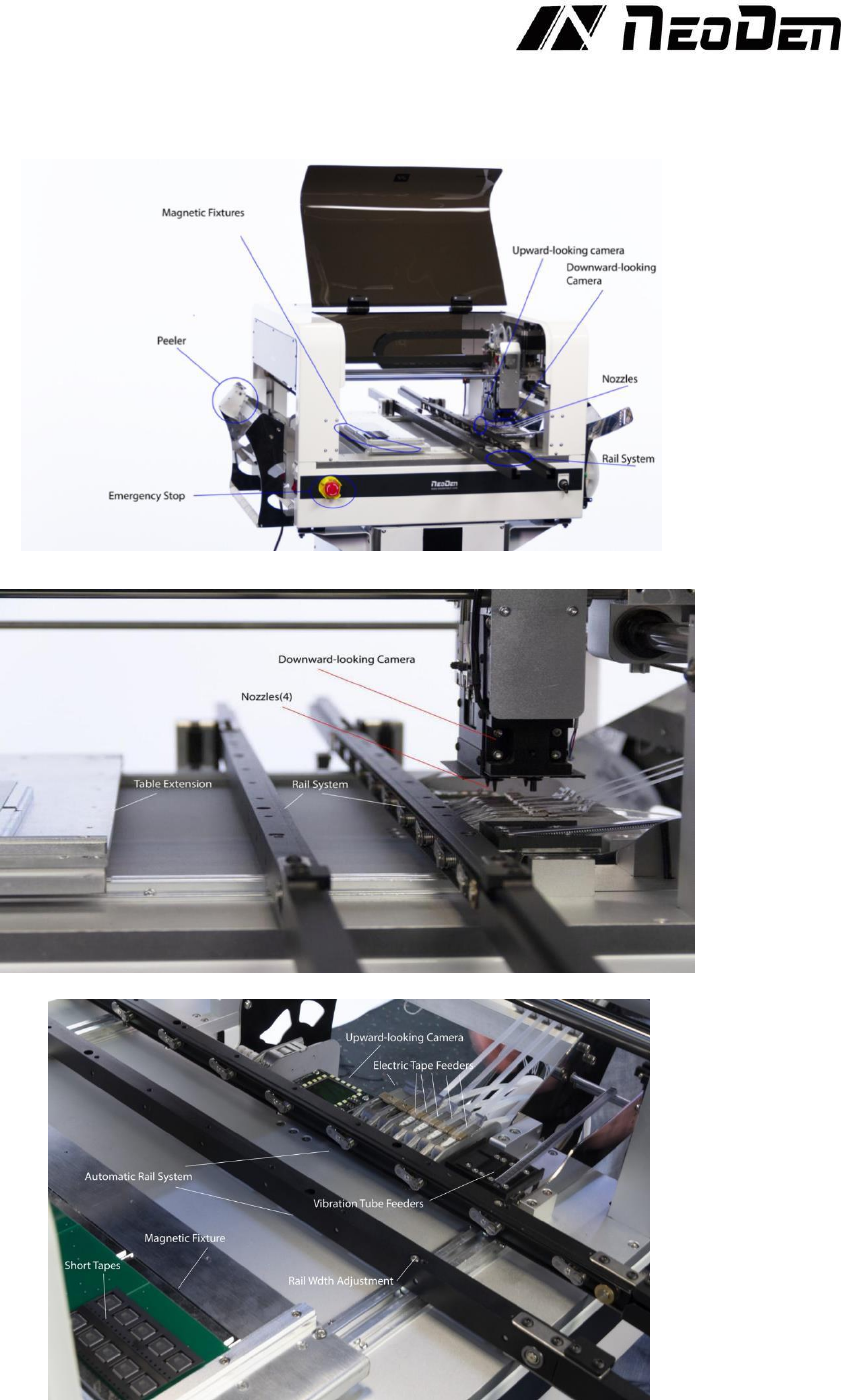
images reveal the basic components of the Neoden4, see Figure 1.1, Figure 1.2 and Figure 1.3.
Figure1.1
Figure1.2
Figure1.3
4
2.
Operation Flow Chart
Note
Check the working environment whether it
is safe or not
The machine will start a 1-2 mins self-
inspection after boot-up. It enters the
operation page once finished. Need to wait
1-2 minutes after turn on the machine,
mounting head will move diagonally and
then enter into operation page
Please refer to the following pages about
detailed programming tutorial
After making a programming file, there
may exist several unpredictable problems,
such as rotation issues of components, so
a production testing is necessary for
solving issues.
Start to pick and place
Power off software
Power off after the software being turned
off, which decrease the damage to the
software
Keep the machine clean and nozzles need
to be washed regularly
Keep daily maintenance of nozzle assures
high utility.
5
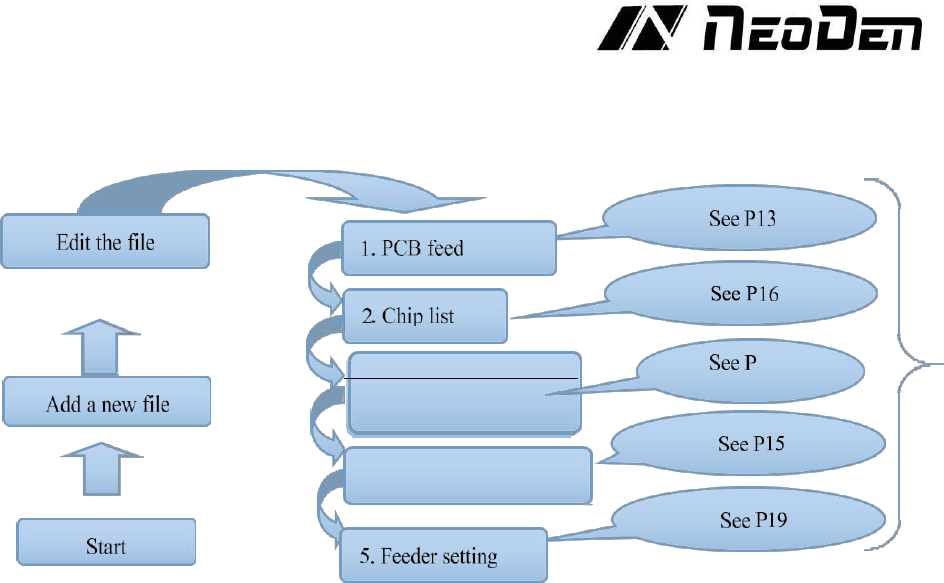
3. Panelized PCB first
chip setting
14
4. fiducial Setting
3.
Procedure for making a programming file
Note: The basic procedure of making a programming file for manual programming or direct PCB file is similar,
but there are two different parts: chip list and fiducial setting. Please find the detailed operation steps of the
differences on relative page.