User-Manual-of-NeoDen4-PNP-machine.pdf - 第40页
35 ⒂ ⑻ ⒀ ⑿ ⑹ ⒁ ⑼ ⑿ Upward-looking camera ⒀ Auto-rails ⒁ PCB support board ⒂ Nozzles 5.1 .1 Peeler Fix the p eeler Installatio n of pe eler
34
⑺
⑹
⑸
⑷
The size or shape isn’t aligned with that in “Footprint library”
The size of nozzle is inappropriate or insufficient suction.
The nozzle is damaged or blocked, and even has a crack
4.7.8 P&P programming page
This screen contains a list of available programs stored in the internal SSD, and is the screen from
which production operations are launched. The NeoDen4 is shipped with several factory test programs
installed, and these can either be kept, deleted or stored separately on an external USB drive for later
use. Available commands on this screen include:
Export to U Disk:
This command will copy the program file selected on the main screen to a USB
drive inserted into any of the four USB ports on the machine. It is recommended that files on the SSD
be backed up to a USB drive.
Import from U Disk:
This command will copy a program from an external USB drive to the
NeoDen4 and store it on the internal SSD. Programs are run from the internal SSD only.
Delete:
This command will permanently delete the selected program file from the internal SSD.
Copy: This command will copy the selected program file, allow the entry of a name for the copied
file, and store it on the internal SSD. The command is useful for creating alternative versions of
programs.
New:
Creates a new, blank program file.
Edit: This command opens the main programming interface for the machine. All parameters needed
to complete a finished board are entered in the two screens of this interface. A detailed discussion is
contained in section.
Mount: This command loads a program from the internal SSD in preparation for automatic or
stepped operation.
Continuous SMT production:
Follow the SOP to start production Notes
Do not touch the surface to board to avoid damaging the printed solder paste. 2.When the error message
occurs, please check out and solve it a.s.a.p.
Once reloading the component during production, pay attention to the model, specification, polarity
and direction of components.
5. Structure and maintenance instruction
5.1
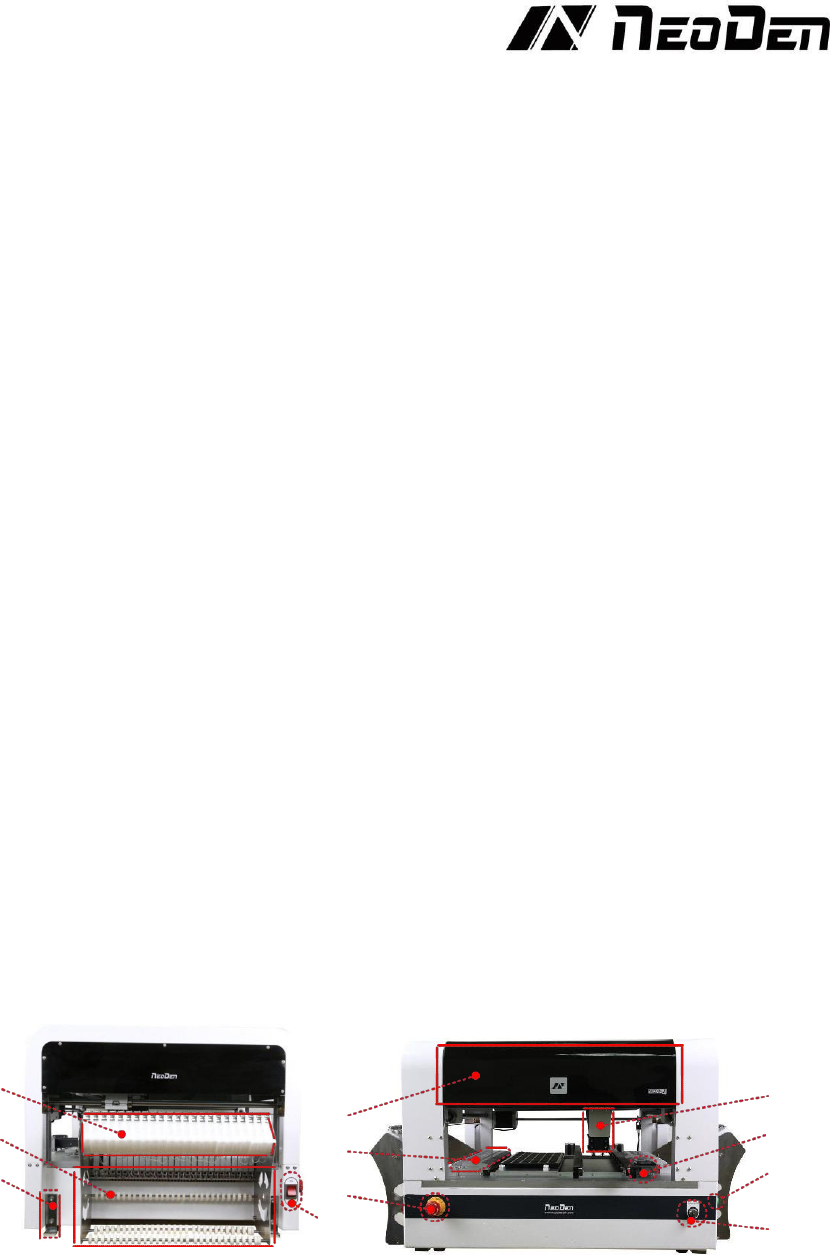
Structure chart
⑴
⑻
⑵
⑼
⑶
⑽
⑾
1-1 Side view 1-2 Front view
⑴Peeler
⑵Tape & Reel holder
⑶fixed support
⑷Power switch
⑸Emergency stop
⑹Feeder
⑺Cover
⑻Placement head
⑼Vibration feeder
⑽ Pause button
⑾ Conveyor port
35
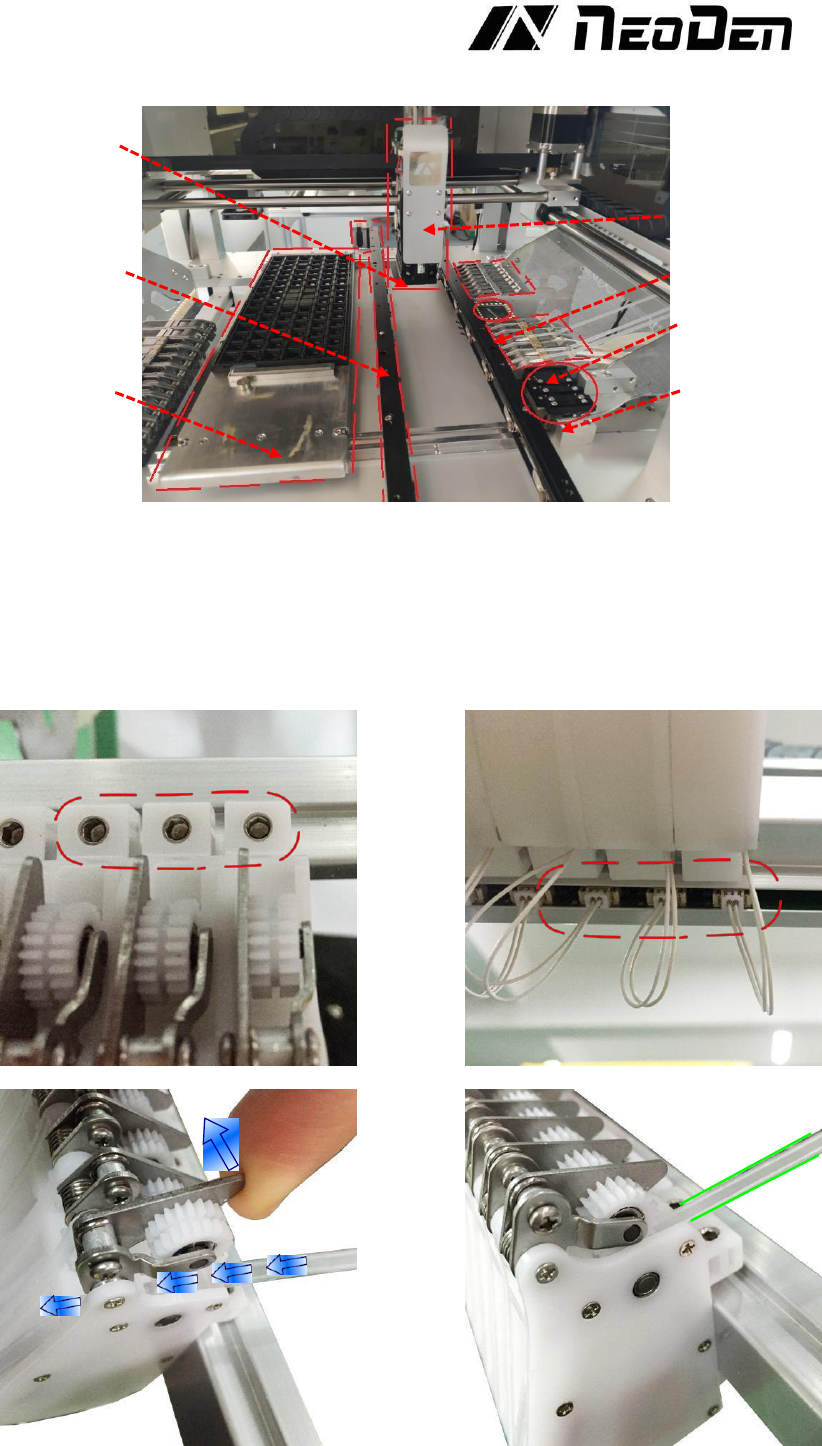
⒂
⑻
⒀
⑿
⑹
⒁
⑼
⑿ Upward-looking camera ⒀ Auto-rails ⒁ PCB support board
⒂
Nozzles
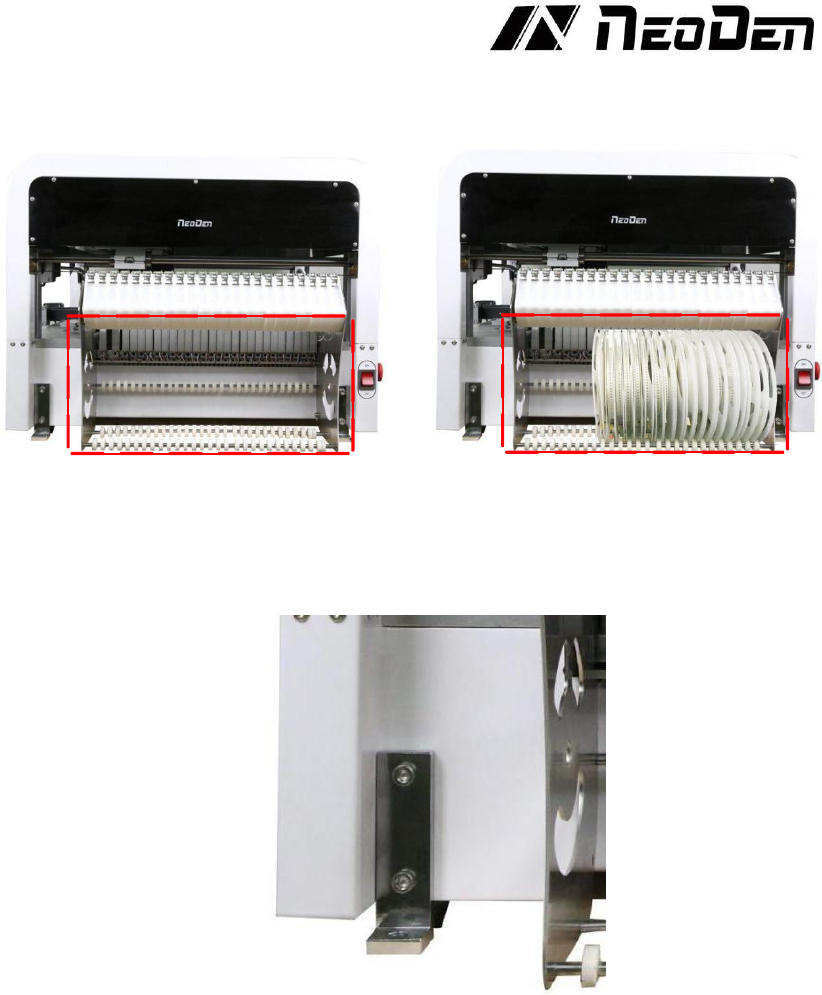
5.1.1 Peeler
Fix the peeler
Installation of peeler
36
5.1.2 Tape & Reel holder
5.1.3 Fixation support