TR7007M_SII_Hardware_en_v1-0-1.pdf - 第67页
Test Research, Inc. TR7007M SII User Guide – Hardware 57 9.4 Holder Motor Elevation Motor Not in P osition: Fir st perform a test manually (press the two hidden buttons simultaneously, the configuration procedure is show…
Test Research, Inc.
56 TR7007M SII User Guide – Hardware
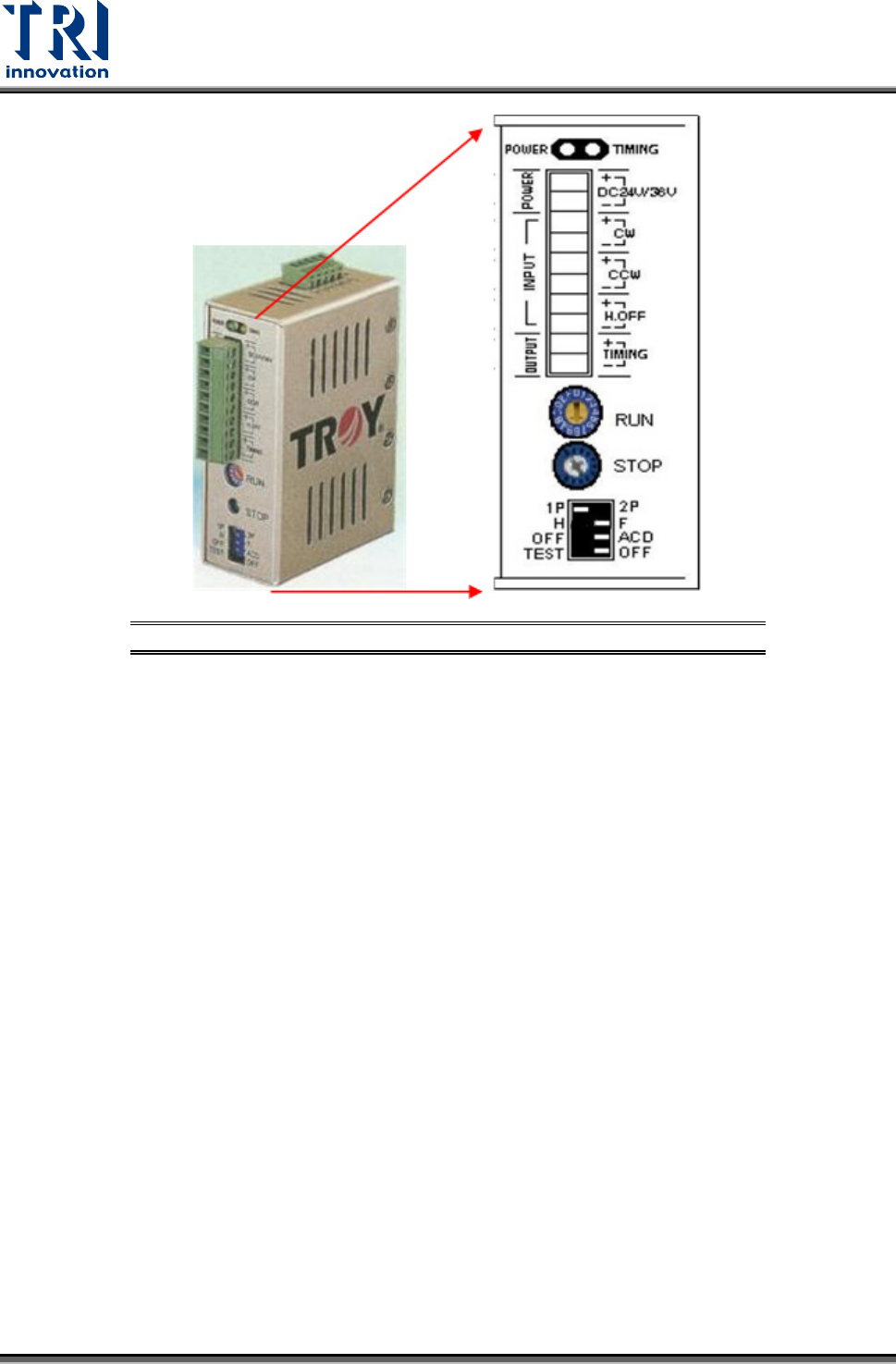
Figure 102: Conveyor Stepping Motor Driver
9.3.3 Replacement
Driver: First turn off the power then remove the two sets of wires and two DC +24V power
supply cables from the Driver. There is a screw at the top and bottom of the driver.
Remove the screws to install the new Driver. Once replacement is complete, reconnect
the wiring and power cables. After replacement re-adjust the driver using the proper
adjustment method.
Conveyor Motor: On top of the conveyor motor there is a clamped screw. Use a hex key
wrench to remove it, then insert the hex key wrench inside to unfasten the screw. Once
the screw is loosened the axle can be removed. Now unfasten the four screws around
the motor and remove the wire linking it to the machine. The motor can now be removed.
Test Research, Inc.
TR7007M SII User Guide – Hardware 57
9.4 Holder Motor
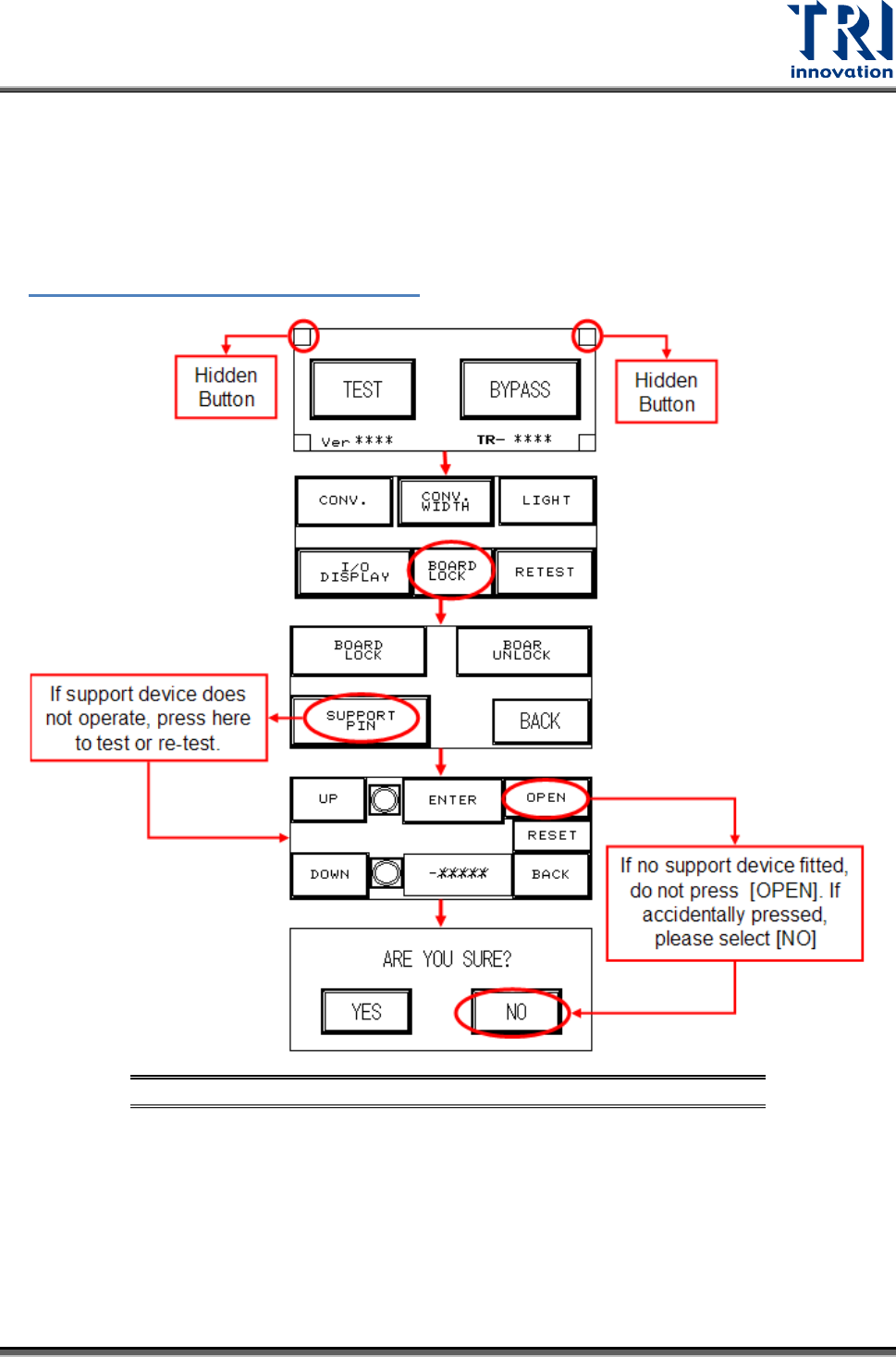
Elevation Motor Not in Position: First perform a test manually (press the two hidden buttons
simultaneously, the configuration procedure is shown in the figure below) to check if it is a
problem with the holder motor or with the support motor (if support device is not installed, do
not activate this option. If accidentally pressed, select NO). Observe the results and refer to
Figure 98: Motor Troubleshooting Matrix
to troubleshoot..
Figure 103: Holder Motor Troubleshooting Process
9.4.1 Step Motor Problem
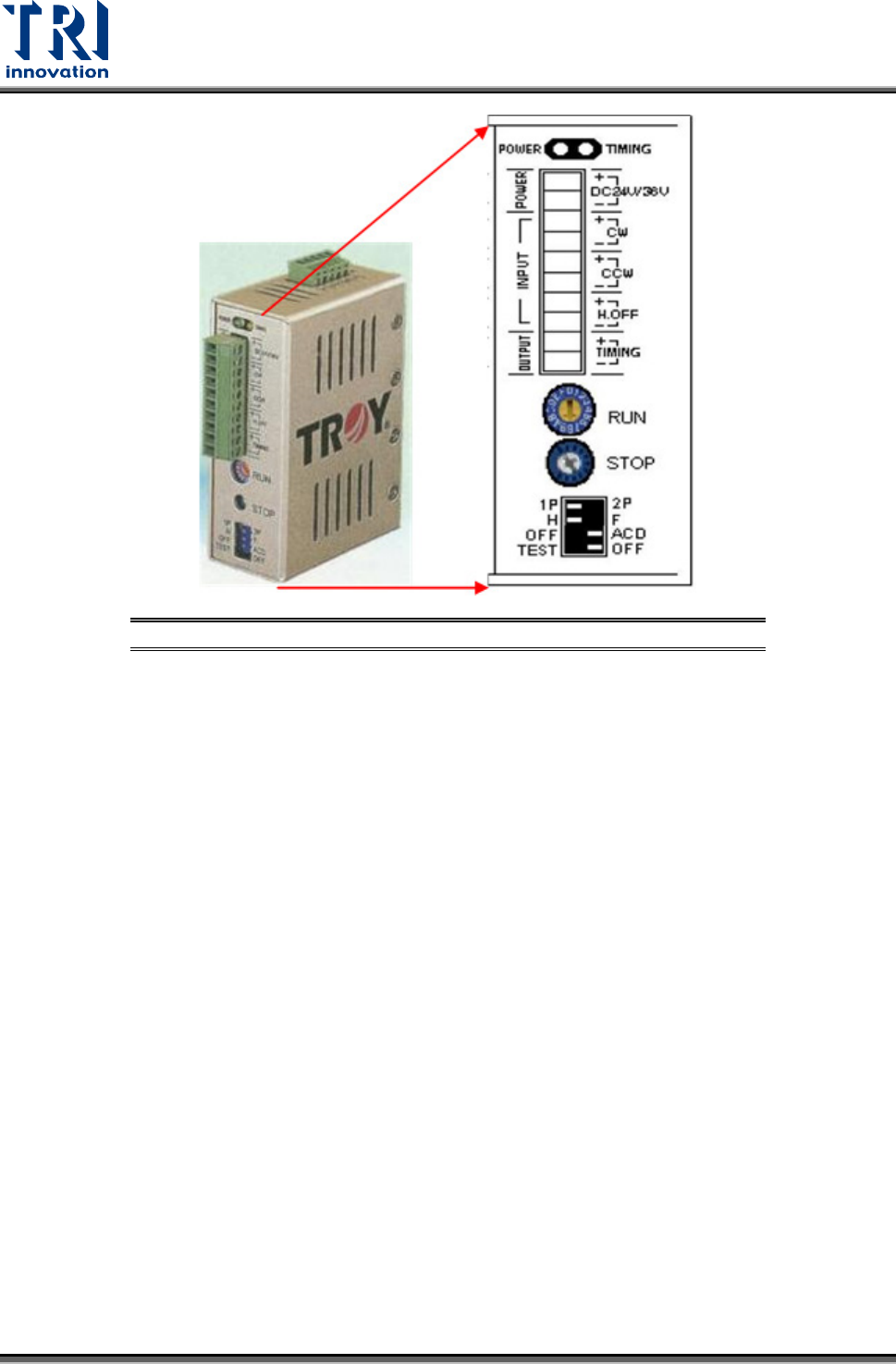
There are two variable resistors located below the Driver. There is a cross-shaped location
where the variable resistor can be adjusted. Use the adjustment rod to turn the arrow at the
cross location, turn in a clockwise direction to increase. Check if the electric current of RUN
and STOP is adjusted to 80%.
Test Research, Inc.
58 TR7007M SII User Guide – Hardware
Figure 104: Conveyor Stepping Motor Driver
9.4.2 Replacement
Driver: First turn off the power then remove the two sets of wires and two DC +24V power
supply cables from the Driver. There is a screw at the top and bottom of the driver.
Remove the screws to install the new Driver. Once replacement is complete, reconnect
the wiring and power cables. After replacement re-adjust the driver using the proper
adjustment method.
Conveyor Motor: On top of the conveyor motor there is a clamped screw. Use a hex key
wrench to remove it, then insert the hex key wrench inside to unfasten the screw. Once
the screw is loosened the axle can be removed. Now unfasten the four screws around
the motor and remove the wire linking it to the machine. The motor can now be removed.