TR7007M_SII_Hardware_en_v1-0-1.pdf - 第89页
Test Research, Inc. TR7007M SII User Guide – Hardware 79 Figure 122 : X Axis M agnetic P ole C heck Re sult Pressing [SVON] can turn off the servo again. 8) Y Axis M agnetic P ole C heck (Th e sam e wi t h t he X axis ch…
Test Research, Inc.
78 TR7007M SII User Guide – Hardware
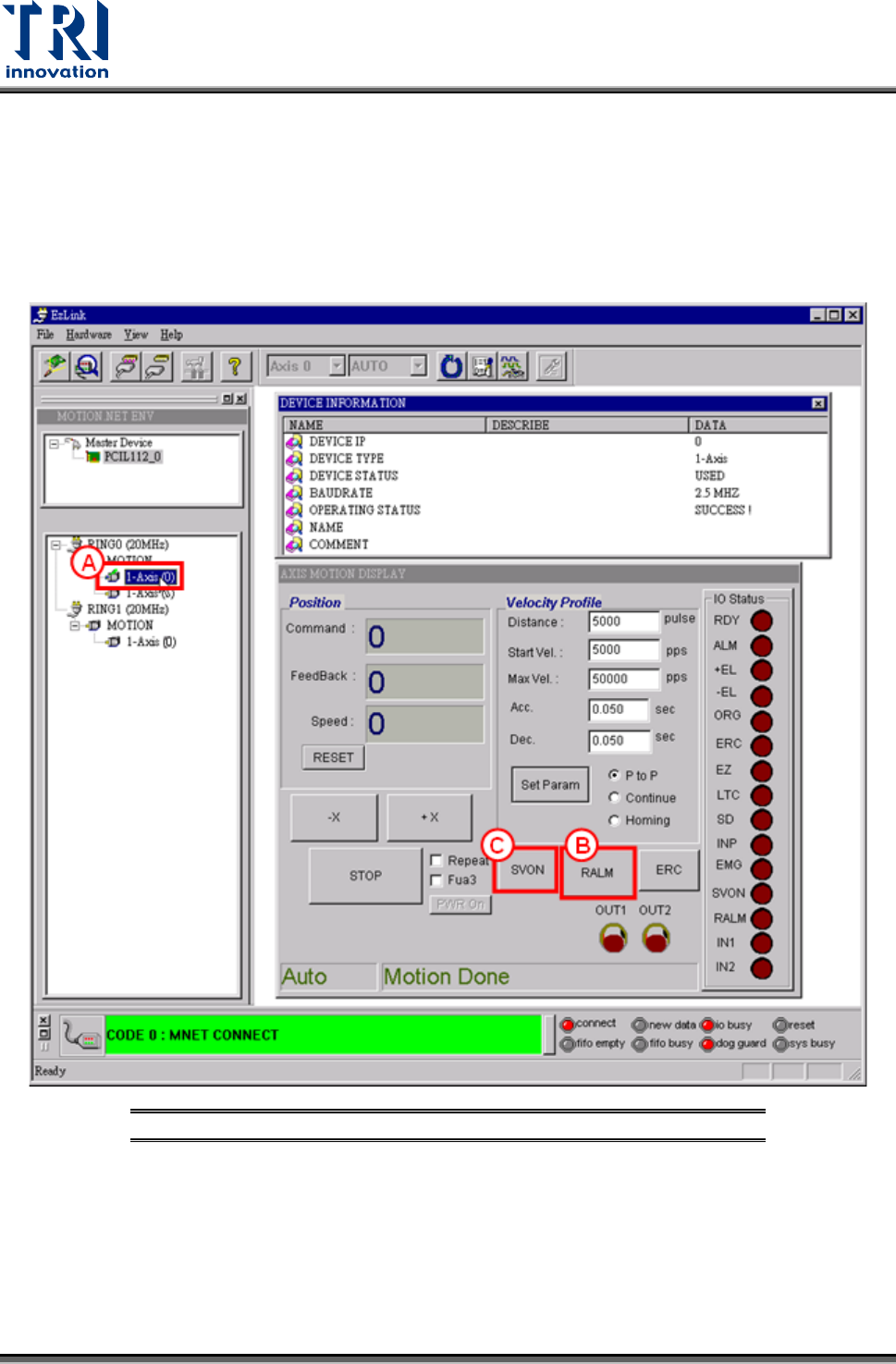
7) X Axis Magnetic Pole Check
A. Click [1-Axis (0)] icon to open X axis motion display windows.
B. Click [RALM] icon to clear alarm messages.
C. Click [SVON] icon to start magnetic pole check. This moves the servo motor a short
distance at a time. Repeat until magnetic pole check finishes.
Figure 121: X Axis Magnetic Pole Check
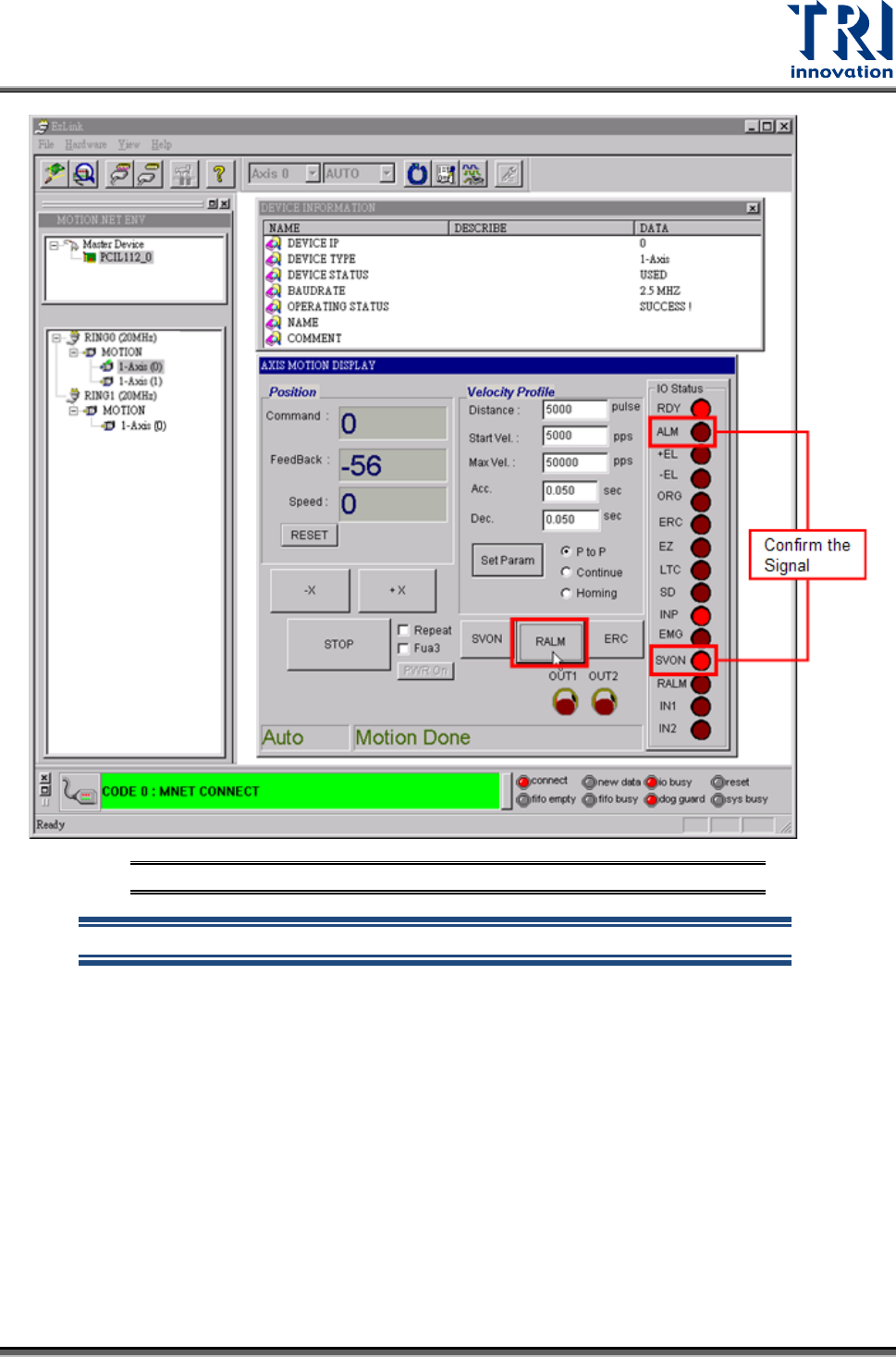
D. If the magnetic pole check fails, there is a servo error in which the [ALM] signal is on
and the [SVON] signal still off. If magnetic pole check is successful, click on [RALM]
button and the [ALM] signal will turn off and [SVON] signal will turn on. Then the X
axis is ready to move.
Test Research, Inc.
TR7007M SII User Guide – Hardware 79
Figure 122: X Axis Magnetic Pole Check Result
Pressing [SVON] can turn off the servo again.
8) Y Axis Magnetic Pole Check (The same with the X axis check)
Click [RING0/ 1-Axis (1)] icon to open Y axis motion display windows. The following
procedure is the same with the checking procedure of X axis .
9) Z Axis Magnetic Pole Check (The same with the X axis check)
Click [RING1/ 1-Axis (0)] icon to open Z axis motion display windows. The following
procedure is the same with the checking procedure of X axis .
10) Check Homing Function
Test Research, Inc.
80 TR7007M SII User Guide – Hardware
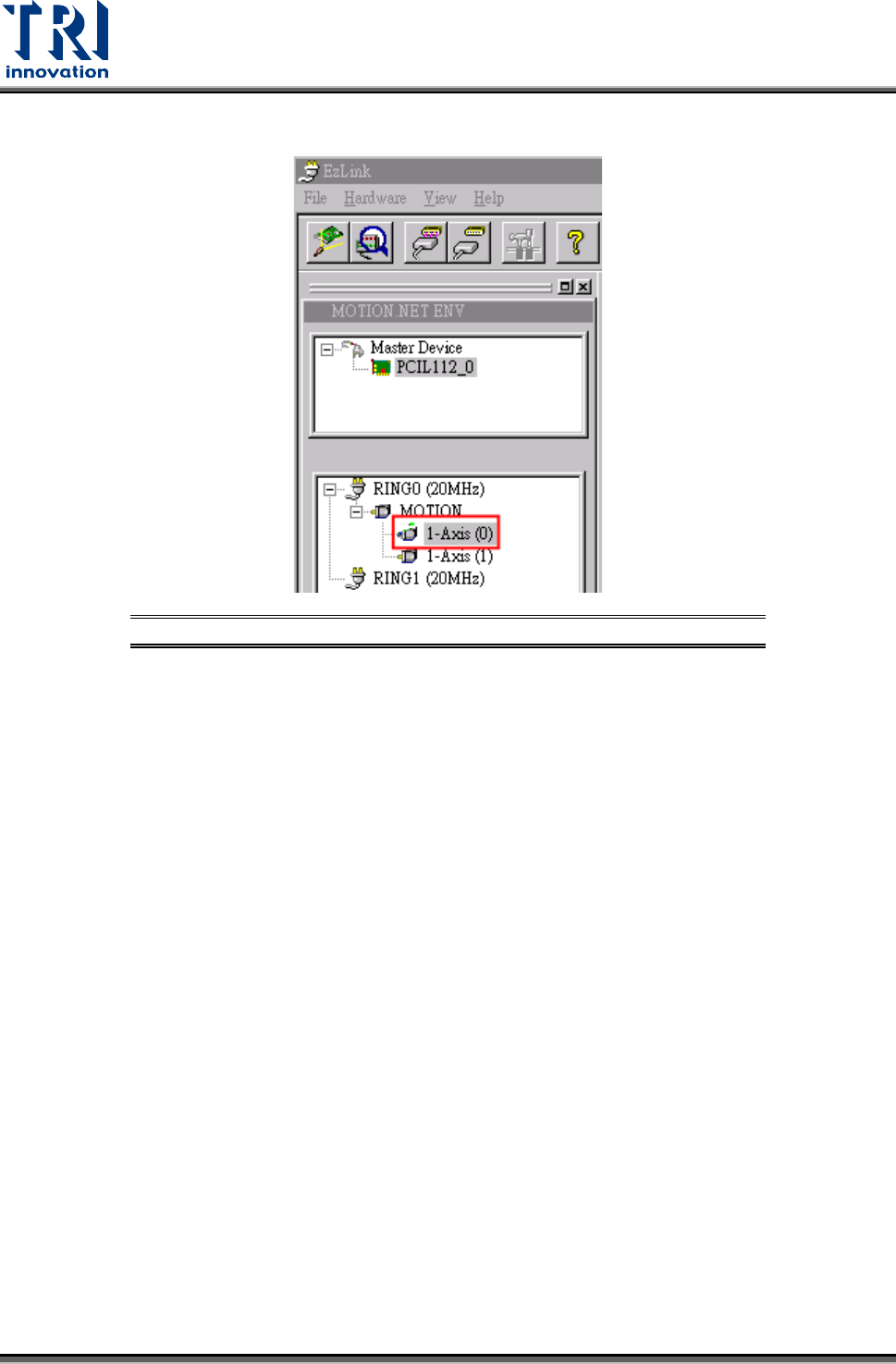
A. Select the particular axis to test.
Figure 123: Select Axis for Servo Homing Test