TR7007M_SII_Hardware_en_v1-0-1.pdf - 第81页
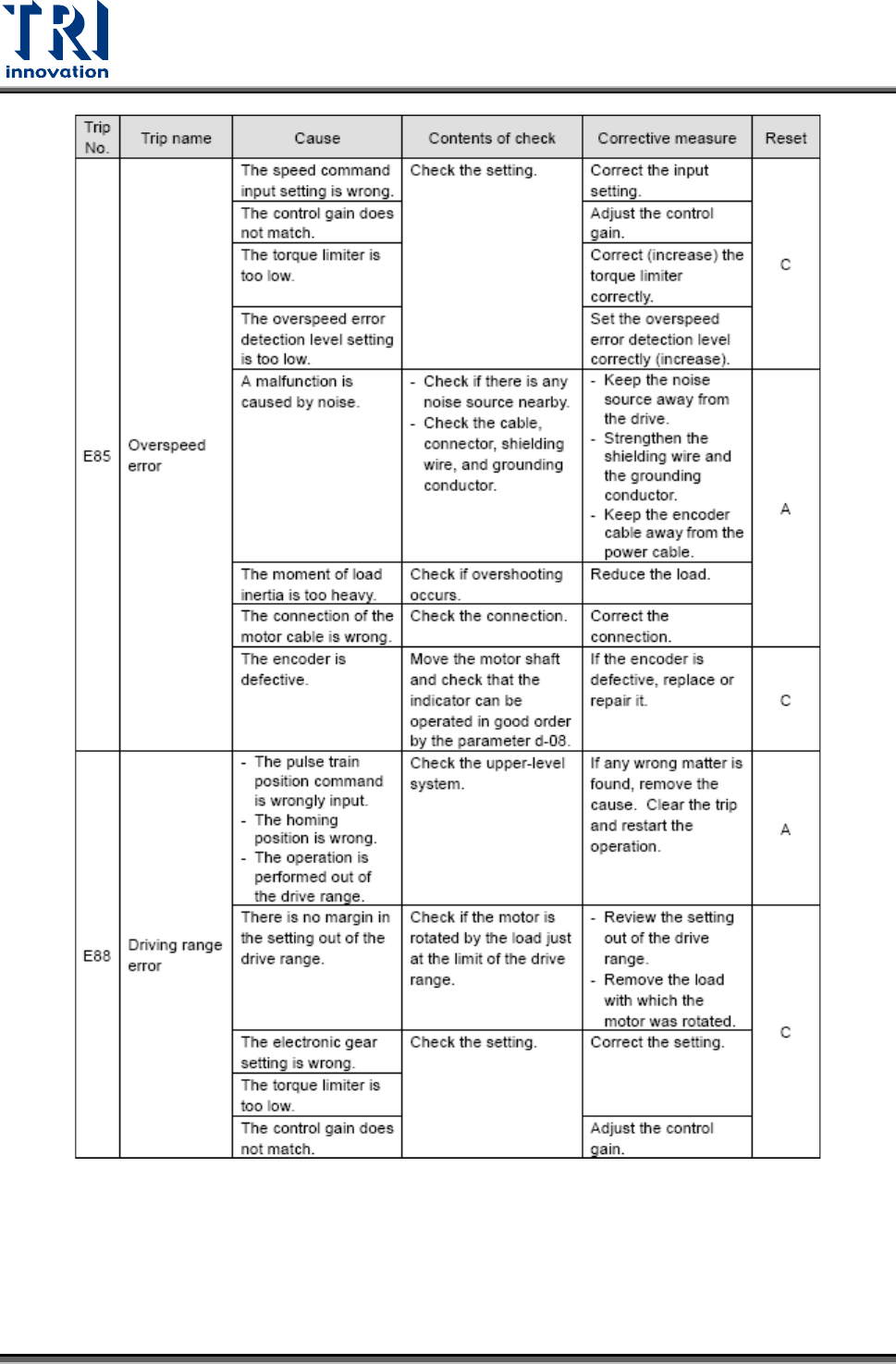
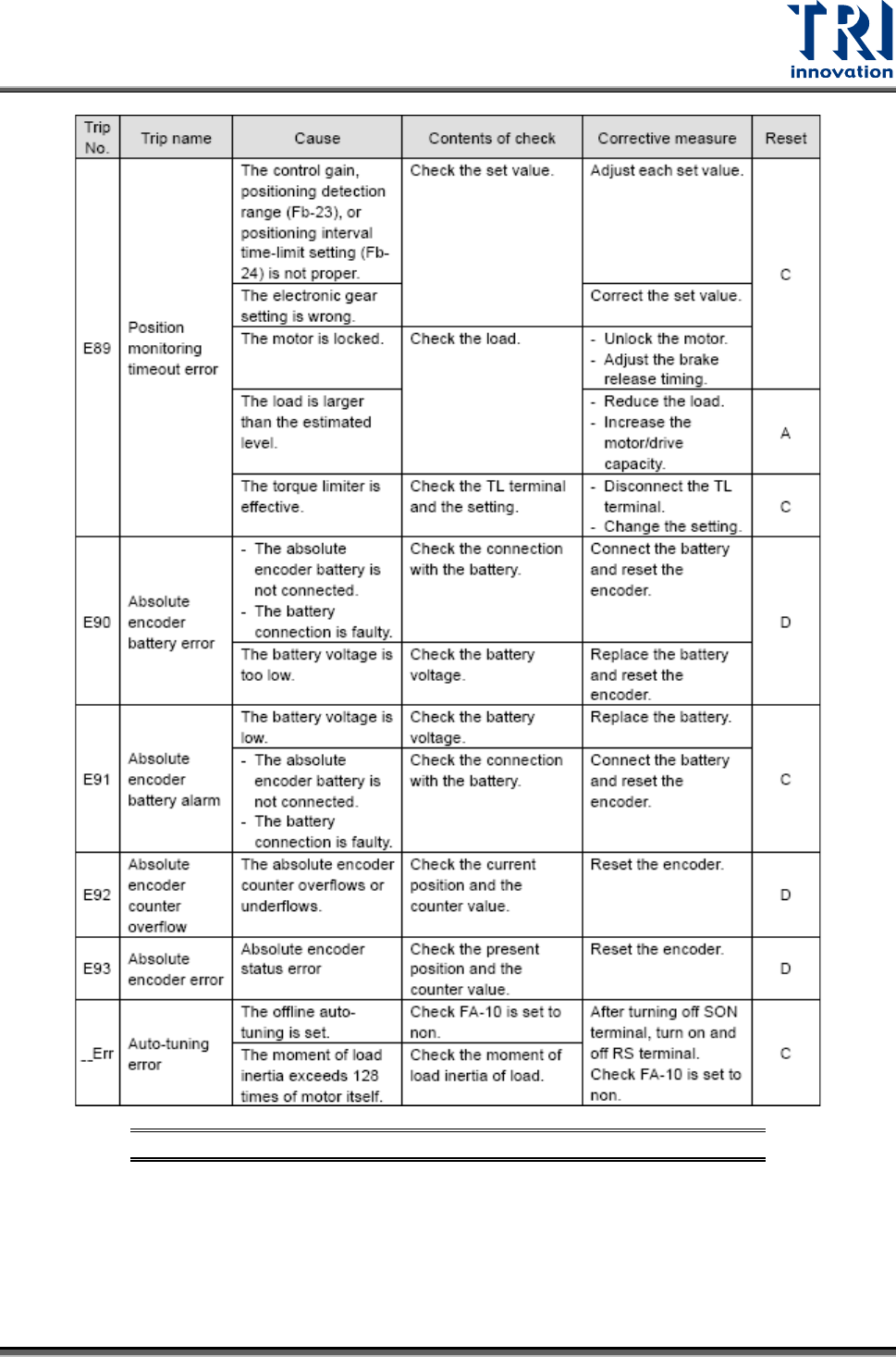
Test Research, Inc. TR7007M SII User Guide – Hardware 71 Figure 110 : Erro r Code s of X- Y T able Driver
Test Research, Inc.
70 TR7007M SII User Guide – Hardware
Test Research, Inc.
TR7007M SII User Guide – Hardware 71
Figure 110: Error Codes of X-Y Table Driver
Test Research, Inc.
72 TR7007M SII User Guide – Hardware
9.6.2 EzLINK
EzLink is a suite of software tools to test if a serial connection is working properly.
EzLink is a diagnostic software tool often used during system setup. In case of any system
error, the EzLink software can easily identify whether the problem is related to hardware or
software.
Once the EzLink program is running, it will start with detecting all extension devices that are
currently on-line. These devices will then be classified as either I/O type or Motion type. From
the complete list of control modules identified, it is therefore easy to verify if the system is
working properly or not. It is also possible to perform a functional test just by clicking on the
individual extension device.
Test Procedure:
1) Open EzLink
For Windows XP, 32bit computer (TR7550), the execute file is in
[D:\SYNTEK\TRI_0331_EzLink_32\EzLink.exe]
For Windows XP, 64bit computer (TR7066/7007/7700), the execute file is in
[D:\SYNTEK\X64_Driver_DLL_Dev\EzLink_64.exe]
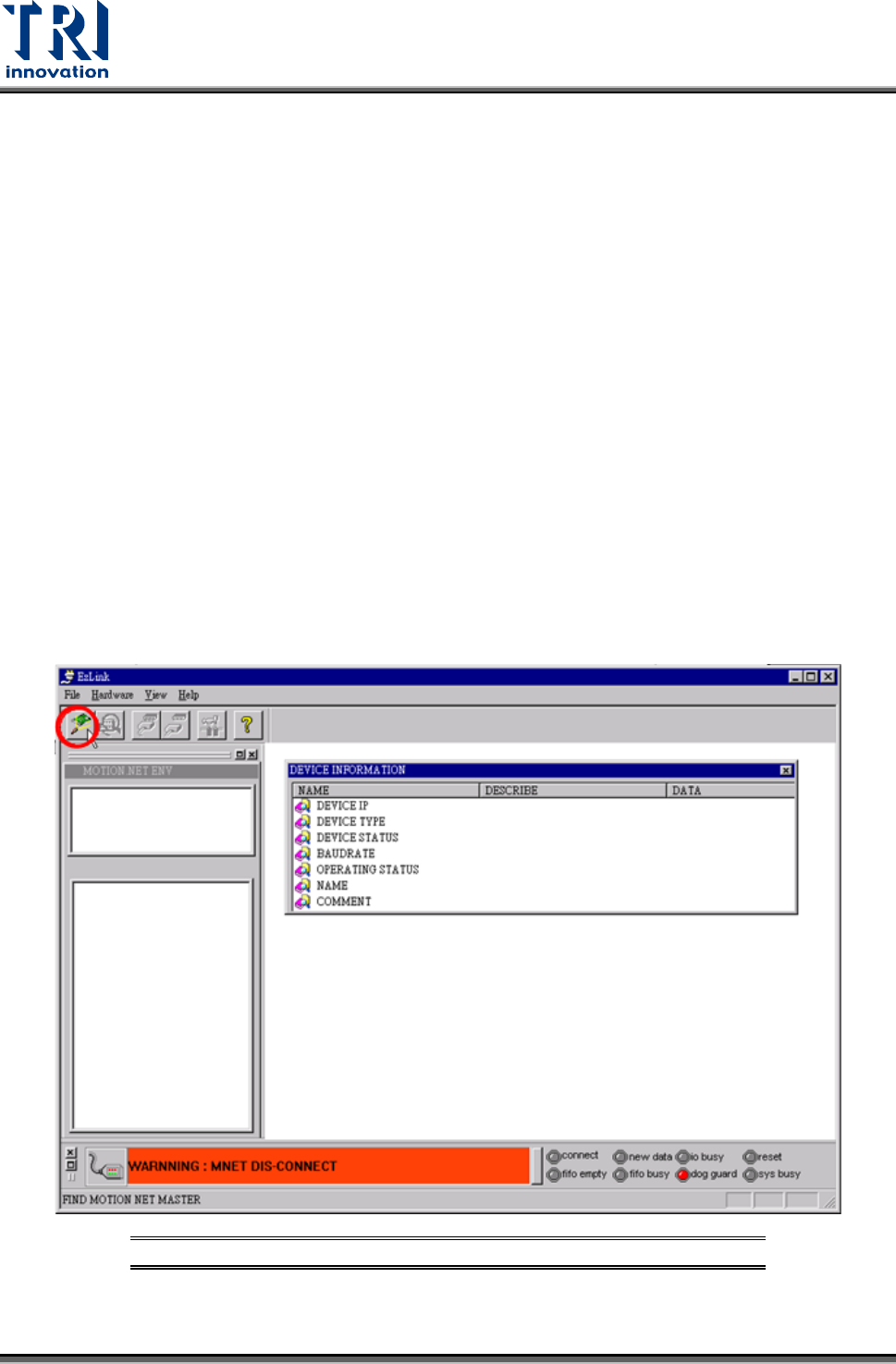
2) Press [Hardware Search] button to find DSP card. Refer to the following figures.
Figure 111: Hardware Search