00191332-01.pdf - 第15页
User Manual Test Program SITEST 0 Introduction to the User Interf ace of the Test Program Software Version 405.xx Issue 01/99 0.2 Components of the User I nterface 0 - 5 0.2 Compone nts of the Us er Interfac e After sta …
0 Introduction to the User Interface of the Test Program User Manual Test Program SITEST
0.1 Starting/Terminating the Test Program Software Version 405.xx Issue 01/99
0 - 4
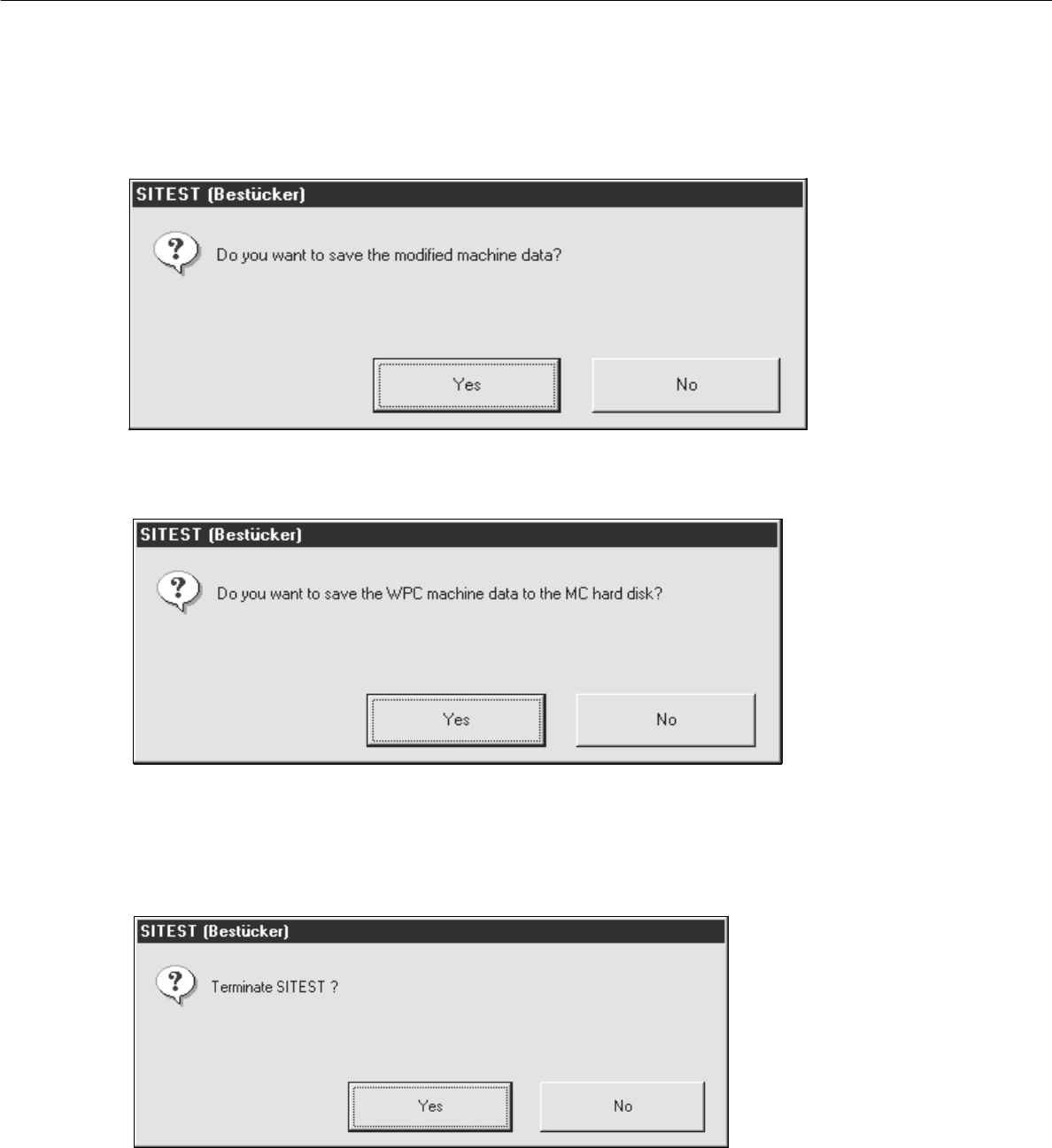
● Click on the
Yes
button in the dialog box if you wish to save the data on terminating the test program, or
click on
No
if you do not wish to save the data.
The following dialog box opens.
● Click on the Yes button. The test program is terminated.
User Manual Test Program SITEST 0 Introduction to the User Interface of the Test Program
Software Version 405.xx Issue 01/99 0.2 Components of the User Interface
0 - 5
0.2 Components of the User Interface
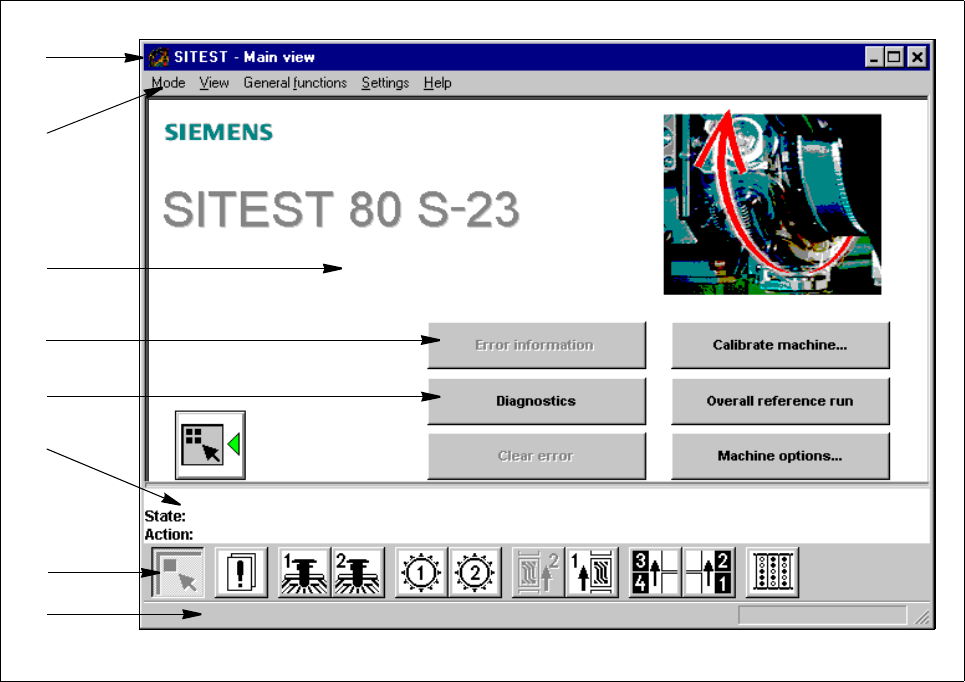
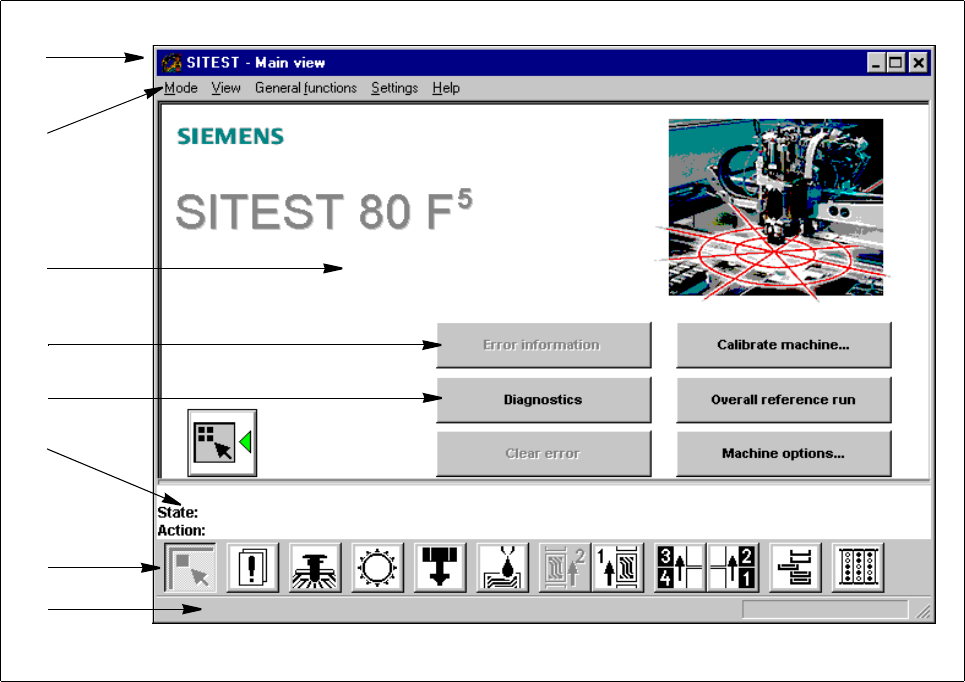
After starting the SITEST test program, the main view of the user interface will be displayed (see Figs. 0.2.1
and 0.2.2). The operator can control the basic functions of the program from this display. He can return to the
main view from all the other displays (see sections 0.3.2 through 0.3.10).
Fig. 0.2.1 "Main View", Machine Type 80S-23
Legend pertaining to Fig. 0.2.1
➀
Title bar
➁
Menu bar
➂ Work area
➃ Inactive button
➄ Active button
➅ Status bar
➆ Toolbar
➇ Info bar
➀
➁
➂
➃
➄
➅
➆
➇
0 Introduction to the User Interface of the Test Program User Manual Test Program SITEST
0.2 Components of the User Interface Software Version 405.xx Issue 01/99
0 - 6
Fig. 0.2.2 "Main View", Machine Type 80F
5
Legend pertaining to Fig. 0.2.2
➀
Title bar
➁
Menu bar
➂
Work area
➃
Button (cannot be activated)
➄
Button (can be activated)
➅
Status bar
➆
Toolbar
➇ Info bar
➀
➁
➂
➃
➄
➅
➆
➇