00191332-01.pdf - 第27页
User Manual Test Program SITEST 0 Introduction to the User Interf ace of the Test Program Software Version 405.xx Issue 01/99 0.2 Components of the User I nterface 0 - 17 Hidden wi ndow contents can be m ov ed into view …
0 Introduction to the User Interface of the Test Program User Manual Test Program SITEST
0.2 Components of the User Interface Software Version 405.xx Issue 01/99
0 - 16
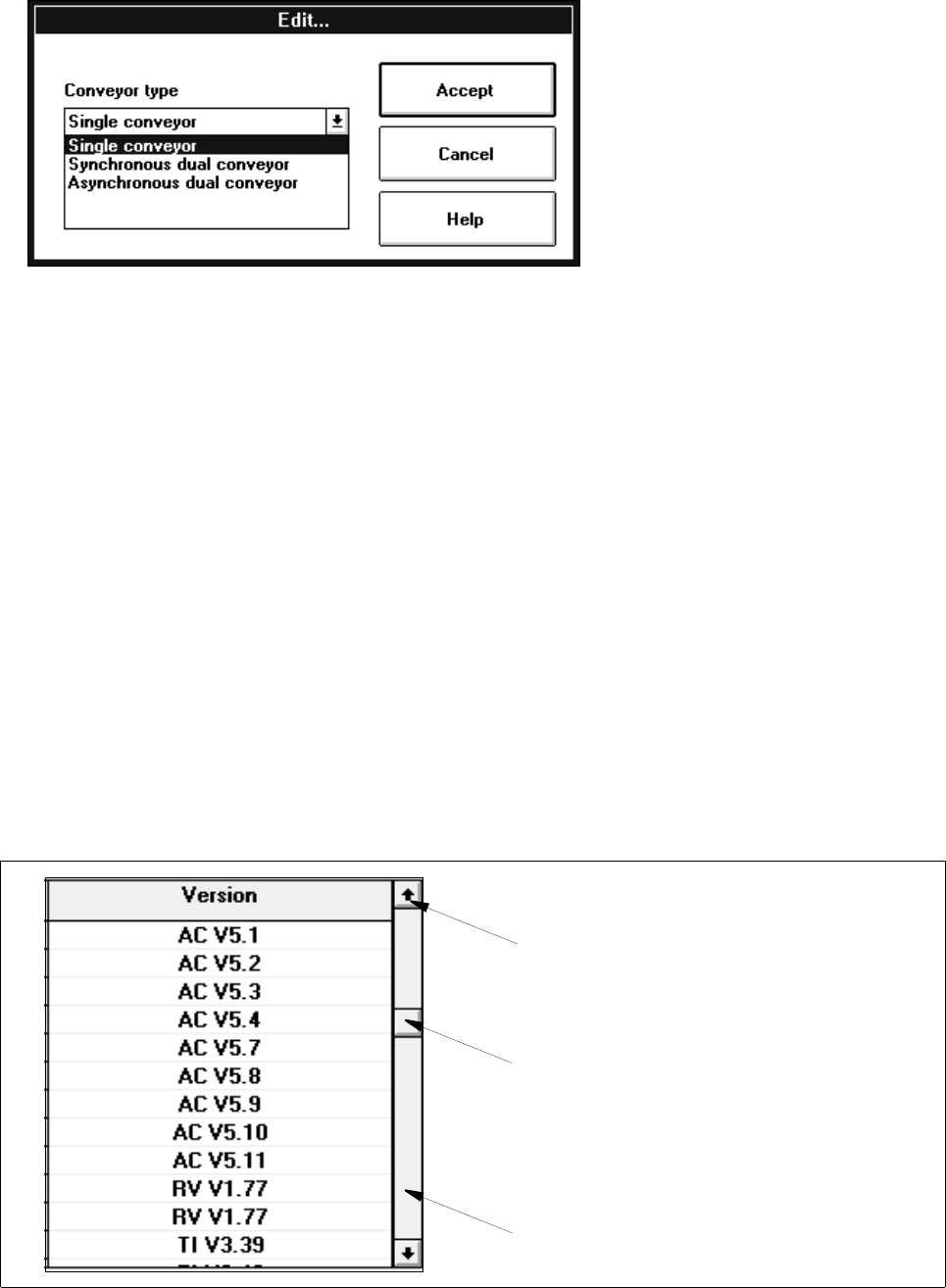
Selection:
● Click on the arrow button or the entry displayed.
A list containing the available options opens.
● Click on the entry of the desired option.
● Click on the
Accept
button if you wish to accept the entry or the selection,
or click on the
Cancel
button if you don’t want to accept it.
0.2.4 Scroll Bars
Vertical and horizontal scroll bars automatically appear along the respective window (or box) when a text cannot
be displayed in its entirety due to its number of lines or the line width, or if a graphic is too long or too wide.
Scroll bar
Scroll box
Scroll arrow
User Manual Test Program SITEST 0 Introduction to the User Interface of the Test Program
Software Version 405.xx Issue 01/99 0.2 Components of the User Interface
0 - 17
Hidden window contents can be moved into view by means of the items of the scroll bar.
Scroll bars have scroll arrows at either end and a rectangular scroll box, located between the arrows, which
moves within the scroll bar. The position of the scroll box within the scroll bar reflects the relative position of the
currently visible portion of the window’s contents within the document.
Scrolling a window’s contents a line at a time in one direction
● In the scroll bar click on the arrow for the desired direction with the left mouse button. With each
mouse click, the window’s contents move up or down a line at a time. The scroll box moves in the
direction of the selected arrow depicting your relative position within the document.
Scrolling a window’s contents continuously:
● Using the left mouse button, click on the scroll arrow for the desired direction in the scroll bar and
hold down the mouse button until the desired position is reached.
The corresponding portion of the window’s contents is now displayed.
0 Introduction to the User Interface of the Test Program User Manual Test Program SITEST
0.2 Components of the User Interface Software Version 405.xx Issue 01/99
0 - 18