00191332-01.pdf - 第64页
1 General Functions User Manual Test Program SITEST 1.8 Saving WPC M achine Data Software Version 405.xx Issue 01/99 1 - 22
User Manual Test Program SITEST 1 General Functions
Software Version 405.xx Issue 01/99 1.8 Saving WPC Machine Data
1 - 21
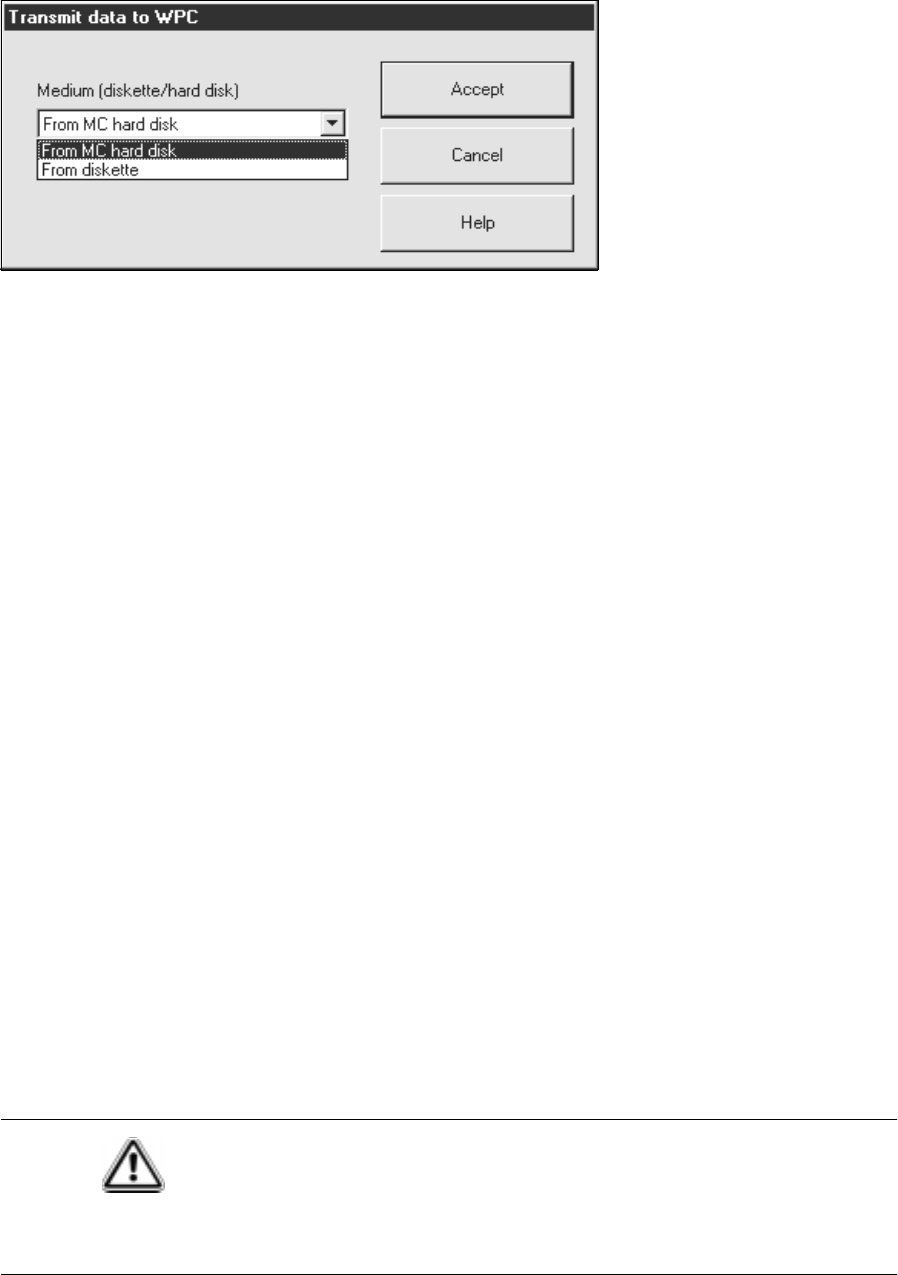
The setting box below opens.
Transmitting MA data from hard disk:
● Select the
From MC hard disk
function.
● Click on the
Accept
button. The MA data is transmitted from the hard disk to the memory of the RAM
chip.
Transmitting MA data from diskette:
● Insert the diskette containing the MA data for the WPC into the floppy drive.
● Select the
From diskette
function.
● Click on the
Accept
button. The MA data is transmitted from diskette to the memory of the RAM chip.
● After transmitting the MA data, click on the
WPC reference run
button to perform a reference run for all
axes of the wafflepack changer.
1.8.4 Transmitting Default MA Data to the RAM Chip Memory
● Click on the
Initialize
button in the "WPC machine data" display (see Fig. 1.8.1) to transmit the default
MA data stored in the software to the memory of the RAM chip.
CAUTION
All previously determined MA data held in the memory of the battery-buffered RAM chip
will be lost as they will be overwritten with the standard MA data stored in the software!
● After transmitting the MA data, click on the WPC reference run button to perform a reference run for all
axes of the wafflepack changer.
1 General Functions User Manual Test Program SITEST
1.8 Saving WPC Machine Data Software Version 405.xx Issue 01/99
1 - 22
User Manual Test Program SITEST 1 General Functions
Software Version 405.xx Issue 01/99 1.9 In-/Output Functions
1 - 23
1.9 In-/Output Functions
The functions described in the following serve to selectively interrogate and activate individual bits of the input
and output cards of the SIPLACE machines and the wafflepack changer (only input card).
1.9.1 Inputs
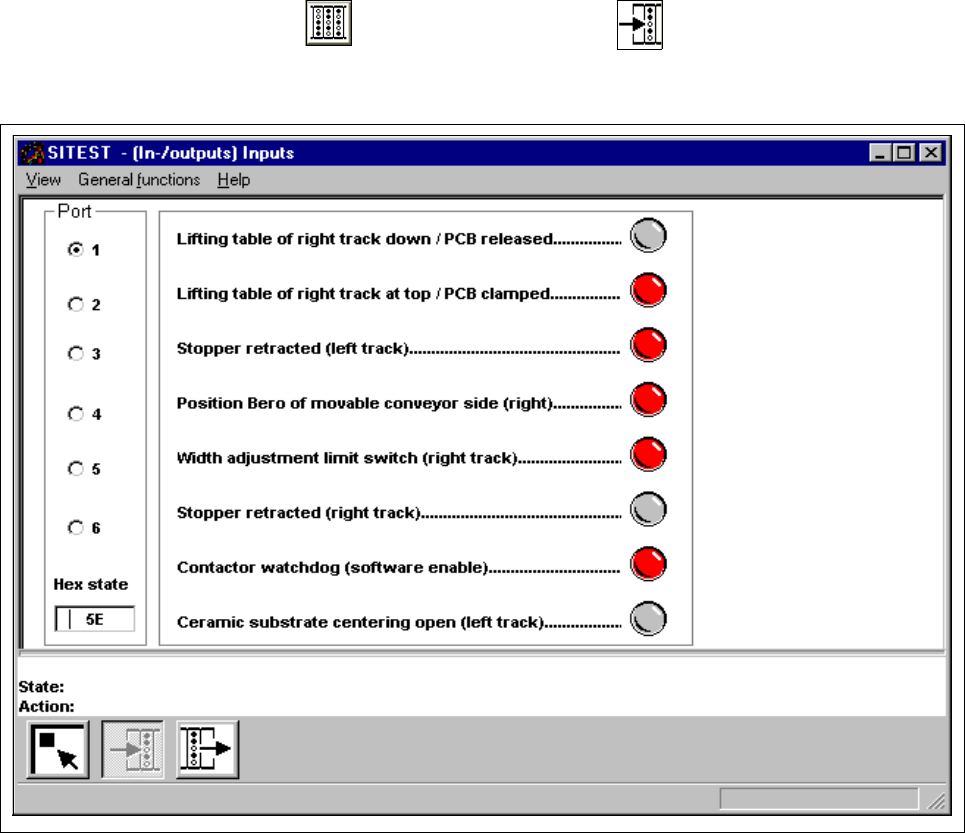
● In the main view click on the icon and then (if required) the icon to reach the "Inputs" display
(see Fig. 1.9.1).
Fig. 1.9.1 "Inputs" Display