00191332-01.pdf - 第61页
User Manual Test Program SITEST 1 General Functions Software Version 405.xx Issue 01/99 1.8 Saving WPC Machine Data 1 - 19 1.8 Sa ving WPC Mac hine Data 1.8.1 Writing MA Data to the Memory of the RAM Chip Newly deter min…
1 General Functions User Manual Test Program SITEST
1.7 Saving Machine Data Software Version 405.xx Issue 01/99
1 - 18
● Click on the
OK
button. The MA data will be copied to the hard disk.
● Restart the machine to activate the copied MA data.
User Manual Test Program SITEST 1 General Functions
Software Version 405.xx Issue 01/99 1.8 Saving WPC Machine Data
1 - 19
1.8 Saving WPC Machine Data
1.8.1 Writing MA Data to the Memory of the RAM Chip
Newly determined calibration data or modified WPC machine data can be written to the MC hard disk using
the "Save WPC machine data" menu command (SIPLACE 80F
4
/80F
5
) on the "Settings" menu.
● Click on
Settings
-->
Save WPC machine data
.
The data are saved to the MC hard disk.
NOTE
The menu command can only be executed if data for the wafflepack changer was newly determined
or modified.
1.8.2 Saving MA Data to Hard Disk or Diskette
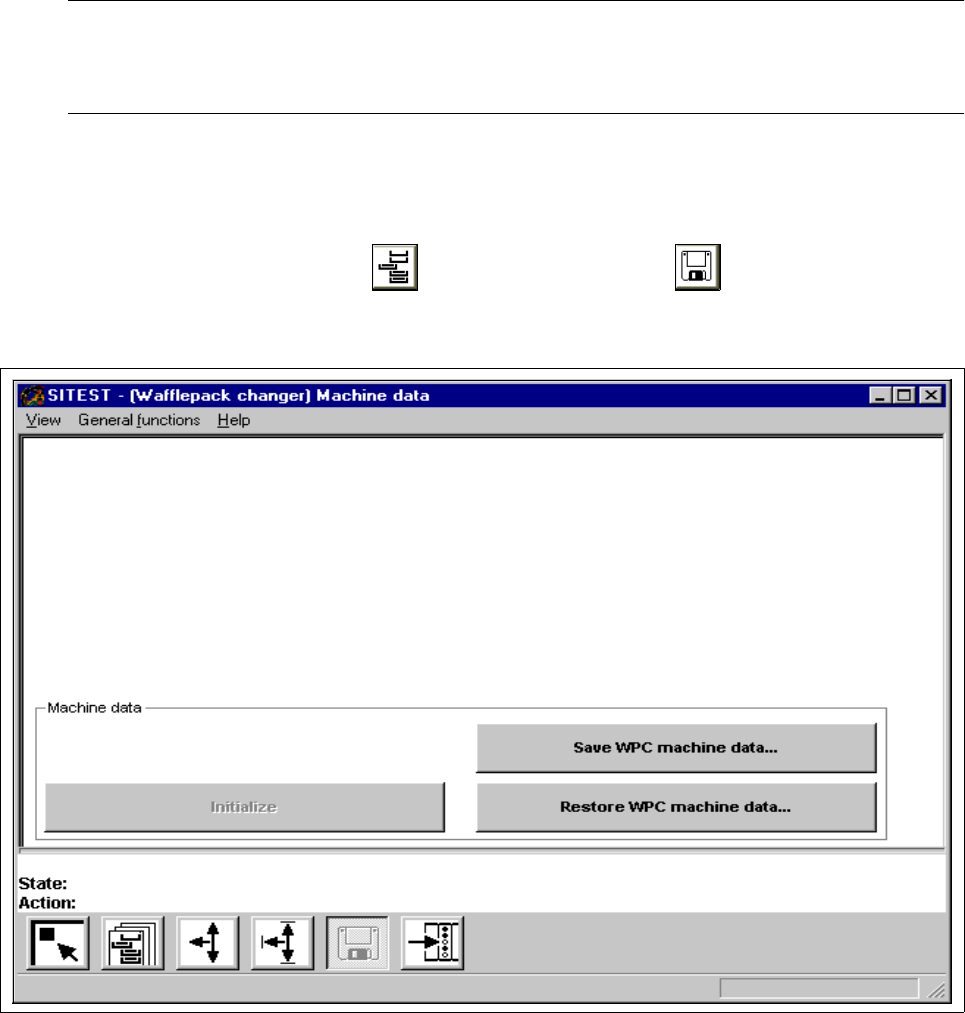
● In the "Wafflepack Changer" display (see Fig. 0.3.10) click on the icon to switch to the "WPC
machine data" display.
Fig. 1.8.1 "WPC machine data" display
1 General Functions User Manual Test Program SITEST
1.8 Saving WPC Machine Data Software Version 405.xx Issue 01/99
1 - 20
The Ma data of the WPC can be saved to the hard disk or a diskette using the "Save WPC machine data" func-
tion.
● Click on the
Save WPC machine data...
button.
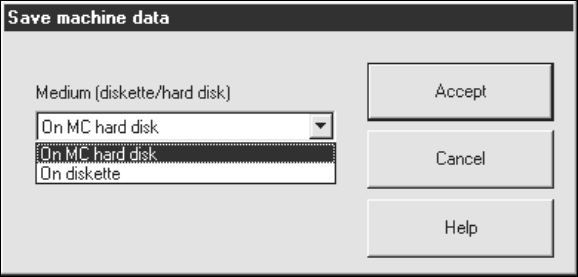
The setting box below opens.
Saving MA data to the hard disk:
● Select the
On MC hard disk
function.
● Click on the
Accept
button. The MA data of the WPC will be saved to the hard disk.
Saving MA data to diskette:
● Insert a blank, formatted diskette into the floppy drive.
● Select the
On diskette
function.
● Click on the
Accept
button. The MA data of the WPC will be saved to diskette.
1.8.3 Transmitting MA Data to the RAM Chip Memory
MA data can be transmitted (copied) from the hard disk or a diskette to the memory of the battery-buffered
RAM chip using the "Restore WPC machine data.
● Click on the Restore WPC machine data....