00191332-01.pdf - 第45页
User Manual Test Program SITEST 1 General Functions Software Version 405.xx Issue 01/99 1.1 Setting the Language 1 - 3 1.1 Setting the Language NOTE Selec ting the lang uage is only pos sible in the ma in view displ ay a…

1 General Functions User Manual Test Program SITEST
Software Version 405.xx Issue 01/99
1 - 2
User Manual Test Program SITEST 1 General Functions
Software Version 405.xx Issue 01/99 1.1 Setting the Language
1 - 3
1.1 Setting the Language
NOTE
Selecting the language is only possible in the main view display and is valid for the SITEST test program only.
1
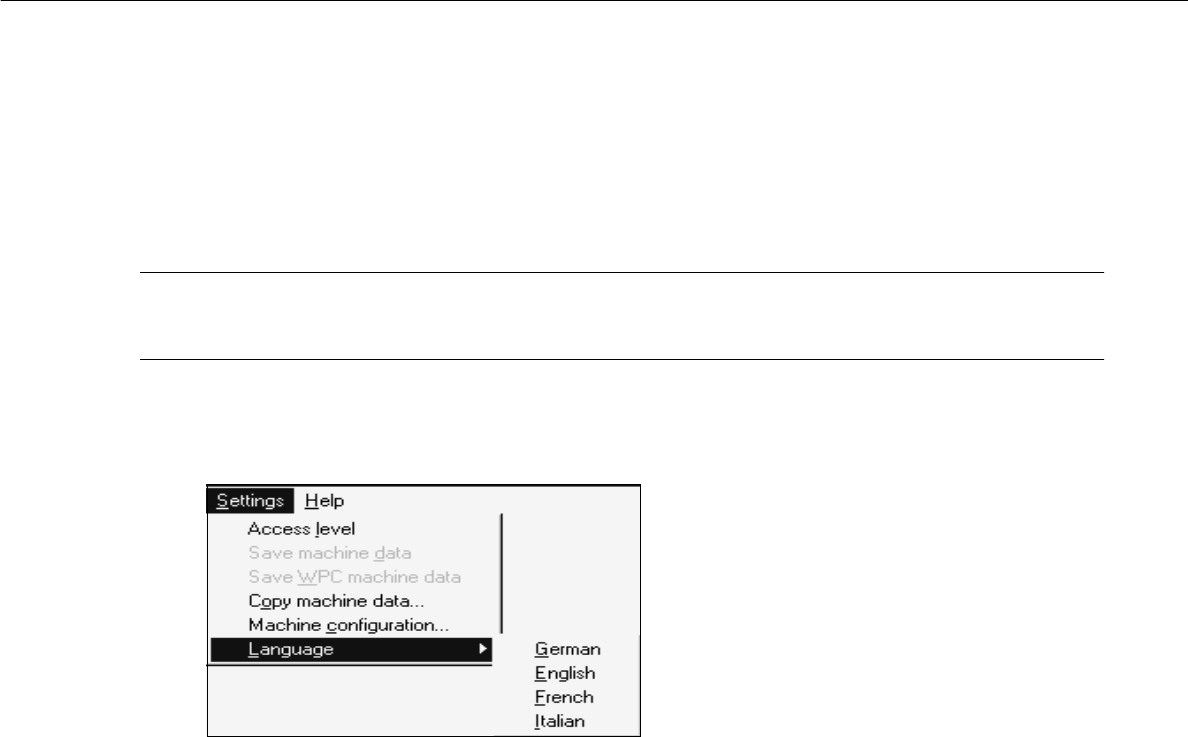
● Click on the
Settings
menu and select the
Language
option.
The submenu for selecting the language opens.
● Click on the menu entry for the desired language.
The texts of the user interface will be displayed in the language selected.

1 General Functions User Manual Test Program SITEST
1.1 Setting the Language Software Version 405.xx Issue 01/99
1 - 4