SPF维修.pdf - 第134页
6.7 Secret Screen Service Functions (CONFIDENTIAL) SERVICE MANUAL SPF 6.7−3 D54SEC−85−080−A0 6.7.2 RAM Initialization WILL YOU INITIALIZE? ( : YES : NO ) MANUAL : 1BLOCK <<MACHINE INITIAL SETTING>> XXXX−XX−XX…
SPF
6.7 Secret Screen Service Functions (CONFIDENTIAL)
SERVICE MANUAL
6.7−2
D54SEC−85−080−A0
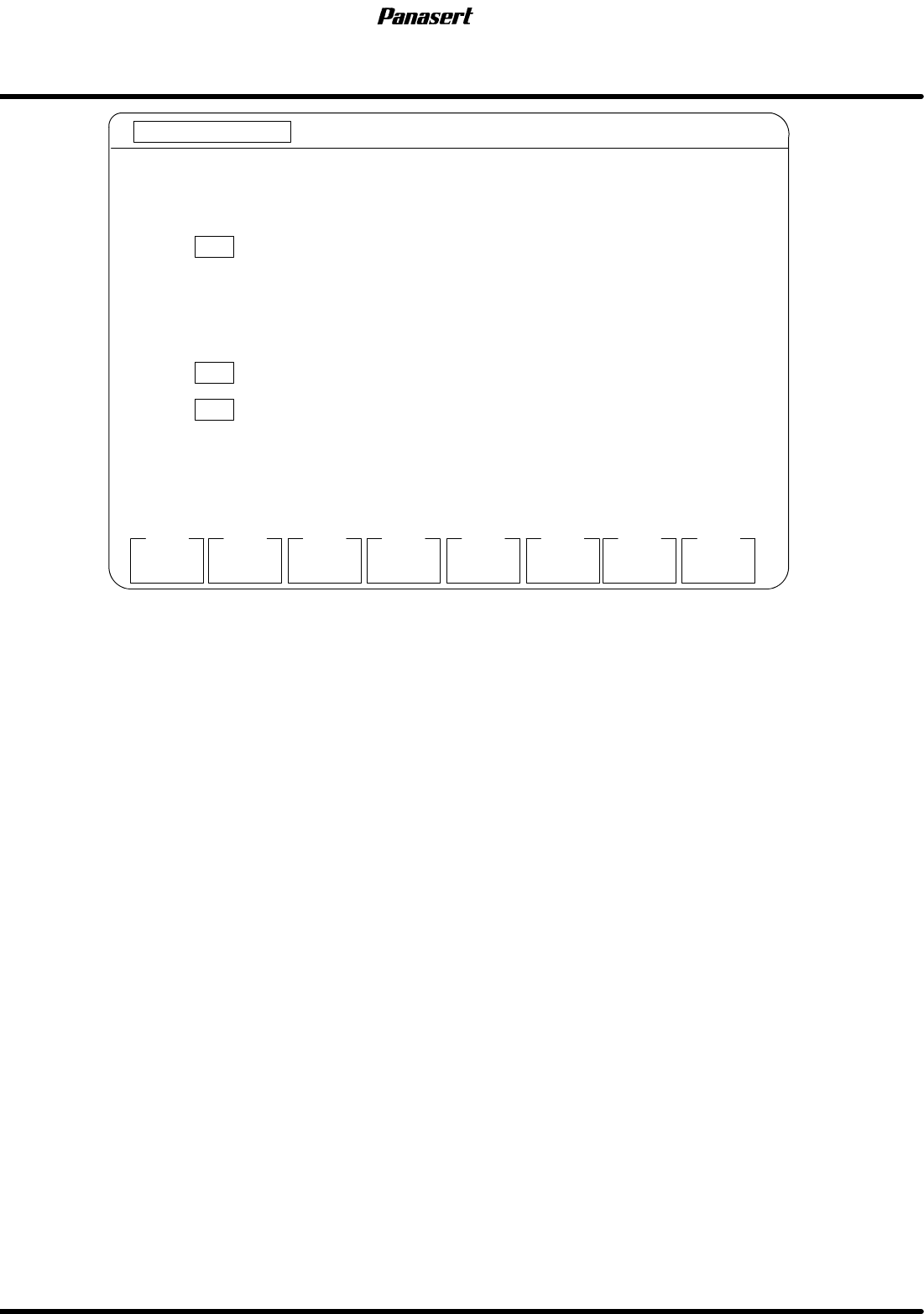
MANUAL : 1BLOCK
<<MACHINE INITIAL SETTING>>
XXXX−XX−XX XX:XX
F1
F2 F3 F4 F5 F6
F7 F8
[MENU]
APPROV
EXIT
SELECT FUNCTION USING F KEYS.
F 1 SETS WIDTH INITIAL DATA
APPROVING
F 4 RECOGNITION SERVICE
F5
MORE
FUNCTION
WIDTH
DATA
RECOG
SERVICE
Figure 6.7−2−Menu screen
Parameter explanation
· This is a designation of which function keys to execute upon the selection.
F1 : Width initial data setting
F4 : Carry out recognition service.
F5 : Carry out certification.
F7 : Go to next menu.
F8 : Setting is completed.
6.7 Secret Screen Service Functions (CONFIDENTIAL)
SERVICE MANUAL
SPF
6.7−3
D54SEC−85−080−A0
6.7.2 RAM Initialization
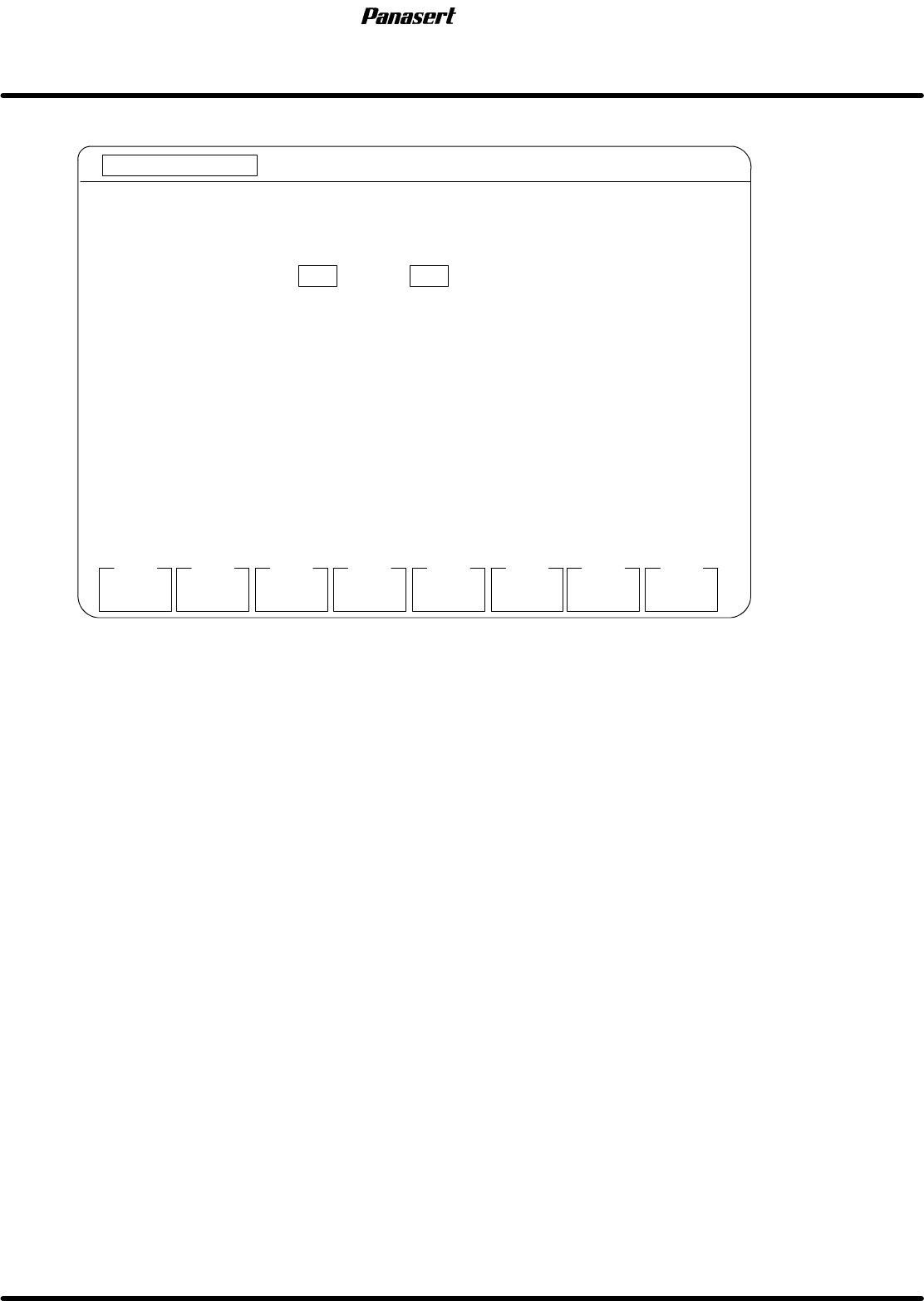
WILL YOU INITIALIZE? ( : YES : NO )
MANUAL : 1BLOCK
<<MACHINE INITIAL SETTING>>
XXXX−XX−XX XX:XX
F1
F2 F3 F4 F5 F6
F7 F8
YES
[RAM INITIALIZATION]
NO
INITIALIZES ALL RAM AREA.
F1
F2
Figure 6.7−3−RAM initialization screen
Parameter explanation
· This is a designation of whether the initialization on all RAM will be execute or not.
F1 : Yes, initialization will be executed on all RAM area.
F2 : No, initialization will not be executed on all RAM area.
SPF
6.7 Secret Screen Service Functions (CONFIDENTIAL)
SERVICE MANUAL
6.7−4
D54SEC−85−080−A0
6.7.3 System Parameter Setting
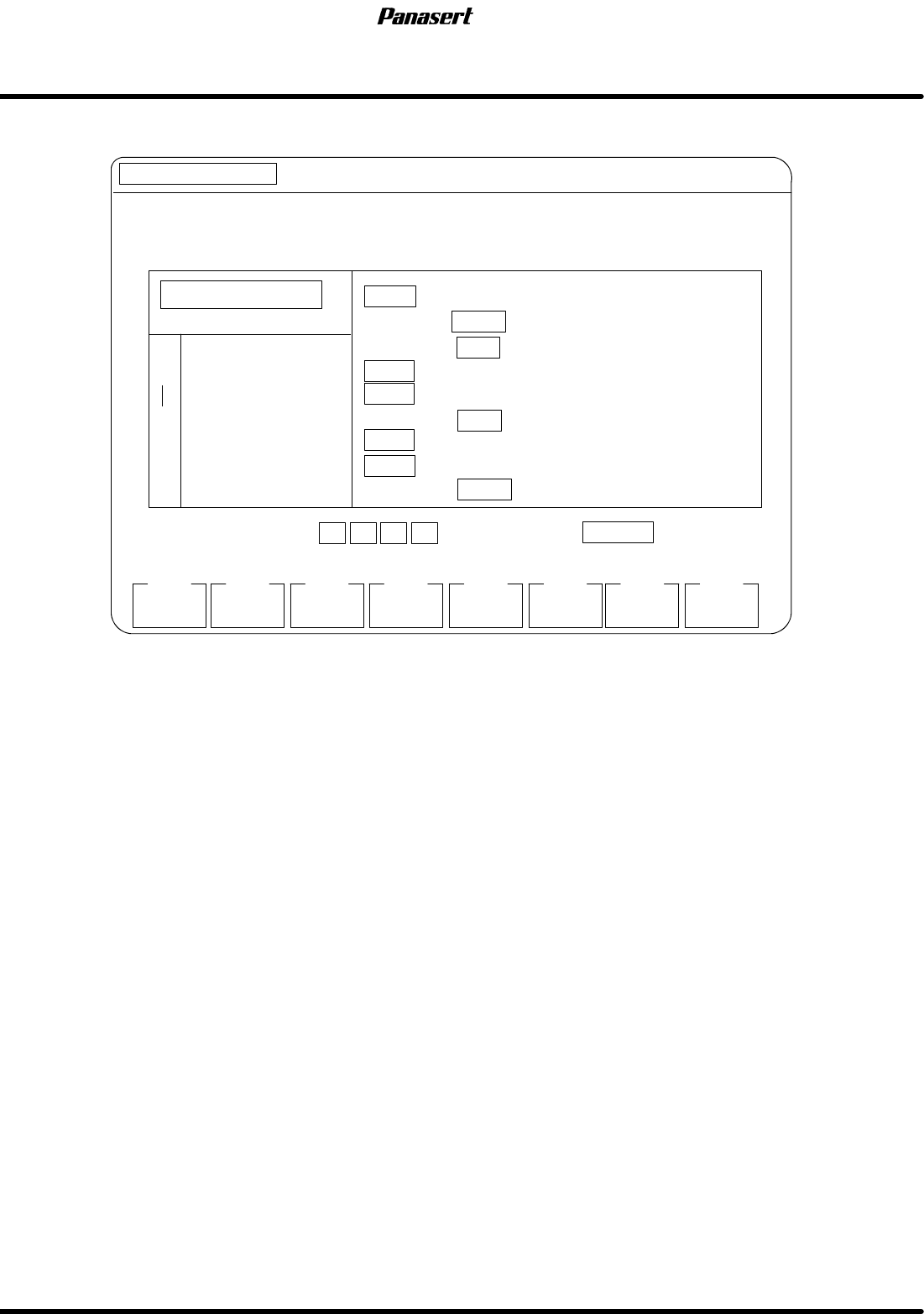
SELECT ITEM USING KEYS AND PRESS .
2400 9600 19200
MANUAL : 1BLOCK
<<MACHINE INITIAL SETTING>>
XXXX−XX−XX XX:XX
F1
F2 F3 F4 F5 F6
F7 F8
[SYSTEM PARAMETER SETTING]
EXIT
R
DATA TYPE
YES
LANGUAGE
CHECKSUM
ETX
NO
YES
4800
JPN
CR
YES
NO
NO
S
3
2
C
2
END COMMAND
LAN
R COMMAND
TIME OUT
MOMENTARY
BAUD RATE
INC
ABS
ENG
NOYES
YES
NO
¯ ¬ ®
ENTER
Figure 6.7−4−System parameter setting screen
Parameter explanation
DATA TYPE
· This is a designation of which data type is used on the display upon the selection.
ABS : The absolute type is used.
INC : The relative type is used.
LANGUAGE
· This is a designation of which language is used on the display upon the selection.
JPN : Japanese is used.
ENG : English is used.
LAN
· This is a designation of whether LAN is used for the communications or not.
YES : LAN is used for communication.
NO : LAN is not used for communication.
CHECKSUM
· This is a designation of whether the checksum of the transferred data is executed or not.
YES : A checksum of the transferred data is executed.
NO : A checksum of the transferred data is not executed. (The error does not
indicate when some troubles are occurred in transferring the data.)