SPF维修.pdf - 第71页
SPF 4.3 Upper Section Positioning Related Matter SERVICE MANUAL 4.3−6 D54SEC−W1−000−B0 4.3.4 SCX Axis (Screen Compensated Axis) Motor Replacement Unit No. 1080810100 SCX Axis (Screen Compensated Axis) Motor Replacement 4…
4.3 Upper Section Positioning Related Matter
SERVICE MANUAL
SPF
4.3−5
D54SEC−W1−000−B0
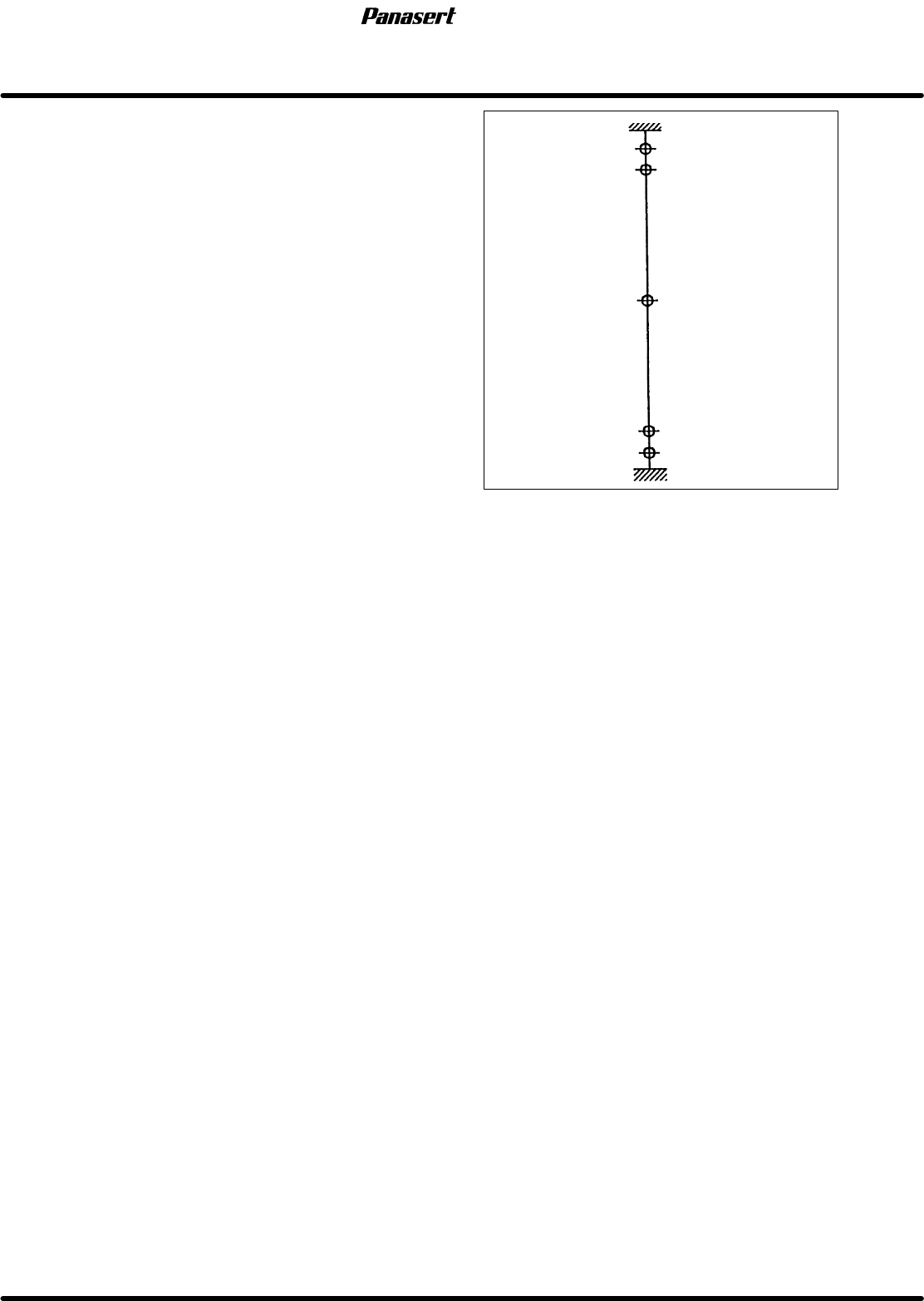
10. Check the (±) limit sensors.
=Specification=
(+) safety limit : 363±0.5mm
(+) limit : 361±0.5mm
(−) limit : −361±0.5mm
(−) safety limit : −363±0.5mm
+365
+363
+361
0
−361
−365
Mechanical stopper
(+) limit
Origin
(−) safety limit
Mechanical stopper
(At CY axis origin)
Stroke related diagram
−363
(−) limit
(+) safety limit
SPF
4.3 Upper Section Positioning Related Matter
SERVICE MANUAL
4.3−6
D54SEC−W1−000−B0
4.3.4 SCX Axis (Screen Compensated Axis) Motor
Replacement
Unit No. 1080810100
SCX Axis (Screen
Compensated Axis) Motor
Replacement
4.3.1 SCX Axis (Screen
Compensated Axis) Origin
Adjustment
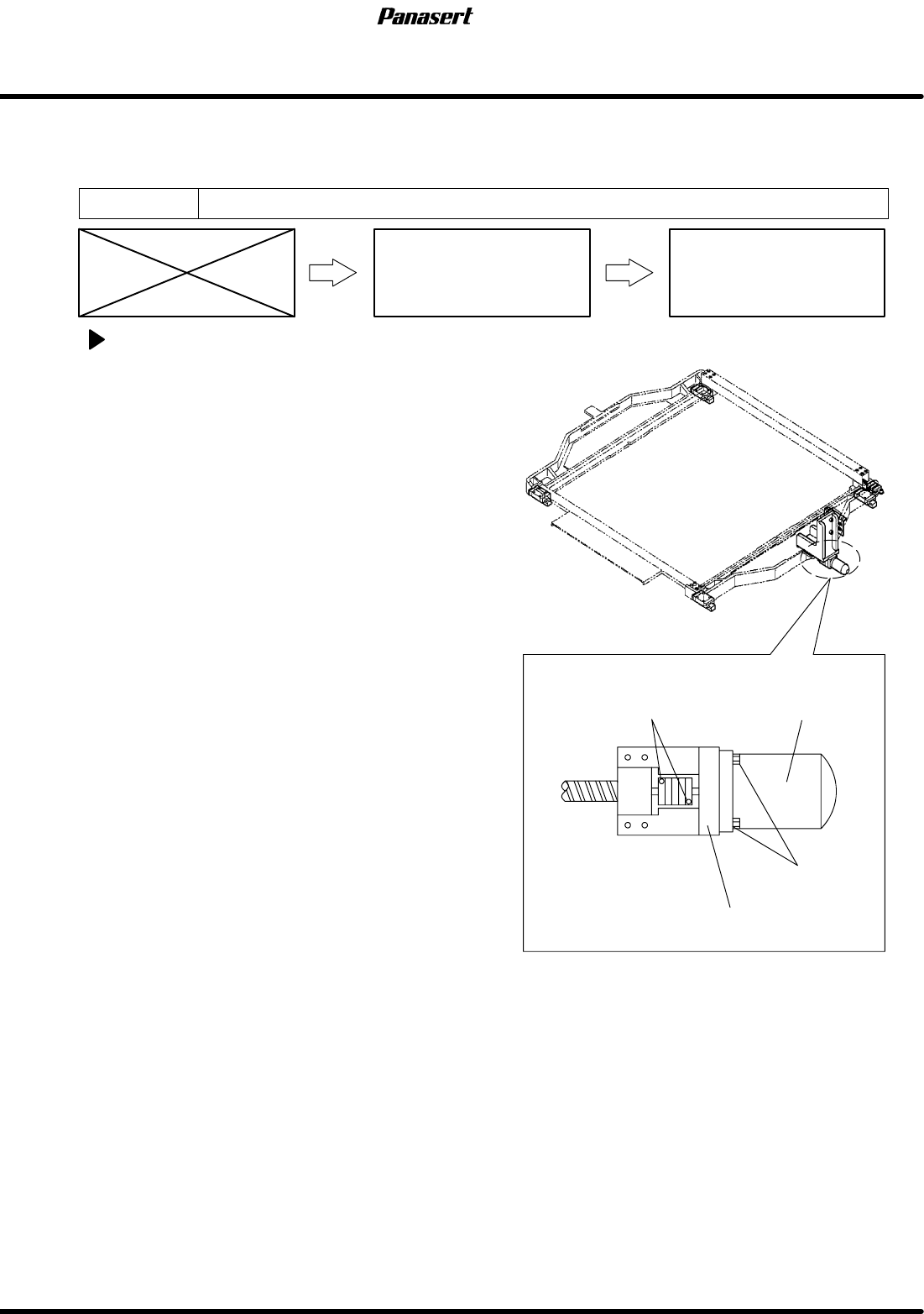
SCX axis motor replacement
1. Turn the power [ON] and return to origin.
2. Turn the power [OFF].
3. Disconnect the motor connectors.
4. Loosen the coupling bolt on the motor side.
=CHECK=
Be sure to detach the motor shaft and the
coupling completely.
5. Remove the motor bolt and remove the motor
from the motor bracket.
6. Replace the motor.
7. Tighten the motor bolt and coupling bolt.
8. Connect the motor connectors.
Motor
Motor bolts
Coupling bolts
Motor bracket
4.4 Recognition Illumination Related Matter
SERVICE MANUAL
SPF
4.4−1
D54SEC−W4−000−B0
4.4 Recognition Illumination Related Matter
D54SEC−W4−000−B0
Sentence No.
4.4.1 PCB Recognition Camera Brightness Adjustment
Unit No.
PCB Recognition Camera
Brightness Adjustment
=Preparation=
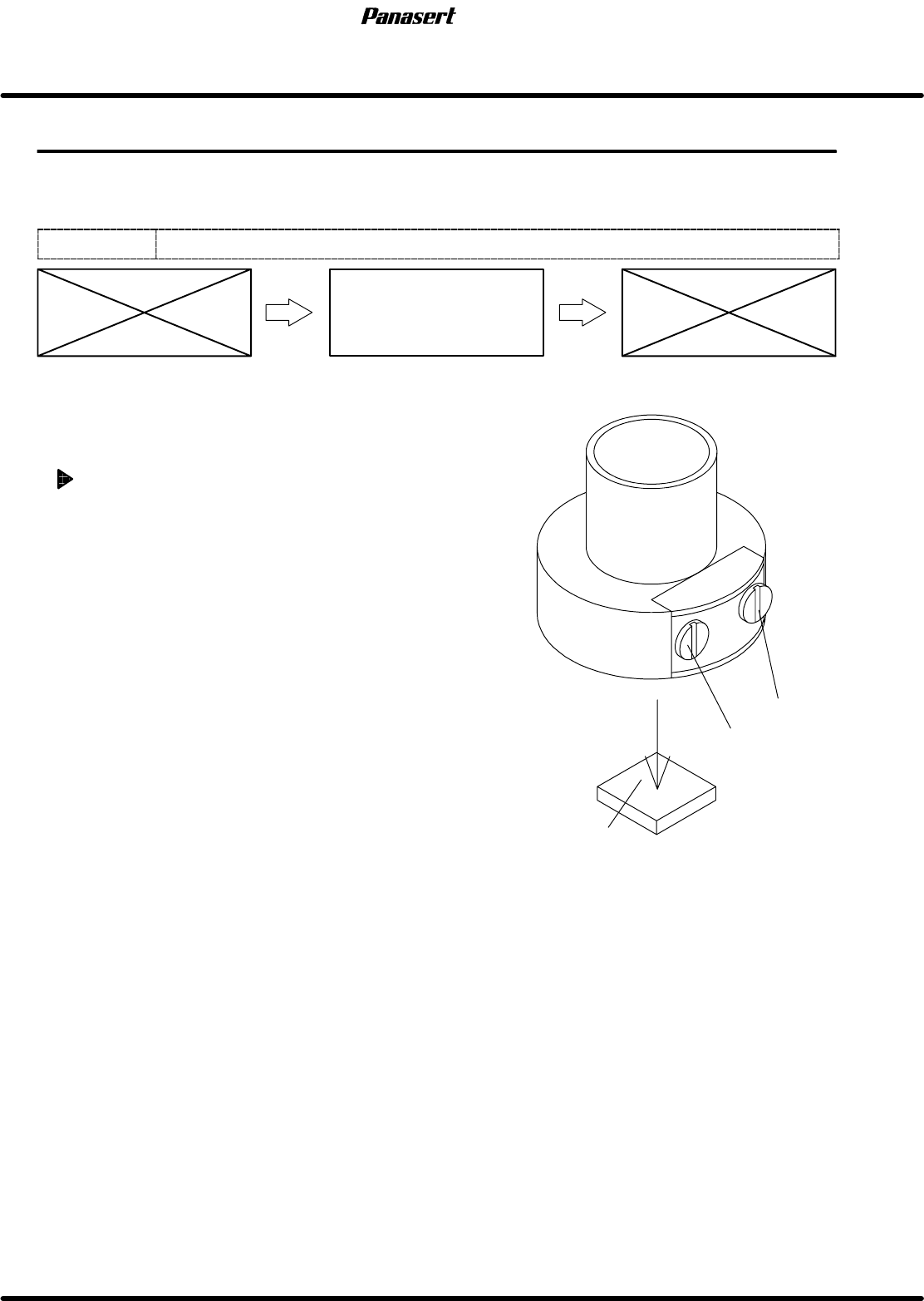
1. Brightness adjustment jig
2. (−) driver (small)
PCB recognition camera brightness
adjustment
=CHECK=
Since the brightness changes gradually, be
sure to check the brightness within 5 minutes
after illuminating the LED.
1. Place the brightness adjustment jig on the PCB.
2. Set the PCB on the transfer rail.
=HINT=
Be sure to fix the brightness adjustment jig
with the adhesive tape, etc.
3. Select PCB RECOGNITION CAMERA on the
’RECOGNITION SERVICE’ screen of the secret
screen and project the image of the PCB
recognition camera on the recognition monitor.
=REFERENCE=
Referto’RELATEDINFORMATION/Secret
ScreenServiceFunctions(CONFIDENTIAL)’
in this manual.
4. Raise the ST axis until the focus of the PCB
recognition camera focalizes on the brightness
adjustment jig and project the image of the
brightness adjustment jig.
VR2
(Ring)
VR1
(Spot)
Brightness adjustment jig
PCB recognition camera