00198374-04_UG_OSC_Package_R19-2_DE_EN.pdf - 第80页
4 Working with the OSC Features 4.3 New Features and Changes with R19-1 80 Bedienungsanleitung OSC Package User Guide OSC-Paket 11/2019 CAUTION Set behavior for machine stop to "Cycle Stop" When placing high co…
4 Working with the OSC Features
4.3 New Features and Changes with R19-1
Bedienungsanleitung OSC Package User Guide OSC-Paket 11/2019 79
4.3 New Features and Changes with R19-1
In this chapter all features are listed that have either been newly introduced or have been updated
with R19‑1.
4.3.1 Placement of Exceptionally High Components
From R19-1, there has been an update to the placement of exceptionally high components feature
introduced in R18-2 (please refer to 4.2.6 "Placement of An Exceptionally High Component" [}76]).
Besides the TwinVHF placement head, it is now possible to place exceptionally high components
with a CPP placement head as well. In both cases the software provides automatic crash avoid-
ance and the gantry and the placement head are moved around the exceptionally high components
that are being placed. Furthermore, the placement sequence has been optimized so that more than
one exceptionally high component can be placed with the Twin VHF placement head.
WARNING
Description of the component height
It is essential that the description of the component height in SIPLACE Pro is correct.
Otherwise, the hardware (machine, board camera etc.) could be damaged.
The described component height is used in the station software to decide whether the
placement head and the board camera are allowed to be moved over an already placed
component. If this is not possible without collision, they are moved around this component.
Prerequisites
The prerequisites for the Twin VHF and the CPP placement head differ in the following details:
Prerequisites Twin VHF CPP
Maximum component height 46mm without centering pins
50mm with centering pins
(46mm body height + 4mm
centering pin height)
15.5mm
Placement head Twin VHF placement head, as
the only placement head in the
station or in combination with
either another Twin VHF or a
CPP mounted in high position
CPP placement head mounted
in high position on last place-
ment area of the line
No TwinHead or Twin VHF
placement head must be used
in the same placement area.
Placement machine SIPLACE SX V2 No restrictions
Conveyor Single conveyor No restrictions
The following prerequisites apply to both placement heads:
●
Exceptionally high components are placed in the last station of the line.
●
The minimum horizontal safety distance for moving components around other already placed
components is 5mm.
●
The highest of the previously placed components defines the minimum flying altitude for all
components placed by the last station.
4 Working with the OSC Features
4.3 New Features and Changes with R19-1
80 Bedienungsanleitung OSC Package User Guide OSC-Paket 11/2019
CAUTION
Set behavior for machine stop to "Cycle Stop"
When placing high components, it is recommended to set the behavior for a manual
machine stop to "Cycle Stop". This can be done in the Line Control GUI under Manual Op-
erations > Entire Machine > Hardware stop button behavior. By doing so, after the stop
button is pressed, the placement cycle is continued for a specific time to complete the
placement cycle before the machine stops and the cover lock is released. This way, when
the user moves the gantry while the cover is open, collisions of high components still on the
placement head with already placed components can be avoided. The behavior is active
even after the machine is restarted.
In some cases it is possible that the placement cycle is not finished after the stop button is
pressed. In these instances it is possible that components are still at the placement head
which can collide with other already placed components if the user moves the gantry while
the cover is open.
CAUTION
Risk of collisions when manually moving the gantry
When the user moves the gantry of the CPP placement head while the machine is stopped,
there is a collision risk when moving the CPP placement head over already placed high
components, e.g. components placed by a Twin VHF placement head.
4.3.2 Component Chipping Inspection
The component chipping inspection functionality checks whether the edge of a component has lar-
ger deviations than defined, which might indicate that the edges of a component have been
chipped off. The chipping inspection is an additional measurement step and takes places after
position measurement.
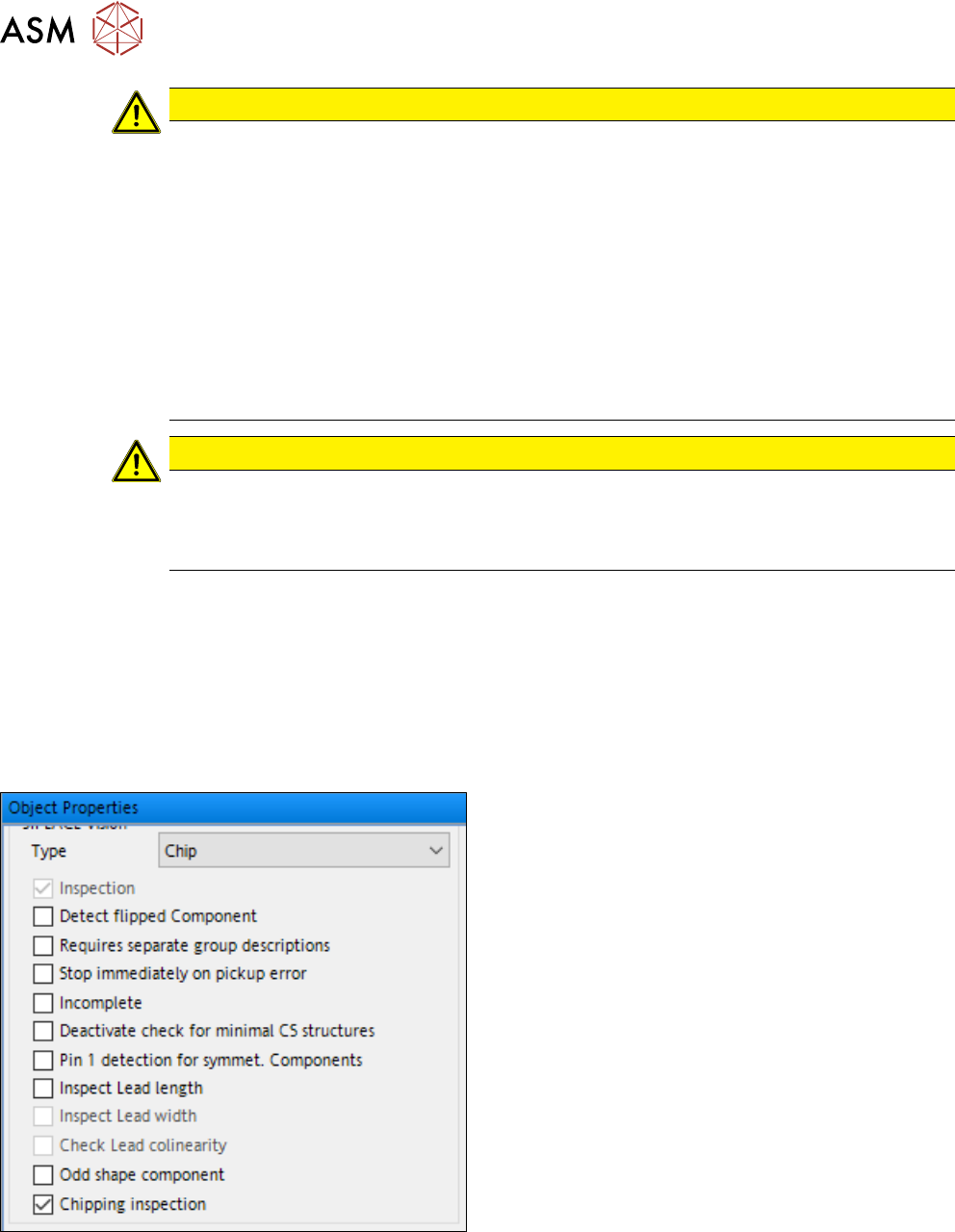
There are two ways to activate the component chipping inspection:
Activation via SIPLACE Pro
► In the Vision Inspection tab of the Component
Shape Editor, activate the Chipping inspection
checkbox.
4 Working with the OSC Features
4.4 New Features and Changes with R19-2
Bedienungsanleitung OSC Package User Guide OSC-Paket 11/2019 81
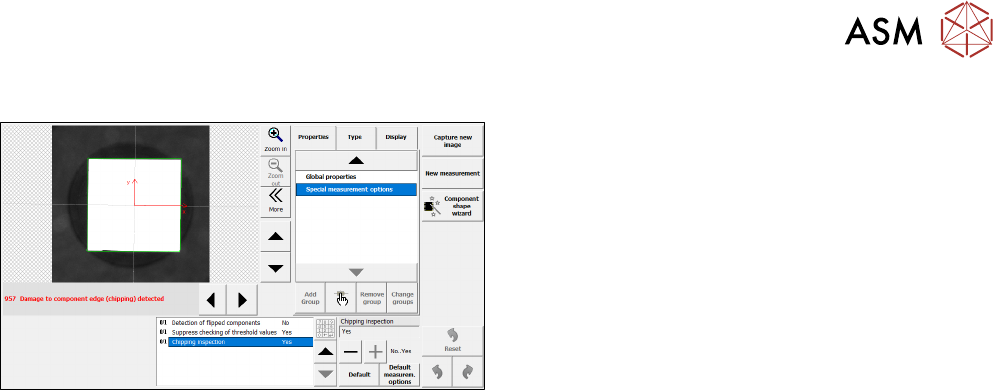
Activation via SIPLACE Vision
► In SIPLACE Vision, change the value of the Chip-
ping inspection option to Yes.
In order to exactly determine if a component has chipped edges, the measurement for the chipping
inspection can be further fine-tuned in SIPLACE Vision, e.g. the tolerances used can be changed,
or the illumination can be adjusted.
If it was determined that a component has chipped edges, the component will be rejected.
Restrictions
●
Only supported for component shapes of type BareDie, BGA, CCGA, Chip, Moulded, and
Nonstandard.
4.3.3
4.4
4.4.1
Placement of Snap-in Components – Improved Teaching
With R19-1, there has been an update for the placement of snap-in components feature introduced
in R16-2 (please refer to 4.1.1 "Placement of Snap-In Components" [}53]) and to the improved
teaching procedure introduced in R18-2 (please refer to 4.2.1 "Placement of Snap-in Components –
Improved Teaching" [}70]).
Up to R18-2, the height reference values were not uploaded to SIPLACE Pro and had to be taught
again when the job was changed at the placement machine or the machine was shut down. From
R19-1 they are stored locally on the machine and do not need to be taught again.
New Features and Changes with R19-2
In this chapter all features are listed that have either been newly introduced or have been updated
with R19‑2.
Placement of Heavy Components with TwinHead Placement Heads
For R19-2, the maximum component weight that can be placed has increased.
SIPLACE Pro Settings:
To place components with a weight of more than 100g, reduced accelerations must be used.
Up to R19-2, the accelerations could be reduced to 100%, 75%, 50%, 25% and 10% in SIPLACE
Pro. With R19-2, additional reductions to 5%, 4%, 3%, 2%, and 1% are available for components
heavier than 100g.
Station:
Components with a weight of up to 160 g can be placed by all TwinHead variants. Components
with a weight between 160g and 240g can only be placed with a Twin VHF. Additionally, a new
nozzle adapter for Twin VHF, item no. [03149670-xx] has been introduced. With this new nozzle
adapter higher accelerations are possible. To determine the highest possible acceleration for heavy
components, the acceleration test (see4.1.5 "Finding Best Acceleration" [}66]) can be used.