00196771-01_IM_SSW_705_03_DE_EN.pdf - 第42页
Installation Manual, Station Software Version 705.03 02/2011 Edition Fig. 7-2: Used hardware components The Machine service activity level is required to execute the Auto-configuration. → Click the icon to call the user …
Installation Manual, Station Software Version 705.03 02/2011 Edition
7 First booting after installation
When a machine is booted for the first time after installation, the station software detects which hardware
components are used via the Auto-configuration feature and configures itself accordingly. The operator is
prompted to confirm or reject the Auto-configuration on the GUI.
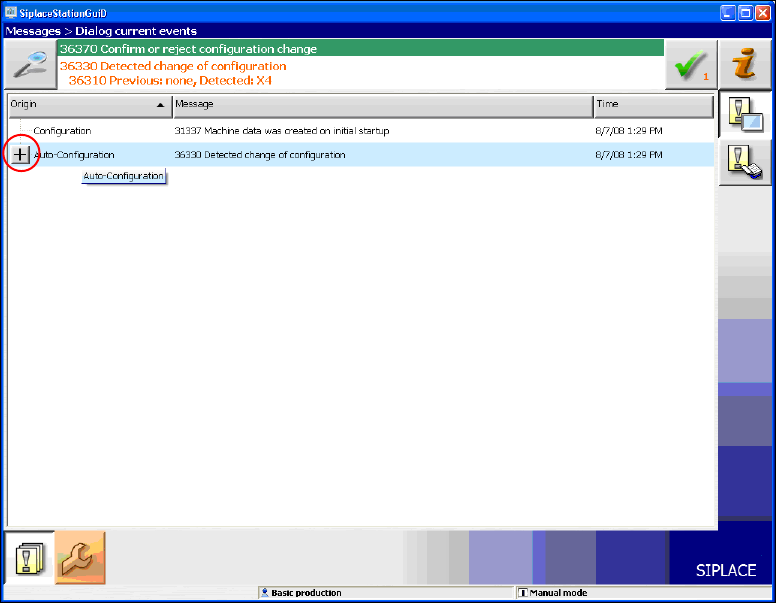
Fig. 7-1: Auto-configuration
→ Click the + sign in front of Auto-configuration to open the configuration list.
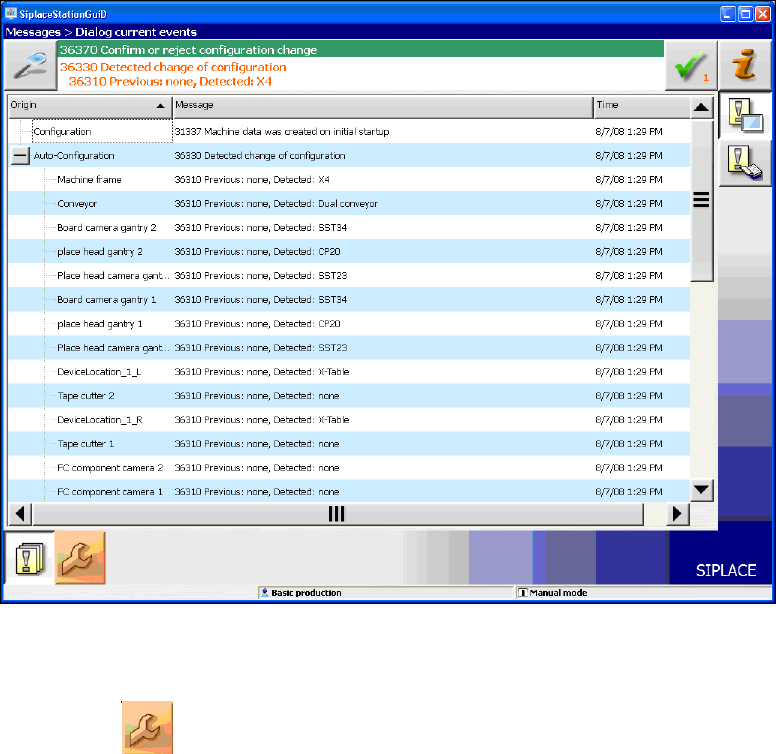
The used hardware components are displayed.
41 of 58
Installation Manual, Station Software Version 705.03 02/2011 Edition
Fig. 7-2: Used hardware components
The Machine service activity level is required to execute the Auto-configuration.
→ Click the
icon to call the user settings.
42 of 58
Installation Manual, Station Software Version 705.03 02/2011 Edition
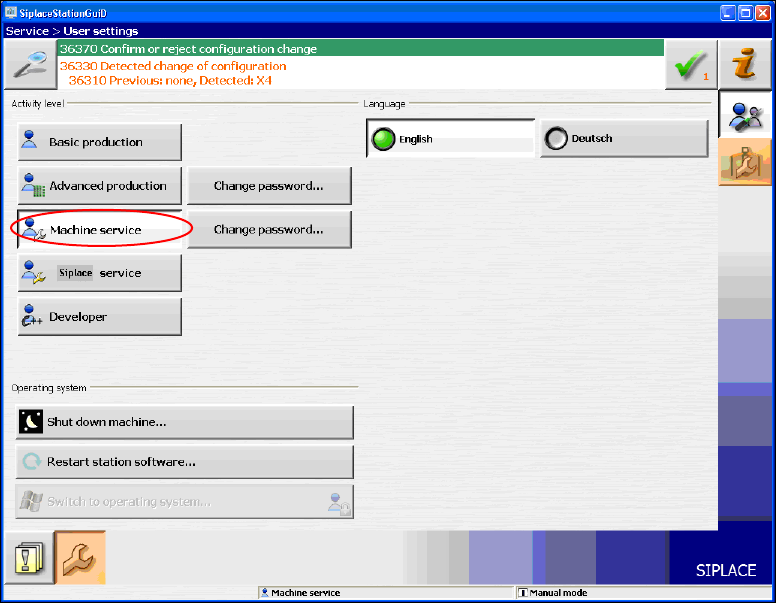
The user settings are displayed.
Fig. 7-3: Changing activity level
→ Click the Machine service button and enter the password to change into this activity level.
43 of 58