00196771-01_IM_SSW_705_03_DE_EN.pdf - 第46页
Installation Manual, Station Software Version 705.03 02/2011 Edition 7.2 SX1/SX2 placement machine For the SX1/SX2 placement machine the following wi ndow is displayed, in whic h the Manual selection required note inform…
Installation Manual, Station Software Version 705.03 02/2011 Edition
7.1 X-series placement machines
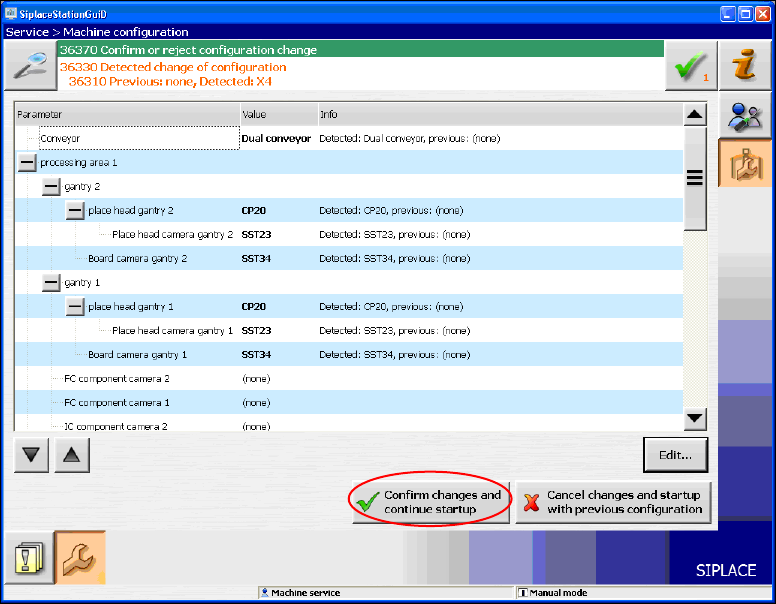
The following window is displayed for the X-series machines. Here you can edit, confirm or reject the Auto-
configuration.
Fig. 7-5: Confirming Auto-configuration for X-series
→ Click the Confirm changes and continue startup button to confirm the Auto-configuration.
If the Coplan computer has been installed, additionally the 3-D Coplan sensor has to be confirmed or
rejected.
computer has been installed, additionally the 3-D Coplan sensor has to be confirmed or
rejected.
45 of 58
Installation Manual, Station Software Version 705.03 02/2011 Edition
7.2 SX1/SX2 placement machine
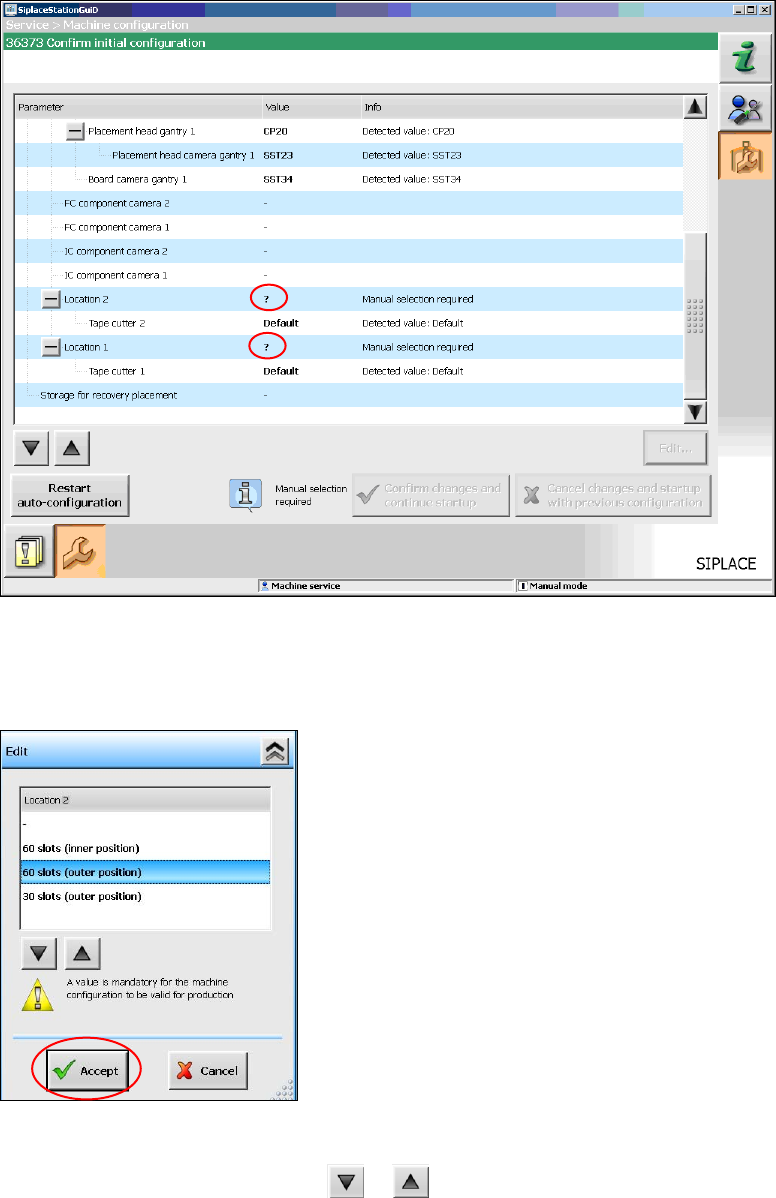
For the SX1/SX2 placement machine the following window is displayed, in which the Manual selection
required note informs, that the table configuration has to be selected manually, as this is not detected
automatically.
Fig. 7-6: Selecting table configuration
→ Click the ? question mark next to Location 2.
The selectable table configurations are displayed.
Fig. 7-7: Possible table configurations
→ Select a table configuration with or .
→ Click the Accept button.
46 of 58
Installation Manual, Station Software Version 705.03 02/2011 Edition
→ Repeat the steps for Location 1.
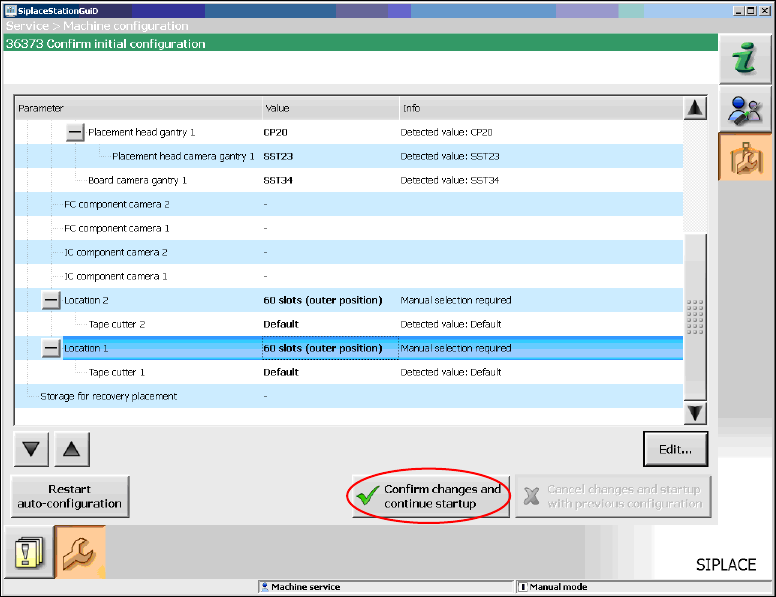
When you have selected all table configurations the following window is displayed, in which you confirm
the Auto-configuration.
Fig. 7-8: Confirming Auto-configuration for SX1/SX2
→ Click the Confirm changes and continue startup button to confirm the Auto-configuration.
If the manual tray Carrier SX is used, a manual setting is required. See the version description to the
station software, item number 00196770-xx.
If the Coplan computer has been installed, additionally the 3-D Coplan sensor has to be confirmed or
rejected.
7.3 SX+ placement machine
If the SX+ placement machine is to be used without gantries, this has to be configured in the Auto-
configuration after the machine has been booted. For this you have to select "Ignore gantries" at the
processing area in the machine configuration dialog.
47 of 58