TR7600 SIII_Camera_Calibration_en_v_2_0_2.pdf - 第21页
Test Research, Inc. TR7600 SIII Ser ies User G uide – Cam era Calibr ation 15 2.2 Camer a Shift Ca libration Go to [Utility] [System Calibrati on] [Camera Shift] Figure 16 : Utility/S ystem Calibr ation/ Camera Shi…
Test Research, Inc.
14 TR7600 SIII Series User Guide – Camera Calibration
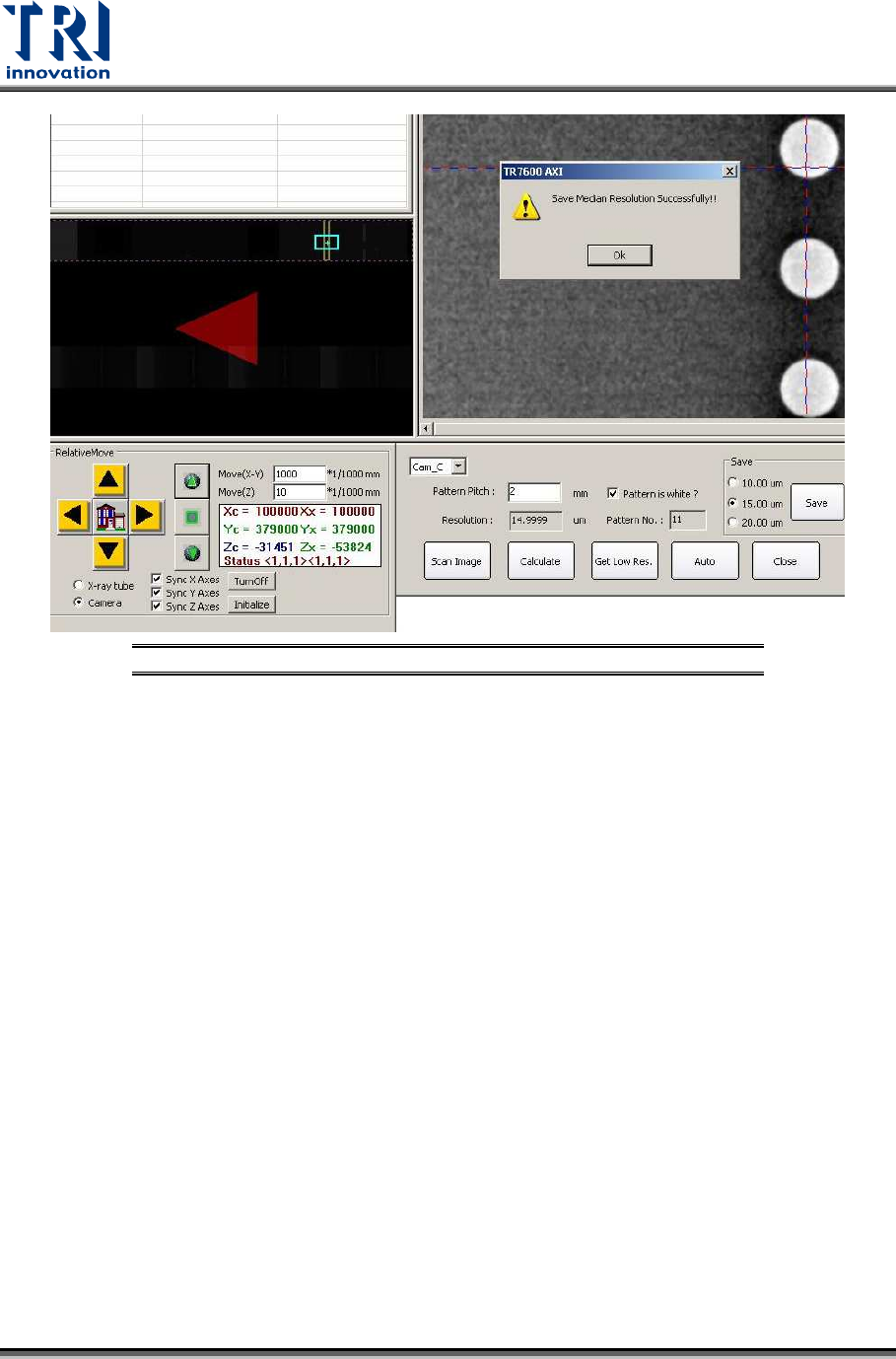
Figure 15: Resolution Calibration Succeeds
Test Research, Inc.
TR7600 SIII Series User Guide – Camera Calibration 15
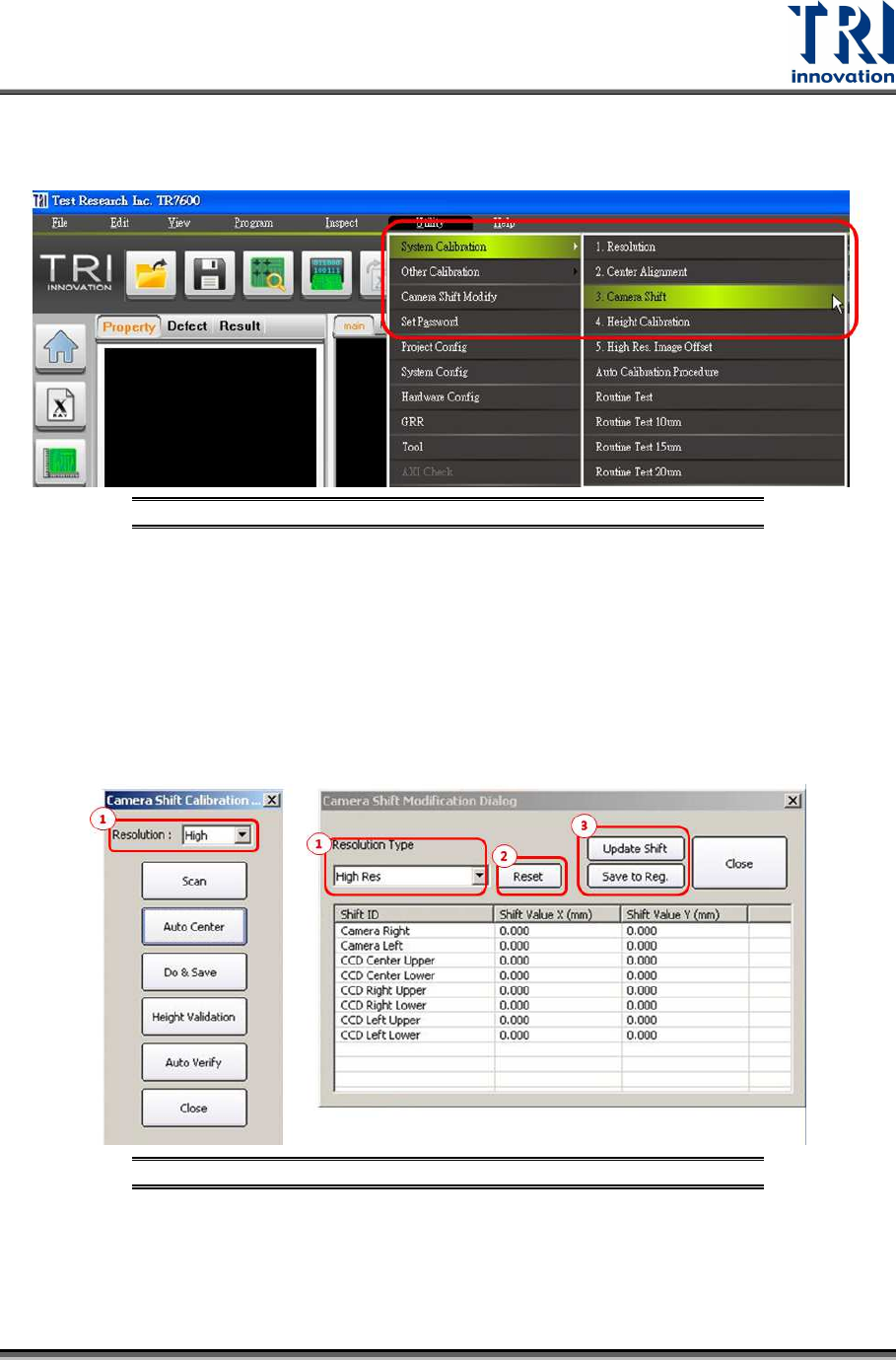
2.2 Camera Shift Calibration
Go to [Utility] [System Calibration] [Camera Shift]
Figure 16: Utility/System Calibration/ Camera Shift
Calibrate low, median and high resolution (20, 15, 10µm) one by one by following the
procedure below which takes high resolution as an example.
1) Click [High Resolution] in Camera Shift Calibration dialogue and Camera Shift
Modification Dialogue.
2) Press [Reset].
3) After press [Update Shift] and [Save to Reg.] in sequence, every value in Camera Shift
Modification Dialogue will become zero.
Figure 17: Camera Shift Calibration Steps
Test Research, Inc.
16 TR7600 SIII Series User Guide – Camera Calibration
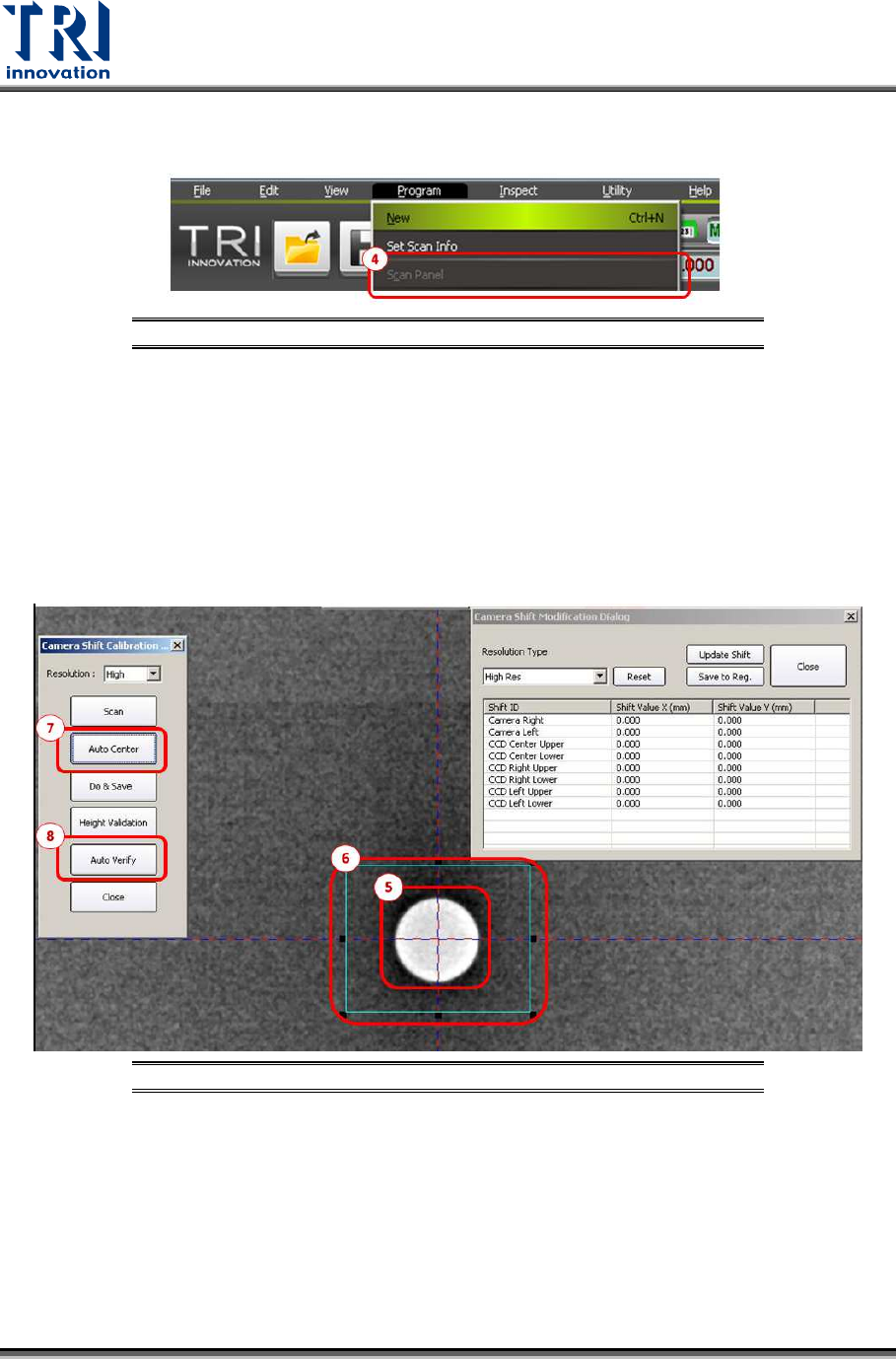
4) Press [Scan Panel]. (Please do use the [Scan Panel] in the toolbar of the main program,
instead of the “Scan” button in the pop-out window.)
Figure 18: Camera Shift Calibration Steps
5) Find a single white hole on the screen. Left click the mouse at the center of the white
hole twice to make the intersection of the cross line is located at the center of the white
hole.
6) Enlarge the square box to enclose the white hole.
7) Click [Auto Center] and the square box will enclose the white hole closely.
8) Press [Auto Verify] and then the machine will scan the calibration board three times and
do the calibration. When camera shift calibration is done, another dialogue will pop up.
Figure 19: Camera Shift Calibration Steps
9) Press [V] and the number keys [1], [2], [3], [4], [5], [6], [7], [8], [9] on the key board to
see if all the scanned images are almost at the same place without too much
displacement.
10) If all the scanned images are almost at the same place, the camera shift calibration is
successful. If not, the calibration is considered fail and need to repeat the calibration
steps from 1) to 9) until the camera shift calibration is successful. Then click [Update].
11) Press [Update Shift] and [Save to Reg.] in sequence to update the parameters in the